1
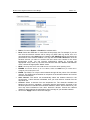
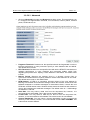
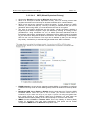
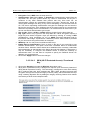
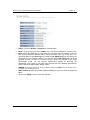
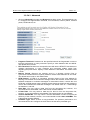
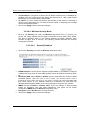
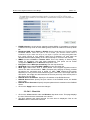
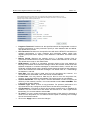
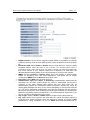
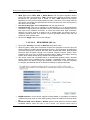
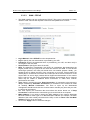
Multi-Function Gigabit Wireless-N Client Bridge Version 1.0 Information Interchange - alphanumeric characters) format. ASCII format is provided so you can enter a string that is easier to remember. WEP Key 1-4: You may enter four different WEP keys. Enable 802.1x Authentication: Place a check in this box if you would like to use RADIUS authentication. This option works with a RADIUS Server to authenticate wireless clients. Wireless clients should have established the necessary credentials before attempting to authenticate to the Server through this Gateway. Furthermore, it may be necessary to configure the RADIUS Server to allow this Gateway to authenticate users. You will then be required to specify the RADIUS Server’s IP address, port, and password. Click on the Apply button to save the changes. 3.2.5.5.4.3 WPA (Wi-Fi Protected Access) / Pre-shared Key Click on the Security link under the Wireless drop-down menu. WPA (Wi-Fi Protected Access) is designed to improve upon the security features of WEP (Wired Equivalent Privacy). The technology is designed to work with existing Wi-Fi products that have been enabled with WEP. WPA provides improved data encryption through the Temporal Integrity Protocol (TKIP), which scrambles the keys using a hashing algorithm and by adding an integrity checking feature which makes sure that keys haven’t been tampered with. ESSID Selection: As this device supports multiple SSIDs, it is possible to configure a different security mode for each SSID (profile). Select an SSID from the drop-down list. Broadcast SSID: Select Enable or Disable from the drop-down list. This is the SSID broadcast feature. When this option is set to Enable, your wireless network name is broadcast to anyone within the range of your signal. If you're not using encryption then they could connect to your network. When this is disabled, you must enter the Wireless Network Name (SSID) on the client manually to connect to the network. WMM: Choose to Enable or Disable WMM. This is the Quality of Service (QoS) feature for prioritizing voice and video applications. This option can be further configured in WMM under the Wireless drop-down menu. Encryption: Select WPA pre-shared key from the drop-down list. WPA Mode: Select the Auto WPA / WPA2 from the drop-down list. 51