1
RocketRAID BIOS Utility
1.
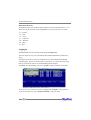
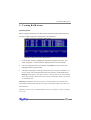
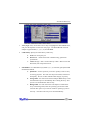
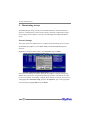
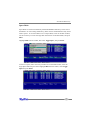
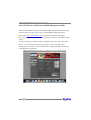
Array Type: First, use the Tab or arrow keys to highlight the desired RAID level,
and press the Spacebar to select the Array Type. The RocketRAID 432x host
adapters support RAID 0, 1, 3, 5, 6, 10, 50 and JBOD.
2.
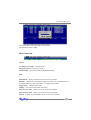
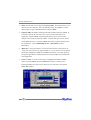
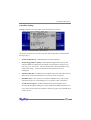
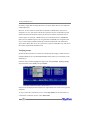
Cache Policy: Specify the Cache Policy of the array.
a.
b.
c.
3.
None: No cache policy set
Write-back – utilizes disk cache. Default setting, optimal for
performance.
Write-through – data is written directly to disk. More secure than
Write-back, but will perform slower.
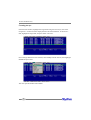
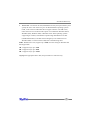
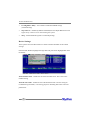
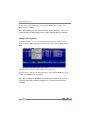
Init Method – For redundant arrays (RAID 1, 3, 5, 6, 10 and 50) specify the RAID
Initialization method.
a.
b.
c.
Quick init – use this option if you want to quickly create an array
for testing purposes. This will clear all previous data, and will not
build parity. Do not use this method if data integrity is priority.
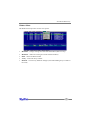
Foreground – this will instruct the host adapter BIOS utility to start
the initialization process immediately after creating the array. This
option is recommended for data security.
Background – this will instruct the host adapter to initialize the
array in the background, after the operating system has booted.
Consider this option if you need to install an operating system to
the array – this allows the array to be used immediately.
21