1
RocketRAID 3540
SATAII Host Adapter
User’s Guide
Revision: 1.0
Date: January 2008
HighPoint Technologies, Inc.
Copyright
Copyright © 2008 HighPoint Technologies, Inc. This document contains materials
protected by International Copyright Laws. All rights reserved. No part of this
manual may be reproduced, transmitted or transcribed in any form and for any
purpose without the express written permission of HighPoint Technologies, Inc.
Trademarks
Companies and products mentioned in this manual are for identification purpose only.
Product names or brand names appearing in this manual may or may not be registered
trademarks or copyrights of their respective owners. Backup your important data
before using HighPoint’s products and use at your own risk. In no event shall
HighPoint be liable for any loss of profits, or for direct, indirect, special, incidental or
consequential damages arising from any defect or error in HighPoint’s products or
manuals. Information in this manual is subject to change without notice and does not
represent a commitment on the part of HighPoint.
Notice
Reasonable effort has been made to ensure that the information in this manual is
accurate. HighPoint assumes no liability for technical inaccuracies, typographical, or
other errors contained herein.
Table of Contents
Table of Content
Chapter 1
Introduction
About this Guide .......................................................................................................1-1
Introducing the RocketRAID 3540 Host Adapter ......................................................1-1
RocketRAID 3540 – Features and Specifications .......................................................1-2
Understanding RAID Concepts and Terminology .....................................................1-4
Network Features....................................................................................................................1-5
Chapter 2
Hardware Description/Installation
1 - RocketRAID 3540 Adapter Layout ........................................................................2-1
2 - Installing the RocketRAID 3540 Host Adapter .....................................................2-2
3 - Verifying Installation .............................................................................................2-3
4 - Battery Backup ......................................................................................................2-4
Chapter 3
BIOS Utility
1 - BIOS Command Overview .....................................................................................3-1
2 - Disk Menu .............................................................................................................3-2
3 - Array Menu ...........................................................................................................3-3
4 - Controller Menu ....................................................................................................3-5
Chapter 4
Driver and Software Installation Microsoft Windows
Driver and Software CD .............................................................................................4-1
Windows Driver Installation ......................................................................................4-3
I
Table of Contents
Chapter 5
Web-RAID Management Interface
1 - Web RAID Management Interface ........................................................................5-1
2 - Preparing Hard disks .............................................................................................5-2
3 - Array Management ...............................................................................................5-3
4 - Device Management .............................................................................................5-8
5 - Configuring Spare Disks ..................................................................................... 5-12
6 - Managing Events and Tasks ............................................................................... 5-13
7 - Settings ............................................................................................................... 5-14
Chapter 6
Linux Driver Support
1 - Fedora Core Linux installation Overview ..............................................................6-1
2 - SuSE Linux Enterprise Server (SLES) installation Overview .................................. 6-9
3 - Red Hat Enterprise Overview .............................................................................. 6-14
Chapter 7
FreeBSD Driver Support
1 - Overview ...............................................................................................................7-1
2 - Installing FreeBSD on the RocketRAID 3540 Controller .......................................7-1
3 - Installing the RocketRAID 3540 Driver on an Existing System .............................7-5
4 - Updating the Driver .............................................................................................. 7-8
5 - Installing RAID Management Software ................................................................ 7-8
6 - Uninstalling the Driver ..........................................................................................7-8
Chapter 8
Mac OSX Driver
Installing the driver and RAID utility ......................................................................... 8-1
Appendix
Customer Support .................................................................................................... A-1
II
Chapter 1
Introduction
Contents of this Chapter:
About this guide
Introducing the RocketRAID 3540 Host Adapter
RocketRAID 3540 Features and Specifications
Understanding RAID Concepts and Terminology
Network Features (Web Management/BIOS Utilities)
Introduction
About This Guide
The RocketRAID 3540 SATAII Host Adapter’s User’s Guide provides information
about the functions and capabilities of the host adapter, and instructions for
installing, configuring and maintaining RAID arrays hosted by the adapter.
The RocketRAID 3540 Host Adapter
The HighPoint RocketRAID 3540 is the world’s fastest interal RAID controller
utilizing Intel IOP341 processor.The RocketRAID 3540 is the latest product in storage
technology, leveraging the storage performance in SATA II and supporting the
fastest available throughput while supporting enterprise level features such as Native
Command Queuing (NCQ),staggered drive spin-up andSAF-TE (I2C) enclosure
management support.
HighPoint RAID Management
HighPoint RAID Management software offers a user friendly interface to create,
manage and maintain your storage solutions. Email notification and remote are some
of the advance features that the RAID Management software has to offer.
Intel 81341 I/O Processor and SDRAM
The RocketRAID 3540 RAID Controller has an intergrated hardware I/O processor for
RAID 6 parity calculations. With the new I/O processor the system CPU is free to
perform other important tasks. There is also 256MB of DDR SDRAM with ECC
protection on the RocketRAID 3540 RAID Controller for improved performance.
Comprehensive OS Support
HighPoint offers the broadest range of support for all major operating systems to
ensure OS and hardware server compatibility. Drivers are available for all major
operating systems, including Windows , Linux, Mac OS X and FreeBSD. GPL Licensed Linux drivers into main Linux kernel help customers easily install and configure the RocketRAID 3540.
Onboard Cache and Optional Battery Backup for optimal performance
and added security
1-1
Introduction
256MB of DDR Memory with ECC protection is integrated into the RocketRAID 3540
for improved performance, and provides additional security in the case of critical
system failure, when used in conjunction with the optional battery back up unit.
RocketRAID 3540 – Features and Specifications
Host Adapter Architecture
•
•
•
•
•
•
•
•
•
•
TerabyteStream™ for Blazing Performance
Intel IOP 81341(800MHz)
PCI -Express x8
256 MB of DDR II memory with ECC protection
4 internal mini-SAS connectors with SideBand Signals(SGPIO) support
Support to 16 SATA ((II/I) Hard Drives
Multi adapter support up to 4 adapters
Intel RAID 6 (P+Q) for large capacity RAID arrays
NVRAM for write journaling
Battery Backup Unit (BBU) Optional
RoHS compliant
Advance RAID Features
•
•
•
•
•
•
•
•
•
•
•
•
•
•
Support RAID 0, 1, 3, 5, 6,10, 50, 6 and JBOD
Multiple RAID support
Multiple Logical Drive Support
BIOS booting support
BIOS PnP and BBS (BIOS boot specification)support
Write through and write back cache
Online array roaming
Online capacity expansion (OCE) and Online RAID level migration (ORLM)
Quick and Background initialization for instant RAID configuration
Automatic drive insertion / removal detection and rebuild
64bit LBA support greater than 2TB per volume
S.M.A.R.T monitoring hard drive status for reliability
Staggered Spinup with user selection in BIOS
(MAID) spin down drives in array is idle
1-2
Introduction
Array Monitors, Alerts and Indicators
•
•
•
•
•
•
•
SMTP for email notification
Alarm / Buzzer alerts for drive failure
SAF-TE (I2C) and SGPIO enclosure management
SNMP for remote management
Ethernet port for (OBM) Out of Bound Managment
NTP (Network Time Protocol)
Intelli-VRM. (Intelligent Virtual RAID Managment)
RAID Management
•
TerabyteSaver™ and TerabyteGuard™ for Data Protection and Reliability
•
•
•
•
•
•
•
•
Firmware update in the Operating System
Hot key (ctrl-h) boot-up RAID manager via BIOS
API library for customizing AP
Command Line Interface (CLI)
Web browser-base RAID management software
Disk scrubbing to prevent degraded RAID arrays
Bad sector repair and re-mapping to reduce dropped drives
ATA pass-through mode support
Operating System Support
•
•
•
•
•
Windows (2000, XP, x64), 2003, 2008 and Vista (32 and 64) BIT)
Linux
FreeBSD
Mac OS X 10.4.x & 10.5.x
GPL licensed driver into Linux Kernel 2.6.25
PHYSICAL SPECIFICATIONS
Size: (202.0mm x 96.0mm) 7.95” L x 3.77” W
WEMI : FCC Part 15 Class B and CE
Thermal and Atmospheric Characteristics:
Work Temperature Range : +5℃ ~ + 55℃
Relative Humidity Range : 5% ~ 60% non condensing
Storage Temperature : -20℃ ~ +80℃
MTBF: 920,585 Hours
1-3
Introduction
Electrical Characteristics:
PCI-e : 3.3V 2W
Power: 12V 14W
Understanding RAID Concepts and Terminology
The following concepts and terminology is commonly used when describing the
functions of the RocketRAID 3540 Host Adapter.
Disk initialization
Initializing a disk writes necessary RAID configuration information to that disk. Disks
must be initialized before configuring them into RAID arrays. The initialization
process will destroy all data on the disk.
Disk Status
New
The disk contains no data and has not been initialized.
Initialized
The disk has been initialized and can be used for array creation.
Configured
spare disk.
The disk has been assigned to one or more arrays, or configured as a
Legacy
The disk was used on other controllers before use with the
RocketRAID 3540 (see legacy disk below).
Array initialization
A redundant array (RAID5, RAID1, RAID10) needs to be initialized to ensure full
performance and reliability. Non-redundant arrays (RAID0, JBOD) do not need to be
initialized.
When you create a redundant array using the RocketRAID 3540 controller’s BIOS
Configuration Utility, it will automatically start the initialization process. When
creating an array using the HighPoint RAID Management Console software, you can
specify an initialization option (Skip initialization, foreground and background).
Online Capacity Expansion (OCE)
This feature allows disks to be added to existing RAID arrays, in order to increase the
array’s capacity, without fear of data loss. Any number of disks can be added to an
array, at any time. Data can be accessed and utilized even while being redistributed.
1-4
Introduction
Online RAID Level Migration
This term describes the ability to change one type of array (RAID level), into a different
type of array (changing a RAID 1 array into a RAID 10 array for example). Data is still
accessible during the migration process, and a base level of security is still active.
OCE, ORLM and the RocketRAID 3540
The RocketRAID 3540 supports both Online Capacity Expansion (OCE), and Online
RAID Level Migration (ORLM). Both features are supported by a single function - an
array can be transformed from one RAID level to another RAID level while simultaneously being resized, even under I/O load.
Spare disk
A spare disk is a single disk that can be used to automatically rebuild a redundant array
in case of drive failure. Spare disks may also be members of a RAID array. Any available
space on these disks may be used to rebuild other broken arrays.
Legacy disk
Disks attached to the RocketRAID 3540 that contain valid partition tables will be identified as legacy disks. A legacy disk attached to the RocketRAID 3540 can be accessed by
the operating system, but cannot be used to create RAID arrays. A legacy disk must be
initialized before assigning it to an array.
Network Features
The RocketRAID 3540 offers a selection of network-oriented RAID Management
functions. These features are integrated into the card’s firmware, and can be administrated using the BIOS and Web-based management utilities.
SNMP Manager - Simple Network Management Protocol. Allows the administrator to
view the current state of the entire RAID system.
SNMP Trap - The RAID adapter can be configured to report events over the network.
When an event is generated by the RAID Management utility, the SNMP Trap will send
SNMP Trap messages to the Trap Receiver.
NTP - Network time protocol. The RocketRAID 3540’s firmware automatically synchronizes it’s internal clock to match that of the selected server. If a NTP server is not
specified, the adapter will synchronize itself with the host system’s BIOS clock.
1-5
Chapter 2
RocketRAID 3540
Hardware Description/Installation
Contents of this Chapter:
RocketRAID 3540 Hardware
1 - RocketRAID 3540 Adapter Layout
2 - Installing the RocketRAID 3540 Host Adapter
3 - Verifying Installation
4 - Battery Backup
RocketRAID 3540 Hardware Description/Installation
RocketRAID 3540 Hardware
1 - RocketRAID 3540 Adapter Layout
Port1, Port2, Port3, Port4
These represent the RocketRAID 3540’s four Internal Mini-SAS ports. Each port can
support up to 4 hard disks.
A1-A4, F1-F4
A1-A4 provides LED support Disk Activity, while F1-F4 support Disk Faliture.
Pin 1-16 represent each SATA channel/port.
2-1
RocketRAID 3540 Hardware Description/Installation
J18 (BBU connector)
Connector for battery backup unit (optional part).
BEEP1 – Speaker
Alarm (speaker): the speaker emits and audible alarm in the case of disk/array failure.
Ethernet Port
Ethernet port for Out of Bound Manegement, support Net Time Protocol.
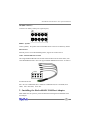
Cable – Internal Mini-SAS to SATA
The integrated RocketRAID 3540 include 4 Internal Mini-SAS to SATA cables, each
of the RocketRAID 3540’s cable can support SGPIO SideBand Connector. As follows:
Pins defined as follows:
Pin 1: NC; Pin 2: SDATAIN; Pin 3: GND; Pin 4: SDATAOUT; Pin 5: SLOAD; Pin 6:
GND; Pin 7: SCLOCK; Pin 8: NC.
2 - Installing the RocketRAID 3540 Host Adapter
Note: Make sure the system is powered-off before installing the RocketRAID 3540
host adapter.
2-2
RocketRAID 3540 Hardware Description/Installation
1.
2.
3.
4.
5.
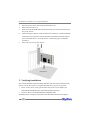
Open the system chassis and locate an unused PCI-E x8.
Remove the PCI slot cover.
Gently insert the RocketRAID 3540 into the PCI-E slot, and secure the bracket to
the system chassis.
After installing the adapter, attach the Mini-SAS connectors to the RocketRAID
3540’s Mini-SAS port,and to chassis backplane. Each Mini-SAS cable supports
up to 4 hard disk drives. Consult the chassis’s manual for proper installation
procedures.
Close and secure the system chassis.
3 - Verifying Installation
Once the RocketRAID 3540 host adapter and hard disks have been installed into the
chassis, boot-up the system to verify that the hardware is properly recognized.
1.
2.
Power on the system. If the system detects the presence of the adapter, the
RocketRAID 3540 BIOS Utility will be displayed during bootup.
Press Ctrl+H to access the RocketRAID 3540 BIOS Utility.
The BIOS Utility will display information about hard disks attached to the adapter.
2-3
RocketRAID 3540 Hardware Description/Installation
Make sure all attached disks are detected by this utility. If any of the hard disks are
not detected, power down the system and check the cable connections to both the
card, and enclosure.
4 - Battery Backup
A battery backup option will be available as an optional add-on component.
The battery provides additional data security in case of a critical system failure.
Data normally lost during a major system fault, such as a power outage or CPU failure,
which was in transit at the time of the failure (stored in the card’s onboard cache), will
remain viable for up to 72 hours.
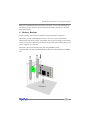
The battery unit can be attached to the card using the BBU CONN.
Attach the BBU into J18 of RocketRAID 3540 using the cable included with the BBU
unit:
2-4
Chapter 3
RocketRAID 3540 BIOS Utility
Contents of this Chapter:
RocketRAID 3540 BIOS Utility
1 - BIOS Command Overview
2 - Disk Menu
3 - Array Menu
4 - Controller Menu
RocketRAID 3540 BIOS Utility
RocketRAID 3540 BIOS Utility
The RocketRAID 3540’s BIOS Utility can be accessed using the “Ctrl+H” command.
This command should be displayed automatically when the RocketRAID 3540’s BIOS
screen appears during the system’s boot up procedure.
1 - BIOS Command Overview
The RocketRAID 3540 BIOS Utility provides a wide selection of RAID related
commands. These commands are displayed towards the top of the utility’s interface.
General Navigation
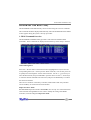
Press ALT + the first letter of the each menu item (highlighted in red) to access the
corresponding menu (Alt + D will open the “Disk” menu bar). You can also press F10
to quickly browse through the various menu selections. Use the ← → arrow keys to
select the desired item, and press ENTER to open the menu. Use the ↑ ↓ arrows keys
to select the desired command from each menu, and press the ENTER key to confirm
the selected command.
There are two windows in the utility’s interface; Disk interface and Array interface.
Use the TAB key to switch between each interface.
Supervisor/User mode
The default BIOS operation mode is User mode; user can only view some information
of the controller through BIOS. If user wants to modify the setting of the RAID
controller, it must be changed to Supervisor mode:
3-1
RocketRAID 3540 BIOS Utility
Press [ALT + S] to open the “System” menu in the figure 1; then select “Supervisor
mode”, and press ENTER. This will open the user authentication interface. Enter
the appropriate password and then press ENTER. The initial password is “hpt”.
2 - Disk Menu
Press [ALT + D] to access the “Disk” menu.
View a disk
From the Disk menu, use the ↑ ↓ arrows keys to select a disk. After highlighting the
desired disk, select Disk->Information to view hardware data about this disk.
Disk initialization
Disks must be initialized prior to creating a RAID array. To initialize a disk, access the
Disk menu and highlight a disk using the ↑ ↓ arrows keys. Press ENTER to add the
disk to the initialization list. Repeat this procedure for each disk that requires
initialization. After selecting the required disks, select Disk->Initialize option from the
Disk menu.
3-2
RocketRAID 3540 BIOS Utility
Note: If the selected disk has already been initialized, the BIOS utility will display a
warning message, but will continue to initialize the remaining disks.
Warning: Initializing a disk may result in data loss – do not initialize disks that
contain critical data. Non-initialized disks can still be utilized as stand-alone drives,
and will be recognized as “Legacy” devices.
Other Disk related Functions
“Disk->Toggle Spare”, “Disk->Unplug”, “Disk->Rescan”, “Disk->Turn on write
cache”, and “Disk->Turn off write cache” work in the same manner as Disk
Initialization. Highlight the desired disks and press ENTER to select them. Return to
the Disk menu, highlight the desired function, and press ENTER to initiate the task.
Toggle Spare – use this option to specify spare disks. Spare disks are used to
automatically rebuild failed RAID arrays.
Unplug – use this option to safely remove the selected hard disk. This allows you to
safely park and power off a disk while the system remains active.
Rescan – use this option when attaching hard disks to the RocketRAID card.
Turn on/Turn off write Cache – use these options to enable or disable write cache on
the selected disks. Disk cache is enabled by default.
3 - Array Menu
Press [ALT + A] to access the “Array” menu.
Create an Array
To create a RAID array, first access the Disk menu. Use the ↑ ↓ arrows keys to highlight
a disk, and press the Enter key to confirm the selection. Repeat this procedure to add
additional disks to the array. Once the appropriate disks have been selected, return to
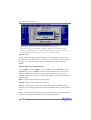
the Array menu, highlight the Create option, and press ENTER to access the “Create
Array” page. Use the TAB and [Shift + TAB] to select from the corresponding RAID
settings (Radio button, Edit box, etc. ), and use the SPACE key to confirm the selections.
VSS (Variable Sector Size):
If the array’s capacity is over 2TB, user will be asked to select the Sector Size values
(from 512B to 4K):
3-3
RocketRAID 3540 BIOS Utility
Note:
Variable Sector Size (VSS) for over 2TB support in 32bit LBA OS.
It changes the sector size from default 512 Bytes to 4k Bytes etc. the maximum volume
capacity up to 16TB. This option works under Windows platform only. And it CANNOT be
converted to Dynamic Disk, because 4k sector size is not a standard format.
View an Array
To view information about a specific Raid array, use the TAB key to switch to the
Array Interface view, and use the ↑ ↓ arrows keys to select the array. After selecting
the array, access the Array menu and select the Information option, then press
ENTER.
Other RAID array related functions
“Array->Delete”, “Array->Unplug”, “Array->Verify”, “Array->Start task”, “Array->
Stop task” and “Array->Set Boot” work in the same manner as the “View an Array”
function.. Highlight the desired array using the Array Interface view, and press
ENTER.. Return to the Array menu, select the desired function, and press ENTER to
initiate the task.
Delete – use this option to delete the selected array.
Warning: all data on the selected array will be lost
Unplug – use this option to safely remove each disk member of the selected array.
This allows you to safely park and power off each hard disk while the system remains
active.
Verify – select this option to verify the integrity of the selected array. Routine RAID
verification is essential to avoid data loss in the case of disk failure.
3-4
RocketRAID 3540 BIOS Utility
Start Task – select this option to schedule specific RAID maintenance tasks such as
RAID Verification.
Stop Task – use this option to terminate scheduled tasks.
Set boot - use this option to set an array to act as a boot volume.
Note: This setting is dependent on the motherboard’s BIOS configuration. An array
designated as a boot volume cannot be used to boot the system unless the card has
been instructed to act as the system’s boot device. Consult the motherboard’s BIOS/
CMOS setup menu, and corresponding manual for more information.
4 - Controller Menu
Press [ALT + C] to access the “Controller” menu.
View Controller information
To view information about the controller, access the Controller menu, select “view”
and press ENTER.
View Events
To view the RocketRAID event log, access the Controller menu, select “Evnetlog”
and press ENTER. Use [Shift + TAB] to select from the different items (check boxes,
editable fields), and use the SPACE key to confirm the selection. There are three
selectable filter options, which can be used specify the type of information presented
by the selected log. A maximum of 10 logs are listed in the utility at a time; use the
“Prev” and “Next” button to turn the pages. Use the “Clear” button to delete all logs.
Controller Setting
To access the Controller Settings page access the Controller menu, select “Settings”
and press ENTER. Use [Shift + TAB] to select between different menu items Radio
buttons, check boxes, editable fields, etc., and use the SPACE key to confirm the selection.
3-5
RocketRAID 3540 BIOS Utility
Network Setting
Use this menu to configure the RocketRAID card’s network settings. Access the
Controller menu, select “Network” and press ENTER. You can select “Use automatic
config” to request the network information from the system, or configure the settings
manually.
3-6
Chapter 4
RocketRAID 3540 Driver and
Software Installation Microsoft Windows
(2000, XP, 2003 Server, Vista)
Contents of this Chapter:
Driver and Software CD
Windows Driver Installation
RocketRAID 3540 Driver and Software Installation
Driver and Software CD
The RocketRAID 3540 retail box includes a Driver and Software CD.
This CD can be used to generate driver diskettes, and install the RAID Management
software for a variety of operating systems.
To create a driver diskette:
1.
2.
3.
4.
Insert the CD into the system’s CD/DVD drive. The program should start
automatically.
Insert a blank floppy diskette into the system’s floppy drive.
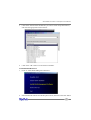
Click on “Create Driver Diskette”.
Click on the “Please Select a Product” drop-down button, and select
“RocketRAID 3540” from the list.
4-1
RocketRAID 3540 Driver and Software Installation
5.
Click on the “Please Select the Diskette you want to create” drop-down button,
and select the appropriate OS from the list.
6.
Click on the “OK” button to create the driver diskette.
To install the RAID software:
1.
Click on “Install RAID Management Software”.
2.
Select the desired software from the drop down menu, and click on the “OK” button.
4-2
RocketRAID 3540 Driver and Software Installation
Windows Driver Installation
Before installing the RocketRAID 3540 device driver, make sure the RocketRAID 3540
host adapter and all required hard disks have been installed into the system’s chassis
(refer to the Hardware Installation section, pages 2-2, 2-3).
Installing the RocketRAID 3540 driver for an existing Windows XP/2003/x64 system
After the operating system has booted, Windows will automatically detect the
RocketRAID 3540, and request that a device driver be installed. To install the device
driver, follow the steps outlined below:
1. When the “Found New Hardware Wizard” window appears, select “Install from a
list or specific location (Advanced)”, and click Next to continue.
2.
3.
4.
5.
6.
Click on the “Include this location in the search” option, and select the system’s
floppy drive (generally Disk A). Next, insert the Driver Installation diskette into
the system’s floppy drive.
At the Hardware Wizard screen, select the floppy drive as the source, then click
the Next button. Select the appropriate operating system folder, then, click the
Next button.
Windows will display a warning message that states the driver has “not been
signed”. Select “Continue Anyway”, then, click Finish when prompted. When
Windows asks to reboot the system, choose No.
Windows will then display a second “Found New Hardware Wizard” window –
repeat steps 1 through 4.
Remove the Driver Installation diskette from the floppy drive, then Shut down
and restart the computer.
Installation Verification
After the driver has been installed, and the system has been restarted:
1.
2.
3.
Click the Start button, then right-click My Computer icon. Select the Properties
item from the popup menu.
In the popup window, select Hardware tab and then click Device Manager button.
Double click the “SCSI and RAID controllers” entry. If the RocketRAID 3540
device entry is not displayed, or there are “?” or “!” marks displayed near the
RocketRAID 3540 entry, the driver has not been installed properly. Delete the
entries and reinstall the driver.
4-3
RocketRAID 3540 Driver and Software Installation
Installing the RocketRAID 3540 driver during a fresh Windows 2000/XP/2003/x64
installation
1.
2.
3.
4.
After booting from the Windows 2000/XP/2003 CD-ROM, when the Windows
Setup blue screen appears, look towards the bottom of the screen. Windows will
prompt you to press the F6 key if you want to install a third party SCSI or RAID
driver. Press the F6 key at this time.
The setup procedure will continue, and will later instruct you to press the “S” key
to specify additional adapters. Press the “S” key as instructed.
Next, the setup program will prompt for the insertion of the driver diskette. Please
insert the driver diskette, and then press ENTER to continue.
The next window will display several driver options. Please select the
RocketRAID 3540 Controller for the corresponding operating system, and press
ENTER to continue.
Windows Vista Driver Installation
Installing the driver during a fresh Windows Vista installation
1.
2.
3.
4.
Boot from Windows Vista DVD.
When the screen “where do you want to install Windows” appears, click
“Load driver” and browse for the driver location. Windows Vista can install
drivers from several media types: floppy diskette, USB flash disk or CD.
Select the RocketRAID 3540 controller driver, and click “Next”.
The driver is now installed - you can now continue on with the installation
procedure.
Installing the driver for an existing Windows Vista system
1.
2.
3.
4.
Install the RocketRAID 3540 host adapter into the PC, then boot up Windows
Vista.
Windows should automatically detect the card, and display the “Found New
Hardware” wizard pop-up window. Select “Locate and install driver software”.
When Windows asks: “Windows needs your permission to continue”, select
“continue”.
Select “I don’t have disc, show me other options” and then select “Browse
my computer for driver software”.
Specify the location of the driver and click “Next”.
4-4
RocketRAID 3540 Driver and Software Installation
5.
6.
When asked: “Would you like to install this driver software?”, select “Install”.
Reboot the system when prompted. The RocketRAID 3540 will be available
for use after Vista reboots.
Installation Verification
After the driver has been installed, and the system has been restarted:
1.
2.
3.
Click the Start button, then right-click My Computer icon. Select the Properties
item from the popup menu.
In the popup window, select Hardware tab and then click Device Manager button.
Double click the “SCSI and RAID controllers” entry. If the RocketRAID device
entry is not displayed, or there are “?” or “!” marks displayed near the
RocketRAID entry, the driver has not been installed properly. Delete the entries
and reinstall the driver.
4-5
Chapter 5
RocketRAID 3540
Web RAID Management Interface
Contents of this Chapter:
1 - Web RAID Management Interface
2 - Preparing Hard disks
3 - Array Management
4 - Device Management
5 - Configuring Spare Disks
6 - Managing Events and Tasks
7 - Settings
Web RAID Management Interface
1 - Web RAID Management Interface
There are two methods to access the RocketRAID 3540’s web-based RAID management
interface: Use HighPoint In-band Management Service or use the adapter’s Ethernet
port (out-of-band management).
The Web RAID Management interface is a firmware-based utility. If you are using the
adapter’s Ethernet port, you need no additional software and configuration on the host
system. You can access the web interface once you have setup the adapter’s network
configuration.
You can also access the web interface through the in-band management software. The
in-band management software acts as a proxy between the web browser and the firmware.
The in-band management software can also provide remote RAID management through
the host system’s network interface.
Installing the HighPoint In-band Management software.
For Windows:
Run setup.exe from the in-band management software folder on the software CD.
For Linux:
The in-band management software is distributed as a RPM package. You can
install it by “rpm –i” command.
For FreeBSD:
You can install the in-band management software by “pkg_add” command.
For more information about in-band management software, please check the README
file in the in-band management software package.
Starting the Management Interface
Note: To use the web-based RAID management interface, a web browser with XML
support is required, e.g. Internet Explorer 6.0+, Mozilla, FireFox, or Safari (for OSX
systems).
To run the management interface, start the web browser and enter the access URL.
If you are using the adapter’s Ethernet port, please enter http://adapter-ip-address
If you are using in-band management software, please enter http://host-address:7402
Where host-address is the host name or IP address of the host system. Specifically, if
you are running the browser on the host system, you can use http://localhost:7402.
5-1
Web RAID Management Interface
The in-band management software provides an access URL for each controller on the
system. You can access the RAID management interface for each controller through its
access URL.
Then Select the controller’s Access URL by click the link http://127.0.0.1:7412
You will be asked for the User and Password to login. The default user name is
“RAID” and the initial password is “hpt”. You can change the password after you
have logged in.
2 - Preparing Hard disks
Disks must be initialized before they can be configured into RAID arrays.
Normally, disks only have to be initialized once. The disk initialize process should only
take a few seconds.
Initializing disks may result in loss – do not initialize disks unless they are to be
configured into RAID arrays.
Initializing hard disks:
1) Select the “Manage - Device” function to access the device management page.
2) Click on the “Initialize Devices” button towards the upper portion of the
interface screen.
5-2
Web RAID Management Interface
3) Checkmark each disk you wish to initialize, and click the Submit button.
Warning: initializing disks may delete data stored on the selected disks.
Legacy Disks
Disks that already contain data or have been partitioned will be recognized as
“Legacy Disks”.
Arrays cannot be created from Legacy Disks. These disks would have to be
initialized, which may result in data loss.
3 Array Management
Creating an Array
To create an array:
1. Select “Manage - Array” from the menu.
2. Click the Create Array button. The create array page will appear.
3.
4.
Choose the array type you want to create from the drop-down list.
Enter a name for the array (this is optional)
5-3
Web RAID Management Interface
5.
If you are creating a redundant RAID array (RAID1, 5, 6, 10, 50), select an
initialization option for the array.
Note: An un-initialized RAID1 or RAID10 array can still provide redundancy in
case of a disk failure. A RAID5 array, however, is not fault-tolerant until initialization is finished.
6. Specify a cache policy:
Write-back
7.
8.
9.
When the write-back setting is selected, writes to the array are cached. This will
result in higher performance, but data loss may occur in case of a power failure.
Write-through
When the write-through setting is selected, writes to the array are always passed
directly to the disks. Subsequent reads may still be completed from the cache, if
appropriate.
None
Neither write-back nor write-through cache is used. I/O data will be passed to disks
directly.
Select disks from the Available Disks list.
Enter a capacity for the array, or use the default value (the maximum capacity for
the array).
Click Create. If you have specified an initialization option, the initialization
process will start automatically.
Deleting an Array
To delete an array:
1) Select “Manage - Array” from the menu.
2) Click on the Maintenance button. An Array Information window will appear.
5-4
Web RAID Management Interface
3)
Click the Delete button.
Note: An array in use by the operating system cannot be deleted. Any data stored on
a deleted array will be inaccessible
Array Maintenance – Rebuilding/Verifying/Modifying RAID arrays
Rebuilding a Failed Array
When an array member in a redundant array fails, the array will be listed as broken. A
broken array will be automatically rebuilt using available-spare disks. However, if you
have no spare disks configured, you can still rebuild by manually adding an Available
Disk to the array. To add a disk to a broken array:
1)
2)
3)
4)
5)
Select menu “Manage - Array”.
Highlight the desired RAID array
Click the “Maintenance” button.
Click the “Add Disk” button.
If the disk is successfully added to the array, rebuild process will start
automatically. A progress bar will be displayed.
Note: If the system utilizes hot-swap capable enclosures, you can add new physical
disks to the RocketRAID card in order to rebuild or modify an existing array, using the
“Rescan” feature.
Reminder: When adding disks manually, make sure to initialize the disk (see Preparing
Hard Disks).
Only initialized disks can be used to rebuild RAID arrays.
Verifying an Array
For a RAID 1 or RAID1/0 array, verify process compares the data of one mirror pair
with the other. For RAID 3, 5 and RAID 6, verify process calculates RAID parity and
compares it to the parity data on the array. Verification checks each sector on a drive.
Periodic verification of an array allows the disk drive firmware to take corrective
actions on problem areas on the disk, minimizing the occurrence of uncorrectable read
and write errors.
To verify an array:
1)
Select menu “Manage - Array”.
5-5
Web RAID Management Interface
2)
3)
Highlight the desired RAID array
Click the “Maintenance” button.
Click the Verify button to start the verify process.
OCE/ORLM – modifying existing RAID arrays
Expanding/Migrating an Array
With the OCE/ORLM function, you can migrate an array from one RAID level to
another RAID level and/or expand the array dynamically, even under I/O load. This
function implements both Online Capacity Expansion (OCE) and Online RAID Level
Migration (ORLM).
To expand/migrate an array:
1)
2)
3)
4)
5)
6)
Select “Manage - Array” from the menu.
Highlight the desired RAID array
Click the “Maintenance” button.
Select the target array type.
Click the “OCE/ORLM” button.
The OCE/ORLM page will appear. The interface is similar to the array creation
wizard:
Note:
A) When expanding a JBOD array, all the original disks must be included in the
target array, and these disks must be selected in the same order (as the original
array). If you want to migrate a JBOD array to another RAID level, only the first
member disk can be included in the target array. For example, a JBOD comprised
of 3 disks (1, 2, 3), can only be “migrated” using disk 1. Disks 2 and 3 cannot be
used – disk 1 would have to be combined with other disks attached to the
RocketRAID card.
B) You cannot change an array to another type of array with a smaller capacity. In
some cases, a disk may need to be added to the RocketRAID card.
During the OCE/ORLM procedure, the redundancy level of the array will be the
lowest of the source and target arrays; e.g. if you ORLM a RAID0 array to a RAID1
array, the array will be non-redundant until the procedure is complete.
C) The OCE/ORLM process can be aborted and continued at later time. However,
you should always stop the transform progress from the RAID Management software.
5-6
Web RAID Management Interface
An unexpected system crash may result in data loss while performing OCE/ORLM on
an array. We strongly recommend backing up data before starting the OCE/ORLM
process.
After the OCE/ORLM procedure has completed, reboot the system.
Other RAID related Functions
Renaming an Array
You are free to rename RAID arrays. This will not harm the array – data will not be lost.
To rename an array:
1)
2)
3)
4)
5)
Select “Manage - Array” from the menu.
Highlight the desired RAID array
Click on the “Maintenance” button.
Enter a new name for the array in the provided field.
Click the “Rename” button.
Note: An array running background tasks cannot be renamed.
Unplug
This can be used to safely take an entire array offline while the system remains
operational.
To Unplug an array:
1)
2)
3)
4)
5)
Select “Manage - Array” from the menu.
Highlight the desired RAID array
Click on the “Maintenance” button.
Click the “Unplug” button.
The software will notify you when it is safe to remove the array.
Note: Make sure the array is not in use before using this command. Active arrays
cannot be unplugged.
5-7
Web RAID Management Interface
4 Device Management
Select the “Manage - Device” function to access the device management page.
Change Device Settings
Depending upon the capabilities RAID controller and hard disks drives in use, several
configurable device settings may be available: Read Ahead, Write Cache, TCQ, and
NCQ. Each feature can be enabled or disabled individually, for each hard disk.
Unplug
The Unplug option found below each Device name, can be used to quickly remove
(hot-swap) a Legacy disk.
Extended Information & Update Firmware
The device management page also show the extended information of the RAID
controller, such as onboard memory and battery information.
5-8
Web RAID Management Interface
User can also use the Web RAID management to upgrade controller’s firmware.
SHI – Storage Health Inspector
The primary SHI interface displays a brief “health” summary of each hard disk.
Controller ID
Which controller /card the disk is attached to.
Port #
Port location of the hard disk
5-9
Web RAID Management Interface
Device SSN#
Serial number of the hard disk
RAID
RAID/Non-RAID status
F
Temperature (in Fahrenheit) of the hard disk (Celsius is displayed under the SMART
status)
Bad Sectors/Found & Repaired
The card is capable of repairing bad sectors – a summary of this activity is presented
here.
Device Status
OK means the disk is in a healthy state. A Failed status suggests the disk was taken
offline (due to a RAID, SMART or sector failure).
Schedule
Click on the blue “Schedule” link to access the Event menu.
S.M.A.R.T Status
You can view S.M.A.R.T. (Self-Monitoring, Analysis, and Reporting Technology) data about a
particular hard disk to help troubleshoot problems that occur. You can also setup periodically
S.M.A.R.T. status checking to send notification messages when S.M.A.R.T. thresholds are
exceeded.
Click on the blue “SMART” text to view the SMART status of the hard disk.
5-10
Web RAID Management Interface
Note: S.M.A.R.T attribute data is drive-specific. The software includes a list of
definitions for popular drive models/manufacturers. Unknown S.M.A.R.T. attributes
will be shown as “unknown”. You can add the attribute definitions for your drive in
the file smart.def (which resides in the software installation directory).
Rescan Devices
When you physically add drives to the controller while the system is running, you
can rescan the controller to reflect the change.
5-11
Web RAID Management Interface
To rescan the devices:
1)
2)
Select menu “Manage - Device”.
Click “Rescan Devices” button.
Note: When you are hot-plugging an entire array, run rescan only after all array
members (hard disks) have been physically plugged or unplugged from the system.
You can rescan all the devices at once using the Rescan function on the Array
Management page.
5 Configuring Spare Disks
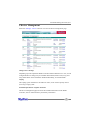
To configure spare disks attached to the RocketRAID card, select the “Manage Spare” function. The Spare Pool Management page will be displayed.
Adding a Spare Disk
To add a spare disk, select a disk from the Available Disks list and click the Add Spare
button. This will add the disk to the Spare Pool list.
Removing a Spare Disk
To remove a spare disk, select it from the Spare Pool list and click the Remove Spare
button. This will remove the disk from the Spare Pool list.
5-12
Web RAID Management Interface
6 Managing Events and Tasks
The HighPoint Web RAID Management Software automatically logs all controller
related events that have occurred (for all controllers/cards managed by the software).
In addition you can configure E-mail Notification to receive information about these
events (see Section 7 Settings -View Events).
Events
Tasks executed by the Management Software, or any disk/array errors reported by the
card while the OS is active are known as “Events”. These events are logged
(recorded) by the Management Software.
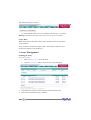
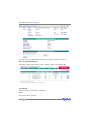
To view logged events, Please select “Event” from the menu. The Event Management
page will be displayed.
Click the Clear button to clear the event log.
Managing Tasks
With the HighPoint RAID Management Software, you can configure and schedule background rebuild and verify tasks to help maintain the integrity of your drives and data.
You can select menu “Task” to enter Task Management page.
5-13
Web RAID Management Interface
Scheduling a Task
To add a task schedule:
1)
2)
3)
4)
Select the array that you want to verify or rebuild.
Enter a name for the task.
Configure the frequency for the task.
Check the Submit button.
Delete a Scheduled Task
To delete a task schedule:
1) Select a task from the Tasks List.
2) Click the Delete button.
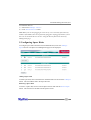
7 Settings
Select the “Settings” option to access Settings page.
5-14
Web RAID Management Interface
Settings>System
The System Setting page include SAF-TE config file setting, Audible Alarm setting,
Staggered Spinup setting, Spindown Idle Disk setting, Rebuild priority setting and
Auto Rebuild setting.
The Upload SAF-TE config file option allow user to upload the special SAF-TE config
files.
Settings>Network
This page allow user to adjust the onboard LAN values.
5-15
Web RAID Management Interface
Settings>User
This setting allows you to alter the default password (when logging on).
Enter a new password and click the “Change Password” button to change the
current user’s password.
Settings>Email
Enabling E-mail notification:
To configure E-mail notification:
1) Select the “Enable Event Notification” option.
2) Enter the appropriate information for the SMTP server.
3) Click the “Change Setting” button.
Note: Your SMTP server may require user authentication – enter the appropriate
password and username as required.
To add a Recipient:
1. Enter the necessary information for the desired recipient.
2. Click the Add button.
5-16
Web RAID Management Interface
To test E-mail notification:
1) Enter the necessary information for the recipient.
2) Click the Test button.
If the software is unable to send a test message, an error will be displayed. Double
check the recipient entries and make sure the information is correct.
Settings>SNMP
You can set three SNMP Trap IP address and trap type, this setting will be saved in the
flash. While the corresponding type of events generated, the adapter will send SNMP
Trap Messages to the designated Trap Receiver through its Ethernet interface.
If you do not use the adapter’s Ethernet interface, you can setup the SNMP
configuration in the In-Band Management Service configuration page. In this case,
the in-band management service will send SNMP Trap messages through the
network interface of the host computer.
Settings>NTP
You can check the current firmware time and setup two NTP time server addresses and
select the time zone. The adapter will keep its clock synchronized with time sever.
Note: To use the NTP feature you must setup the Ethernet port of the adapter.
5-17
Chapter 6
Linux Driver Support
Contents of this Chapter:
Fedora Linux installation Overview
SuSE Linux Enterprise Server (SLES) installation Overview
Red Hat Enterprise Linux/CentOS Overview
Linux Driver Support
1 - Overview
The purpose of this document is to provide clear instructions on how to install and
use RocketRAID 3540 Controller on Fedora Linux system.
2 - Installing Fedora Linux on RR3540 controller
If you would like to install Fedora Linux onto drives attached to RR3540 controller,
please perform the following operations:
Step 1 Prepare Your Hardware for Installation
After you attach your hard disks to RR3540 controller, you can use RR3540 BIOS
Setting Utility to configure your hard disks as RAID arrays, or just use them as single
disks.
Before installation, you must remove all the disk drives, which are not physically
attached to RR3540 controller, from your system.
Note:If you have other SCSI adapters installed, you must make sure the RR3540
controller BIOS will be loaded firstly. If not, try to move it to another PCI slot. Otherwise you may be unable to boot up your system.
Step 2 Check System BIOS Settings
In your system BIOS SETUP menu, change Boot Sequence in such a way that the
system will first boot from floppy or CDROM, and then from SCSI. Refer to your BIOS
manual to see how to set boot sequence.
If your BIOS settings do not support such a boot sequence, you can first set it to
boot from floppy or CDROM. After you finish installation, set SCSI as the first boot
device to boot up the system.
Step 3 Prepare the Driver Diskette
Driver is contained in a floppy diskette image file, you can get it from our web site for
free.
On a DOS or Windows system, you can make the Fedora driver diskette using ..ewrite.
exe. It can be found on the Fedora Linux CD (under /dosutils). Just run it under a
command window and follow its prompt. On a Linux system, you can use the “dd”
6-1
Linux Driver Support
command to make the boot diskette. Insert a floppy disk into the floppy drive and
type the command(Example):
#dd if=rr3xxx_4xxx-fedora.img of=/dev/fd0
Step 4 Install Fedora Linux
Installation steps for Fedora 8
1. Start installing Fedora Linux by booting from the installation DVD.
2. On “Welcome to Fedora” installation screen, press “ESC”, then a prompted label
“boot:” will appear at the top of the screen. Type in “linux dd” (without quotation
mark) and then press Enter.
3. When prompted “Do you have a driver disk?” Select “Yes”. When prompted
“Insert your driver disk and press OK to continue”, insert the driver diskette in
the floppy drive and then select “OK”. The system will load RR3540 driver
automatically. When prompted “Do you wish to load any more driver disks?”
Select “No”.
4. Continue the installation as usual. You can refer to Fedora Linux installation
guide. Make sure you have finished the next step before system reboot.
5.
When installation finishes and prompts you to reboot the system, press
“CTRL+ALT+F2” to the shell and type the following commands:
# chroot /mnt/sysimage
# mount /dev/fd0 /mnt
# sh /mnt/fedora-install-step2.sh
# umount /dev/fd0
# exit
Then switch back to console 1 and finish the installation.
Installation steps for Fedora 7
6. Start installing Fedora Linux by booting from the installation DVD.
7. On “Welcome to Fedora” installation screen, press “ESC”, then a prompted label
“boot:” will appear at the top of the screen. Type in “linux dd updates” (without
quotation mark) and then press Enter.
8. When prompted “Do you have a driver disk?” Select “Yes”. When prompted
“Insert your driver disk and press OK to continue”, insert the driver diskette in
6-2
Linux Driver Support
the floppy drive and then select “OK”. The system will load RR3540 driver
automatically. When prompted “Do you wish to load any more driver disks?”
Select “No”.
9. When prompted for an update disk source, select fd0. The installer will read
updates from the driver floppy.
10. Continue the installation as usual. Do not remove the floppy diskette until
installation completed.
Installation steps for Fedora Core5 & Core6
1.
Start installing Fedora Linux by booting from the installation CD.
2. On “Welcome to Fedora Linux” installation screen, a prompted label “boot:” will
appear at the bottom of the screen. Type in “linux dd updates” (without quotation mark) and then press Enter.
3.
When prompted “Do you have a driver disk?”. Select “Yes”. When prompted
“Insert your driver disk and press OK to continue”, insert the driver diskette in
the floppy drive and then select “OK”. The system will load RR3540 driver
automatically.
4.
When prompted for an update disk source, select fd0. The installer will read
updates from the driver floppy.
5. Continue the installation as usual. Do not remove the floppy diskette until
installation completed.
Installation steps for Fedora Core 1 & Core 3 & Core 4
1. Start installing Fedora Linux by booting from the installation CD.
2. On “Welcome to Fedora Linux” installation screen, a prompted label “boot:” will
appear at the bottom of the screen. Type in “linux dd” (without quotation mark)
and then press Enter.
3. When prompted “Do you have a driver disk?”. Select “Yes”. When prompted
“Insert your driver disk and press OK to continue”, insert the driver diskette in
the floppy drive and then select “OK”.
4. Now the system will load RR3540 driver automatically.
6-3
Linux Driver Support
5. Continue the installation as usual.
Installation steps for Fedora Core 2
1. Start installing Fedora Linux by booting from the installation CD.
2. On “Welcome to Fedora Linux” installation screen, a prompted label “boot:” will
appear at the bottom of the screen. Just press Enter.
3.
When prompted the warning “No hard drives have been found”, press “ALT+F2”
to switch the shell on console 2. Insert the driver diskette into floppy drive and
type the following commands:
# mkdir /dd
# mount /dev/fd0 /dd
# sh /dd/fedora-install-step1.sh
# umount /dev/fd0
Then press “ALT+F1” to switch back to installation screen and select “No” to
continue.
4. Continue the installation as usual. You can refer to Fedora Linux installation
guide. Make sure you have finished the next step before system reboot.
5. When installation finishes and prompts you to reboot the system, press
“CRL+ALT+F2” to the shell and type the following commands:
# chroot /mnt/sysimage
# mount /dev/fd0 /mnt
# sh /mnt/fedora-install-step2.sh
# umount /dev/fd0
# exit
Then switch back to console 1 and finish the installation.
3 - Installing RR3540 driver on an Existing System
Note: If you use a SCSI adapter to boot your system, you must make sure the
RR3540 controller BIOS will be loaded after that adapter’s BIOS. If not, try to move
it to another PCI slot. Otherwise you may be unable to boot up your system.
6-4
Linux Driver Support
Remove hptiop.ko module on Fedora 6 & 7 & 8
If you installed RR3540 controller, you must remove built-in module from system:
# rm –f /lib/modules/‘uname –r‘/kernel/drivers/scsi/hptiop.ko
# rmmod hptiop.ko
Step 1 Obtain the Driver Module
You can extract the module file from the file modules.cgz on the driver disk. Using the
following commands:
# mount /dev/fd0
# cd /tmp
# gzip –dc /mnt/floppy/modules.cgz | cpio –idumv
Driver modules for all supported kernel versions will be extracted. You can find the
driver module for your running kernel under the directory that matches your kernel
version.
Step 2 Test the Driver Module
You can test out the module to ensure that it works for your system by changing
working directory to the location where hptiop.o resides and typing in the command
“insmod hptiop.o”. If you are using a distribution with 2.6 kernel it should be “insmod
hptiop.ko”.
Sometimes insmod will report “unresolved symbols” when you attempt to load the
module. This can be caused by two ways:
1. You haven’t loaded the SCSI module before loading hptiop.o. Try to load SCSI
modules first.
E.g. # modprobe scsi_mod
# modprobe sd_mod
# insmod ./hptiop.o
2. You are using a kernel that is build off a different configuration with the driver. In
this case the precompiled drivers cannot be used. You can build a driver for your
6-5
Linux Driver Support
kernel using Open Source package for RocketRAID 3540 controller.
To ensure the module has been loaded successfully, you can check the driver status
by typing in the command “cat /proc/scsi/hptiop/x”, where x is the filename you
found under /proc/scsi/hptiop/. You should see the driver banner and a list of
attached drives. You can now access the drives as a SCSI device (the first device is /
dev/sda, then /dev/sdb, etc.).
Example: You have configured a RAID 0 array using 2 disks. It will be registered to
system as device /dev/sda. You can use “fdisk /dev/sda” to create a partition on it,
which will be /dev/sda1, and use “mkfs /dev/sda1” to setup a file system on the
partition. Then you can mount /dev/sda1 to somewhere to access it.
Step 3 Configure System to Automatically Load the Driver
Most likely, you will not want to type in “insmod hptiop.o” each time you boot up the
system. Therefore you must install the module and tell the system about it. To install
the module, type in the following commands (first change directory to where the
proper hptiop.ko locates):
# cp hptiop.ko /lib/modules/‘uname –r‘/kernel/drivers/scsi.
#depmod
Then you should inform the system load the module when system boots up with the
following command:
# echo “modprobe hptiop” > /etc/init.d/hptdriver
# chmod 755 /etc/init.d/hptdriver
# ln –sf /etc/init.d/hptdriver /etc/rc.d/rc3.d/S01hptdriver
# ln –sf /etc/init.d/hptdriver /etc/rc.d/rc4.d/S01hptdriver
# ln –sf /etc/init.d/hptdriver /etc/rc.d/rc5.d/S01hptdriver
Step 4 Configure System to Mount Volumes when Startup
Now you can inform the system to automatically mount the array by modifying the file
/etc/fstab. E.g. you can add the following line to tell the system to mount /dev/sda1 to
location /mnt/raid after startup:
/dev/sda1 /mnt/raid ext3 defaults 0 0
6-6
Linux Driver Support
4 - Monitoring the Driver
Once the driver is running, you can monitor it through the Linux proc file system
support. There is a special file under /proc/scsi/hptiop/.
Note: The file name is the SCSI host number allocated by OS. If you have no other
SCSI cards installed, it will be 0. In the following sections, we will use x to represent
this number.
Checking Devices Status
Using the following command to show driver status:
# cat /proc/scsi/hptiop/x
This command will show the driver version number, physical device list and logical
device list.
5 - Updating the Driver
1. If the original driver is installed in the system initrd file (e.g. when OS is installed
to RR3540 controller), you can update the driver as below:
# cp hptiop.ko /lib/modules/‘uname –r‘/updates/
# mkinitrd ‘uname –r‘
For FC2, the commands should be
# cp hptiop.ko /lib/modules/‘uname –r‘/kernel/drivers/scsi/
# mkinitrd –-preload scsi_mod –-preload sd_mod –-with=hptiop /boot/
initrd-‘uname –r‘.img ‘uname –r‘
It’s recommended to backup the original initrd file before you update the driver.
2. If the original driver is installed in the /lib/modules/‘uname –r‘/kernel/drivers/scsi/
directory, and load it by the script file (e.g. /etc/init.d/hptdriver) during the init
process, please replace it with the new driver (hptiop.o or hptiop.ko)
6-7
Linux Driver Support
6 - Installing RAID Management Software
HighPoint RAID Management Software is used to configure and keep track of your
hard disks and RAID arrays attached to RR3540 controller. Installation of the management software is optional but recommended.
Please refer to HighPoint RAID Management Software documents about more
information.
7 - Uninstalling
You can only uninstall the driver when your system is not booting from devices
attached to RR3540 controller. Just remove the lines you added to /etc/fstab, and
remove the file files you created in the /etc/init.d.
Appendix A Revision History
Version
Date
Updates
1.2
2007/11/07 Add Fedora Core 7
1.1
2007/05/11 Add Fedora Core 6
1.0
2006/04/11 First release for RR3540 adapter
6-8
Linux Driver Support
1 - Overview
The purpose of this document is to provide clear instructions on how to install and
use Rocket RAID 3540 Controller on SLES Linux system.
2 - Installing SLES Linux on RR3540 Controller
If you would like to install SLES Linux onto drives attached to RR3540 controller,
please perform the following operations:
Step 1 Prepare Your Hardware for Installation
After you attach your hard disks to RR3540 controller, you can use RR3540 BIOS
Setting Utility to configure your hard disks as RAID arrays, or just use them as single
disks.
Before installation, you must remove all the disk drives, which are not physically
attached to RR3540 controller, from your system.
Note: If you have other SCSI adapters installed, you must make sure the RR3540
controller BIOS will be loaded firstly. If not, try to move it to another PCI slot.
Otherwise you may be unable to boot up your system.
Step 2 Check System BIOS Settings
In your system BIOS SETUP menu, change Boot Sequence in such a way that the
system will first boot from floppy or CDROM, and then from SCSI. Refer to your BIOS
manual to see how to set boot sequence.
If your BIOS settings do not support such a boot sequence, you can first set it to
boot from floppy or CDROM. After you finish installation, set SCSI as the first boot
device to boot up the system.
Step 3 Prepare the Driver Diskette
The driver diskette is provided as an image file (slesdd.img).
On a DOS or Windows system, you can make the driver diskette using rawrite.exe. It
6-9
Linux Driver Support
can be found on the SLES Linux CD (under /dosutils). Just run it under a command
window and follow its prompt.
On a Linux system, you can use the “dd” command to make the driver diskette. Insert a
floppy disk into the floppy drive and type the command:
# dd if=rr3xxx_4xxx-sles.img of=/dev/fd0
Step 4 Install SLES Linux
1. Start installing by booting from SLES installation CD.
2.
When CD boots, select “Installation” option and press F6 to load the driver.
3. Insert the Driver Disk when it displays “Please insert the Driver Update floppy”.
4. When Diver Update Menu pop-up, press “OK” and “back” for back to installer.
5. Continue the installation as normal. You can refer to SLES Linux documents about
OS installation.
Additional Installation Notes
The system device mapping order is the same as the order shown in RR3540 BIOS
Setting Utility. If you have no other SCSI adapters installed, the device marked as
“BOOT” or “HDD0” will be /dev/sda, “HDD1” will be /dev/sdb, “HDD2” will be /
dev/sdc, etc. When creating mount points, you must mount /boot on /dev/sda.
3 - Installing RR3540 Driver on an Existing System
If you are currently running Linux and would like to access drives or arrays attached
to the Rocket RAID 3540 controller, you can perform the following steps.
Note:If you use a SCSI adapter to boot your system, you must make sure the RR3540
controller BIOS will be loaded after that adapter’s BIOS. If not, try to move it to
another PCI slot. Otherwise you may be unable to boot up your system.
Step 1 Update Grub
If you are running SLES SMP System, you must update /boot/grub/menu.lst first.
6-10
Linux Driver Support
E.g.
default=0
timeout=8
title Linux
kernel (hd0,1)/vmlinux root=/dev/hda1 acpi=off
initrd (hd0,1)/initrd
Then reboot the system to make new kernel parameter take effect.
Step 2 Install the Driver Module
The driver modules are packed in file /linux/suse /[arch]-[version]/install/update.tar.
gz on the driver diskette. The following example shows how to extract the driver
modules for SLES 9 from driver diskette:
# mount /dev/fd0 /media/floppy
# cd /
# tar xfz /media/floppy/linux/suse/i386-sles9/install/update.tar.gz
The driver modules will be extracted to directory /lib/modules/[kernel-ver]/kernel/
drivers/scsi/
Step 3 Test the Driver Module
You can test out the module to ensure that it works for your system by typing in the
command “insmod hptiop.ko”.
Sometimes insmod will report “unresolved symbols” when you attempt to load the
module. This can be caused by two ways:
1. The SCSI module is not loaded in kernel. Try to load SCSI modules first.
E.g.
# modprobe sd_mod
# insmod hptiop.ko
Example: You have configured a RAID 1/0 array using 4 disks. It will be registered to
system as device /dev/sda. You can use “fdisk /dev/sda” to create a partition on it,
which will be /dev/sda1, and use “mkfs /dev/sda1” to setup a file system on the
partition. Then you can mount /dev/sda1 to somewhere to access it.
6-11
Linux Driver Support
Step 4 Configure System to Automatically Load the Driver
Most likely, you will not want to type in “insmod hptiop” each time you boot up the
system. You can add the driver to the initial RAM disk image to load the driver at boot
time:
1. Edit file /etc/sysconfig/kernel and add hptiop module to the line
INITRD_MODULES=..., e.g:
INITRD_MODULES=”reiserfs hptiop”
2. Run depmod to update module configuration:
# depmod
3. Run mkinitrd to update the initrd file:
# mkinitrd
4. If you are using lilo boot loader, run lilo again:
# lilo
Step 5 Configure System to Mount Volumes when Startup
Now you can inform the system to automatically mount the array by modifying the file
/etc/fstab. E.g. You can add the following line to tell the system to mount /dev/sda1 to
location /mnt/raid after startup:
/dev/sda1 /mnt/raid ext2 defaults 0 0
4 - Updating the Driver
To update the driver, simply reinstall the driver following the steps in previous
section, “ Install RR3540 Driver on an Existing System “.
If the driver is loaded in initrd (e.g. when system is installed on the controller), you
need to run mkinitrd to update the initrd file. Also, if you are using lilo boot loader,
you need to run lilo again.
6-12
Linux Driver Support
5 - Installing RAID Management Software
HighPoint RAID Management Software is used to configure and keep track of your
hard disks and RAID arrays attached to RR3540 controller. Installation of the management software is optional but recommended.
Please refer to HighPoint RAID Management Software documents about more
information.
6 - Uninstalling
You can only uninstall the driver when your system is not booting from devices
attached to RR3540 controller. Just remove the lines you added to /etc/modules.conf
and /etc/fstab.
Appendix A Revision History
Version
6-13
Date
Updates
1.1
2007/11/07
Add RR4xxx
1.0
2006/04/11
First release for RR3540 adapter
Linux Driver Support
1 - Overview
The purpose of this document is to provide clear instructions on how to install and
use RocketRAID 3540 Controller on Red Hat Enterprise Linux/CentOS system. Please
refer to HighPoint RAID Management Software documents about more information.
2 - Installing Red Hat Enterprise Linux/CentOS on
RR3540 controller
If you would like to install Red Hat Enterprise Linux/CentOS onto drives attached to
RR3540 controller, please perform the following operations:
Step 1 Prepare Your Hardware for Installation
After you attach your hard disks to RR3540 controller, you can use RR3540 BIOS
Setting Utility to configure your hard disks as RAID arrays, or just use them as single
disks.
Before installation, you must remove all the disk drives, which are not physically
attached to RR3540 controller, from your system.
Note: If you have other SCSI adapters installed, you must make sure the RR3540
controller BIOS will be loaded firstly. If not, try to move it to another PCI slot.
Otherwise you may be unable to boot up your system.
Step 2 Check System BIOS Settings
In your system BIOS SETUP menu, change Boot Sequence in such a way that the
system will first boot from floppy or CDROM, and then from SCSI. Refer to your BIOS
manual to see how to set boot sequence.
If your BIOS settings do not support such a boot sequence, you can first set it to
boot from floppy or CDROM. After you finish installation, set SCSI as the first boot
device to boot up the system.
Step 3 Prepare the Driver Diskette
Driver is provided in floppy diskette image file format.
On a DOS or Windows system, you can make the Red Hat driver diskette using
rawrite.exe. It can be found on the Red Hat Enterprise Linux/CentOS CD (under /
6-14
Linux Driver Support
dosutils). Just run it under a command window and follow its prompt.
On a Linux system, you can use the “dd” command to make the boot diskette. Insert a
floppy disk into the floppy drive and type the command (amd64 driver for example):
# dd if=rr3xxx_4xxx-rhel_centos-.img of=/dev/fd0
Step 4 Install Red Hat Enterprise Linux/CentOS
1. Start installing Red Hat Enterprise Linux/CentOS by booting from the installation
CD.
2.
On “Welcome to Red Hat Enterprise Linux/CentOS” installation screen, a
prompted label “boot:” will appear at the bottom of the screen: For RedHat
Enterprise Linux 3, type in “expert text” (without quotation mark);
For RedHat Enterprise Linux 4 and its update version, type in “linux dd” (without
quotation mark),
For RedHat Enterprise Linux 5, type in “linux dd updates” (without quotation
mark), then press Enter. Do not remove the floppy diskette until installation
completed.
3.
When prompted “Do you have a driver disk?”. Select “Yes”.
4.
When prompted “Insert your driver disk and press OK to continue”, insert the
driver diskette in the floppy drive and then select “OK”.
5. The system will load RR3540 driver automatically. Continue the installation as
normal.
6.
When asked “where do you want to install the boot loader? ” in the “Boot Loader
Configuration” dialog, you must select “Master Boot Record (MBR)” to make
your system be able to boot RR3540 controller.
7. Continue the installation as normal. You can refer to Red Hat Enterprise Linux/
CentOS installation guide.
Note
1.
The system device mapping order is the same as the order shown in RR3540
BIOS Setting Utility.
6-15
Linux Driver Support
Note:
1.
The system device mapping order is the same as the order shown in RR3540
BIOS Setting Utility.
2. On some system the LILO boot loader may be installed incorrectly unless you
specify BIOS parameters in /etc/lilo.conf. During installation, when prompted
“Would you like to create a boot disk for your system?”, switch to console 2 by
pressing <Ctl>+<Alt>+F2. Then use the following command:
# chroot /mnt/sysimage
# vi /etc/lilo.conf
Add two lines under the line ”boot=/dev/sda”:
disk=/dev/sda
bios=0x80
# /sbin/lilo
Press <Ctl>+<Alt>+F1 to continue the installation
3 - Installing RR3540 driver on an Existing System
Note: If you use a SCSI adapter to boot your system, you must make sure the RR3540
controller BIOS will be loaded after that adapter’s BIOS. If not, try to move it to
another PCI slot. Otherwise you may be unable to boot up your system.
Step 1 Obtain the Driver Module
You can extract the module file from the file modules.cgz on the driver disk. Using the
following commands:
# mount /dev/fd0
# cd /tmp
# gzip -dc /mnt/floppy/modules.cgz | cpio -idumv
Driver modules for all supported kernel versions will be extracted. You can find the
driver module for your running kernel under the directory that matches your kernel
version (/tmp/‘uname –r‘/hptiop.ko).
6-16
Linux Driver Support
Step 2 Test the Driver Module
You can test out the module to ensure that it works for your system by changing
working directory to the location where hptiop.o resides and typing in the command
“insmod hptiop.ko”. If you are using a distribution with 2.4 kernel, driver file should
be hptiop.o.
Sometimes insmod will report “unresolved symbols” when you attempt to load the
module. This can be caused by two ways:
1. You haven’t loaded the SCSI module before loading hptiop.o. Try to load SCSI
modules first.
E.g. # modprobe sd_mod
# insmod hptiop.ko
2. You are using a kernel that is build off a different configuration with the driver. In
this case the precompiled drivers cannot be used. You can build a driver for your
kernel using OpenBuild package for RocketRAID 3540 controller.
To ensure the module has been loaded successfully, you can check the driver
status by typing in the command “cat /proc/scsi/hptiop/x”, where x is the
filename you found under /proc/scsi/hptiop/. You should see the driver banner
and a list of attached drives. You can now access the drives as a SCSI device (the
first device is /dev/sda, then /dev/sdb, etc.).
Example: You have configured a RAID 0 array using 2 disks. It will be registered to
system as device /dev/sda. You can use “fdisk /dev/sda” to create a partition on it,
which will be /dev/sda1, and use “mkfs /dev/sda1” to setup a file system on the
partition. Then you can mount /dev/sda1 to somewhere to access it.
Step 3 Configure System to Automatically Load the Driver
Most likely, you will not want to type in “insmod hptiop.ko” each time you boot up
the system. Therefore you must install the module and tell the system about it. To
install the module, type in the following commands (first change directory to where
the proper hptiop.ko locates):
#cp -rf hptiop.ko /lib/modules/‘uname –r‘/kernel/drivers/scsi/
#depmod
6-17
Linux Driver Support
Then you should inform the system load the module when system boots up with the
following command:
#echo “modprobe hptiop” > /etc/init.d/hptdriver
#chmod 755 /etc/init.d/hptdriver
#ln –sf /etc/init.d/hptdriver /etc/rc.d/rc3.d/S01hptdriver
#ln –sf /etc/init.d/hptdriver /etc/rc.d/rc4.d/S01hptdriver
#ln –sf /etc/init.d/hptdriver /etc/rc.d/rc5.d/S01hptdriver
Step 4 Configure System to Mount Volumes when Startup
Now you can inform the system to automatically mount the array by modifying the file
/etc/fstab. E.g. you can add the following line to tell the system to mount /dev/sda1 to
location /mnt/raid after startup:
/dev/sda1 /mnt/raid ext3 defaults 0 0
4 - Monitoring the Driver
Once the driver is running, you can monitor it through the Linux proc file system
support. There is a special file under /proc/scsi/hptiop/. Through this file you can
view driver status and send control commands to the driver.
Note: The file name is the SCSI host number allocated by OS. If you have no other
SCSI cards installed, it will be 0. In the following sections, we will use x to represent
this number.
Checking Devices Status
Using the following command to show driver status:
# cat /proc/scsi/hptiop/x
This command will show the driver version number, physical device list and logical
device list.
5 - Updating the Driver
First obtain the new driver module file hptiop.o from the driver image. Refer to the
previous section “Obtain the Driver Module”. In the following steps, we assume you
have copied it to /tmp/hptiop.ko, and your initrd file is /boot/initrd-`uname –r`.img
1.
If you are not booting from disks attached to RR3540 controller, you can update
the driver just by reinstalling it following the previous section, “Install
6-18
Linux Driver Support
RR3540 driver on an Existing System”. Overwrite the driver file in the directory
“/lib/modules/`uname –r`/kernel/drivers/scsi/”. #cp –f /tmp/hptiop.ko /lib/
modules/`uname –r`/kernel/drivers/scsi/
2. If you are using a system installed to RR3540 controller, you can update the driver
file in the directory “/lib/modules/`uname –r`/updates/”, then update the initrd
file.
#cp –f /tmp/hptiop.ko /lib/modules/‘uname –r‘/updates/
#mkinitrd initrd-‘uname –r‘.img ‘uname –r‘
If you are using lilo to boot your system, use “lilo” to reinstall the RAM disk:
# lilo
6 - Installing RAID Management Software
HighPoint RAID Management Software is used to configure and keep track of your
hard disks and RAID arrays attached to RR3540 controller. Installation of the management software is optional but recommended.
Please refer to HighPoint RAID Management Software documents about more
information.
7 - Uninstalling
You can only uninstall the driver when your system is not booting from devices
attached to RR3540 controller. Just remove the lines you added to /etc/fstab, and
remove the file files you created in the /etc/init.d.
Appendix A Revision History
Version
1.2
1.1
1.0
6-19
Date
2007/11/07
2007/05/11
2006/04/11
Updates
Add CentOS
Add RHEL5
First release for RR3540 adapter
Chapter 7
FreeBSD Driver Support
Contents of this Chapter:
1 - Overview
2 - Installing FreeBSD on the RocketRAID 3540 Controller
3 - Installing the RocketRAID 3540 Driver on an Existing System
4 - Updating the Driver
5 - Installing RAID Management Software
6 - Uninstalling the Driver
FreeBSD Driver Support
1 - Overview
The purpose of this document is to provide clear instructions on how to install and
use RocketRAID 3540 Controller on a FreeBSD system.
2 - Installing FreeBSD on RocketRAID 3540 Controller
If you would like to install FreeBSD onto drives attached to RocketRAID 3540
controller, please perform the following operations:
Step 1 Prepare Your Hardware for Installation
After you attach your hard disks to RR3540 controller, you can use RR3540 BIOS
Setting Utility to configure your hard disks as RAID arrays, or just use them as single
disks.
Note: If you have other SCSI adapters installed, you must make sure the RR3540
controller BIOS will be loaded firstly. If not, try to move it to another PCI slot.
Otherwise you may be unable to boot up your system.
Step 2 Check System BIOS Settings
In your system BIOS SETUP menu, change Boot Sequence in such a way that the
system will first boot from CDROM, next from and then from floppy drive, and then
from SCSI. Refer to your BIOS manual to see how to set boot sequence.
If your BIOS settings do not support such a boot sequence, you can first set it to
boot from CDROM. After you finish installation, set SCSI as the first boot device to
boot up the system.
Step 3 Prepare the Driver Diskette
If you are installing FreeBSD, you must prepare a driver disk for RR3540 before
installation.
First obtain the driver diskette image file, freebsd.img.
On a DOS or Windows system, you can make the boot diskette using rawrite.exe. It
can be found on the FreeBSD CD (under \tools). Just run it under a command window
and follow its prompt.
7-1
FreeBSD Driver Support
On a FreeBSD system, you can use the “dd” command to make the driver diskette. For
example, Insert a floppy disk into the floppy drive and type the following command if
you are installing FreeBSD versions:
# dd if=rr3xxx_4xxx-bsd.img of=/dev/fd0
Step 4 Install FreeBSD
1. Start installing the FreeBSD by booting from installation CD.
2. If you are installing FreeBSD 5.0 or earlier versions:
When “Hit [enter] to boot immediately or any other key for command prompt”
screen appears, press SPACE key to stop loader from autobooting.
BTX loader 1.00 BTX version is 1.01
Console: internal video/keyboard
BIOS driver A: is disk0
BIOS driver B: is disk1
BIOS driver C: is disk2
BIOS 636kB/74512kB available memory
FreeBSD/i386 bootstrap loader, Revision 0.8
(mailto:[email protected], Sat Apr 21 08:46:19
GMT 2001)
Hit [Enter] to boot immediately, or any other key for
command prompt.
Booting [kernel] in 9 seconds¡-
<-press SPACE key
For 5.1 or later version:
when “Welcome to FreeBSD” screen appears, select “6”.
3. A prompted label “ok” will appear at the botton of the screen.
4. Insert RR3xxx/4xxx driver diskette into floppy drive now. Type in “load diskx:
hptiop-x.x” (without quotation mark) and then press enter.
for FreeBSD 4.3-RELEASE
ok load kernel
ok load disk1:hptiop-4.3.ko
for FreeBSD 4.4-RELEASE
ok load kernel
7-2
FreeBSD Driver Support
ok load disk1:hptiop-4.4.ko
for FreeBSD 4.5-RELEASE
ok load disk1:hptiop-4.5.ko
for FreeBSD 4.6.2-RELEASE
ok load disk1:hptiop-4.6.2.ko
for FreeBSD 4.7-RELEASE
ok load disk1:hptiop-4.7.ko
for FreeBSD 4.8-RELEASE
ok load disk1:hptiop-4.8.ko
for FreeBSD 4.9-RELEASE
ok load disk1:hptiop-4.9.ko
for FreeBSD 4.10-RELEASE
ok load disk1:hptiop-4.10.ko
for FreeBSD 4.11-RELEASE
ok load disk1:hptiop-4.11.ko
for FreeBSD 5.0-RELEASE
ok load disk0:hptiop-5.0.ko
for FreeBSD 5.1-RELEASE
ok load disk0:hptiop-5.1.ko
for FreeBSD 5.2.1-RELEASE
ok load disk0:hptiop-5.2.1.ko
for FreeBSD 5.3-RELEASE
ok load disk0:hptiop-5.3.ko
for FreeBSD 5.3-AMD64-RELEASE
ok load disk0:hptiop-5.3-amd64.ko
7-3
FreeBSD Driver Support
for FreeBSD 5.4-RELEASE
ok load disk0:hptiop-5.4.ko
for FreeBSD 5.4-AMD64-RELEASE
ok load disk0:hptiop-5.4-amd64.ko
for FreeBSD 5.5-RELEASE
ok load disk0:hptiop-5.5.ko
for FreeBSD 5.5-AMD64-RELEASE
ok load disk0:hptiop-5.5-amd64.ko
for FreeBSD 6.0-RELEASE
ok load disk0:hptiop-6.0.ko
for FreeBSD 6.0-AMD64-RELEASE
ok load disk0:hptiop-6.0-amd64.ko
for FreeBSD 6.1-RELEASE
ok load disk0:hptiop-6.1.ko
for FreeBSD 6.1-AMD64-RELEASE
ok load disk0:hptiop-6.1-amd64.ko
for FreeBSD 6.2-RELEASE
ok load disk0:hptiop-6.2.ko
for FreeBSD 6.2-AMD64-RELEASE
ok load disk0:hptiop-6.2-amd64.ko
for FreeBSD 6.3-RELEASE
ok load disk0:hptiop-6.3.ko
for FreeBSD 6.3-AMD64-RELEASE
ok load disk0:hptiop-6.3-amd64.ko
7-4
FreeBSD Driver Support
for FreeBSD 7.0-RELEASE
ok load disk0:hptiop-6.3.ko
for FreeBSD 7.0-AMD64-RELEASE
ok load disk0:hptiop-6.3-amd64.ko
5.
After the driver has been loaded, remove the floppy diskette from the floppy
drive.
6.
Type in “boot” and continue the installation as normal. You can refer to FreeBSD
installation guide.
ok boot
Note: On some systems with ACPI enabled, FreeBSD may not work. You can try to
disable ACPI in system BIOS or type the command “set hint.acpi.0.disabled=”1”” under boot prompt to solve the problem.
FreeBSD 7.0 and later version natively support RR3xxx/4xxx, but you still need
to load the driver manually.
For FreeBSD 4.x/5.x/6.x version: On the driver disk, there is a setup script “postinstall”
which will do this work for you. Before you reboot the system, press Alt-F4 to the
command shell and type the following commands:
# mount –o ro /dev/fd0 /mnt
# sh /mnt/postinstall
# umount /mnt
For FreeBSD 7.x version: press Alt-F4 to the command shell and type the following
commands:
# echo ‘hptiop_load=”YES”’ >>/boot/defaults/loader.conf
Then press Alt-F1 to return to the setup screen and choose [X Exit Install] to finish
setup.
7-5
FreeBSD Driver Support
3 - Installing RR3xxx/4xxx Driver on an Existing System
If you are currently running FreeBSD and would like to access drives or arrays
attached to the RR3xxx/4xxx Controller, you can perform the following steps.
Step 1 Copy the Driver Module
If you have made freebsd drivers into a diskette, you can insert the driver diskette to
floppy drive, then using the following commands to copy the driver module:
for
#
#
#
for
#
#
FreeBSD 4.x:
mount –o ro /dev/fd0 /mnt
cp /mnt/hptiop-xxx.ko /modules/hptiop.ko
umount /mnt
FreeBSD 5.x and 6.x:
mount –o ro /dev/fd0 /mnt
cp /mnt/hptiop-xxx.ko /boot/kernel/hptiop.ko
# umount /mnt
You can also extract the files from .img files directly, without using a floppy diskette:
For FreeBSD 4.x:
# vnconfig vn0c rr3xxx/4xxx-bsd-xxx.img
# mount /dev/vn0c /mnt
# cp /mnt/hptiop-xxx.ko /modules/hptiop.ko
# vnconfig –du vn0c myfilesystem mount=/mnt
For FreeBSD 5.x and 6.x:
# mdconfig –a –t vnode –f rr3xxx/4xxx-bsd-xxx.img –u 0
# mount /dev/md0 /mnt
# cp /mnt/hptiop-xxx.ko /boot/kernel/hptiop.ko
# umount /mnt
# mdconfig –d –u md0
FreeBSD 7.x version natively supports RR3xxx/4xxx, and its built-in driver module
hptiop.ko is located at /boot/kernel/hptiop.ko.
Step 2 Test the Driver Module
You can test out the module to ensure that it works for your system by load it during
system booting.
If the module has been loaded successfully you should see the RR3540 banner and a
display screen of the attached drives. You can now access the drives as a SCSI device
7-6
FreeBSD Driver Support
(if you have no other SCSI device, the first device is /dev/da0, then /dev/da1, etc.).
Example
1.
Load it at boot loader for 5.0 or earlier version:
F1 FreeBSD
Default: F1
>> FreeBSD/i386 BOOT
Default: 0:ad(0,a)/boot/loader
boot:
BTX loader 1.00 BTX version is 1.01
Console: internal video/keyboard
BIOS driver A: is disk0
BIOS driver C: is disk2
BIOS 636kB/74512kB available memory
FreeBSD/i386 bootstrap loader, Revision 0.8
(mailto:[email protected], Sat Apr 21 08:46:19 GMT
2001)
Loading /boot/defaults/loader.conf
/kernel text=0x24f1db data=0x3007ec+0x2062c <- For FreeBSD 5.1 and later: select “6” on “Welcome to
FreeBSD” screen.
Hit [Enter] to boot immediately, or any other key for
command prompt.
ooting [kernel] in 9 seconds¡B
<-press SPACE key
Type ’?’ for a list of commands, ’help’ for more detailed help.
ok load hptiop
/modules/hptiop.ko text=0xf571 data=0x2c8+0x254
ok autoboot
2.
Load it at boot loader for 5.1 or later version:
when “Welcome to FreeBSD” screen appears, select “6”, an “ok” prompt will appear.
ok load hptiop
3.
Load it when system is running:
#kldload hptiop
If you have configured a RAID 5 using 8 disks, it will be registered to system as
device /dev/da0. You can use “/stand/sysinstall” to create partitions and disklabels
(like da0s1e) on da0. Then you can create new filesystem using “newfs /dev/da0s1e”.
7-7
7-7
FreeBSD Driver Support
Now you can mount /dev/da0s1e to somewhere to access it.
Step 3 Configure System to Automatically Load the Driver
Most likely, you will not want to type “load hptiop” each time you boot up the
system. Therefore you must install the module and tell the system about it. To
configure system to automatically load the driver, type in the following commands:
# echo ’hptiop_load=”YES”’ >> /boot/defaults/loader.conf
This tells the loader to try loading the RR3540 module together with the kernel.
Now, reboot the system. RR3540 module should be automatically loaded each time
system start up.
Note: If FreeBSD you installed is 4.x version, you should type the following command to configure your system:
# mknod /dev/hptiop c 200 0
Then, please check whether node“/dev/hptiop”exists in /dev directory.
Step 4 Configure System to Mount Volumes when Startup
Now you can inform the system to automatically mount the array by modifying the file
/etc/fstab. E.g. You can add the following line to tell the system to mount /dev/da1s1e
to location /mnt/hpt after startup:
/dev/da1s1e /mnt/hpt ufs rw 0 0
4 - Updating the Driver
To update the driver with a new version you simply reinstall the driver following the
previous section, “Install the driver on an existing system”.
7-7
7-8
FreeBSD Driver Support
5 - Installing RAID Management Software
HighPoint RAID Management Software is used to configure and keep track of your
hard disks and RAID arrays attached to RR3540 controller. Installation of the management software is optional but recommended.
Please refer to HighPoint RAID Management Software documents about more
information.
6 - Uninstalling
You can only uninstall the driver when your system is not booting from devices
attached to RR3540 controller. Just remove the line
hptiop_load=”YES”
in /boot/defaults/loader.conf, and then delete the driver module /modules/hptiop.ko or
/boot/kernel/hptiop.ko.
7-9
7-8
Chapter 8
Mac OSX Driver
Contents of this Chapter:
Installing the driver and RAID utility
7-8
Mac OSX Driver
1 Installing the driver and RAID utility
Installing the package
1. Double click the package labeled “rr3xxx-mac-v120-113007.dmg” to start the
installation process (“xxx” refers to the revision of the driver). This will open the
driver and software packag.
2. Double click the “rr3xxx-mac-v120-113007.dmg” file to start the installer.
3. When the Installer window opens, click the “Continue” button.
4. The installer will ask you to select a destination for the driver. Make sure to select
the boot Volume - the driver must be installed to /System/Library/Extensions/
folder in order to function properly.
5. Click the “Install” button.
You will be prompted: “clicking the install button will install a basic installation of
the software package on your selected volume”. Confirm the prompt to install the
software package.
6. You will then be notified that a reboot is needed to install the software. Click
“Continue Installation”.
7.
The driver will then be installed into the system. Click “Restart” to restart the
ystem.
After the system restarts, you can use a web browser to configure the controller and
setup RAID arrays. Use the MacOSX Disk Utility to create partitions the RAID arrays.
Web RAID Management Utility
Please refer to page 5-1 – the Web utility utilizes a universal interface, and operates in
the same manner as revisions released for other operating systems.
8-1
Appendix
Customer Support
CustomerSupport
Customer Support
If you encounter any problems while utilizing the RocketRAID 3540, or have any
questions about this or any other HighPoint product, feel free to contact our Customer
Support Department.
Troubleshooting Checklist
Before contacting our Customer Support department:
Make sure the latest BIOS, driver and RAID Software have been installed for the
RocketRAID 3540. Updates are available from our website.
Prepare a list of the computer system’s hardware and software (motherboard, CPU,
memory, other PCI devices/host adapters, operating system, applications)
Contact Information
E-mail address: [email protected]
Phone: 408-942-5800 (request for support)
9:00AM-6:00PM, Pacific Standard Time
Additional information about HighPoint products is available from our web site:
http://www.highpoint-tech.com
A-1
FCC Part 15 Class B Radio Frequency Interference statement
This equipment has been tested and found to comply with the limits for a Class B
digital device, pursuant to part 15 of the FCC Rules. These limits are designed to
provide reasonable protection against harmful interference in a residential installation.
This equipment generates, uses and can radiate radio frequency energy and, if not
installed and used in accordance with the instructions, may cause harmful interference to radio communications. However, there is no guarantee that interference will
not occur in a particular installation. If this equipment does cause harmful interference to radio or television reception, which can be determined by turning the equipment off and on, the user is encouraged to try to correct the interference by one or
more of the following measures:
Reorient or relocate the receiving antenna.
Increase the separation between the equipment and receiver.
Connect the equipment into an outlet on a circuit different from that to which the
receiver is connected.
Consult the dealer or an experienced radio/TV technician for help.
Modifications not expressly approved by the manufacturer could void the user’s
authority to operate the equipment under FCC rules.
This device complies with part 15 of the FCC Rules. Operation is subject to the
following two conditions: (1) this device may not cause harmful interference, and (2)
this device must accept any interference received, including interference that may
cause undesired operation.
European Union Compliance Statement
This Information Technologies Equipment has been tested and found to comply
with the following European directives:
European Standard EN55022 (1998) Class B
European Standard EN55024 (1998)