1
BitDefender Antivirus 2010
Error
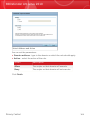
Description&Solution
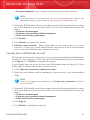
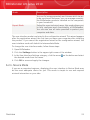
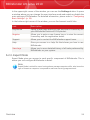
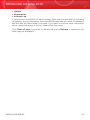
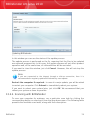
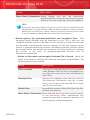
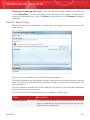
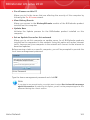
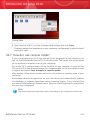
2. Run the uninstall tool using administrator privileges.
3. Restart your computer.
4. Start the setup wizard again to install BitDefender.
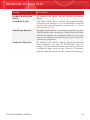
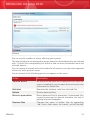
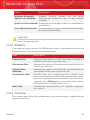
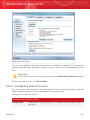
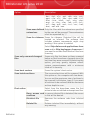
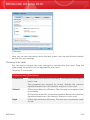
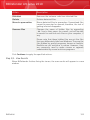
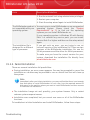
The BitDefender product is You are trying to install BitDefender on an unsupported
not compatible with your operating system. Please check the “System
operating system.
Requirements” (p. 2) to find out the operating
systems you can install BitDefender on.
If your operating system is Windows XP with Service
Pack 1 or without any service pack, you can install
Service Pack 2 or higher and then run the setup wizard
again.
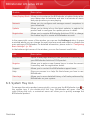
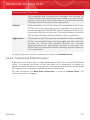
The installation file is
designed for a different
type of processor.
If you get such an error, you are trying to run an
incorrect version of the installation file. There are two
versions of the BitDefender installation file: one for
32-bit processors and the other for 64-bit processors.
To make sure you have the correct version for your
system, download the installation file directly from
www.bitdefender.com.
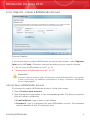
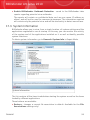
31.1.2. Failed Installation
There are several installation fail possibilities:
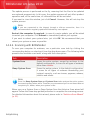
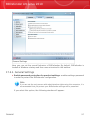
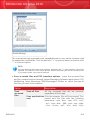
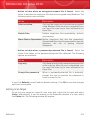
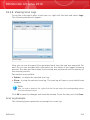
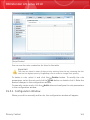
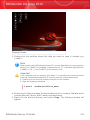
⚫ During installation, an error screen appears. You may be prompted to cancel the
installation or a button may be provided to run an unistall tool that will clean up
the system.
Note
Immediately after you initiate installation, you may notified that there is not enough
free disk space to install BitDefender. In such case, free the required amount of
disk space on the partition where you want to install BitDefender and then resume
or reinitiate the installation.
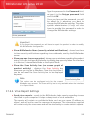
⚫ The installation hangs out and, possibly, your system freezes. Only a restart
restores system responsiveness.
⚫ Installation was completed, but you cannot use some or all of the BitDefender
functions.
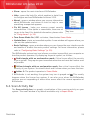
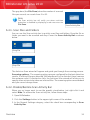
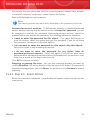
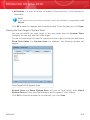
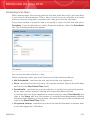
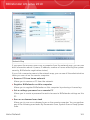
To troubleshoot a failed installation and install BitDefender, follow these steps:
Troubleshooting
211