1
User's guide
Copyright© 2009 BitDefender
BitDefender Internet Security 2010
BitDefender Internet Security 2010
User's guide
Published 2009.07.08
Copyright© 2009 BitDefender
Legal Notice
All rights reserved. No part of this book may be reproduced or transmitted in any form or by any means, electronic
or mechanical, including photocopying, recording, or by any information storage and retrieval system, without
written permission from an authorized representative of BitDefender. The inclusion of brief quotations in reviews
may be possible only with the mention of the quoted source. The content can not be modified in any way.
Warning and Disclaimer. This product and its documentation are protected by copyright. The information in
this document is provided on an “as is” basis, without warranty. Although every precaution has been taken in the
preparation of this document, the authors will not have any liability to any person or entity with respect to any
loss or damage caused or alleged to be caused directly or indirectly by the information contained in this work.
This book contains links to third-party Websites that are not under the control of BitDefender, therefore BitDefender
is not responsible for the content of any linked site. If you access a third-party website listed in this document, you
will do so at your own risk. BitDefender provides these links only as a convenience, and the inclusion of the link
does not imply that BitDefender endorses or accepts any responsibility for the content of the third-party site.
Trademarks. Trademark names may appear in this book. All registered and unregistered trademarks in this
document are the sole property of their respective owners, and are respectfully acknowledged.
BitDefender Internet Security 2010
Each man has his price Bob
And yours was pretty low
BitDefender Internet Security 2010
Table of Contents
End User Software License Agreement . . . . . . . . . . . . . . . . . . . . . . . . . . . . . . . . . . . . . xi
Preface . . . . . . . . . . . . . . . . . . . . . . . . . . . . . . . . . . . . . . . . . . . . . . . . . . . . . . . . . . . . . . . . . . . . . . xvi
1. Conventions Used in This Book . . . . . . . . . . . . . . . . . . . . . . . . . . . . . . . . . . . . . . . . . . . . . . xvi
1.1. Typographical Conventions . . . . . . . . . . . . . . . . . . . . . . . . . . . . . . . . . . . . . . . . . . . . . xvi
1.2. Admonitions . . . . . . . . . . . . . . . . . . . . . . . . . . . . . . . . . . . . . . . . . . . . . . . . . . . . . . . . . . xvi
2. Book Structure . . . . . . . . . . . . . . . . . . . . . . . . . . . . . . . . . . . . . . . . . . . . . . . . . . . . . . . . . . . . xvii
3. Request for Comments . . . . . . . . . . . . . . . . . . . . . . . . . . . . . . . . . . . . . . . . . . . . . . . . . . . . xviii
Installation and Removal .............................................. 1
1. System Requirements . . . . . . . . . . . . . . . . . . . . . . . . . . . . . . . . . . . . . . . . . . . . . . . . . . 2
1.1. Minimal System Requirements . . . . . . . . . . . . . . . . . . . . . . . . . . . . . . . . . . . . . . . . . . . 2
1.2. Recommended System Requirements . . . . . . . . . . . . . . . . . . . . . . . . . . . . . . . . . . . . . 2
1.3. Supported Software . . . . . . . . . . . . . . . . . . . . . . . . . . . . . . . . . . . . . . . . . . . . . . . . . . . . . 2
2. Preparing for Installation . . . . . . . . . . . . . . . . . . . . . . . . . . . . . . . . . . . . . . . . . . . . . . . 4
3. Installing BitDefender . . . . . . . . . . . . . . . . . . . . . . . . . . . . . . . . . . . . . . . . . . . . . . . . . . 5
3.1. Registration Wizard . . . . . . . . . . . . . . . . . . . . . . . . . . . . . . . . . . . . . . . . . . . . . . . . . . . . . 7
3.1.1. Step 1/2 - Register BitDefender Internet Security 2010 . . . . . . . . . . . . . . . . . 8
3.1.2. Step 2/2 - Create a BitDefender Account . . . . . . . . . . . . . . . . . . . . . . . . . . . . . . 9
3.2. Configuration Wizard . . . . . . . . . . . . . . . . . . . . . . . . . . . . . . . . . . . . . . . . . . . . . . . . . . . 11
3.2.1. Step 1 - Select Usage Profile . . . . . . . . . . . . . . . . . . . . . . . . . . . . . . . . . . . . . . . . 11
3.2.2. Step 2 - Describe Computer . . . . . . . . . . . . . . . . . . . . . . . . . . . . . . . . . . . . . . . . 12
3.2.3. Step 3 - Select User Interface . . . . . . . . . . . . . . . . . . . . . . . . . . . . . . . . . . . . . . . 13
3.2.4. Step 4 - Configure Parental Control . . . . . . . . . . . . . . . . . . . . . . . . . . . . . . . . . . 14
3.2.5. Step 5 - Configure BitDefender Network . . . . . . . . . . . . . . . . . . . . . . . . . . . . . 15
3.2.6. Step 6 - Select the Tasks to Be Run . . . . . . . . . . . . . . . . . . . . . . . . . . . . . . . . . . 16
3.2.7. Step 7 - Finish . . . . . . . . . . . . . . . . . . . . . . . . . . . . . . . . . . . . . . . . . . . . . . . . . . . . 17
4. Upgrade . . . . . . . . . . . . . . . . . . . . . . . . . . . . . . . . . . . . . . . . . . . . . . . . . . . . . . . . . . . . . . . 19
5. Repairing or Removing BitDefender . . . . . . . . . . . . . . . . . . . . . . . . . . . . . . . . . 20
Getting Started ......................................................... 21
6. Overview . . . . . . . . . . . . . . . . . . . . . . . . . . . . . . . . . . . . . . . . . . . . . . . . . . . . . . . . . . . . . . 22
6.1. Opening BitDefender . . . . . . . . . . . . . . . . . . . . . . . . . . . . . . . . . . . . . . . . . . . . . . . . . . .
6.2. User Interface View Modes . . . . . . . . . . . . . . . . . . . . . . . . . . . . . . . . . . . . . . . . . . . . . .
6.2.1. Novice Mode . . . . . . . . . . . . . . . . . . . . . . . . . . . . . . . . . . . . . . . . . . . . . . . . . . . . .
6.2.2. Intermediate Mode . . . . . . . . . . . . . . . . . . . . . . . . . . . . . . . . . . . . . . . . . . . . . . . .
6.2.3. Expert Mode . . . . . . . . . . . . . . . . . . . . . . . . . . . . . . . . . . . . . . . . . . . . . . . . . . . . . .
6.3. System Tray Icon . . . . . . . . . . . . . . . . . . . . . . . . . . . . . . . . . . . . . . . . . . . . . . . . . . . . . .
6.4. Scan Activity Bar . . . . . . . . . . . . . . . . . . . . . . . . . . . . . . . . . . . . . . . . . . . . . . . . . . . . . .
6.4.1. Scan Files and Folders . . . . . . . . . . . . . . . . . . . . . . . . . . . . . . . . . . . . . . . . . . . . .
6.4.2. Disable/Restore Scan Activity Bar . . . . . . . . . . . . . . . . . . . . . . . . . . . . . . . . . . .
6.5. BitDefender Manual Scan . . . . . . . . . . . . . . . . . . . . . . . . . . . . . . . . . . . . . . . . . . . . . . .
6.6. Game Mode and Laptop Mode . . . . . . . . . . . . . . . . . . . . . . . . . . . . . . . . . . . . . . . . . . .
22
22
23
25
27
30
30
31
31
32
33
iv
BitDefender Internet Security 2010
6.6.1. Game Mode . . . . . . . . . . . . . . . . . . . . . . . . . . . . . . . . . . . . . . . . . . . . . . . . . . . . . . 33
6.6.2. Laptop Mode . . . . . . . . . . . . . . . . . . . . . . . . . . . . . . . . . . . . . . . . . . . . . . . . . . . . . 35
6.7. Automatic Device Detection . . . . . . . . . . . . . . . . . . . . . . . . . . . . . . . . . . . . . . . . . . . . 35
7. Fixing Issues . . . . . . . . . . . . . . . . . . . . . . . . . . . . . . . . . . . . . . . . . . . . . . . . . . . . . . . . . . . 37
7.1. Fix All Issues Wizard . . . . . . . . . . . . . . . . . . . . . . . . . . . . . . . . . . . . . . . . . . . . . . . . . . . . 37
7.2. Configuring Issue Tracking . . . . . . . . . . . . . . . . . . . . . . . . . . . . . . . . . . . . . . . . . . . . . . 39
8. Configuring Basic Settings . . . . . . . . . . . . . . . . . . . . . . . . . . . . . . . . . . . . . . . . . . . 40
8.1. User Interface Settings . . . . . . . . . . . . . . . . . . . . . . . . . . . . . . . . . . . . . . . . . . . . . . . . . 41
8.2. Security Settings . . . . . . . . . . . . . . . . . . . . . . . . . . . . . . . . . . . . . . . . . . . . . . . . . . . . . . 42
8.3. General Settings . . . . . . . . . . . . . . . . . . . . . . . . . . . . . . . . . . . . . . . . . . . . . . . . . . . . . . . 43
9. History and Events . . . . . . . . . . . . . . . . . . . . . . . . . . . . . . . . . . . . . . . . . . . . . . . . . . . . 45
10. Registration and My Account . . . . . . . . . . . . . . . . . . . . . . . . . . . . . . . . . . . . . . . 47
10.1. Registering BitDefender Internet Security 2010 . . . . . . . . . . . . . . . . . . . . . . . . . .
10.2. Activating BitDefender . . . . . . . . . . . . . . . . . . . . . . . . . . . . . . . . . . . . . . . . . . . . . . . .
10.3. Purchasing License Keys . . . . . . . . . . . . . . . . . . . . . . . . . . . . . . . . . . . . . . . . . . . . . . .
10.4. Renewing Your License . . . . . . . . . . . . . . . . . . . . . . . . . . . . . . . . . . . . . . . . . . . . . . . .
47
49
51
51
11. Wizards . . . . . . . . . . . . . . . . . . . . . . . . . . . . . . . . . . . . . . . . . . . . . . . . . . . . . . . . . . . . . . . 52
11.1. Antivirus Scan Wizard . . . . . . . . . . . . . . . . . . . . . . . . . . . . . . . . . . . . . . . . . . . . . . . . .
11.1.1. Step 1/3 - Scanning . . . . . . . . . . . . . . . . . . . . . . . . . . . . . . . . . . . . . . . . . . . . . .
11.1.2. Step 2/3 - Select Actions . . . . . . . . . . . . . . . . . . . . . . . . . . . . . . . . . . . . . . . . . .
11.1.3. Step 3/3 - View Results . . . . . . . . . . . . . . . . . . . . . . . . . . . . . . . . . . . . . . . . . . .
11.2. Custom Scan Wizard . . . . . . . . . . . . . . . . . . . . . . . . . . . . . . . . . . . . . . . . . . . . . . . . . .
11.2.1. Step 1/6 - Welcome Window . . . . . . . . . . . . . . . . . . . . . . . . . . . . . . . . . . . . . . .
11.2.2. Step 2/6 - Select Target . . . . . . . . . . . . . . . . . . . . . . . . . . . . . . . . . . . . . . . . . . .
11.2.3. Step 3/6 - Select Actions . . . . . . . . . . . . . . . . . . . . . . . . . . . . . . . . . . . . . . . . . .
11.2.4. Step 4/6 - Additional Settings . . . . . . . . . . . . . . . . . . . . . . . . . . . . . . . . . . . . . .
11.2.5. Step 5/6 - Scanning . . . . . . . . . . . . . . . . . . . . . . . . . . . . . . . . . . . . . . . . . . . . . .
11.2.6. Step 6/6 - View Results . . . . . . . . . . . . . . . . . . . . . . . . . . . . . . . . . . . . . . . . . . .
11.3. Vulnerability Check Wizard . . . . . . . . . . . . . . . . . . . . . . . . . . . . . . . . . . . . . . . . . . . . .
11.3.1. Step 1/6 - Select Vulnerabilities to Check . . . . . . . . . . . . . . . . . . . . . . . . . . .
11.3.2. Step 2/6 - Checking for Vulnerabilities . . . . . . . . . . . . . . . . . . . . . . . . . . . . . .
11.3.3. Step 3/6 - Update Windows . . . . . . . . . . . . . . . . . . . . . . . . . . . . . . . . . . . . . . .
11.3.4. Step 4/6 - Update Applications . . . . . . . . . . . . . . . . . . . . . . . . . . . . . . . . . . . .
11.3.5. Step 5/6 - Change Weak Passwords . . . . . . . . . . . . . . . . . . . . . . . . . . . . . . . .
11.3.6. Step 6/6 - View Results . . . . . . . . . . . . . . . . . . . . . . . . . . . . . . . . . . . . . . . . . . .
11.4. File Vault Wizards . . . . . . . . . . . . . . . . . . . . . . . . . . . . . . . . . . . . . . . . . . . . . . . . . . . . .
11.4.1. Add Files to Vault . . . . . . . . . . . . . . . . . . . . . . . . . . . . . . . . . . . . . . . . . . . . . . . .
11.4.2. Remove Vault Files . . . . . . . . . . . . . . . . . . . . . . . . . . . . . . . . . . . . . . . . . . . . . . .
11.4.3. View File Vault . . . . . . . . . . . . . . . . . . . . . . . . . . . . . . . . . . . . . . . . . . . . . . . . . . .
11.4.4. Lock File Vault . . . . . . . . . . . . . . . . . . . . . . . . . . . . . . . . . . . . . . . . . . . . . . . . . . .
52
52
53
55
56
56
57
59
62
62
63
64
65
66
67
68
69
70
70
71
76
81
85
Intermediate Mode .................................................... 89
12. Dashboard . . . . . . . . . . . . . . . . . . . . . . . . . . . . . . . . . . . . . . . . . . . . . . . . . . . . . . . . . . . 90
13. Security . . . . . . . . . . . . . . . . . . . . . . . . . . . . . . . . . . . . . . . . . . . . . . . . . . . . . . . . . . . . . . 92
13.1. Status Area . . . . . . . . . . . . . . . . . . . . . . . . . . . . . . . . . . . . . . . . . . . . . . . . . . . . . . . . . . 92
v
BitDefender Internet Security 2010
13.1.1. Configuring Status Tracking . . . . . . . . . . . . . . . . . . . . . . . . . . . . . . . . . . . . . . .
13.2. Quick Tasks . . . . . . . . . . . . . . . . . . . . . . . . . . . . . . . . . . . . . . . . . . . . . . . . . . . . . . . . . .
13.2.1. Updating BitDefender . . . . . . . . . . . . . . . . . . . . . . . . . . . . . . . . . . . . . . . . . . . .
13.2.2. Scanning with BitDefender . . . . . . . . . . . . . . . . . . . . . . . . . . . . . . . . . . . . . . . .
13.2.3. Searching for Vulnerabilities . . . . . . . . . . . . . . . . . . . . . . . . . . . . . . . . . . . . . . .
93
95
95
96
97
14. Parental . . . . . . . . . . . . . . . . . . . . . . . . . . . . . . . . . . . . . . . . . . . . . . . . . . . . . . . . . . . . . . 98
14.1. Status Area . . . . . . . . . . . . . . . . . . . . . . . . . . . . . . . . . . . . . . . . . . . . . . . . . . . . . . . . . . 98
14.2. Quick Tasks . . . . . . . . . . . . . . . . . . . . . . . . . . . . . . . . . . . . . . . . . . . . . . . . . . . . . . . . . . 99
14.2.1. Updating BitDefender . . . . . . . . . . . . . . . . . . . . . . . . . . . . . . . . . . . . . . . . . . . . 99
14.2.2. Scanning with BitDefender . . . . . . . . . . . . . . . . . . . . . . . . . . . . . . . . . . . . . . . 100
15. File Vault . . . . . . . . . . . . . . . . . . . . . . . . . . . . . . . . . . . . . . . . . . . . . . . . . . . . . . . . . . . . 101
15.1. Status Area . . . . . . . . . . . . . . . . . . . . . . . . . . . . . . . . . . . . . . . . . . . . . . . . . . . . . . . . . 102
15.2. Quick Tasks . . . . . . . . . . . . . . . . . . . . . . . . . . . . . . . . . . . . . . . . . . . . . . . . . . . . . . . . . 102
16. Network . . . . . . . . . . . . . . . . . . . . . . . . . . . . . . . . . . . . . . . . . . . . . . . . . . . . . . . . . . . . . 103
16.1. Quick Tasks . . . . . . . . . . . . . . . . . . . . . . . . . . . . . . . . . . . . . . . . . . . . . . . . . . . . . . . . .
16.1.1. Joining the BitDefender Network . . . . . . . . . . . . . . . . . . . . . . . . . . . . . . . . . .
16.1.2. Adding Computers to the BitDefender Network . . . . . . . . . . . . . . . . . . . . .
16.1.3. Managing the BitDefender Network . . . . . . . . . . . . . . . . . . . . . . . . . . . . . . .
16.1.4. Scanning All Computers . . . . . . . . . . . . . . . . . . . . . . . . . . . . . . . . . . . . . . . . .
16.1.5. Updating All Computers . . . . . . . . . . . . . . . . . . . . . . . . . . . . . . . . . . . . . . . . .
16.1.6. Registering All Computers . . . . . . . . . . . . . . . . . . . . . . . . . . . . . . . . . . . . . . .
103
104
104
106
108
109
110
Expert Mode ........................................................... 111
17. General . . . . . . . . . . . . . . . . . . . . . . . . . . . . . . . . . . . . . . . . . . . . . . . . . . . . . . . . . . . . . 112
17.1. Dashboard . . . . . . . . . . . . . . . . . . . . . . . . . . . . . . . . . . . . . . . . . . . . . . . . . . . . . . . . . .
17.1.1. Overall Status . . . . . . . . . . . . . . . . . . . . . . . . . . . . . . . . . . . . . . . . . . . . . . . . . .
17.1.2. Statistics . . . . . . . . . . . . . . . . . . . . . . . . . . . . . . . . . . . . . . . . . . . . . . . . . . . . . .
17.1.3. Overview . . . . . . . . . . . . . . . . . . . . . . . . . . . . . . . . . . . . . . . . . . . . . . . . . . . . . .
17.2. Settings . . . . . . . . . . . . . . . . . . . . . . . . . . . . . . . . . . . . . . . . . . . . . . . . . . . . . . . . . . . .
17.2.1. General Settings . . . . . . . . . . . . . . . . . . . . . . . . . . . . . . . . . . . . . . . . . . . . . . . .
17.2.2. Virus Report Settings . . . . . . . . . . . . . . . . . . . . . . . . . . . . . . . . . . . . . . . . . . . .
17.3. System Information . . . . . . . . . . . . . . . . . . . . . . . . . . . . . . . . . . . . . . . . . . . . . . . . . .
112
113
115
116
116
117
119
119
18. Antivirus . . . . . . . . . . . . . . . . . . . . . . . . . . . . . . . . . . . . . . . . . . . . . . . . . . . . . . . . . . . . 121
18.1. Real-time Protection . . . . . . . . . . . . . . . . . . . . . . . . . . . . . . . . . . . . . . . . . . . . . . . . .
18.1.1. Configuring Protection Level . . . . . . . . . . . . . . . . . . . . . . . . . . . . . . . . . . . . .
18.1.2. Customizing Protection Level . . . . . . . . . . . . . . . . . . . . . . . . . . . . . . . . . . . . .
18.1.3. Configuring Active Virus Control Settings . . . . . . . . . . . . . . . . . . . . . . . . . .
18.1.4. Disabling Real-time Protection . . . . . . . . . . . . . . . . . . . . . . . . . . . . . . . . . . . .
18.1.5. Configuring Antiphishing Protection . . . . . . . . . . . . . . . . . . . . . . . . . . . . . . .
18.2. On-demand Scanning . . . . . . . . . . . . . . . . . . . . . . . . . . . . . . . . . . . . . . . . . . . . . . . .
18.2.1. Scan Tasks . . . . . . . . . . . . . . . . . . . . . . . . . . . . . . . . . . . . . . . . . . . . . . . . . . . . .
18.2.2. Using Shortcut Menu . . . . . . . . . . . . . . . . . . . . . . . . . . . . . . . . . . . . . . . . . . . .
18.2.3. Creating Scan Tasks . . . . . . . . . . . . . . . . . . . . . . . . . . . . . . . . . . . . . . . . . . . . .
18.2.4. Configuring Scan Tasks . . . . . . . . . . . . . . . . . . . . . . . . . . . . . . . . . . . . . . . . . .
18.2.5. Scanning Files and Folders . . . . . . . . . . . . . . . . . . . . . . . . . . . . . . . . . . . . . . .
18.2.6. Viewing Scan Logs . . . . . . . . . . . . . . . . . . . . . . . . . . . . . . . . . . . . . . . . . . . . . .
121
122
123
127
130
130
131
132
134
135
135
146
154
vi
BitDefender Internet Security 2010
18.3. Objects Excluded from Scanning . . . . . . . . . . . . . . . . . . . . . . . . . . . . . . . . . . . . . .
18.3.1. Excluding Paths from Scanning . . . . . . . . . . . . . . . . . . . . . . . . . . . . . . . . . . .
18.3.2. Excluding Extensions from Scanning . . . . . . . . . . . . . . . . . . . . . . . . . . . . . .
18.4. Quarantine Area . . . . . . . . . . . . . . . . . . . . . . . . . . . . . . . . . . . . . . . . . . . . . . . . . . . . .
18.4.1. Managing Quarantined Files . . . . . . . . . . . . . . . . . . . . . . . . . . . . . . . . . . . . . .
18.4.2. Configuring Quarantine Settings . . . . . . . . . . . . . . . . . . . . . . . . . . . . . . . . . .
155
157
160
164
165
166
19. Antispam . . . . . . . . . . . . . . . . . . . . . . . . . . . . . . . . . . . . . . . . . . . . . . . . . . . . . . . . . . . 168
19.1. Antispam Insights . . . . . . . . . . . . . . . . . . . . . . . . . . . . . . . . . . . . . . . . . . . . . . . . . . .
19.1.1. Antispam Filters . . . . . . . . . . . . . . . . . . . . . . . . . . . . . . . . . . . . . . . . . . . . . . . .
19.1.2. Antispam Operation . . . . . . . . . . . . . . . . . . . . . . . . . . . . . . . . . . . . . . . . . . . . .
19.1.3. Antispam Updates . . . . . . . . . . . . . . . . . . . . . . . . . . . . . . . . . . . . . . . . . . . . . .
19.2. Status . . . . . . . . . . . . . . . . . . . . . . . . . . . . . . . . . . . . . . . . . . . . . . . . . . . . . . . . . . . . . .
19.2.1. Setting the Protection Level . . . . . . . . . . . . . . . . . . . . . . . . . . . . . . . . . . . . . .
19.2.2. Configuring the Friends List . . . . . . . . . . . . . . . . . . . . . . . . . . . . . . . . . . . . . .
19.2.3. Configuring the Spammers List . . . . . . . . . . . . . . . . . . . . . . . . . . . . . . . . . . .
19.3. Settings . . . . . . . . . . . . . . . . . . . . . . . . . . . . . . . . . . . . . . . . . . . . . . . . . . . . . . . . . . . .
19.3.1. Antispam Settings . . . . . . . . . . . . . . . . . . . . . . . . . . . . . . . . . . . . . . . . . . . . . .
19.3.2. Basic Antispam Filters . . . . . . . . . . . . . . . . . . . . . . . . . . . . . . . . . . . . . . . . . . .
19.3.3. Advanced Antispam Filters . . . . . . . . . . . . . . . . . . . . . . . . . . . . . . . . . . . . . . .
168
168
170
171
171
172
173
175
177
178
179
179
20. Parental Control . . . . . . . . . . . . . . . . . . . . . . . . . . . . . . . . . . . . . . . . . . . . . . . . . . . . 180
20.1. Configuring Parental Control For A User . . . . . . . . . . . . . . . . . . . . . . . . . . . . . . . .
20.1.1. Protecting Parental Control Settings . . . . . . . . . . . . . . . . . . . . . . . . . . . . . . .
20.1.2. Setting Age Category . . . . . . . . . . . . . . . . . . . . . . . . . . . . . . . . . . . . . . . . . . .
20.2. Monitoring Children Activity . . . . . . . . . . . . . . . . . . . . . . . . . . . . . . . . . . . . . . . . . .
20.2.1. Checking Visited Websites . . . . . . . . . . . . . . . . . . . . . . . . . . . . . . . . . . . . . . .
20.2.2. Configuring E-mail Notifications . . . . . . . . . . . . . . . . . . . . . . . . . . . . . . . . . .
20.3. Web Control . . . . . . . . . . . . . . . . . . . . . . . . . . . . . . . . . . . . . . . . . . . . . . . . . . . . . . . .
20.3.1. Creating Web Control Rules . . . . . . . . . . . . . . . . . . . . . . . . . . . . . . . . . . . . . .
20.3.2. Managing Web Control Rules . . . . . . . . . . . . . . . . . . . . . . . . . . . . . . . . . . . . .
20.4. Web Time Limiter . . . . . . . . . . . . . . . . . . . . . . . . . . . . . . . . . . . . . . . . . . . . . . . . . . . .
20.5. Applications Control . . . . . . . . . . . . . . . . . . . . . . . . . . . . . . . . . . . . . . . . . . . . . . . . .
20.5.1. Creating Application Control Rules . . . . . . . . . . . . . . . . . . . . . . . . . . . . . . . .
20.5.2. Managing Application Control Rules . . . . . . . . . . . . . . . . . . . . . . . . . . . . . . .
20.6. Keywords Control . . . . . . . . . . . . . . . . . . . . . . . . . . . . . . . . . . . . . . . . . . . . . . . . . . . .
20.6.1. Creating Keywords Control Rules . . . . . . . . . . . . . . . . . . . . . . . . . . . . . . . . .
20.6.2. Managing Keywords Control Rules . . . . . . . . . . . . . . . . . . . . . . . . . . . . . . . .
20.7. Instant Messaging (IM) Control . . . . . . . . . . . . . . . . . . . . . . . . . . . . . . . . . . . . . . . .
20.7.1. Creating Instant Messaging (IM) Control Rules . . . . . . . . . . . . . . . . . . . . . .
20.7.2. Managing Instant Messaging (IM) Control Rules . . . . . . . . . . . . . . . . . . . .
181
183
184
186
187
187
188
189
190
191
192
193
193
194
195
195
196
196
197
21. Privacy Control . . . . . . . . . . . . . . . . . . . . . . . . . . . . . . . . . . . . . . . . . . . . . . . . . . . . . 198
21.1. Privacy Control Status . . . . . . . . . . . . . . . . . . . . . . . . . . . . . . . . . . . . . . . . . . . . . . . .
21.1.1. Configuring Protection Level . . . . . . . . . . . . . . . . . . . . . . . . . . . . . . . . . . . . .
21.2. Identity Control . . . . . . . . . . . . . . . . . . . . . . . . . . . . . . . . . . . . . . . . . . . . . . . . . . . . .
21.2.1. Creating Identity Rules . . . . . . . . . . . . . . . . . . . . . . . . . . . . . . . . . . . . . . . . . .
21.2.2. Defining Exclusions . . . . . . . . . . . . . . . . . . . . . . . . . . . . . . . . . . . . . . . . . . . . .
21.2.3. Managing Rules . . . . . . . . . . . . . . . . . . . . . . . . . . . . . . . . . . . . . . . . . . . . . . . .
21.2.4. Rules Defined by Other Administrators . . . . . . . . . . . . . . . . . . . . . . . . . . . .
21.3. Registry Control . . . . . . . . . . . . . . . . . . . . . . . . . . . . . . . . . . . . . . . . . . . . . . . . . . . . .
198
199
199
201
204
205
206
206
vii
BitDefender Internet Security 2010
21.4. Cookie Control . . . . . . . . . . . . . . . . . . . . . . . . . . . . . . . . . . . . . . . . . . . . . . . . . . . . . .
21.4.1. Configuration Window . . . . . . . . . . . . . . . . . . . . . . . . . . . . . . . . . . . . . . . . . . .
21.5. Script Control . . . . . . . . . . . . . . . . . . . . . . . . . . . . . . . . . . . . . . . . . . . . . . . . . . . . . . .
21.5.1. Configuration Window . . . . . . . . . . . . . . . . . . . . . . . . . . . . . . . . . . . . . . . . . . .
208
210
212
213
22. Firewall . . . . . . . . . . . . . . . . . . . . . . . . . . . . . . . . . . . . . . . . . . . . . . . . . . . . . . . . . . . . . . 215
22.1. Settings . . . . . . . . . . . . . . . . . . . . . . . . . . . . . . . . . . . . . . . . . . . . . . . . . . . . . . . . . . . .
22.1.1. Setting the Default Action . . . . . . . . . . . . . . . . . . . . . . . . . . . . . . . . . . . . . . .
22.1.2. Configuring Advanced Firewall Settings . . . . . . . . . . . . . . . . . . . . . . . . . . . .
22.2. Network . . . . . . . . . . . . . . . . . . . . . . . . . . . . . . . . . . . . . . . . . . . . . . . . . . . . . . . . . . . .
22.2.1. Changing the Trust Level . . . . . . . . . . . . . . . . . . . . . . . . . . . . . . . . . . . . . . . .
22.2.2. Configuring the Stealth Mode . . . . . . . . . . . . . . . . . . . . . . . . . . . . . . . . . . . .
22.2.3. Configuring Generic Settings . . . . . . . . . . . . . . . . . . . . . . . . . . . . . . . . . . . . .
22.2.4. Network Zones . . . . . . . . . . . . . . . . . . . . . . . . . . . . . . . . . . . . . . . . . . . . . . . . .
22.3. Rules . . . . . . . . . . . . . . . . . . . . . . . . . . . . . . . . . . . . . . . . . . . . . . . . . . . . . . . . . . . . . . .
22.3.1. Adding Rules Automatically . . . . . . . . . . . . . . . . . . . . . . . . . . . . . . . . . . . . . .
22.3.2. Deleting and Reseting Rules . . . . . . . . . . . . . . . . . . . . . . . . . . . . . . . . . . . . .
22.3.3. Creating and Modifying Rules . . . . . . . . . . . . . . . . . . . . . . . . . . . . . . . . . . . .
22.3.4. Advanced Rule Management . . . . . . . . . . . . . . . . . . . . . . . . . . . . . . . . . . . . .
22.4. Connection Control . . . . . . . . . . . . . . . . . . . . . . . . . . . . . . . . . . . . . . . . . . . . . . . . . .
215
216
217
219
220
220
221
221
222
224
224
224
228
229
23. Vulnerability . . . . . . . . . . . . . . . . . . . . . . . . . . . . . . . . . . . . . . . . . . . . . . . . . . . . . . . . 231
23.1. Status . . . . . . . . . . . . . . . . . . . . . . . . . . . . . . . . . . . . . . . . . . . . . . . . . . . . . . . . . . . . . . 231
23.1.1. Fixing Vulnerabilities . . . . . . . . . . . . . . . . . . . . . . . . . . . . . . . . . . . . . . . . . . . . 232
23.2. Settings . . . . . . . . . . . . . . . . . . . . . . . . . . . . . . . . . . . . . . . . . . . . . . . . . . . . . . . . . . . . 232
24. Encryption . . . . . . . . . . . . . . . . . . . . . . . . . . . . . . . . . . . . . . . . . . . . . . . . . . . . . . . . . . 234
24.1. Instant Messaging (IM) Encryption . . . . . . . . . . . . . . . . . . . . . . . . . . . . . . . . . . . . .
24.1.1. Disabling Encryption for Specific Users . . . . . . . . . . . . . . . . . . . . . . . . . . . .
24.2. File Encryption . . . . . . . . . . . . . . . . . . . . . . . . . . . . . . . . . . . . . . . . . . . . . . . . . . . . . .
24.2.1. Creating a Vault . . . . . . . . . . . . . . . . . . . . . . . . . . . . . . . . . . . . . . . . . . . . . . . .
24.2.2. Opening a Vault . . . . . . . . . . . . . . . . . . . . . . . . . . . . . . . . . . . . . . . . . . . . . . . .
24.2.3. Locking a Vault . . . . . . . . . . . . . . . . . . . . . . . . . . . . . . . . . . . . . . . . . . . . . . . . .
24.2.4. Changing Vault Password . . . . . . . . . . . . . . . . . . . . . . . . . . . . . . . . . . . . . . . .
24.2.5. Adding Files to a Vault . . . . . . . . . . . . . . . . . . . . . . . . . . . . . . . . . . . . . . . . . . .
24.2.6. Removing Files from a Vault . . . . . . . . . . . . . . . . . . . . . . . . . . . . . . . . . . . . . .
234
235
236
237
239
239
240
241
241
25. Game / Laptop Mode . . . . . . . . . . . . . . . . . . . . . . . . . . . . . . . . . . . . . . . . . . . . . . . 243
25.1. Game Mode . . . . . . . . . . . . . . . . . . . . . . . . . . . . . . . . . . . . . . . . . . . . . . . . . . . . . . . . .
25.1.1. Configuring Automatic Game Mode . . . . . . . . . . . . . . . . . . . . . . . . . . . . . . .
25.1.2. Managing the Game List . . . . . . . . . . . . . . . . . . . . . . . . . . . . . . . . . . . . . . . . .
25.1.3. Configuring Game Mode Settings . . . . . . . . . . . . . . . . . . . . . . . . . . . . . . . . .
25.1.4. Changing Game Mode Hotkey . . . . . . . . . . . . . . . . . . . . . . . . . . . . . . . . . . . .
25.2. Laptop Mode . . . . . . . . . . . . . . . . . . . . . . . . . . . . . . . . . . . . . . . . . . . . . . . . . . . . . . . .
25.2.1. Configuring Laptop Mode Settings . . . . . . . . . . . . . . . . . . . . . . . . . . . . . . . .
243
244
245
246
247
247
248
26. Home Network . . . . . . . . . . . . . . . . . . . . . . . . . . . . . . . . . . . . . . . . . . . . . . . . . . . . . 249
26.1. Joining the BitDefender Network . . . . . . . . . . . . . . . . . . . . . . . . . . . . . . . . . . . . . . 249
26.2. Adding Computers to the BitDefender Network . . . . . . . . . . . . . . . . . . . . . . . . . 250
26.3. Managing the BitDefender Network . . . . . . . . . . . . . . . . . . . . . . . . . . . . . . . . . . . . 252
27. Update . . . . . . . . . . . . . . . . . . . . . . . . . . . . . . . . . . . . . . . . . . . . . . . . . . . . . . . . . . . . . . 255
viii
BitDefender Internet Security 2010
27.1. Automatic Update . . . . . . . . . . . . . . . . . . . . . . . . . . . . . . . . . . . . . . . . . . . . . . . . . . .
27.1.1. Requesting an Update . . . . . . . . . . . . . . . . . . . . . . . . . . . . . . . . . . . . . . . . . . .
27.1.2. Disabling Automatic Update . . . . . . . . . . . . . . . . . . . . . . . . . . . . . . . . . . . . .
27.2. Update Settings . . . . . . . . . . . . . . . . . . . . . . . . . . . . . . . . . . . . . . . . . . . . . . . . . . . . .
27.2.1. Setting Update Locations . . . . . . . . . . . . . . . . . . . . . . . . . . . . . . . . . . . . . . . .
27.2.2. Configuring Automatic Update . . . . . . . . . . . . . . . . . . . . . . . . . . . . . . . . . . .
27.2.3. Configuring Manual Update . . . . . . . . . . . . . . . . . . . . . . . . . . . . . . . . . . . . . .
27.2.4. Configuring Advanced Settings . . . . . . . . . . . . . . . . . . . . . . . . . . . . . . . . . . .
27.2.5. Managing Proxies . . . . . . . . . . . . . . . . . . . . . . . . . . . . . . . . . . . . . . . . . . . . . . .
255
256
257
257
258
259
259
259
260
28. Registration . . . . . . . . . . . . . . . . . . . . . . . . . . . . . . . . . . . . . . . . . . . . . . . . . . . . . . . . . 262
28.1. Registering BitDefender Internet Security 2010 . . . . . . . . . . . . . . . . . . . . . . . . . 262
28.2. Creating a BitDefender Account . . . . . . . . . . . . . . . . . . . . . . . . . . . . . . . . . . . . . . . 263
Integration into Windows and Third-Party Software ........ 267
29. Integration into Windows Contextual Menu . . . . . . . . . . . . . . . . . . . . . . 268
29.1. Scan with BitDefender . . . . . . . . . . . . . . . . . . . . . . . . . . . . . . . . . . . . . . . . . . . . . . .
29.2. BitDefender File Vault . . . . . . . . . . . . . . . . . . . . . . . . . . . . . . . . . . . . . . . . . . . . . . . .
29.2.1. Create Vault . . . . . . . . . . . . . . . . . . . . . . . . . . . . . . . . . . . . . . . . . . . . . . . . . . . .
29.2.2. Open Vault . . . . . . . . . . . . . . . . . . . . . . . . . . . . . . . . . . . . . . . . . . . . . . . . . . . . .
29.2.3. Lock Vault . . . . . . . . . . . . . . . . . . . . . . . . . . . . . . . . . . . . . . . . . . . . . . . . . . . . . .
29.2.4. Add to File Vault . . . . . . . . . . . . . . . . . . . . . . . . . . . . . . . . . . . . . . . . . . . . . . . .
29.2.5. Remove from File Vault . . . . . . . . . . . . . . . . . . . . . . . . . . . . . . . . . . . . . . . . . .
29.2.6. Change Vault Password . . . . . . . . . . . . . . . . . . . . . . . . . . . . . . . . . . . . . . . . . .
268
269
270
271
272
272
273
273
30. Integration into Web Browsers . . . . . . . . . . . . . . . . . . . . . . . . . . . . . . . . . . . . 275
31. Integration into Instant Messenger Programs . . . . . . . . . . . . . . . . . . . . 278
32. Integration into Mail Clients . . . . . . . . . . . . . . . . . . . . . . . . . . . . . . . . . . . . . . . 279
32.1. Antispam Configuration Wizard . . . . . . . . . . . . . . . . . . . . . . . . . . . . . . . . . . . . . . .
32.1.1. Step 1/6 - Welcome Window . . . . . . . . . . . . . . . . . . . . . . . . . . . . . . . . . . . . .
32.1.2. Step 2/6 - Fill in the Friends List . . . . . . . . . . . . . . . . . . . . . . . . . . . . . . . . . .
32.1.3. Step 3/6 - Delete Bayesian Database . . . . . . . . . . . . . . . . . . . . . . . . . . . . . .
32.1.4. Step 4/6 - Train Bayesian Filter with Legitimate Mail . . . . . . . . . . . . . . . . .
32.1.5. Step 5/6 - Train Bayesian Filter with Spam . . . . . . . . . . . . . . . . . . . . . . . . .
32.1.6. Step 6/6 - Summary . . . . . . . . . . . . . . . . . . . . . . . . . . . . . . . . . . . . . . . . . . . . .
32.2. Antispam Toolbar . . . . . . . . . . . . . . . . . . . . . . . . . . . . . . . . . . . . . . . . . . . . . . . . . . . .
279
280
281
282
283
284
285
285
How To ................................................................... 293
33. How to Scan Files and Folders . . . . . . . . . . . . . . . . . . . . . . . . . . . . . . . . . . . . . 294
33.1.
33.2.
33.3.
33.4.
Using Windows Contextual Menu . . . . . . . . . . . . . . . . . . . . . . . . . . . . . . . . . . . . . .
Using Scan Tasks . . . . . . . . . . . . . . . . . . . . . . . . . . . . . . . . . . . . . . . . . . . . . . . . . . . .
Using BitDefender Manual Scan . . . . . . . . . . . . . . . . . . . . . . . . . . . . . . . . . . . . . . .
Using Scan Activity Bar . . . . . . . . . . . . . . . . . . . . . . . . . . . . . . . . . . . . . . . . . . . . . .
294
294
296
297
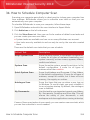
34. How to Schedule Computer Scan . . . . . . . . . . . . . . . . . . . . . . . . . . . . . . . . . 298
Troubleshooting and Getting Help ............................... 300
ix
BitDefender Internet Security 2010
35. Troubleshooting . . . . . . . . . . . . . . . . . . . . . . . . . . . . . . . . . . . . . . . . . . . . . . . . . . . . 301
35.1. Installation Problems . . . . . . . . . . . . . . . . . . . . . . . . . . . . . . . . . . . . . . . . . . . . . . . . .
35.1.1. Installation Validation Errors . . . . . . . . . . . . . . . . . . . . . . . . . . . . . . . . . . . . .
35.1.2. Failed Installation . . . . . . . . . . . . . . . . . . . . . . . . . . . . . . . . . . . . . . . . . . . . . . .
35.2. BitDefender Services Are Not Responding . . . . . . . . . . . . . . . . . . . . . . . . . . . . . .
35.3. File and Printer Sharing in Wi-Fi (Wireless) Network Does Not Work . . . . . . . .
35.3.1. "Trusted Computer" Solution . . . . . . . . . . . . . . . . . . . . . . . . . . . . . . . . . . . . .
35.3.2. "Safe Network" Solution . . . . . . . . . . . . . . . . . . . . . . . . . . . . . . . . . . . . . . . . .
35.4. Antispam Filter Does Not Work Properly . . . . . . . . . . . . . . . . . . . . . . . . . . . . . . . .
35.4.1. Legitimate Messages Are Marked as [spam] . . . . . . . . . . . . . . . . . . . . . . .
35.4.2. Many Spam Messages Are Not Detected . . . . . . . . . . . . . . . . . . . . . . . . . . .
35.4.3. Antispam Filter Does Not Detect Any Spam Message . . . . . . . . . . . . . . . .
35.5. BitDefender Removal Failed . . . . . . . . . . . . . . . . . . . . . . . . . . . . . . . . . . . . . . . . . .
301
301
302
303
304
305
306
308
308
311
313
314
36. Support . . . . . . . . . . . . . . . . . . . . . . . . . . . . . . . . . . . . . . . . . . . . . . . . . . . . . . . . . . . . . 316
36.1. BitDefender Knowledge Base . . . . . . . . . . . . . . . . . . . . . . . . . . . . . . . . . . . . . . . . .
36.2. Asking for Help . . . . . . . . . . . . . . . . . . . . . . . . . . . . . . . . . . . . . . . . . . . . . . . . . . . . . .
36.3. Contact Information . . . . . . . . . . . . . . . . . . . . . . . . . . . . . . . . . . . . . . . . . . . . . . . . .
36.3.1. Web Addresses . . . . . . . . . . . . . . . . . . . . . . . . . . . . . . . . . . . . . . . . . . . . . . . . .
36.3.2. BitDefender Offices . . . . . . . . . . . . . . . . . . . . . . . . . . . . . . . . . . . . . . . . . . . . .
316
316
317
317
317
BitDefender Rescue CD ............................................. 319
37. Overview . . . . . . . . . . . . . . . . . . . . . . . . . . . . . . . . . . . . . . . . . . . . . . . . . . . . . . . . . . . . 320
37.1. System Requirements . . . . . . . . . . . . . . . . . . . . . . . . . . . . . . . . . . . . . . . . . . . . . . . . 320
37.2. Included Software . . . . . . . . . . . . . . . . . . . . . . . . . . . . . . . . . . . . . . . . . . . . . . . . . . . 321
38. BitDefender Rescue CD Howto . . . . . . . . . . . . . . . . . . . . . . . . . . . . . . . . . . . . 323
38.1. Start BitDefender Rescue CD . . . . . . . . . . . . . . . . . . . . . . . . . . . . . . . . . . . . . . . . .
38.2. Stop BitDefender Rescue CD . . . . . . . . . . . . . . . . . . . . . . . . . . . . . . . . . . . . . . . . . .
38.3. How do I perform an antivirus scan? . . . . . . . . . . . . . . . . . . . . . . . . . . . . . . . . . . .
38.4. How do I configure the Internet connection? . . . . . . . . . . . . . . . . . . . . . . . . . . . .
38.5. How do I update BitDefender? . . . . . . . . . . . . . . . . . . . . . . . . . . . . . . . . . . . . . . . .
38.5.1. How do I update BitDefender over a proxy? . . . . . . . . . . . . . . . . . . . . . . . .
38.6. How do I save my data? . . . . . . . . . . . . . . . . . . . . . . . . . . . . . . . . . . . . . . . . . . . . . .
38.7. How do I use console mode? . . . . . . . . . . . . . . . . . . . . . . . . . . . . . . . . . . . . . . . . . .
323
324
325
326
327
328
329
331
Glossary . . . . . . . . . . . . . . . . . . . . . . . . . . . . . . . . . . . . . . . . . . . . . . . . . . . . . . . . . . . . . . . . . . . . 332
x
BitDefender Internet Security 2010
End User Software License Agreement
IF YOU DO NOT AGREE TO THESE TERMS AND CONDITIONS DO NOT INSTALL THE
SOFTWARE. BY SELECTING "I ACCEPT", "OK", "CONTINUE", "YES" OR BY INSTALLING
OR USING THE SOFTWARE IN ANY WAY, YOU ARE INDICATING YOUR COMPLETE
UNDERSTANDING AND ACCEPTANCE OF THE TERMS OF THIS AGREEMENT.
PRODUCT REGISTRATION. By accepting this Agreement, You agree to register Your
Software, using “My account”, as a condition of Your use of the Software (receiving
updates) and Your right to Maintenance. This control helps ensure that the Software
operates only on validly licensed Computers and that validly licensed end users
receive Maintenance services. Registration requires a valid product serial number
and a valid email address for renewal and other notices.
These Terms cover BitDefender Solutions and Services for home-users licensed to
you, including related documentation and any update and upgrade of the applications
delivered to you under the purchased license or any related service agreement as
defined in the documentation and any copy of these items.
This License Agreement is a legal agreement between you (either an individual or
a legal person) and BITDEFENDER for use of BITDEFENDER’s software product
identified above, which includes computer software and services, and may include
associated media, printed materials, and "online" or electronic documentation
(hereafter designated as "BitDefender"), all of which are protected by international
copyright laws and international treaties. By installing, copying or using BitDefender,
you agree to be bound by the terms of this agreement.
If you do not agree to the terms of this agreement, do not install or use BitDefender.
BitDefender License. BitDefender is protected by copyright laws and international
copyright treaties, as well as other intellectual property laws and treaties.
BitDefender is licensed, not sold.
GRANT OF LICENSE. BITDEFENDER hereby grants you and only you the following
non-exclusive, limited, non assignable, non-transferable, non-sublicensable and
royalty-bearing license to use BitDefender.
APPLICATION SOFTWARE. You may install and use BitDefender, on as many
computers as necessary with the limitation imposed by the total number of licensed
users. You may make one additional copy for back-up purpose.
DESKTOP USER LICENSE. This license applies to BitDefender software that can be
installed on a single computer and which does not provide network services. Each
primary user may install this software on a single computer and may make one
additional copy for backup on a different device. The number of primary users
allowed is the number of the users of the license.
End User Software License Agreement
xi
BitDefender Internet Security 2010
TERM OF LICENSE. The license granted hereunder shall commence on the purchasing
date of BitDefender and shall expire at the end of the period for which the license
is purchased.
EXPIRATION. The product will cease to perform its functions immediately upon
expiration of the license.
UPGRADES. If BitDefender is labeled as an upgrade, you must be properly licensed
to use a product identified by BITDEFENDER as being eligible for the upgrade in
order to use BitDefender. A BitDefender labeled as an upgrade replaces and/or
supplements the product that formed the basis for your eligibility for the upgrade.
You may use the resulting upgraded product only in accordance with the terms of
this License Agreement. If BitDefender is an upgrade of a component of a package
of software programs that you licensed as a single product, BitDefender may be
used and transferred only as part of that single product package and may not be
separated for use by more than the total number of licensed users. The terms and
conditions of this license replace and supersede any previous agreements that may
have existed between you and BITDEFENDER regarding the original product or the
resulting upgraded product.
COPYRIGHT. All rights, titles and interest in and to BitDefender and all copyright
rights in and to BitDefender (including but not limited to any images, photographs,
logos, animations, video, audio, music, text, and "applets" incorporated into
BitDefender), the accompanying printed materials, and any copies of BitDefender
are owned by BITDEFENDER. BitDefender is protected by copyright laws and
international treaty provisions. Therefore, you must treat BitDefender like any other
copyrighted material. You may not copy the printed materials accompanying
BitDefender. You must produce and include all copyright notices in their original
form for all copies created irrespective of the media or form in which BitDefender
exists. You may not sub-license, rent, sell, lease or share the BitDefender license.
You may not reverse engineer, recompile, disassemble, create derivative works,
modify, translate, or make any attempt to discover the source code for BitDefender.
LIMITED WARRANTY. BITDEFENDER warrants that the media on which BitDefender
is distributed is free from defects for a period of thirty days from the date of delivery
of BitDefender to you. Your sole remedy for a breach of this warranty will be that
BITDEFENDER , at its option, may replace the defective media upon receipt of the
damaged media, or refund the money you paid for BitDefender. BITDEFENDER does
not warrant that BitDefender will be uninterrupted or error free or that the errors
will be corrected. BITDEFENDER does not warrant that BitDefender will meet your
requirements.
EXCEPT AS EXPRESSLY SET FORTH IN THIS AGREEMENT, BITDEFENDER DISCLAIMS
ALL OTHER WARRANTIES, EXPRESS OR IMPLIED, WITH RESPECT TO THE PRODUCTS,
ENHANCEMENTS, MAINTENANCE OR SUPPORT RELATED THERETO, OR ANY OTHER
MATERIALS (TANGIBLE OR INTANGIBLE) OR SERVICES SUPPLIED BY HIM.
BITDEFENDER HEREBY EXPRESSLY DISCLAIMS ANY IMPLIED WARRANTIES AND
End User Software License Agreement
xii
BitDefender Internet Security 2010
CONDITIONS, INCLUDING, WITHOUT LIMITATION, THE IMPLIED WARRANTIES OF
MERCHANTABILITY, FITNESS FOR A PARTICULAR PURPOSE, TITLE, NON
INTERFERENCE, ACCURACY OF DATA, ACCURACY OF INFORMATIONAL CONTENT,
SYSTEM INTEGRATION, AND NON INFRINGEMENT OF THIRD PARTY RIGHTS BY
FILTERING, DISABLING, OR REMOVING SUCH THIRD PARTY’S SOFTWARE, SPYWARE,
ADWARE, COOKIES, EMAILS, DOCUMENTS, ADVERTISEMENTS OR THE LIKE, WHETHER
ARISING BY STATUTE, LAW, COURSE OF DEALING, CUSTOM AND PRACTICE, OR
TRADE USAGE.
DISCLAIMER OF DAMAGES. Anyone using, testing, or evaluating BitDefender bears
all risk to the quality and performance of BitDefender. In no event shall BITDEFENDER
be liable for any damages of any kind, including, without limitation, direct or indirect
damages arising out of the use, performance, or delivery of BitDefender, even if
BITDEFENDER has been advised of the existence or possibility of such damages.
SOME STATES DO NOT ALLOW THE LIMITATION OR EXCLUSION OF LIABILITY FOR
INCIDENTAL OR CONSEQUENTIAL DAMAGES, SO THE ABOVE LIMITATION OR
EXCLUSION MAY NOT APPLY TO YOU.
IN NO CASE SHALL BITDEFENDER'S LIABILITY EXCEED THE PURCHASE PRICE PAID
BY YOU FOR BITDEFENDER. The disclaimers and limitations set forth above will apply
regardless of whether you accept to use, evaluate, or test BitDefender.
IMPORTANT NOTICE TO USERS. THIS SOFTWARE IS NOT FAULT-TOLERANT AND
IS NOT DESIGNED OR INTENDED FOR USE IN ANY HAZARDOUS ENVIRONMENT
REQUIRING FAIL-SAFE PERFORMANCE OR OPERATION. THIS SOFTWARE IS NOT FOR
USE IN THE OPERATION OF AIRCRAFT NAVIGATION, NUCLEAR FACILITIES, OR
COMMUNICATION SYSTEMS, WEAPONS SYSTEMS, DIRECT OR INDIRECT LIFE-SUPPORT
SYSTEMS, AIR TRAFFIC CONTROL, OR ANY APPLICATION OR INSTALLATION WHERE
FAILURE COULD RESULT IN DEATH, SEVERE PHYSICAL INJURY OR PROPERTY DAMAGE.
CONSENT TO ELECRONIC COMMUNICATIONS. BitDefender may be required to
send you legal notices and other communications about the Software and
Maintenance subscription services or our use of the information you provide us
(“Communications”). BitDefender will send Communications via in-product notices
or via email to the primary user’s registered email address, or will post
Communications on its Sites. By accepting this Agreement, you consent to receive
all Communications through these electronic means only and acknowledge and
demonstrate that you can access Communications on Sites.
DATA COLLECTION TECHNOLOGY- BitDefender informs you that in certain programs
or products it may use data collection technology to collect technical information
(including suspect files), to improve the products, to provide related services, to
adapt them and to prevent the unlicensed or illegal use of the product or the
damages resulting from the malware products. You accept that BitDefender may
use such information as part of the services provided in relation to the product and
to prevent and stop the malware programs running on your computer.
End User Software License Agreement
xiii
BitDefender Internet Security 2010
You acknowledge and accept that BitDefender may provide updates or additions to
the program or product which automatically download to your computer.
By accepting this Agreement, You agree to upload the executable files for the
purpose of being scanned by the BitDefender servers. Similarly, for the purpose of
contracting and using the program, you may have to give BitDefender certain
personal data. BitDefender informs you that it will treat your personal data in
accordance with current applicable legislation and as established in its Privacy
Policy.
DATA COLLECTION. Access to the website by the User and the acquisition of products
and services and the use of tools or content via the website implies the processing
of personal data. Complying with legislation governing the processing of personal
data and information society services and electronic commerce is of the utmost
importance to BitDefender. Sometimes, to access products, services contents or
tools, you will in some cases, need to provide certain personal details. BitDefender
guarantees that such data will be treated confidentially and in accordance with
legislation governing the protection of personal data and information society services
and electronic commerce.
BitDefender complies with applicable data protection legislation, and has taken the
administrative and technical steps necessary to guarantee the security of the
personal data that it collects.
You declare that all the data that you provide will be true and accurate and
undertakes to inform BItDefender of any changes to said data. You have the right
to object to the processing of any of his or her data which is not essential for the
execution of the agreement and to its use for any purpose other than the
maintenance of the contractual relationship.
In the event that you provide the details of a third-party, BitDefender shall not be
held responsible for complying with the principles of information and consent, and
it shall therefore be you that guarantees to have previously informed and obtained
the consent of the owner of the data, with regards to communicating such data.
BitDefender and its affiliates and partners will only send marketing information by
e-mail or other electronic means to those users who have given their express consent
to receiving communication concerning BitDefender products or services or
newsletters.
BitDefender’s privacy policy guarantees you the right to access, rectify, eliminate
and object to the processing of data by notifying BitDefender via e-mail at:
[email protected].
GENERAL. This Agreement will be governed by the laws of Romania and by
international copyright regulations and treaties. The exclusive jurisdiction and venue
to adjudicate any dispute arising out of these License Terms shall be of the courts
of Romania.
End User Software License Agreement
xiv
BitDefender Internet Security 2010
In the event of invalidity of any provision of this Agreement, the invalidity shall not
affect the validity of the remaining portions of this Agreement.
BitDefender and BitDefender logos are trademarks of BITDEFENDER. All other
trademarks used in the product or in associated materials are the property of their
respective owners.
The license will terminate immediately without notice if you are in breach of any of
its terms and conditions. You shall not be entitled to a refund from BITDEFENDER
or any resellers of BitDefender as a result of termination. The terms and conditions
concerning confidentiality and restrictions on use shall remain in force even after
any termination.
BITDEFENDER may revise these Terms at any time and the revised terms shall
automatically apply to the corresponding versions of the Software distributed with
the revised terms. If any part of these Terms is found void and unenforceable, it
will not affect the validity of rest of the Terms, which shall remain valid and
enforceable.
In case of controversy or inconsistency between translations of these Terms to other
languages, the English version issued by BITDEFENDER shall prevail.
Contact BITDEFENDER, at 24, Preciziei Boulevard, West Gate Building H2, ground
floor, Sector 6, Bucharest, Romania, or at Tel No: 40-21-206.34.70 or Fax:
40-21-264.17.99, e-mail address: [email protected].
End User Software License Agreement
xv
BitDefender Internet Security 2010
Preface
This guide is intended to all users who have chosen BitDefender Internet Security
2010 as a security solution for their personal computers. The information presented
in this book is suitable not only for computer literates, it is accessible to everyone
who is able to work under Windows.
This book will describe for you BitDefender Internet Security 2010, will guide you
through the installation process, will show you how to configure it. You will find out
how to use BitDefender Internet Security 2010, how to update, test and customize
it. You will learn how to get best from BitDefender.
We wish you a pleasant and useful lecture.
1. Conventions Used in This Book
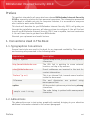
1.1. Typographical Conventions
Several text styles are used in the book for an improved readability. Their aspect
and meaning are presented in the following table.
Appearance
Description
sample syntax
Syntax samples are printed with monospaced
characters.
http://www.bitdefender.com
The URL link is pointing to some external
location, on http or ftp servers.
[email protected]
E-mail addresses are inserted in the text for
contact information.
“Preface” (p. xvi)
This is an internal link, towards some location
inside the document.
filename
File and directories
monospaced font.
option
All the product options are printed using strong
characters.
sample code listing
are
printed
using
The code listing is printed with monospaced
characters.
1.2. Admonitions
The admonitions are in-text notes, graphically marked, bringing to your attention
additional information related to the current paragraph.
Preface
xvi
BitDefender Internet Security 2010
Note
The note is just a short observation. Although you can omit it, the notes can provide
valuable information, such as specific feature or a link to some related topic.
Important
This requires your attention and is not recommended to skip over it. Usually, it provides
non-critical but significant information.
Warning
This is critical information you should treat with increased caution. Nothing bad will
happen if you follow the indications. You should read and understand it, because it
describes something extremely risky.
2. Book Structure
The book consists of several parts containing major topics. Moreover, a glossary is
provided to clarify some technical terms.
Installation and Removal. Step by step instructions for installing BitDefender
on a personal computer. Starting with the prerequisites for a successfully installation,
you are guided through the whole installation process. Finally, the removing
procedure is described in case you need to uninstall BitDefender.
Getting Started. Contains all the information you need to get started with
BitDefender. You are presented with the BitDefender interface and how to fix issues,
configure basic settings and register your product.
Intermediate Mode. Presents the Intermediate Mode interface of BitDefender.
Expert Mode. A detailed presentation of the Expert Mode interface of BitDefender.
You are taught how to configure and use all BitDefender modules so as to efficiently
protect your computer against all kind of threats (malware, spam, hackers,
innapropriate content and so on).
Integration into Windows and Third-Party Software. Shows you how to use
the BitDefender options on the Windows contextual menu and the BitDefender
toolbars integrated into supported third-party programs.
How To. Provides procedures to quickly perform the most common tasks in
BitDefender.
Troubleshooting and Getting Help. Where to look and where to ask for help if
something unexpected appears.
BitDefender Rescue CD. Description of the BitDefender Rescue CD. It helps
understand and use the features offered by this bootable CD.
Glossary. The Glossary tries to explain some technical and uncommon terms you
will find in the pages of this document.
Preface
xvii
BitDefender Internet Security 2010
3. Request for Comments
We invite you to help us improve the book. We have tested and verified all of the
information to the best of our ability. Please write to tell us about any flaws you find
in this book or how you think it could be improved, to help us provide you with the
best documentation possible.
Let us know by sending an e-mail to [email protected].
Important
Please write all of your documentation-related e-mails in English so that we can
process them efficiently.
Preface
xviii
BitDefender Internet Security 2010
Installation and Removal
1
BitDefender Internet Security 2010
1. System Requirements
You may install BitDefender Internet Security 2010 only on computers running the
following operating systems:
⚫ Windows XP (32/64 bit) with Service Pack 2 or higher
⚫ Windows Vista (32/64 bit) or Windows Vista with Service Pack 1 or higher
⚫ Windows 7 (32/64 bit)
Before installation, make sure that your computer meets the minimum hardware
and software requirements.
Note
To find out the Windows operating system your computer is running and hardware
information, right-click My Computer on the desktop and then select Properties
from the menu.
1.1. Minimal System Requirements
⚫ 450 MB available free hard disk space
⚫ 800 MHz processor
⚫ RAM Memory:
▸ 512 MB for Windows XP
▸ 1 GB for Windows Vista and Windows 7
⚫ Internet Explorer 6.0
⚫ .NET Framework 1.1 (also available in the installer kit)
1.2. Recommended System Requirements
⚫ 600 MB available free hard disk space
⚫ Intel CORE Duo (1.66 GHz) or equivalent processor
⚫ RAM Memory:
▸ 1 GB for Windows XP and Windows 7
▸ 1.5 GB for Windows Vista
⚫ Internet Explorer 7 (or higher)
⚫ .NET Framework 1.1 (also available in the installer kit)
1.3. Supported Software
Antiphishing protection is provided only for:
⚫ Internet Explorer 6.0 or higher
⚫ Mozilla Firefox 2.5
⚫ Yahoo Messenger 8.5
⚫ Windows Live Messenger 8
Instant Messaging (IM) encryption is provided only for:
System Requirements
2
BitDefender Internet Security 2010
⚫ Yahoo Messenger 8.5
⚫ Windows Live Messenger 8
Antispam protection is provided for all POP3/SMTP e-mail clients. The BitDefender
Antispam toolbar however is integrated only into:
⚫ Microsoft Outlook 2000 / 2003 / 2007
⚫ Microsoft Outlook Express
⚫ Microsoft Windows Mail
⚫ Thunderbird 2.0.0.17
System Requirements
3
BitDefender Internet Security 2010
2. Preparing for Installation
Before you install BitDefender Internet Security 2010, complete these preparations
to ensure the installation will go smoothly:
⚫ Make sure that the computer where you plan to install BitDefender meets the
minimum system requirements. If the computer does not meet all the minimum
system requirements, BitDefender will not be installed or, if installed, it will not
work properly and it will cause system slowdowns and instability. For a complete
list of system requirements, please refer to “System Requirements” (p. 2).
⚫ Log on to the computer using an Administrator account.
⚫ Remove any other security software from the computer. Running two security
programs simultaneously may affect their operation and cause major problems
with the system. Windows Defender will be disabled by default before installation
is initiated.
⚫ Disable or remove any firewall program that may be running on the computer.
Running two firewall programs simultaneously may affect their operation and
cause major problems with the system. Windows Firewall will be disabled by
default before installation is initiated.
Preparing for Installation
4
BitDefender Internet Security 2010
3. Installing BitDefender
You can install BitDefender from the BitDefender installation CD or using the
installation file downloaded on your computer from the BitDefender website or from
other authorized websites (for example, the website of a BitDefender partner or an
online shop). You can download the installation file from the BitDefender website
at the following address: http://www.bitdefender.com/site/Downloads/.
To install BitDefender from the CD, insert the CD into the drive. A welcome screen
should be displayed in a few moments. Follow the instructions to start installation.
If
the
welcome
screen
does
not
appear,
follow
this
path
Products\InternetSecurity\install\en\ from the CD's root directory and
double-click runsetup.exe.
To install BitDefender using the installation file downloaded on your computer,
locate the file and double-click it.
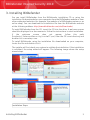
The installer will first check your system to validate the installation. If the installation
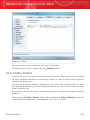
is validated, the setup wizard will appear. The following image shows the setup
wizard steps.
Installation Steps
Installing BitDefender
5
BitDefender Internet Security 2010
Follow these steps to install BitDefender Internet Security 2010:
1. Click Next. You can cancel installation anytime you want by clicking Cancel.
BitDefender Internet Security 2010 alerts you if you have other antivirus products
installed on your computer. Click Remove to uninstall the corresponding product.
If you want to continue without removing the detected products, click Next.
Warning
It is highly recommended that you uninstall any other antivirus products detected
before installing BitDefender. Running two or more antivirus products at the same
time on a computer usually renders the system unusable.
2. Please read the License Agreement and click I agree.
Important
If you do not agree to these terms click Cancel. The installation process will be
abandoned and you will exit setup.
3. Select the type of installation to be performed.
⚫ Typical - to install the program immediately, using the default installation
options. If you choose this option, skip to Step 6.
⚫ Custom - to configure the installation options and then install the program.
This option allows you to change the installation path.
4. By default, BitDefender Internet Security 2010 will be installed in C:\Program
Files\BitDefender\BitDefender 2010. If you want to change the
installation path, click Browse and select the folder in which you would like
BitDefender to be installed.
Click Next.
5. Select options regarding the installation process. Some of them will be selected
by default:
⚫ Open readme file - to open the readme file at the end of the installation.
⚫ Place a shortcut on the desktop - to place a shortcut to BitDefender Internet
Security 2010 on your desktop at the end of the installation.
⚫ Eject CD when installation is complete - to have the CD ejected at the end
of the installation; this option appears when you install the product from the
CD.
⚫ Disable DNS Caching - to disable the DNS (Domain Name System) Caching.
The DNS Client service may be used by malicious applications to send
information over the network without your consent.
⚫ Turn off Windows Firewall - to turn off Windows Firewall.
Installing BitDefender
6
BitDefender Internet Security 2010
Important
We recommend you to turn off Windows Firewall since BitDefender Internet
Security 2010 already includes an advanced firewall. Running two firewalls on
the same computer may cause problems.
⚫ Turn off Windows Defender - to turn off Windows Defender; this option
appears only on Windows Vista.
Click Install in order to begin the installation of the product. If not already
installed, BitDefender will first install .NET Framework 1.1.
6. Wait until the installation is completed. Click Finish. You will be asked to restart
your system so that the setup wizard can complete the installation process. We
recommend doing so as soon as possible.
Important
After completing the installation and restarting the computer, a registration wizard
and a configuration wizard will appear. Complete these wizards in order to register
and configure BitDefender Internet Security 2010 and to create a BitDefender
account.
If you have accepted the default settings for the installation path, you can see
in Program Files a new folder, named BitDefender, which contains the
subfolder BitDefender 2010.
3.1. Registration Wizard
The first time you start your computer after installation, a registration wizard will
appear. The wizard helps you register BitDefender and configure a BitDefender
account.
You MUST create a BitDefender account in order to receive BitDefender updates.
The BitDefender account also gives you access to free technical support and special
offers and promotions. If you loose your BitDefender license key, you can log in to
your account at http://myaccount.bitdefender.com to retrieve it.
Note
If you do not want to follow this wizard, click Cancel. You can open the registration
wizard anytime you want by clicking the Register link, located at the bottom of the
user interface.
Installing BitDefender
7
BitDefender Internet Security 2010
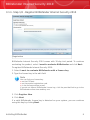
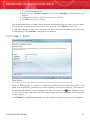
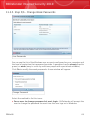
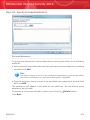
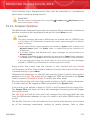
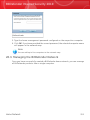
3.1.1. Step 1/2 - Register BitDefender Internet Security 2010
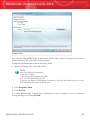
Registration
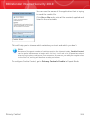
BitDefender Internet Security 2010 comes with 30-day trial period. To continue
evaluating the product, select I want to evaluate BitDefender and click Next.
To register BitDefender Internet Security 2010:
1. Select I want to evaluate BitDefender with a license key.
2. Type the license key in the edit field.
Note
You can find your license key:
⚫ on the CD label.
⚫ on the product registration card.
⚫ in the online purchase e-mail.
If you do not have a BitDefender license key, click the provided link to go to the
BitDefender online store and buy one.
3. Click Register Now.
4. Click Next.
If a valid BitDefender license key is detected on your system, you can continue
using this key by clicking Next.
Installing BitDefender
8
BitDefender Internet Security 2010
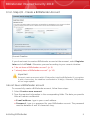
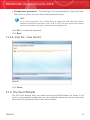
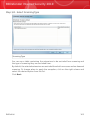
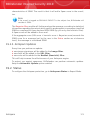
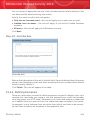
3.1.2. Step 2/2 - Create a BitDefender Account
Account Creation
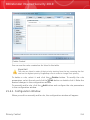
If you do not want to create a BitDefender account at the moment, select Register
later and click Finish. Otherwise, proceed according to your current situation:
⚫ “I do not have a BitDefender account” (p. 9)
⚫ “I already have a BitDefender account” (p. 10)
Important
You must create an account within 15 days after installing BitDefender (if you register
it with a license key, the deadline is extended to 30 days). Otherwise, BitDefender
will no longer update.
I do not have a BitDefender account
To successfully create a BitDefender account, follow these steps:
1. Select Create a new account.
2. Type the required information in the corresponding fields. The data you provide
here will remain confidential.
⚫ E-mail address - type in your e-mail address.
⚫ Password - type in a password for your BitDefender account. The password
must be between 6 and 16 characters long.
Installing BitDefender
9
BitDefender Internet Security 2010
⚫ Re-type password - type in again the previously specified password.
Note
Once the account is activated, you can use the provided e-mail address and
password to log in to your account at http://myaccount.bitdefender.com.
3. Optionally, BitDefender can inform you about special offers and promotions using
the e-mail address of your account. Select one of the available options from the
menu:
⚫ Send me all messages
⚫ Send me only product related messages
⚫ Don't send me any messages
4. Click Create.
5. Click Finish to complete the wizard.
6. Activate your account. Before being able to use your account, you must
activate it. Check your e-mail and follow the instructions in the e-mail message
sent to you by the BitDefender registration service.
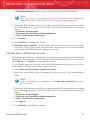
I already have a BitDefender account
BitDefender will automatically detect if you have previously registered a BitDefender
account on your computer. In this case, provide the password of your account and
click Sign in. Click Finish to complete the wizard.
If you already have an active account, but BitDefender does not detect it, follow
these steps to register the product to that account:
1. Select Sign in (previously created account).
2. Type the e-mail address and the password of your account in the corresponding
fields.
Note
If you have forgotten your password, click Forgot your password? and follow
the instructions.
3. Optionally, BitDefender can inform you about special offers and promotions using
the e-mail address of your account. Select one of the available options from the
menu:
⚫ Send me all messages
⚫ Send me only product related messages
⚫ Don't send me any messages
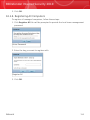
4. Click Sign in.
5. Click Finish to complete the wizard.
Installing BitDefender
10
BitDefender Internet Security 2010
3.2. Configuration Wizard
Once you have completed the registration wizard, a configuration wizard will appear.
This wizard helps you configure the main BitDefender settings and user interface
so that they suit your requirements better. At the end of the wizard, you can update
the product files and malware signatures and scan the system files and applications
to make sure they are not infected.
The wizard consists of a few simple steps. The number of steps depends on the
choices you make. All of the steps are presented here, but you will be notified when
your choices affect their number.
Completing this wizard is not mandatory; however, we recommend you do so in
order to save time and ensure your system is safe even before BitDefender Internet
Security 2010 is installed. If you do not want to follow this wizard, click Cancel.
BitDefender will notify you about the components that you need to configure when
you open the user interface.
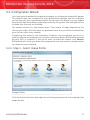
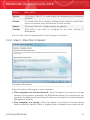
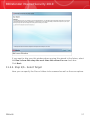
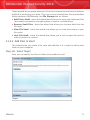
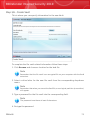
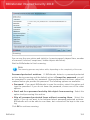
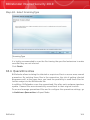
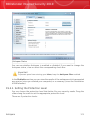
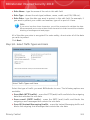
3.2.1. Step 1 - Select Usage Profile
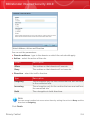
Usage Profiles
Click the button that best describes the activities performed on this computer (the
usage profile).
Installing BitDefender
11
BitDefender Internet Security 2010
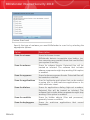
Option
Description
Typical
Click here if this PC is used mainly for browsing and multimedia
activities.
Parent
Click here if this PC is used by children and you want to control their
access to Internet using the Parental Control module.
Gamer
Click here if this PC is used primarily for gaming.
Custom
Click here if you want to configure all the main settings of
BitDefender.
You can later reset the usage profile from the product interface.
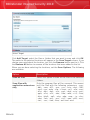
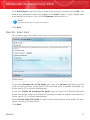
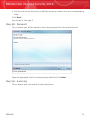
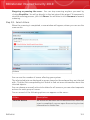
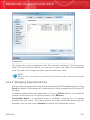
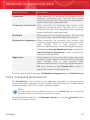
3.2.2. Step 2 - Describe Computer
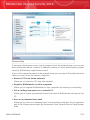
Computer Description
Select the options that apply to your computer:
⚫ This computer is in a home network. Select this option if you want to manage
remotely (from another computer) the BitDefender product you installed on this
computer. An additional wizard step will allow you to configure the Home Network
Management module.
⚫ This computer is a laptop. Select this option if you want to have the Laptop
Mode enabled by default. While in Laptop Mode, scheduled scan tasks are not
Installing BitDefender
12
BitDefender Internet Security 2010
performed, as they require more system resources and, implicitly, increase power
consumption.
Click Next to continue.
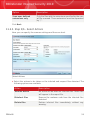
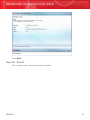
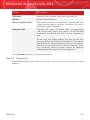
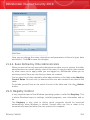
3.2.3. Step 3 - Select User Interface
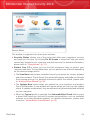
User Interface View Modes
Click the button that best describes your computer skills to select an appropriate
user interface view mode. You can choose to view the user interface under any of
three modes, depending on your computer skills and on your previous experience
with BitDefender.
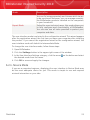
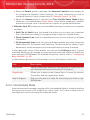
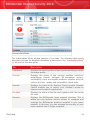
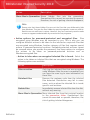
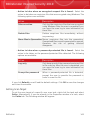
Mode
Description
Novice Mode
Suited for computer beginners and people who want
BitDefender to protect their computer and data without
being bothered. This mode is simple to use and
requires minimal interaction on your side.
All you have to do is fix the existing issues when
indicated by BitDefender. An intuitive step-by-step
wizard assists you in fixing issues. Additionally, you
can perform common tasks, such as updating the
BitDefender virus signature and product files or
scanning the computer.
Installing BitDefender
13
BitDefender Internet Security 2010
Mode
Description
Intermediate Mode
Aimed at users with average computer skills, this mode
extends what you can do in Novice Mode.
You can fix issues separately and choose which issues
to be monitored. Moreover, you can manage remotely
the BitDefender products installed on the computers
in your household.
Advanced Mode
Suited for more technical users, this mode allows you
to fully configure each functionality of BitDefender.
You can also use all tasks provided to protect your
computer and data.
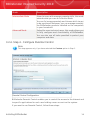
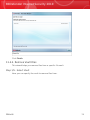
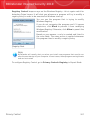
3.2.4. Step 4 - Configure Parental Control
Note
This step appears only if you have selected the Custom option in Step 1.
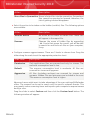
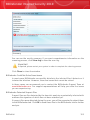
Parental Control Configuration
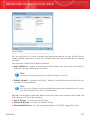
BitDefender Parental Control enables you to control the access to the Internet and
to specific applications for each user holding a user account on the system.
If you want to use Parental Control, follow these steps:
Installing BitDefender
14
BitDefender Internet Security 2010
1. Select Enable Parental Control.
2. If you are sharing your Windows user account with your children, select the
corresponding check box and type a password in the corresponding fields to
protect the Parental Control settings. Anyone trying to change the Parental Control
settings must first provide the password that you have configured.
Click Next to continue.
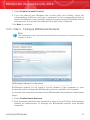
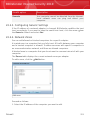
3.2.5. Step 5 - Configure BitDefender Network
Note
This step appears only if you have specified that the computer is connected to a home
network in Step 2.
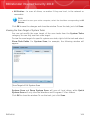
BitDefender Network Configuration
BitDefender enables you to create a virtual network of the computers in your
household and to manage the BitDefender products installed in this network.
If you want this computer to be part of the BitDefender Home Network, follow these
steps:
1. Select Enable Home Network.
2. Type the same administrative password in each of the edit fields. The password
enables an administrator to manage this BitDefender product from another
computer.
Installing BitDefender
15
BitDefender Internet Security 2010
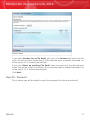
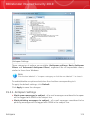
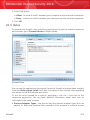
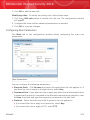
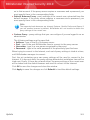
Click Next to continue.
3.2.6. Step 6 - Select the Tasks to Be Run
Task Selection
Set BitDefender to perform important tasks for the security of your system. The
following options are available:
⚫ Update BitDefender and perform a quick system scan now - during the
next step, the virus signatures and product files of BitDefender will be updated
in order to protect your computer against the latest threats. Also, immediately
after the update is completed, BitDefender will scan the files from the Windows
and Program Files folders to make sure they are not infected. These folders
contain files of the operating system and of installed applications and they are
usually the first to be infected.
⚫ Run a System Scan every day at 2 AM - sets BitDefender to perform a standard
scan of your computer every day at 2 AM. To change the time when the scan is
run, click the menu and select the desired start time. If the computer is shut down
when the schedule is due, the scan will run the next time you start your computer.
Note
If you later want to change the time when the scan is scheduled to run, follow these
steps:
1. Open BitDefender and switch the user interface to Expert Mode.
2. Click Antivirus on the left-side menu.
Installing BitDefender
16
BitDefender Internet Security 2010
3. Click the Virus Scan tab.
4. Right-click the System Scan task and select Schedule. A new window will
appear.
5. Change the frequency and the start time as needed.
6. Click OK to save the changes.
We recommend that you have these options enabled before moving on to the next
step in order to ensure the security of your system. Click Next to continue.
If you clear the first check box, there are no tasks to be performed in the last step
of the wizard. Click Finish to complete the wizard.
3.2.7. Step 7 - Finish
Task Status
Wait for BitDefender to update its malware signatures and scanning engines. As
soon as the update is completed, a quick system scan will be started. The scan will
be performed silently, in the background. You can notice the scan progress icon
in the system tray. You can click this icon to open the scan window and to see the
scan progress.
Click Finish to complete the wizard. You do not have to wait for the scan to complete.
Installing BitDefender
17
BitDefender Internet Security 2010
Note
The scan will take a few minutes. When it is over, open the scan window and check
the scan results to see if your system is clean. If viruses were detected during the
scan, you should immediately open BitDefender and run a full system scan.
Installing BitDefender
18
BitDefender Internet Security 2010
4. Upgrade
You can upgrade to BitDefender Internet Security 2010 if you are using BitDefender
Internet Security 2010 beta or the 2008 or 2009 version.
There are two ways to perform the upgrade:
⚫ Install BitDefender Internet Security 2010 directly over the older version. If you
install directly over the 2009 version, the Friends and Spammers lists and the
Quarantine are automatically imported.
⚫ Remove the older version, then restart the computer and install the new version
as described in chapter “Installing BitDefender” (p. 5). No product settings will
be saved. Use this upgrade method if the other fails.
Upgrade
19
BitDefender Internet Security 2010
5. Repairing or Removing BitDefender
If you want to repair or remove BitDefender Internet Security 2010, follow the path
from the Windows start menu: Start → Programs → BitDefender 2010 → Repair
or Remove.
You will be requested to confirm your choice by clicking Next. A new window will
appear where you can select:
⚫ Repair - to re-install all program components installed by the previous setup.
If you choose to repair BitDefender, a new window will appear. Click Repair to
start the repairing process.
Restart the computer when prompted and, afterwards, click Install to reinstall
BitDefender Internet Security 2010.
Once the installation process is completed, a new window will appear. Click Finish.
⚫ Remove - to remove all installed components.
Note
We recommend that you choose Remove for a clean re-installation.
If you choose to remove BitDefender, a new window will appear.
Important
By removing BitDefender, you will no longer be protected against viruses, spyware
and hackers. If you want Windows Firewall and Windows Defender (only on Windows
Vista) to be enabled after uninstalling BitDefender, select the corresponding check
boxes.
Click Remove to start the removal of BitDefender Internet Security 2010 from
your computer.
During the removal process you will be prompted to give us your feedback. Please
click OK to take an online survey consisting of no more than five short questions.
If you do not want to take the survey, just click Cancel.
Once the removal process is completed, a new window will appear. Click Finish.
Note
After the removal process is over, we recommend that you delete the
BitDefender folder from Program Files.
Repairing or Removing BitDefender
20
BitDefender Internet Security 2010
Getting Started
21
BitDefender Internet Security 2010
6. Overview
Once you have installed BitDefender your computer is protected. If you have not
completed the configuration wizard, you must open BitDefender as soon as possible
and fix the existing issues. You may have to configure specific BitDefender
components or take preventive actions to protect your computer and your data. If
you want to, you can configure BitDefender not to alert you about specific issues.
If you have not registered the product (including creating a BitDefender account),
remember to do so until the trial period ends. You must create an account within
15 days after installing BitDefender (if you register it, the deadline is extended to
30 days). Otherwise, BitDefender will no longer update. For more information on
the registration process, please refer to “Registration and My Account” (p. 47).
6.1. Opening BitDefender
To access the main interface of BitDefender Internet Security 2010, use the Windows
Start menu, by following the path Start → Programs → BitDefender 2010 →
BitDefender Internet Security 2010 or, quicker, double click the BitDefender
icon in the system tray.
6.2. User Interface View Modes
BitDefender Internet Security 2010 meets the needs of computer beginners and
very technical people alike. Its graphical user interface is designed to suit each and
every category of users.
You can choose to view the user interface under any of three modes, depending on
your computer skills and on your previous experience with BitDefender.
Mode
Description
Novice Mode
Suited for computer beginners and people who want
BitDefender to protect their computer and data without
being bothered. This mode is simple to use and
requires minimal interaction on your side.
All you have to do is fix the existing issues when
indicated by BitDefender. An intuitive step-by-step
wizard assists you in fixing issues. Additionally, you
can perform common tasks, such as updating the
BitDefender virus signature and product files or
scanning the computer.
Intermediate Mode
Overview
Aimed at users with average computer skills, this mode
extends what you can do in Novice Mode.
22
BitDefender Internet Security 2010
Mode
Description
You can fix issues separately and choose which issues
to be monitored. Moreover, you can manage remotely
the BitDefender products installed on the computers
in your household.
Expert Mode
Suited for more technical users, this mode allows you
to fully configure each functionality of BitDefender.
You can also use all tasks provided to protect your
computer and data.
The user interface mode is selected in the configuration wizard. This wizard appears
after the registration wizard, the first time you open your computer after installing
the product. If you cancel the registration wizard or the configuration wizard, the
user interface mode will default to Intermediate Mode.
To change the user interface mode, follow these steps:
1. Open BitDefender.
2. Click the Settings button in the upper-right corner of the window.
3. In the User Interface Settings category, click the arrow
the desired mode from the menu.
on the button and select
4. Click OK to save and apply the changes.
6.2.1. Novice Mode
If you are a computer beginner, displaying the user interface in Novice Mode may
be the most adequate choice for you. This mode is simple to use and requires
minimal interaction on your side.
Overview
23
BitDefender Internet Security 2010
Novice Mode
The window is organized into three main sections:
⚫ Security Status informs you of the issues that affect your computer's security
and helps you fix them. By clicking Fix All Issues, a wizard will help you easily
remove any threats to your computer and data security. For detailed information,
please refer to “Fixing Issues” (p. 37).
⚫ Protect Your PC is where you can find the necessary tasks to protect your
computer and data. The available tasks you can perform are different depending
on the selected usage profile.
▸ The Scan Now button starts a standard scan of your system for viruses, spyware
and other malware. The Antivirus Scan wizard will appear and guide you through
the scanning process. For detailed information about this wizard, please refer
to “Antivirus Scan Wizard” (p. 52).
▸ The Update Now button helps you update the virus signature and product
files of BitDefender. A new window will appear where you can see the update
status. If updates are detected, they are automatically downloaded and installed
on your computer.
▸ When the Typical profile is selected, the Vulnerabilities Check button starts
a wizard that helps you find and fix system vulnerabilities, such as outdated
software or missing Windows updates. For detailed information, please refer
to section “Vulnerability Check Wizard” (p. 64).
Overview
24
BitDefender Internet Security 2010
▸ When the Parent profile is selected, the Parental Control button allows you
to configure the Parental Control settings. For more information on how to
configure Parental Control, please refer to “Parental Control” (p. 180).
▸ When the Gamer profile is selected, the Turn On/Off Game Mode button
allows you to enable/disable Game Mode. Game Mode temporarily modifies
protection settings so as to minimize their impact on system performance.
⚫ Maintain Your PC is where you can find additional tasks to protect your computer
and data.
▸ Add File to Vault starts the wizard that allows you to store your important
files / documents privately by encrypting them in special, vaulted drives.
▸ Deep System Scan starts a comprehensive scan of your system for all types
of malware.
▸ My Documents Scan scans for viruses and other malware your most commonly
used folders: My Documents and Desktop. This will ensure the safety of your
documents, a safe workspace and clean applications running at startup.
In the upper-right corner of the window, you can see the Settings button. It opens
a window where you can change the user interface mode and enable or disable the
main settings of BitDefender. For detailed information, please refer to “Configuring
Basic Settings” (p. 40).
In the bottom-right corner of the window, you can find several useful links.
Link
Description
Buy/Renew
Opens a web page where you can purchase a license key for
your BitDefender Internet Security 2010 product.
Registration
Allows you to enter a new license key or to view the current
license key and the registration status.
Help & Support
Gives you access to a help file that shows you how to use
BitDefender.
6.2.2. Intermediate Mode
Aimed at users with average computer skills, Intermediate Mode is a simple interface
that gives you access to all modules at a basic level. You'll have to keep track of
warnings and critical alerts and fix undesired issues.
Overview
25
BitDefender Internet Security 2010
Intermediate Mode
The Intermediate Mode window consists of five tabs. The following table briefly
describes each tab. For detailed information, please refer to the “Intermediate Mode”
(p. 89) part of this user guide.
Tab
Description
Dashboard
Displays the security status of your system and lets you reset
the usage profile.
Security
Displays the status of the security modules (antivirus,
antiphishing, firewall, antispam, IM encryption, privacy,
vulnerability check and update modules) together with the
links to antivirus, update and vulnerability check tasks.
Parental
Displays the status of the Parental Control module. Parental
Control enables you to restrict your children's access to
Internet and to specific applications.
File Vault
Displays the status of the file vault together with links to the
file vault.
Network
Displays the BitDefender home network structure. This is
where you can perform various actions to configure and
manage the BitDefender products installed in your home
network. In this way, you can manage the security of your
home network from a single computer.
Overview
26
BitDefender Internet Security 2010
In the upper-right corner of the window, you can see the Settings button. It opens
a window where you can change the user interface mode and enable or disable the
main settings of BitDefender. For detailed information, please refer to “Configuring
Basic Settings” (p. 40).
In the bottom-right corner of the window, you can find several useful links.
Link
Description
Buy/Renew
Opens a web page where you can purchase a license key for
your BitDefender Internet Security 2010 product.
Register
Allows you to enter a new license key or to view the current
license key and the registration status.
Support
Allows you to contact the BitDefender support team.
Help
Gives you access to a help file that shows you how to use
BitDefender.
View Logs
Allows you to see a detailed history of all tasks performed by
BitDefender on your system.
6.2.3. Expert Mode
Expert Mode gives you access to each specific component of BitDefender. This is
where you can configure BitDefender in detail.
Note
Expert Mode is suited for users having above average computer skills, who know the
type of threats a computer is exposed to and how security programs work.
Overview
27
BitDefender Internet Security 2010
Expert Mode
On the left side of the window there is a menu containing all security modules. Each
module has one or more tabs where you can configure the corresponding security
settings or perform security or administrative tasks. The following table briefly
describes each module. For detailed information, please refer to the “Expert Mode”
(p. 111) part of this user guide.
Module
Description
General
Allows you to access the general settings or to view the
dashboard and detailed system info.
Antivirus
Allows you to configure your virus shield and scanning
operations in detail, to set exceptions and to configure the
quarantine module.
Antispam
Allows you to keep your Inbox SPAM-free and to configure the
antispam settings in detail.
Parental Control
Allows you to protect your children against inappropriate
content by using your customized computer access rules.
Overview
28
BitDefender Internet Security 2010
Module
Description
Privacy Control
Allows you to prevent data theft from your computer and
protect your privacy while you are online.
Firewall
Allows you to protect your computer from inbound and
outbound unauthorized connection attempts. It is quite similar
to a guard at your gate - it will keep a watchful eye on your
Internet connection and keep track of who to allow access to
the Internet and who to block.
Vulnerability
Allows you to keep crucial software on your PC up-to-date.
Encryption
Allows you to encrypt Yahoo and Windows Live (MSN)
Messenger communications and also to local encrypt your
critical files, folders or partitions.
Game/Laptop Mode Allows you to postpone the BitDefender scheduled tasks while
your laptop runs on batteries and also to eliminate all alerts
and pop-ups when you are playing.
Network
Allows you to configure and manage several computers in
your household.
Update
Allows you to obtain info on the latest updates, to update the
product and to configure the update process in detail.
Registration
Allows you to register BitDefender Internet Security 2010, to
change the license key or to create a BitDefender account.
In the upper-right corner of the window, you can see the Settings button. It opens
a window where you can change the user interface mode and enable or disable the
main settings of BitDefender. For detailed information, please refer to “Configuring
Basic Settings” (p. 40).
In the bottom-right corner of the window, you can find several useful links.
Link
Description
Buy/Renew
Opens a web page where you can purchase a license key for
your BitDefender Internet Security 2010 product.
Register
Allows you to enter a new license key or to view the current
license key and the registration status.
Support
Allows you to contact the BitDefender support team.
Help
Gives you access to a help file that shows you how to use
BitDefender.
View Logs
Allows you to see a detailed history of all tasks performed by
BitDefender on your system.
Overview
29
BitDefender Internet Security 2010
6.3. System Tray Icon
To manage the entire product more quickly, you can use the BitDefender icon in
the system tray. If you double-click this icon, BitDefender will open. Also, by
right-clicking the icon, a contextual menu will allow you to quickly manage the
BitDefender product.
⚫ Show - opens the main interface of BitDefender.
⚫ Help - opens the help file, which explains in detail how
to configure and use BitDefender Internet Security 2010.
⚫ About - opens a window where you can see information
about BitDefender and where to look for help in case
something unexpected appears.
⚫ Fix All Issues - helps you remove current security
vulnerabilities. If the option is unavailable, there are no
issues to be fixed. For detailed information, please refer
to “Fixing Issues” (p. 37).
Tray Icon
⚫ Turn Game Mode On / Off - activates / deactivates Game Mode.
⚫ Update Now - starts an immediate update. A new window will appear where you
can see the update status.
⚫ Basic Settings - opens a window where you can change the user interface mode
and enable or disable the main product settings. For more information, please
refer to “Configuring Basic Settings” (p. 40).
The BitDefender system tray icon informs you when issues affect your computer or
how the product operates, by displaying a special symbol, as follows:
⚫
Red triangle with an exclamation mark: Critical issues affect the security
of your system. They require your immediate attention and must be fixed as soon
as possible.
⚫
Yellow triangle with an exclamation mark: Non-critical issues affect the
security of your system. You should check and fix them when you have the time.
⚫
Letter G: The product operates in Game Mode.
If BitDefender is not working, the system tray icon is grayed out . This usually
happens when the license key expires. It can also occur when the BitDefender
services are not responding or when other errors affect the normal operation of
BitDefender.
6.4. Scan Activity Bar
The Scan activity bar is a graphic visualization of the scanning activity on your
system. This small window is by default available only in Expert Mode.
Overview
30
BitDefender Internet Security 2010
The gray bars (the File Zone) show the number of scanned
files per second, on a scale from 0 to 50. The orange bars
displayed in the Net Zone show the number of Kbytes
transferred (sent and received from the Internet) every
second, on a scale from 0 to 100.
Note
Scan Activity Bar
The Scan activity bar will notify you when real-time
protection or the Firewall is disabled by displaying a red
cross over the corresponding area (File Zone or Net Zone).
6.4.1. Scan Files and Folders
You can use the Scan activity bar to quickly scan files and folders. Drag the file or
folder you want to be scanned and drop it over the Scan Activity Bar as shown
below.
Drag File
Drop File
The Antivirus Scan wizard will appear and guide you through the scanning process.
Scanning options. The scanning options are pre-configured for the best detection
results. If infected files are detected, BitDefender will try to disinfect them (remove
the malware code). If disinfection fails, the Antivirus Scan wizard will allow you to
specify other actions to be taken on infected files. The scanning options are standard
and you cannot change them.
6.4.2. Disable/Restore Scan Activity Bar
When you no longer want to see the graphic visualization, just right-click it and
select Hide. To restore the Scan activity bar, follow these steps:
1. Open BitDefender.
2. Click the Settings button in the upper-right corner of the window.
Overview
31
BitDefender Internet Security 2010
3. In the General Settings category, select the check box corresponding to Scan
Activity Bar.
4. Click OK to save and apply the changes.
6.5. BitDefender Manual Scan
BitDefender Manual Scan lets you scan a specific folder or hard disk partition without
having to create a scan task. This feature was designed to be used when Windows
is running in Safe Mode. If your system is infected with a resilient virus, you can try
to remove the virus by starting Windows in Safe Mode and scanning each hard disk
partition using BitDefender Manual Scan.
To access the BitDefender Manual Scan, use the Windows Start menu, by following
the path Start → Programs → BitDefender 2010 → BitDefender Manual Scan
The following window will appear:
BitDefender Manual Scan
Click Add Folder, select the location you want to scan and click OK. If you want to
scan multiple folders, repeat this action for each additional location.
The paths to the selected locations will appear in the Scan Target column. If you
change your mind about the location, just click the Remove button next to it. Click
the Remove All Paths button to remove all the locations that were added to the
list.
Overview
32
BitDefender Internet Security 2010
When you are done selecting the locations, click Continue. The Antivirus Scan
wizard will appear and guide you through the scanning process.
Scanning options. The scanning options are pre-configured for the best detection
results. If infected files are detected, BitDefender will try to disinfect them (remove
the malware code). If disinfection fails, the Antivirus Scan wizard will allow you to
specify other actions to be taken on infected files. The scanning options are standard
and you cannot change them.
What is Safe Mode?
Safe Mode is a special way to start Windows, used mainly to troubleshoot problems
affecting normal operation of Windows. Such problems range from conflicting drivers
to viruses preventing Windows to start normally. In Safe Mode, Windows loads only
a minimum of operating system components and basic drivers. Only a few
applications work in Safe Mode. This is why most viruses are inactive when using
Windows in Safe Mode and they can be easily removed.
To start Windows in Safe Mode, restart your computer and press the F8 key until
the Windows Advanced Options Menu appears. You can choose between several
options of starting Windows in Safe Mode. You might want to select Safe Mode
with Networking in order to be able to access the Internet.
Note
For more information on Safe Mode, go to the Windows Help and Support Center (in
the Start menu, click Help and Support). You can also find useful information by
searching the Internet.
6.6. Game Mode and Laptop Mode
Some computer activities, such as games or presentations, require increased system
responsiveness and performance, and no interruptions. When your laptop is running
on battery power, it is best that unnecessary operations, which consume additional
power, be postponed until the laptop is connected back to A/C power.
To adapt to these particular situations, BitDefender Internet Security 2010 includes
two special operation modes:
⚫ Game Mode
⚫ Laptop Mode
6.6.1. Game Mode
Game Mode temporarily modifies protection settings so as to minimize their impact
on system performance. While in Game Mode, the following settings are applied:
⚫ Minimize processor time & memory consumption
⚫ Postpone automatic updates & scans
⚫ Eliminate all alerts and pop-ups
Overview
33
BitDefender Internet Security 2010
⚫ Scan only the most important files
While in Game Mode, you can see the letter G over the
BitDefender icon.
Using Game Mode
By default, BitDefender automatically enters Game Mode when you start a game
from the BitDefender's list of known games or when an application goes to full
screen. BitDefender will automatically return to the normal operation mode when
you close the game or when the detected application exits full screen.
If you want to manually turn on Game Mode, use one of the following methods:
⚫ Right-click the BitDefender icon in the system tray and select Turn on Game
Mode.
⚫ Press Ctrl+Shift+Alt+G (the default hotkey).
Important
Do not forget to turn Game Mode off when you finish. To do this, use the same
methods you did when you turned it on.
Changing Game Mode Hotkey
If you want to change the hotkey, follow these steps:
1. Open BitDefender and switch the user interface to Expert Mode.
2. Click Game / Laptop Mode on the left-side menu.
3. Click the Game Mode tab.
4. Click the Advanced Settings button.
5. Under the Use HotKey option, set the desired hotkey:
⚫ Choose the modifier keys you want to use by checking one the following: Control
key (Ctrl), Shift key (Shift) or Alternate key (Alt).
⚫ In the edit field, type the letter corresponding to the regular key you want to
use.
For example, if you want to use the Ctrl+Alt+D hotkey, you must check only
Ctrl and Alt and type D.
Note
Removing the checkmark next to Use HotKey will disable the hotkey.
6. Click OK to save the changes.
Overview
34
BitDefender Internet Security 2010
6.6.2. Laptop Mode
Laptop Mode is especially designed for laptop and notebook users. Its purpose is to
minimize BitDefender's impact on power consumption while these devices are
running on battery. While in Laptop Mode, scheduled scan tasks are not performed,
as they require more system resources and, implicitly, increase power consumption.
BitDefender detects when your laptop has switched to battery power and it
automatically enters Laptop Mode. Likewise, BitDefender automatically exits Laptop
Mode, when it detects the laptop is no longer running on battery.
To use Laptop Mode, you must specify in the configuration wizard that you are using
a laptop. If you did not select the appropriate option when running the wizard, you
can later enable Laptop Mode as follows:
1. Open BitDefender.
2. Click the Settings button in the upper-right corner of the window.
3. In the General Settings category, select the check box corresponding to Laptop
Mode Detection.
4. Click OK to save and apply the changes.
6.7. Automatic Device Detection
BitDefender automatically detects when you connect a removable storage device
to your computer and offers to scan it before you access its files. This is
recommended in order to prevent viruses and other malware from infecting your
computer.
Detected devices fall into one of these categories:
⚫ CDs/DVDs
⚫ USB storage devices, such as flash pens and external hard-drives
⚫ mapped (remote) network drives
When such a device is detected, an alert window is displayed.
Overview
35
BitDefender Internet Security 2010
To scan the storage device, just click Yes. The
Antivirus Scan wizard will appear and guide you
through the scanning process.
If you do not want to scan the device, you must click
No. In this case, you may find one of these options
useful:
⚫ Don't ask me again about this type of device
- BitDefender will no longer offer to scan storage
devices of this type when they are connected to
your computer.
⚫ Disable automatic device detection - You will
no longer be prompted to scan new storage
devices when they are connected to the computer.
Device Detection Alert
If you accidentally disabled automatic device
detection and you want to enable it, or if you want to configure its settings, follow
these steps:
1. Open BitDefender and switch the user interface to Expert Mode.
2. Go to Antivirus>Virus Scan.
3. In the list of scan tasks, locate the Device Detection Scan task.
4. Right-click the task and select Open. A new window will appear.
5. On the Overview tab, configure the scanning options as needed.
6. On the Detection tab, choose which types of storage devices to be detected.
7. Click OK to save and apply the changes.
Overview
36
BitDefender Internet Security 2010
7. Fixing Issues
BitDefender uses an issue tracking system to detect and inform you about the issues
that may affect the security of your computer and data. By default, it will monitor
only a series of issues that are considered to be very important. However, you can
configure it as needed, choosing which specific issues you want to be notified about.
This is how pending issues are notified:
⚫ A special symbol is displayed over the BitDefender icon in the system tray to
indicate pending issues.
▸
Red triangle with an exclamation mark: Critical issues affect the security
of your system. They require your immediate attention and must be fixed as
soon as possible.
▸
Yellow triangle with an exclamation mark: Non-critical issues affect the
security of your system. You should check and fix them when you have the
time.
Also, if you move the mouse cursor over the icon, a pop-up will confirm the
existence of pending issues.
⚫ When you open BitDefender, the Security Status area will indicate the number of
issues affecting your system.
▸ In Intermediate Mode, the security status is shown on the Dashboard tab.
▸ In Expert Mode, go to General>Dashboard to check the security status.
7.1. Fix All Issues Wizard
The easiest way to fix the existing issues is to follow the step-by-step Fix All Issues
wizard. The wizard helps you easily remove any threats to your computer and data
security. To open the wizard, do any of the following:
⚫ Right-click the BitDefender icon
in the system tray and select Fix All Issues.
⚫ Open BitDefender. Depending on the user interface mode, proceed as follows:
▸ In Novice Mode, click Fix All Issues.
▸ In Intermediate Mode, go to the Dashboard tab and click Fix All Issues.
▸ In Expert Mode, go to General>Dashboard and click Fix All Issues.
Fixing Issues
37
BitDefender Internet Security 2010
Fix All Issues Wizard
The wizard displays the list of existing security vulnerabilities on your computer.
All current issues are selected to be fixed. If there is an issue that you do not want
to be fixed, just select the corresponding check box. If you do so, its status will
change to Skip.
Note
If you do not want to be notified about specific issues, you must configure the tracking
system accordingly, as described in the next section.
To fix the selected issues, click Start. Some issues are fixed immediately. For others,
a wizard helps you fix them.
The issues that this wizard helps you fix can be grouped into these main categories:
⚫ Disabled security settings. Such issues are fixed immediately, by enabling
the respective security settings.
⚫ Preventive security tasks you need to perform. An example of such a task
is scanning your computer. It is recommended that you scan your computer at
least once a week. BitDefender will automatically do that for you in most cases.
However, if you have changed the scanning schedule or if the schedule is not
completed, you will be notified about this issue.
When fixing such issues, a wizard helps you successfully complete the task.
Fixing Issues
38
BitDefender Internet Security 2010
⚫ System vulnerabilities. BitDefender automatically checks your system for
vulnerabilities and alerts you about them. System vulnerabilities include the
following:
▸ weak passwords to Windows user accounts.
▸ outdated software on your computer.
▸ missing Windows updates.
▸ Windows Automatic Updates is disabled.
When such issues are to be fixed, the vulnerability scan wizard is started. This
wizard assists you in fixing the detected system vulnerabilities. For detailed
information, please refer to section “Vulnerability Check Wizard” (p. 64).
7.2. Configuring Issue Tracking
The issue tracking system is pre-configured to monitor and alert you about the most
important issues that may affect the security of your computer and data. Additional
issues may be monitored based on the choices you make in the configuration wizard
(when you configure your usage profile). Besides the issues monitored by default,
there are several other issues you can be informed about.
You can configure the tracking system to best serve your security needs by choosing
which specific issues to be informed about. You can do that either in Intermediate
Mode or in Expert Mode.
⚫ In Intermediate Mode, the tracking system can be configured from separate
locations. Follow these steps:
1. Go to the Security, Parental or File Vault tab.
2. Click Configure Status Tracking.
3. Select the check boxes corresponding to the items you want to be monitored.
For detailed information, please refer to the “Intermediate Mode” (p. 89) part of
this user guide.
⚫ In Expert Mode, the tracking system can be configured from a central location.
Follow these steps:
1. Go to General>Dashboard.
2. Click Configure Status Tracking.
3. Select the check boxes corresponding to the items you want to be monitored.
For detailed information, please refer to chapter “Dashboard” (p. 112).
Fixing Issues
39
BitDefender Internet Security 2010
8. Configuring Basic Settings
You can configure the main product settings (including changing the user interface
view mode) from the basic settings window. To open it, do any of the following:
⚫ Open BitDefender and click the Settings button in the upper-right corner of the
window.
⚫ Right-click the BitDefender icon
in the system tray and select Basic Settings.
Note
To configure the product settings in detail, use the Expert Mode interface. For detailed
information, please refer to the “Expert Mode” (p. 111) part of this user guide.
Basic Settings
The settings are organized into three categories:
⚫ User Interface Settings
⚫ Security Settings
⚫ General Settings
To apply and save the configuration changes you make, click OK. To close the
window without saving the changes, click Cancel.
Configuring Basic Settings
40
BitDefender Internet Security 2010
8.1. User Interface Settings
In this area, you can switch the user interface view mode and reset the usage profile.
Switching the user interface view mode. As described in section “User Interface
View Modes” (p. 22), there are three modes for displaying the user interface. Each
user interface mode is designed for a specific category of users, based on their
computer skills. In this way, the user interface accommodates all kinds of users,
from computer beginners to very technical people.
The first button shows the current user interface view mode. To change the user
interface mode, click the arrow on the button and select the desired mode from
the menu.
Mode
Description
Novice Mode
Suited for computer beginners and people who want
BitDefender to protect their computer and data without
being bothered. This mode is simple to use and
requires minimal interaction on your side.
All you have to do is fix the existing issues when
indicated by BitDefender. An intuitive step-by-step
wizard assists you in fixing issues. Additionally, you
can perform common tasks, such as updating the
BitDefender virus signature and product files or
scanning the computer.
Intermediate Mode
Aimed at users with average computer skills, this mode
extends what you can do in Novice Mode.
You can fix issues separately and choose which issues
to be monitored. Moreover, you can manage remotely
the BitDefender products installed on the computers
in your household.
Expert Mode
Suited for more technical users, this mode allows you
to fully configure each functionality of BitDefender.
You can also use all tasks provided to protect your
computer and data.
Resetting the usage profile. The usage profile reflects the main activities
performed on the computer. Depending on the usage profile, the product interface
is organized to allow easy access to your preferred tasks.
To reconfigure the usage profile, click Reset Usage Profile and follow the
configuration wizard.
Configuring Basic Settings
41
BitDefender Internet Security 2010
8.2. Security Settings
In this area, you can enable or disable product settings that cover various aspects
of computer and data security. The current status of a setting is indicated using
one of these icons:
Green circle with a check mark: The setting is enabled.
Red circle with an exclamation mark: The setting is disabled.
To enable / disable a setting, select / clear the corresponding Enable check box.
Warning
Use caution when disabling real-time antivirus protection, firewall or automatic update.
Disabling these features may compromise your computer's security. If you really
need to disable them, remember to re-enable them as soon as possible.
The entire list of settings and their description is provided in the following table:
Setting
Description
Antivirus
Real-time protection ensures that all files are scanned
as they are accessed by you or by an application
running on this system.
Automatic Update
Automatic update ensures that the newest BitDefender
product and signature files are downloaded and
installed automatically, on a regular basis.
Vulnerability Check
Automatic vulnerability check ensures that crucial
software on your PC is up-to-date.
Antispam
Antispam filters the e-mail messages that you receive,
marking unsolicited and junk mail as SPAM.
Antiphishing
Antiphishing detects and alerts you in real-time if a
web page is set up to steal personal information.
Identity Control
Identity Control helps you prevent your personal data
from being sent out on the Internet without your
consent. It blocks any instant messages, e-mail
messages or web forms transmitting data you defined
as being private to unauthorized recipients (addresses).
IM Encryption
IM (Instant Messaging) Encryption secures your
conversations via Yahoo! Messenger and Windows Live
Messenger provided that your IM contacts use a
compatible BitDefender product and IM software.
Parental Control
Parental Control restricts the computer and online
activities of your children based on the rules you
Configuring Basic Settings
42
BitDefender Internet Security 2010
Setting
Description
defined.
Restrictions
may
include
blocking
inappropriate web sites, as well as limiting gaming and
Internet access according to a specified schedule.
Firewall
Firewall protects your computer from hacker and
malicious outside attacks.
File Encryption
File Encryption keeps your documents private by
encrypting them in special vaulted drives. If you disable
File Encryption, all file vaults will be locked and you
will no longer be able to access the files they contain.
The status of some of these settings may be monitored by the BitDefender issue
tracking system. If you disable a monitored setting, BitDefender will indicate this
as an issue that you need to fix.
If you do not want a monitored setting that you disabled to be shown as an issue,
you must configure the tracking system accordingly. You can do that either in
Intermediate Mode or in Expert Mode.
⚫ In Intermediate Mode, the tracking system can be configured from separate
locations, based on settings categories. For detailed information, please refer to
the “Intermediate Mode” (p. 89) part of this user guide.
⚫ In Expert Mode, the tracking system can be configured from a central location.
Follow these steps:
1. Go to General>Dashboard.
2. Click Configure Status Tracking.
3. Clear the check box corresponding to the item you want not to be monitored.
For detailed information, please refer to chapter “Dashboard” (p. 112).
8.3. General Settings
In this area, you can enable or disable settings that affect product behavior and
user experience. The current status of a setting is indicated using one of these icons:
Green circle with a check mark: The setting is enabled.
Red circle with an exclamation mark: The setting is disabled.
To enable / disable a setting, select / clear the corresponding Enable check box.
The entire list of settings and their description is provided in the following table:
Configuring Basic Settings
43
BitDefender Internet Security 2010
Setting
Description
Game Mode
Game Mode temporarily modifies protection settings
so as to minimize their impact on system performance
during games.
Laptop Mode Detection Laptop Mode temporarily modifies protection settings
so as to minimize their impact on the life of your laptop
battery.
Settings Password
This ensures that the BitDefender settings can only be
changed by the person who knows this password.
When you enable this option, you will be prompted to
configure the settings password. Type the desired
password in both fields and click OK to set the
password.
BitDefender News
By enabling this option, you will receive important
company news, product updates or new security
threats from BitDefender.
Product Notification
Alerts
By enabling this option, you will receive information
alerts.
Scan Activity Bar
The Scan Activity Bar is a small, transparent window
indicating the progress of the BitDefender scanning
activity. For more information, please refer to “Scan
Activity Bar” (p. 30).
Send Virus Reports
By enabling this option, virus scanning reports are sent
to BitDefender labs for analysis. Please note that these
reports will contain no confidential data, such as your
name or IP address, and that they will not be used for
commercial purposes.
Outbreak Detection
By enabling this option, reports regarding potential
virus-outbreaks are sent to BitDefender labs for
analysis. Please note that these reports will contain no
confidential data, such as your name or IP address,
and that they will not be used for commercial purposes.
Configuring Basic Settings
44
BitDefender Internet Security 2010
9. History and Events
The View Logs link at the bottom of the BitDefender main window opens another
window with the BitDefender history & events. This window offers you an overview
of the security-related events. For instance, you can easily check if the update was
successfully performed, if malware was found on your computer etc.
Note
The link is only accessible in Intermediate Mode or in Expert Mode.
Events
In order to help you filter the BitDefender history & events, the following categories
are provided on the left side:
⚫ Antivirus
⚫ Antispam
⚫ Parental Control
⚫ Privacy Control
⚫ Firewall
⚫ Vulnerability
History and Events
45
BitDefender Internet Security 2010
⚫ IM encryption
⚫ File Encryption
⚫ Game/Laptop Mode
⚫ Home Network
⚫ Update
⚫ Registration
⚫ Internet Log
A list of events is available for each category. Each event comes with the following
information: a short description, the action BitDefender took on it when it happened,
and the date and time when it occurred. If you want to find out more information
about a particular event in the list, double click that event.
Click Clear all logs if you want to remove old logs or Refresh to make sure the
latest logs are displayed.
History and Events
46
BitDefender Internet Security 2010
10. Registration and My Account
BitDefender Internet Security 2010 comes with 30-day trial period. During the trial
period, the product is fully functional and you can test it to see if it meets your
expectations. Please note that, after 15 days of evaluation, the product will cease
to update, unless you create a BitDefender account. Creating a BitDefender account
is a mandatory part of the registration process.
Before the trial period is over, you must register the product in order to keep your
computer protected. Registration is a two-step process:
1. Product activation (registration of a BitDefender account). You must
create a BitDefender account in order to receive updates and to have access to
free technical support. If you already have a BitDefender account, register your
BitDefender product to that account. BitDefender will notify you that you need
to activate your product and it will help you fix this issue.
Important
You must create an account within 15 days after installing BitDefender (if you
register it with a license key, the deadline is extended to 30 days). Otherwise,
BitDefender will no longer update.
2. Registration with a license key. The license key specifies how long you are
entitled to use the product. As soon as the license key expires, BitDefender stops
performing its functions and protecting your computer. You must register the
product with a license key when the trial period ends. You should purchase a
license key or renew your license a few days before the current license key
expires.
10.1. Registering BitDefender Internet Security 2010
If you want to register the product with a license key or to change the current license
key, click the Register Now link, located at the bottom of the BitDefender window.
The product registration window will appear.
Registration and My Account
47
BitDefender Internet Security 2010
Registration
You can see the BitDefender registration status, the current license key and how
many days are left until the license expires.
To register BitDefender Internet Security 2010:
1. Type the license key in the edit field.
Note
You can find your license key:
⚫ on the CD label.
⚫ on the product registration card.
⚫ in the online purchase e-mail.
If you do not have a BitDefender license key, click the provided link to go to the
BitDefender online store and buy one.
2. Click Register Now.
3. Click Finish.
If a valid BitDefender license key is detected on your system, you can continue
using this key by clicking Finish.
Registration and My Account
48
BitDefender Internet Security 2010
10.2. Activating BitDefender
To activate BitDefender, you must create or sign in to a BitDefender account. If you
did not register a BitDefender account during the initial registration wizard, you can
do that as follows:
⚫ In Novice Mode, click Fix All Issues. The wizard will help you fix all pending
issues, including activating the product.
⚫ In Intermediate Mode, go to the Security tab and click the Fix button
corresponding to the issue regarding the product activation.
⚫ In Expert Mode, go to Registration and click the Activate Product button.
The account registration window will open. This is where you can create or sign in
into a BitDefender account to activate your product.
Account Creation
If you do not want to create a BitDefender account at the moment, select Register
later and click Finish. Otherwise, proceed according to your current situation:
⚫ “I do not have a BitDefender account” (p. 50)
⚫ “I already have a BitDefender account” (p. 50)
Registration and My Account
49
BitDefender Internet Security 2010
Important
You must create an account within 15 days after installing BitDefender (if you register
it with a license key, the deadline is extended to 30 days). Otherwise, BitDefender
will no longer update.
I do not have a BitDefender account
To successfully create a BitDefender account, follow these steps:
1. Select Create a new account.
2. Type the required information in the corresponding fields. The data you provide
here will remain confidential.
⚫ E-mail address - type in your e-mail address.
⚫ Password - type in a password for your BitDefender account. The password
must be between 6 and 16 characters long.
⚫ Re-type password - type in again the previously specified password.
Note
Once the account is activated, you can use the provided e-mail address and
password to log in to your account at http://myaccount.bitdefender.com.
3. Optionally, BitDefender can inform you about special offers and promotions using
the e-mail address of your account. Select one of the available options from the
menu:
⚫ Send me all messages
⚫ Send me only product related messages
⚫ Don't send me any messages
4. Click Create.
5. Click Finish to complete the wizard.
6. Activate your account. Before being able to use your account, you must
activate it. Check your e-mail and follow the instructions in the e-mail message
sent to you by the BitDefender registration service.
I already have a BitDefender account
BitDefender will automatically detect if you have previously registered a BitDefender
account on your computer. In this case, provide the password of your account and
click Sign in. Click Finish to complete the wizard.
If you already have an active account, but BitDefender does not detect it, follow
these steps to register the product to that account:
1. Select Sign in (previously created account).
Registration and My Account
50
BitDefender Internet Security 2010
2. Type the e-mail address and the password of your account in the corresponding
fields.
Note
If you have forgotten your password, click Forgot your password? and follow
the instructions.
3. Optionally, BitDefender can inform you about special offers and promotions using
the e-mail address of your account. Select one of the available options from the
menu:
⚫ Send me all messages
⚫ Send me only product related messages
⚫ Don't send me any messages
4. Click Sign in.
5. Click Finish to complete the wizard.
10.3. Purchasing License Keys
If the trial period is going to end soon, you must purchase a license key and register
your product. Open BitDefender and click the Buy/Renew link, located at the bottom
of the window. The link takes you to a web page where you can purchase a license
key for your BitDefender product.
10.4. Renewing Your License
As a BitDefender customer, you are eligible for a discount when renewing the license
of your BitDefender product. You may also upgrade your product to the current
version at a special discount or free of charge.
If your current license key is going to expire soon, you must renew your license.
Open BitDefender and click the Buy/Renew link, located at the bottom of the
window. The link takes you to a web page where you can renew your license.
Registration and My Account
51
BitDefender Internet Security 2010
11. Wizards
In order to make BitDefender very easy to use, several wizards help you carry out
specific security tasks or configure more complex product settings. This chapter
describes the wizards that may appear when you fix issues or perform specific tasks
with BitDefender. Other configuration wizards are described separately in the “Expert
Mode” (p. 111) part.
11.1. Antivirus Scan Wizard
Whenever you initiate an on-demand scan (for example, right-click a folder and
select Scan with BitDefender), the BitDefender Antivirus Scan wizard will appear.
Follow the three-step guided procedure to complete the scanning process.
Note
If the scan wizard does not appear, the scan may be configured to run silently, in the
background. Look for the scan progress icon in the system tray. You can click this
icon to open the scan window and to see the scan progress.
11.1.1. Step 1/3 - Scanning
BitDefender will start scanning the selected objects.
Scanning
Wizards
52
BitDefender Internet Security 2010
You can see the scan status and statistics (scanning speed, elapsed time, number
of scanned / infected / suspicious / hidden objects and other).
Wait for BitDefender to finish scanning.
Note
The scanning process may take a while, depending on the complexity of the scan.
Password-protected archives. If BitDefender detects a password-protected
archive during scanning and the default action is Prompt for password, you will
be prompted to provide the password. Password-protected archives cannot be
scanned unless you provide the password. The following options are available:
⚫ I want to enter the password for this object. If you want BitDefender to
scan the archive, select this option and type the password. If you do not know
the password, choose one of the other options.
⚫ I do not want to enter the password for this object (skip this object).
Select this option to skip scanning this archive.
⚫ I do not want to enter the password for any object (skip all
password-protected objects). Select this option if you do not want to be
bothered about password-protected archives. BitDefender will not be able to scan
them, but a record will be kept in the scan log.
Click OK to continue scanning.
Stopping or pausing the scan. You can stop scanning anytime you want by
clicking Stop&Yes. You will go directly to the last step of the wizard. To temporarily
stop the scanning process, just click Pause. You will have to click Resume to resume
scanning.
11.1.2. Step 2/3 - Select Actions
When the scanning is completed, a new window will appear, where you can see the
scan results.
Wizards
53
BitDefender Internet Security 2010
Actions
You can see the number of issues affecting your system.
The infected objects are displayed in groups, based on the malware they are infected
with. Click the link corresponding to a threat to find out more information about the
infected objects.
You can choose an overall action to be taken for all issues or you can select separate
actions for each group of issues.
One or several of the following options can appear on the menu:
Action
Description
Take No Action
No action will be taken on the detected files. After the
scan is completed, you can open the scan log to view
information on these files.
Disinfect
Removes the malware code from infected files.
Delete
Deletes detected files.
Move to quarantine
Moves detected files to quarantine. Quarantined files
cannot be executed or opened; therefore, the risk of
getting infected disappears.
Rename files
Changes the name of hidden files by appending
.bd.ren to their name. As a result, you will be able
Wizards
54
BitDefender Internet Security 2010
Action
Description
to search for and find such files on your computer, if
any.
Please note that these hidden files are not the files
that you deliberately hide from Windows. They are the
files hidden by special programs, known as rootkits.
Rootkits are not malicious in nature. However, they
are commonly used to make viruses or spyware
undetectable by normal antivirus programs.
Click Continue to apply the specified actions.
11.1.3. Step 3/3 - View Results
When BitDefender finishes fixing the issues, the scan results will appear in a new
window.
Summary
You can see the results summary. If you want comprehensive information on the
scanning process, click Show log file to view the scan log.
Important
If required, please restart your system in order to complete the cleaning process.
Wizards
55
BitDefender Internet Security 2010
Click Close to close the window.
BitDefender Could Not Solve Some Issues
In most cases BitDefender successfully disinfects the infected files it detects or it
isolates the infection. However, there are issues that cannot be solved.
In these cases, we recommend you to contact the BitDefender Support Team at
www.bitdefender.com. Our support representatives will help you solve the issues
you are experiencing.
BitDefender Detected Suspect Files
Suspect files are files detected by the heuristic analysis as potentially infected with
malware the signature of which has not been released yet.
If suspect files were detected during the scan, you will be requested to submit them
to the BitDefender Lab. Click OK to send these files to the BitDefender Lab for further
analysis.
11.2. Custom Scan Wizard
The Custom Scan Wizard lets you create and run a custom scan task and optionally
save it as a Quick Task when using BitDefender in Intermediate Mode.
To run a custom scan task using the Custom Scan Wizard you must follow these
steps:
1. In Intermediate Mode, go to the Security tab.
2. In the Quick Tasks area, click the arrow
select Custom Scan.
on the System Scan button and
3. Follow the six-step guided procedure to complete the scanning process.
11.2.1. Step 1/6 - Welcome Window
This is a welcome window.
Wizards
56
BitDefender Internet Security 2010
Welcome Window
If you want to skip over this window when running this wizard in the future, select
the Don't show this step the next time this wizard is run check box.
Click Next.
11.2.2. Step 2/6 - Select Target
Here you can specify the files or folders to be scanned as well as the scan options.
Wizards
57
BitDefender Internet Security 2010
Select Target
Click Add Target, select the files or folders that you want to scan and click OK.
The paths to the selected locations will appear in the Scan Target column. If you
change your mind about the location, just click the Remove button next to it. Click
the Remove All button to remove all the locations that were added to the list.
When you are done selecting the locations, set the Scan Options. The following
are available:
Option
Description
Scan all files
Select this option to scan all the files in the selected
folders.
Scan files with
application extensions
only
Only the program files will be scanned. This means
only the files with the following extensions: .exe;
.bat; .com; .dll; .ocx; .scr; .bin; .dat; .386;
.vxd; .sys; .wdm; .cla; .class; .ovl; .ole; .exe;
.hlp; .doc; .dot; .xls; .ppt; .wbk; .wiz; .pot;
.ppa; .xla; .xlt; .vbs; .vbe; .mdb; .rtf; .htm;
.hta; .html; .xml; .xtp; .php; .asp; .js; .shs;
.chm; .lnk; .pif; .prc; .url; .smm; .pdf; .msi;
.ini; .csc; .cmd; .bas; .eml and .nws.
Wizards
58
BitDefender Internet Security 2010
Option
Description
Scan user defined
extensions only
Only the files with the extensions specified by the user
will be scanned. These extensions must be separated
by ";".
Click Next.
11.2.3. Step 3/6 - Select Actions
Here you can specify the scanner settings and the scan level.
Select Actions
⚫ Select the actions to be taken on the infected and suspect files detected. The
following options are available:
Wizards
Action
Description
Take No Action
No action will be taken on infected files. These files
will appear in the report file.
Disinfect files
Remove the malware code from the infected files
detected.
Delete files
Deletes infected files immediately, without any
warning.
59
BitDefender Internet Security 2010
Action
Description
Move files to Quarantine Moves infected files into the quarantine. Quarantined
files cannot be executed or opened; therefore, the
risk of getting infected disappears.
⚫ Select the action to be taken on the hidden (rootkits) files. The following options
are available:
Action
Description
Take No Action
No action will be taken on hidden files. These files
will appear in the report file.
Rename
Changes the name of hidden files by appending
.bd.ren to their name. As a result, you will be able
to search for and find such files on your computer,
if any.
⚫ Configure scanner aggressiveness. There are 3 levels to choose from. Drag the
slider along the scale to set the appropriate protection level:
Scan Level
Description
Permissive
Only applications files are scanned and only for viruses. The
resource consumption level is low.
Default
The resource consumption level is moderate. All files are
scanned for viruses and spyware.
Aggressive
All files (including archives) are scanned for viruses and
spyware. Hidden files and processes are included in the scan
The resource consumption level is higher.
Advanced users might want to take advantage of the scan settings BitDefender
offers. The scanner can be set to search only for specific malware threats. This
may greatly reduce scanning times and improve your computer's responsiveness
during a scan.
Drag the slider to select Custom and then click the Custom level button. The
following window will appear:
Wizards
60
BitDefender Internet Security 2010
Custom Scan Level
Specify the type of malware you want BitDefender to scan for by selecting the
appropriate options:
Option
Description
Scan for viruses
Scans for known viruses.
BitDefender detects incomplete virus bodies, too,
thus removing any possible threat that could affect
your system's security.
Wizards
Scan for adware
Scans for adware threats. Detected files will be
treated as infected. The software that includes
adware components might stop working if this option
is enabled.
Scan for spyware
Scans for known spyware threats. Detected files will
be treated as infected.
Scan for applications
Scan for legitimate applications that can be used as
a spying tool, to hide malicious applications or for
other malicious intent.
Scan for dialers
Scans for applications dialing high-cost numbers.
Detected files will be treated as infected. The
software that includes dialer components might stop
working if this option is enabled.
Scan for rootkits
Scans for hidden objects (files and processes),
generally known as rootkits.
Scan for keyloggers
Scans for malicious applications that record
keystrokes..
61
BitDefender Internet Security 2010
Click OK to close the window.
Click Next.
11.2.4. Step 4/6 - Additional Settings
Before scanning begins, additional options are available:
Additional Settings
⚫ To save the custom task you are creating for future use select the Show this
task in Intermediate UI check box and enter a name for the task in the provided
edit field.
The task will be added to the list of Quick Tasks already available in the Security
tab and will also appear in Advanced Mode > Antivirus > Virus Scan.
⚫ To shut down the computer after scanning is completed, select the Shut down
the computer after scan finishes if no threats are found check box.
Click Next.
11.2.5. Step 5/6 - Scanning
BitDefender will start scanning the selected objects:
Wizards
62
BitDefender Internet Security 2010
Scanning
Note
The scanning process may take a while, depending on the complexity of the scan.
You can click the scan progress icon in the system tray to open the scan window
and see the scan progress.
11.2.6. Step 6/6 - View Results
When BitDefender completes the scanning process, the scan results will appear in
a new window:
Wizards
63
BitDefender Internet Security 2010
Summary
You can see the results summary. If you want comprehensive information on the
scanning process, click View Log to view the scan log.
Important
If required, please restart your system in order to complete the cleaning process.
Click Close to close the window.
11.3. Vulnerability Check Wizard
This wizard checks the system for vulnerabilities and helps you fix them.
Wizards
64
BitDefender Internet Security 2010
11.3.1. Step 1/6 - Select Vulnerabilities to Check
Vulnerabilities
Click Next to check the system for the selected vulnerabilities.
Wizards
65
BitDefender Internet Security 2010
11.3.2. Step 2/6 - Checking for Vulnerabilities
Vulnerability Check
Wait for BitDefender to finish checking for vulnerabilities.
Wizards
66
BitDefender Internet Security 2010
11.3.3. Step 3/6 - Update Windows
Windows Updates
You can see the list of critical and non-critical Windows updates that are not currently
installed on your computer. Click Install All System Updates to install all the
available updates.
Click Next.
Wizards
67
BitDefender Internet Security 2010
11.3.4. Step 4/6 - Update Applications
Applications
You can see the list of applications checked by BitDefender and if they are up to
date. If an application is not up to date, click the provided link to download the latest
version.
Click Next.
Wizards
68
BitDefender Internet Security 2010
11.3.5. Step 5/6 - Change Weak Passwords
User Passwords
You can see the list of the Windows user accounts configured on your computer and
the level of protection their password provides. A password can be strong (hard to
guess) or weak (easy to crack by malicious people with specialized software).
Click Fix to modify the weak passwords. A new window will appear.
Change Password
Select the method to fix this issue:
⚫ Force user to change password at next login. BitDefender will prompt the
user to change the password the next time the user logs on to Windows.
Wizards
69
BitDefender Internet Security 2010
⚫ Change user password. You must type the new password in the edit fields.
Make sure to inform the user about the password change.
Note
For a strong password, use a combination of uppercase and lowercase letters,
numbers and special characters (such as #, $ or @). You can search the Internet
for more information and tips on creating strong passwords.
Click OK to change the password.
Click Next.
11.3.6. Step 6/6 - View Results
Results
Click Close.
11.4. File Vault Wizards
The File Vault wizards help you create and manage BitDefender file vaults. A file
vault is an encrypted storage space on your computer where you can securely store
important files, documents and even entire folders.
Wizards
70
BitDefender Internet Security 2010
These wizards do not appear when you fix issues, because file vaults are an optional
method of protecting your data. They can only be started from the Intermediate
Mode interface of BitDefender, the File Storage tab, as follows:
⚫ Add File to Vault - starts the wizard that allows you to store your important files
/ documents privately by encrypting them in special, vaulted drives.
⚫ Remove Vault Files - starts the wizard that allows you to erase data from the
file vault.
⚫ View File Vault - starts the wizard that allows you to view the content of your
file vaults.
⚫ Lock File Vault - starts the wizard that allows you to lock an open file vault in
order to protect its content.
11.4.1. Add Files to Vault
This wizard helps you create a file vault and add files to it in order to safely store
them on your computer.
Step 1/6 - Select Target
Here you can specify the files or folders to be added to vault.
Target
Wizards
71
BitDefender Internet Security 2010
Click Add Target, select the file or folder that you want to add and click OK. The
path to the selected location will appear in the Path column. If you change your
mind about the location, just click the Remove button next to it.
Note
You can select one or several locations.
Click Next.
Step 2/6 - Select Vault
This is where you can create a new vault or choose an existing vault.
Select Vault
If you select Browse for a File Vault, you must click Browse and select the file
vault. You will go either to the step 5 if the selected vault is opened (mounted ) or
to the step 4 if it is locked (unmounted).
If you click Select an existing File Vault, then you must click the desired vault
name. You will go either to the step 5 if the selected vault is opened (mounted ) or
to the step 4 if it is locked (unmounted).
Select Create New File Vault if none of the existing vaults are suitable for your
needs. You will go to the step 3.
Click Next.
Wizards
72
BitDefender Internet Security 2010
Step 3/6 - Create Vault
This is where you can specify information for the new Vault.
Create Vault
To complete the file vault related information follow these steps:
1. Click Browse and choose a location for the bvd file.
Note
Remember that the file vault is an encrypted file on your computer with the bvd
extension.
2. Select a drive letter for the new file vault from the corresponding drop-down
menu.
Note
Remember that when you mount the bvd file, a new logical partition (a new drive)
will appear.
3. Type a password for the file vault into the corresponding field.
Note
The password must have at least 8 characters.
4. Re-type the password.
Wizards
73
BitDefender Internet Security 2010
5. Set the size of the file vault (in MB) by typing a number into the corresponding
field.
Click Next.
You will go to the step 5.
Step 4/6 - Password
This is where you will be asked to enter the password for the selected vault.
Enter password
Type the password into the corresponding field and click Next.
Step 5/6 - Summary
This is where you can review chosen operations.
Wizards
74
BitDefender Internet Security 2010
Summary
Click Next.
Step 6/6 - Results
This is where you can view the vault content.
Wizards
75
BitDefender Internet Security 2010
Results
Click Finish.
11.4.2. Remove Vault Files
This wizard helps you remove files from a specific file vault.
Step 1/5 - Select Vault
Here you can specify the vault to remove files from.
Wizards
76
BitDefender Internet Security 2010
Select Vault
If you select Browse for a File Vault, you must click Browse and select the file
vault. You will go either to the step 3 if the selected vault is opened (mounted ) or
to the step 2 if it is locked (unmounted).
If you click Select an existing File Vault, then you must click the desired vault
name. You will go either to the step 3 if the selected vault is opened (mounted ) or
to the step 2 if it is locked (unmounted).
Click Next.
Step 2/5 - Password
This is where you will be asked to enter the password for the selected vault.
Wizards
77
BitDefender Internet Security 2010
Enter password
Type the password into the corresponding field and click Next.
Step 3/5 - Select files
This is where you will be provided with the list of the files from the previously
selected vault.
Wizards
78
BitDefender Internet Security 2010
Select files
Select the files to be removed and click Next.
Step 4/5 - Summary
This is where you can review chosen operations.
Wizards
79
BitDefender Internet Security 2010
Summary
Click Next.
Step 5/5 - Results
This is where you can view operation result.
Wizards
80
BitDefender Internet Security 2010
Results
Click Finish.
11.4.3. View File Vault
This wizard helps you open a specific file vault and view the files it contains.
Step 1/4 - Select Vault
Here you can specify the vault to view files from.
Wizards
81
BitDefender Internet Security 2010
Select Vault
If you select Browse for a File Vault, you must click Browse and select the file
vault. You will go either to the step 3 if the selected vault is opened (mounted ) or
to the step 2 if it is locked (unmounted).
If you click Select an existing File Vault, then you must click the desired vault
name. You will go either to the step 3 if the selected vault is opened (mounted ) or
to the step 2 if it is locked (unmounted).
Click Next.
Step 2/4 - Password
This is where you will be asked to enter the password for the selected vault.
Wizards
82
BitDefender Internet Security 2010
Enter password
Type the password into the corresponding field and click Next.
Step 3/4 - Summary
This is where you can review chosen operations.
Wizards
83
BitDefender Internet Security 2010
Summary
Click Next.
Step 4/4 - Results
This is where you can view the files of the vault.
Wizards
84
BitDefender Internet Security 2010
Results
Click Finish.
11.4.4. Lock File Vault
This wizard helps you lock a specific file vault in order to protect its content.
Step 1/3 - Select Vault
Here you can specify the vault to lock.
Wizards
85
BitDefender Internet Security 2010
Select Vault
If you select Browse for a File Vault, you must click Browse and select the file
vault.
If you click Select an existing File Vault, then you must click the desired vault
name.
Click Next.
Step 2/3 - Summary
This is where you can review chosen operations.
Wizards
86
BitDefender Internet Security 2010
Summary
Click Next.
Step 3/3 - Results
This is where you can view operation result.
Wizards
87
BitDefender Internet Security 2010
Results
Click Finish.
Wizards
88
BitDefender Internet Security 2010
Intermediate Mode
89
BitDefender Internet Security 2010
12. Dashboard
The Dashboard tab provides information regarding the security status of your
computer and allows you to fix pending issues.
Dashboard
The dashboard consists of the following sections:
⚫ Overall Status - Indicates the number of issues affecting your computer and
helps you fix them. If there are any pending issues, you will see a red circle with
an exclamation mark and the Fix All Issues button. Click the button to start
the Fix All Issues wizard.
⚫ Status Detail - Indicates the status of each main module using explicit sentences
and one of the following icons:
Green circle with a check mark: No issues affect the security status. Your
computer and data are protected.
Gray circle with an exclamation mark: The activity of this module's
components is not monitored. Thus, no information is available regarding their
security status. There may be specific issues related to this module.
Red circle with an exclamation mark: There are issues that affect the
security of your system. Critical issues require your immediate attention.
Non-critical issues should also be addressed as soon as possible.
Dashboard
90
BitDefender Internet Security 2010
Click the name of a module to see more details about its status and to configure
status tracking for its components.
⚫ Usage Profile - Indicates the usage profile that is currently selected and offers
a link to a relevant task for that profile:
▸ When the Typical profile is selected, the Scan Now button allows you to
perform a System Scan using the Antivirus Scan Wizard. The entire system will
be scanned, except for archives. In the default configuration, it scans for all
types of malware other than rootkits.
▸ When the Parent profile is selected, the Parental Control button allows you
to configure the Parental Control settings. For more information on how to
configure Parental Control, please refer to “Parental Control” (p. 180).
▸ When the Gamer profile is selected, the Turn On/Off Game Mode button
allows you to enable/disable Game Mode. Game Mode temporarily modifies
protection settings so as to minimize their impact on system performance.
▸ When the Custom profile is selected, the Update Now button starts an
immediate update. A new window will appear where you can see the update
status.
If you want to switch to a different profile or edit the one you are currently using,
click the profile and follow the configuration wizard.
Dashboard
91
BitDefender Internet Security 2010
13. Security
BitDefender comes with a Security module that helps you keep your BitDefender
up to date and your computer virus free. To enter the Security module, click the
Security tab.
Security
The Security module consists of two sections:
⚫ Status Area - Displays the current status of all monitored security components
and allows you to choose which of the components should be monitored.
⚫ Quick Tasks - This is where you can find links to the most important security
tasks: update now, system scan, my documents scan, deep system scan, custom
scan, vulnerability scan.
13.1. Status Area
The status area is where you can see the complete list of monitored security
components and their current status. By monitoring each security module,
BitDefender will let you know not only when you configure settings that might affect
your computer's security, but also when you forget to do important tasks.
The current status of a component is indicated using explicit sentences and one of
the following icons:
Green circle with a check mark: No issues affect the component.
Security
92
BitDefender Internet Security 2010
Red circle with an exclamation mark: Issues affect the component.
The sentences describing issues are written in red. Just click the Fix button
corresponding to a sentence to fix the reported issue. If an issue is not fixed on the
spot, follow the wizard to fix it.
13.1.1. Configuring Status Tracking
To select the components BitDefender should monitor, click Configure Status
Tracking and select the Enable alerts check box corresponding to the features
you want to be tracked.
Important
You need to enable status tracking for a component if you wish to be notified when
issues are affecting the security of that component. To ensure that your system is
fully protected, enable tracking for all components and fix all reported issues.
The status of the following security components can be tracked by BitDefender:
⚫ Antivirus - BitDefender monitors the status of the two components of the Antivirus
feature: real-time protection and an on-demand scan.
The most common issues reported for this component are listed in the following
table.
Issue
Description
Real-time protection is Files are not scanned as they are accessed by you
disabled
or by an application running on this system.
You have never scanned An on demand system scan was never performed
your computer for
to check if files stored on your computer are malware
malware
free.
The last system scan
A full system scan was started but not completed.
you started was aborted
before it finished
Antivirus is in a critical Real-time protection is disabled and a system scan
state
is overdue.
⚫ Update - BitDefender monitors if the malware signatures are up-to-date.
The most common issues reported for this component are listed in the following
table.
Security
93
BitDefender Internet Security 2010
Issue
Description
Automatic Update is
disabled
The malware signatures of your BitDefender product
are not being automatically updated on a regular
basis.
The update has not been The malware signatures of your BitDefender product
performed for x days
are outdated.
⚫ Firewall - BitDefender monitors the status of the Firewall feature. If it is not
enabled, the issue Firewall is disabled will be reported.
⚫ Antispam - BitDefender monitors the status of the Antispam feature. If it is not
enabled, the issue Antispam is disabled will be reported.
⚫ Antiphishing - BitDefender monitors the status of the Antiphishing feature. If it
is not enabled for all supported applications, the issue Antiphishing is disabled
will be reported.
⚫ Vulnerability Check - BitDefender keeps track of the Vulnerability Check feature.
Vulnerability Check lets you know if you need to install any Windows updates,
application updates or if you need to strengthen any passwords.
The most common issues reported for this component are listed in the following
table.
Status
Description
Vulnerability Check is
disabled
BitDefender does not check for potential
vulnerabilities regarding missing Windows updates,
application updates or weak passwords.
Multiple vulnerabilities BitDefender found missing Windows/application
were detected
updates and/or weak passwords.
Critical Microsoft
updates
Critical Microsoft updates are available but not
installed.
Other Microsoft updates Non-critical Microsoft updates are available but not
installed.
Windows Automatic
Updates are disabled
Windows security updates are not being
automatically installed as soon as they become
available.
Application (outdated) A new version of the Application is available but
not installed.
User (Weak Password)
Security
A user password is easy to crack by malicious people
with specialized software.
94
BitDefender Internet Security 2010
13.2. Quick Tasks
This is where you can find links to the most important security tasks:
⚫ Update Now - starts an immediate update.
⚫ System Scan - starts a standard scan of your computer (archives excluded). For
additional on-demand scan tasks, click the arrow on this button and select a
different scan task: My Documents Scan or Deep System Scan.
⚫ Custom Scan - starts a wizard that lets you create and run a custom scan task.
⚫ Vulnerability Scan - starts a wizard that checks your system for vulnerabilities
and helps you fix them.
13.2.1. Updating BitDefender
New malware is found and identified every day. This is why it is very important to
keep BitDefender up to date with the latest malware signatures.
By default, BitDefender checks for updates when you turn on your computer and
every hour after that. However, if you want to update BitDefender, just click Update
Now. The update process will be initiated and the following window will appear
immediately:
Updating BitDefender
In this window you can see the status of the update process.
Security
95
BitDefender Internet Security 2010
The update process is performed on the fly, meaning that the files to be updated
are replaced progressively. In this way, the update process will not affect product
operation and, at the same time, all vulnerabilities will be excluded.
If you want to close this window, just click Cancel. However, this will not stop the
update process.
Note
If you are connected to the Internet through a dial-up connection, then it is
recommended to regularly update BitDefender by user request.
Restart the computer if required. In case of a major update, you will be asked
to restart your computer. Click Reboot to immediately reboot your system.
If you want to reboot your system later, just click OK. We recommend that you
reboot your system as soon as possible.
13.2.2. Scanning with BitDefender
To scan your computer for malware, run a particular scan task by clicking the
corresponding button or selecting it from the drop-down menu. The following table
presents the available scan tasks, along with their description:
Task
Description
System Scan
Scans the entire system, except for archives. In the
default configuration, it scans for all types of malware
other than rootkits.
My Documents Scan
Use this task to scan important current user folders:
My Documents, Desktop and StartUp. This will
ensure the safety of your documents, a safe workspace
and clean applications running at startup.
Deep System Scan
Scans the entire system. In the default configuration,
it scans for all types of malware threatening your
system's security, such as viruses, spyware, adware,
rootkits and others.
Custom Scan
Use this task to choose specific files and folders to be
scanned.
Note
Since the Deep System Scan and System Scan tasks analyze the entire system,
the scanning may take a while. Therefore, we recommend you to run these tasks on
low priority or, better, when your system is idle.
When you run a System Scan, Deep System Scan or My Documents Scan, the
Antivirus Scan wizard will appear. Follow the three-step guided procedure to complete
Security
96
BitDefender Internet Security 2010
the scanning process. For detailed information about this wizard, please refer to
“Antivirus Scan Wizard” (p. 52).
When you run a Custom Scan, the Custom Scan wizard will guide you through the
scanning process. Follow the six-step guided procedure to scan specific files or
folders. For detailed information about this wizard, please refer to “Custom Scan
Wizard” (p. 56).
13.2.3. Searching for Vulnerabilities
Vulnerability Scan checks Microsoft Windows Updates, Microsoft Windows Office
Updates and the passwords to your Microsoft Windows accounts to ensure that your
OS is up to date and that it is not vulnerable to password bypass.
To check your computer for vulnerabilities, click Vulnerability Scan and follow the
six-step guided procedure. For more information, please refer to “Fixing
Vulnerabilities” (p. 232).
Security
97
BitDefender Internet Security 2010
14. Parental
BitDefender Internet Security 2010 includes a Parental Control module. Parental
Control enables you to restrict your children's access to Internet and to specific
applications. To check the status of Parental Control, click the Parental tab.
Parental
The Parental module consists of two sections:
⚫ Status Area - Allows you to see if Parental Control is configured and to
enable/disable tracking this module's activity.
⚫ Quick Tasks - This is where you can find links to the most important security
tasks: system scan, deep scan, update now.
14.1. Status Area
The current status of the Parental Control module is indicated using explicit sentences
and one of the following icons:
Green circle with a check mark: No issues affect the component.
Red circle with an exclamation mark: Issues affect the component.
The sentences describing issues are written in red. Just click the Fix button
corresponding to a sentence to fix the reported issue. The most common issue
reported for this module is Parental Control is not configured.
Parental
98
BitDefender Internet Security 2010
If you want BitDefender to monitor the Parental Control module, click Configure
Status Tracking and select the Enable alerts check box for this module.
14.2. Quick Tasks
This is where you can find links to the most important security tasks:
⚫ Update Now - starts an immediate update.
⚫ System Scan - starts a full scan of your computer (archives excluded).
⚫ Deep System Scan - starts a full scan of your computer (archives included).
14.2.1. Updating BitDefender
New malware is found and identified every day. This is why it is very important to
keep BitDefender up to date with the latest malware signatures.
By default, BitDefender checks for updates when you turn on your computer and
every hour after that. However, if you want to update BitDefender, just click Update
Now. The update process will be initiated and the following window will appear
immediately:
Updating BitDefender
In this window you can see the status of the update process.
The update process is performed on the fly, meaning that the files to be updated
are replaced progressively. In this way, the update process will not affect product
operation and, at the same time, all vulnerabilities will be excluded.
Parental
99
BitDefender Internet Security 2010
If you want to close this window, just click Cancel. However, this will not stop the
update process.
Note
If you are connected to the Internet through a dial-up connection, then it is
recommended to regularly update BitDefender by user request.
Restart the computer if required. In case of a major update, you will be asked
to restart your computer. Click Reboot to immediately reboot your system.
If you want to reboot your system later, just click OK. We recommend that you
reboot your system as soon as possible.
14.2.2. Scanning with BitDefender
To scan your computer for malware, run a particular scan task by clicking the
corresponding button. The following table presents the available scan tasks, along
with their description:
Task
Description
System Scan
Scans the entire system, except for archives. In the
default configuration, it scans for all types of malware
other than rootkits.
Deep System Scan
Scans the entire system. In the default configuration,
it scans for all types of malware threatening your
system's security, such as viruses, spyware, adware,
rootkits and others.
Note
Since the Deep System Scan and Full System Scan tasks analyze the entire
system, the scanning may take a while. Therefore, we recommend you to run these
tasks on low priority or, better, when your system is idle.
When you run a scan, the Antivirus Scan wizard will appear. Follow the three-step
guided procedure to complete the scanning process. For detailed information about
this wizard, please refer to “Antivirus Scan Wizard” (p. 52).
Parental
100
BitDefender Internet Security 2010
15. File Vault
BitDefender comes with a File Vault module that helps you keep your data not only
safe, but confidential. To achieve this goal, use file encryption.
With this feature you can protect files by placing them in file vaults.
⚫ The file vault is a secured storage space for personal information or sensitive
files.
⚫ The file vault is an encrypted file on your computer with the bvd extension. As it
is encrypted, the data inside it is invulnerable to theft or to a security breach.
⚫ When you mount this bvd file, a new logical partition (a new drive) will appear.
It will be easier for you to understand this process if you think of a similar one:
mounting an ISO image as virtual CD.
Just open My Computer and you will see a new drive based on your file vault. You
will be able to do file operations on it (copy, delete, change, etc). The files are
protected as long as they reside on this drive (because a password is required
for the mounting operation).
When finished, lock (unmount) your vault in order to start protecting its content.
To enter the File Vault module, click the File Vault tab.
File Vault
The File Vault module consists of two sections:
File Vault
101
BitDefender Internet Security 2010
⚫ Status Area - Allows you to see the full list of monitored components. You can
choose which of the components to be monitored. It is recommended to enable
the monitoring option for all of them.
⚫ Quick Tasks - This is where you can find links to the most important security
tasks: adding, viewing, locking and removing file vaults.
15.1. Status Area
The current status of a component is indicated using explicit sentences and one of
the following icons:
Green circle with a check mark: No issues affect the component.
Red circle with an exclamation mark: Issues affect the component.
The sentences describing issues are written in red. Just click the Fix button
corresponding to a sentence to fix the reported issue. If an issue is not fixed on the
spot, follow the wizard to fix it.
The status area in the File Vault tab offers information regarding the status of the
File Encryption module.
If you want BitDefender to monitor File Encryption, click Configure Status Tracking
and select the Enable alerts check box.
15.2. Quick Tasks
The following buttons are available:
⚫ Add File to Vault - starts the wizard that allows you to store your important files
/ documents privately by encrypting them in special, vaulted drives. For more
information, please refer to “Add Files to Vault” (p. 71).
⚫ Remove Vault Files - starts the wizard that allows you to erase data from the
file vault. For more information, please refer to “Remove Vault Files” (p. 76).
⚫ View File Vault - starts the wizard that allows you to view the content of your
file vaults. For more information, please refer to “View File Vault” (p. 81).
⚫ Lock File Vault - starts the wizard that allows you to lock your vault in order to
start protecting its content. For more information, please refer to “Lock File Vault”
(p. 85).
File Vault
102
BitDefender Internet Security 2010
16. Network
The Network module allows you to manage the BitDefender products installed on
your home computers from a single computer. To enter the Network module, click
the Network tab.
Network
To be able to manage the BitDefender products installed on your home computers,
you must follow these steps:
1. Join the BitDefender home network on your computer. Joining the network consists
in configuring an administrative password for the home network management.
2. Go to each computer you want to manage and join the network (set the password).
3. Go back to your computer and add the computers you want to manage.
16.1. Quick Tasks
Initially, one button is available only.
⚫ Enable Network - allows you to set the network password, thus creating and
joining the network.
After joining the network, several more buttons will appear.
⚫ Disable Network - allows you to leave the network.
⚫ Add Computer - allows you to add computers to your network.
Network
103
BitDefender Internet Security 2010
⚫ Scan All - allows you to scan all managed computers at the same time.
⚫ Update All allows you to update all managed computers at the same time.
⚫ Register All allows you to register all managed computers at the same time.
16.1.1. Joining the BitDefender Network
To join the BitDefender home network, follow these steps:
1. Click Enable Network. You will be prompted to configure the home management
password.
Configure Password
2. Type the same password in each of the edit fields.
3. Click OK.
You can see the computer name appearing in the network map.
16.1.2. Adding Computers to the BitDefender Network
Before you can add a computer to the BitDefender home network, you must configure
the BitDefender home management password on the respective computer.
To add a computer to the BitDefender home network, follow these steps:
1. Click Add Computer. You will be prompted to provide the local home
management password.
Enter Password
Network
104
BitDefender Internet Security 2010
2. Type the home management password and click OK. A new window will appear.
Add Computer
You can see the list of computers in the network. The icon meaning is as follows:
⚫
Indicates an online computer with no BitDefender products installed.
⚫
Indicates an online computer with BitDefender installed.
⚫
Indicates an offline computer with BitDefender installed.
3. Do one of the following:
⚫ Select from the list the name of the computer to add.
⚫ Type the IP address or the name of the computer to add in the corresponding
field.
4. Click Add. You will be prompted to enter the home management password of
the respective computer.
Network
105
BitDefender Internet Security 2010
Authenticate
5. Type the home management password configured on the respective computer.
6. Click OK. If you have provided the correct password, the selected computer name
will appear in the network map.
Note
You can add up to five computers to the network map.
16.1.3. Managing the BitDefender Network
Once you have successfully created a BitDefender home network, you can manage
all BitDefender products from a single computer.
Network
106
BitDefender Internet Security 2010
Network Map
If you move the mouse cursor over a computer from the network map, you can see
brief information about it (name, IP address, number of issues affecting the system
security, BitDefender registration status).
If you right-click a computer name in the network map, you can see all the
administrative tasks you can run on the remote computer.
⚫ Remove PC from home network
Allows you to remove a PC from the network.
⚫ Register BitDefender on this computer
Allows you to register BitDefender on this computer by entering a license key.
⚫ Set a settings password on a remote PC
Allows you to create a password to restrict access to BitDefender settings on this
PC.
⚫ Run an on-demand scan task
Allows you to run an on-demand scan on the remote computer. You can perform
any of the following scan tasks: My Documents Scan, System Scan or Deep System
Scan.
⚫ Fix all issues on this PC
Network
107
BitDefender Internet Security 2010
Allows you to fix the issues that are affecting the security of this computer by
following the Fix All Issues wizard.
⚫ View History/Events
Allows you access to the History&Events module of the BitDefender product
installed on this computer.
⚫ Update Now
Intitiates the Update process for the BitDefender product installed on this
computer.
⚫ Set Parental Control Profile
Allows you to set the age category to be used by the Parental Control web filter
on this computer: child, teenager or adult.
⚫ Set as Update Server for this network
Allows you to set this computer as update server for all BitDefender products
installed on the computers in this network. Using this option will reduce internet
traffic, because only one computer in the network will connect to the internet to
download updates.
Before running a task on a specific computer, you will be prompted to provide the
local home management password.
Enter Password
Type the home management password and click OK.
Note
If you plan to run several tasks, you might want to select Don't show this message
again during this session. By selecting this option, you will not be prompted again
for this password during the current session.
16.1.4. Scanning All Computers
To scan all managed computers, follow these steps:
1. Click Scan All. You will be prompted to provide the local home management
password.
Network
108
BitDefender Internet Security 2010
Enter Password
2. Select a scan type.
⚫ System Scan - starts a full scan of your computer (archives excluded).
⚫ Deep System Scan - starts a full scan of your computer (archives included).
⚫ My Documents Scan - starts a quick scan of your documents and settings.
Select Scan Type
3. Click OK.
16.1.5. Updating All Computers
To update all managed computers, follow these steps:
1. Click Update All. You will be prompted to provide the local home management
password.
Enter Password
Network
109
BitDefender Internet Security 2010
2. Click OK.
16.1.6. Registering All Computers
To register all managed computers, follow these steps:
1. Click Register All. You will be prompted to provide the local home management
password.
Enter Password
2. Enter the key you want to register with.
Register All
3. Click OK.
Network
110
BitDefender Internet Security 2010
Expert Mode
111
BitDefender Internet Security 2010
17. General
The General module provides information on the BitDefender activity and the system.
Here you can also change the overall behavior of BitDefender.
17.1. Dashboard
To see if any issues affect your computer, as well as product activity statistics and
your registration status, go to General>Dashboard in Expert Mode.
Dashboard
The dashboard consists of several sections:
⚫ Overall Status - Informs you of any issues affecting the security of your computer.
⚫ Statistics - Displays important information regarding the BitDefender activity.
⚫ Overview - Displays the update status, your account status, registration and
license information.
⚫ File Activity - Indicates the evolution of the number of objects scanned by
BitDefender Antimalware. The height of the bar indicates the intensity of the
traffic during that time interval.
General
112
BitDefender Internet Security 2010
⚫ Network Activity - Indicates the evolution of the network traffic filtered by
BitDefender Firewall. The height of the bar indicates the intensity of the traffic
during that time interval.
17.1.1. Overall Status
This is where you can find out the number of issues that are affecting the security
of your computer. To remove all threats, click Fix All Issues. This will start the Fix
All Issues wizard.
To configure which modules will be tracked by BitDefender Internet Security 2010,
click Configure Status Tracking. A new window will appear:
Configure Status Tracking
If you want BitDefender to monitor a component, select the Enable alerts check
box for the.component. The status of the following security components can be
tracked by BitDefender:
⚫ Antivirus - BitDefender monitors the status of the two components of the Antivirus
feature: real-time protection and an on-demand scan.
The most common issues reported for this component are listed in the following
table.
Issue
Description
Real-time protection is Files are not scanned as they are accessed by you
disabled
or by an application running on this system.
General
113
BitDefender Internet Security 2010
Issue
Description
You have never scanned An on demand system scan was never performed
your computer for
to check if files stored on your computer are malware
malware
free.
The last system scan
A full system scan was started but not completed.
you started was aborted
before it finished
Antivirus is in a critical Real-time protection is disabled and a system scan
state
is overdue.
⚫ Update - BitDefender monitors if the malware signatures are up-to-date.
The most common issues reported for this component are listed in the following
table.
Issue
Description
Automatic Update is
disabled
The malware signatures of your BitDefender product
are not being automatically updated on a regular
basis.
The update has not been The malware signatures of your BitDefender product
performed for x days
are outdated.
⚫ Firewall - BitDefender monitors the status of the Firewall feature. If it is not
enabled, the issue Firewall is disabled will be reported.
⚫ Antispam - BitDefender monitors the status of the Antispam feature. If it is not
enabled, the issue Antispam is disabled will be reported.
⚫ Antiphishing - BitDefender monitors the status of the Antiphishing feature. If it
is not enabled for all supported applications, the issue Antiphishing is disabled
will be reported.
⚫ Parental Control - BitDefender monitors the status of the Parental Control
feature. If it is not enabled, the issue Parental Control is not configured will
be reported.
⚫ Vulnerability Check - BitDefender keeps track of the Vulnerability Check feature.
Vulnerability Check lets you know if you need to install any Windows updates,
application updates or if you need to strengthen any passwords.
The most common issues reported for this component are listed in the following
table.
General
114
BitDefender Internet Security 2010
Status
Description
Vulnerability Check is
disabled
BitDefender does not check for potential
vulnerabilities regarding missing Windows updates,
application updates or weak passwords.
Multiple vulnerabilities BitDefender found missing Windows/application
were detected
updates and/or weak passwords.
Critical Microsoft
updates
Critical Microsoft updates are available but not
installed.
Other Microsoft updates Non-critical Microsoft updates are available but not
installed.
Windows Automatic
Updates are disabled
Windows security updates are not being
automatically installed as soon as they become
available.
Application (outdated) A new version of the Application is available but
not installed.
User (Weak Password)
A user password is easy to crack by malicious people
with specialized software.
⚫ File Encryption monitors the status of the File Vault. If it is not enabled, the
issue File Encryption is disabled will be reported.
Important
To ensure that your system is fully protected please enable tracking for all components
and fix all reported issues.
17.1.2. Statistics
If you want to keep an eye on the BitDefender activity, a good place to start is the
Statistics section. You can see the following items:
Item
Description
Scanned files
Indicates the number of files that were checked for
malware at the time of your last scan.
Disinfected files
Indicates the number of files that were disinfected at the
time of your last scan.
Infected files
detected
Indicates the number of infected files that were found on
your system at the time of your last scan.
Last system scan
Indicates when your computer was last scanned. If the
last scan was performed more than a week before, please
General
115
BitDefender Internet Security 2010
Item
Description
scan your computer as soon as possible. To scan the entire
computer, go to Antivirus, Virus Scan tab, and run either
Full System Scan or Deep System Scan.
Next scan
Indicates the next time when your computer is going to
be scanned.
17.1.3. Overview
This is where you can see the update status, your account status, registration and
license information.
Item
Description
Last update
Indicates when your BitDefender product was last updated.
Please perform regular updates in order to have a fully
protected system.
BitDefender account Indicates the e-mail address that you can use to access
your on-line account to recover your lost BitDefender
license key and to benefit from BitDefender support and
other customized services. You must create a BitDefender
account in order to activate your product. To find out
information about the BitDefender account, please refer
to “Registration and My Account” (p. 47).
Registration
Indicates your license key type and status. To keep your
system safe you must renew or upgrade BitDefender if
your key has expired.
Expires in
Indicates the number of days left until the license key
expires. If your license key expires within the following
days, please register the product with a new license key.
To purchase a license key or to renew your license, click
the Buy/Renew link, located at the bottom of the window.
17.2. Settings
To configure general settings for BitDefender and to manage its settings, go to
General>Settings in Expert Mode.
General
116
BitDefender Internet Security 2010
General Settings
Here you can set the overall behavior of BitDefender. By default, BitDefender is
loaded at Windows startup and then runs minimized in the taskbar.
17.2.1. General Settings
⚫ Enable password protection for product settings - enables setting a password
in order to protect the BitDefender configuration.
Note
If you are not the only person with administrative rights using this computer, it is
recommended that you protect your BitDefender settings with a password.
If you select this option, the following window will appear:
General
117
BitDefender Internet Security 2010
Type the password in the Password field,
re-type it in the Retype password field
and click OK.
Once you have set the password, you will
be asked for it whenever you want to
change the BitDefender settings. The other
system administrators (if any) will also
have to provide this password in order to
change the BitDefender settings.
Enter password
If you want to be prompted for the password only when configuring Parental
Control, you must also select Ask for/Apply password to Parental Control
only. On the other hand, if a password was set only for Parental Control and you
uncheck this option, the respective password will be requested when configuring
any BitDefender option.
Important
If you forgot the password you will have to repair the product in order to modify
the BitDefender configuration.
⚫ Ask me if I want to configure a password when I enable Parental Control
- prompts you to configure a password when you want to enable Parental Control
and no password is set. By setting a password, you will prevent other users with
administrative rights from changing the Parental Control settings that you
configured for a specific user.
⚫ Show BitDefender News (security related notifications) - shows from time
to time security notifications regarding virus outbreaks, sent by the BitDefender
server.
⚫ Show pop-ups (on-screen notes) - shows pop-up windows regarding the product
status. You can configure BitDefender to display pop-ups only when the interface
is in Novice / Intermediate Mode or the Expert Mode.
⚫ Show the Scan Activity bar (on screen graph of
product activity) - displays the Scan Activity bar
whenever you log on to Windows. Clear this check box if
you do not want the Scan Activity bar to be displayed
anymore.
Scan Activity Bar
General
118
BitDefender Internet Security 2010
Note
This option can be configured only for the current Windows user account. The Scan
activity bar is only available when the interface is in Expert Mode.
17.2.2. Virus Report Settings
⚫ Send virus reports - sends to the BitDefender Labs reports regarding viruses
identified in your computer. It helps us keep track of virus-outbreaks.
The reports will contain no confidential data, such as your name, IP address or
others, and will not be used for commercial purposes. The information supplied
will contain only the virus name and will be used solely to create statistic reports.
⚫ Enable BitDefender Outbreak Detection - sends to the BitDefender Labs
reports regarding potential virus-outbreaks.
The reports will contain no confidential data, such as your name, IP address or
others, and will not be used for commercial purposes. The information supplied
will contain only the potential virus and will be used solely to detect new viruses.
17.3. System Information
BitDefender allows you to view, from a single location, all system settings and the
applications registered to run at startup. In this way, you can monitor the activity
of the system and of the applications installed on it as well as identify possible
system infections.
To obtain system information, go to General>System Info in Expert Mode.
General
119
BitDefender Internet Security 2010
System Information
The list contains all the items loaded when starting the system as well as the items
loaded by different applications.
Three buttons are available:
⚫ Restore - changes a current file association to default. Available for the File
Associations settings only!
⚫ Go to - opens a window where the selected item is placed (the Registry for
example).
Note
Depending on the selected item, the Go to button may not appear.
⚫ Refresh - re-opens the System Info section.
General
120
BitDefender Internet Security 2010
18. Antivirus
BitDefender protects your computer from all kinds of malware (viruses, Trojans,
spyware, rootkits and so on). The protection BitDefender offers is divided into two
categories:
⚫ Real-time protection - prevents new malware threats from entering your system.
BitDefender will, for example, scan a word document for known threats when you
open it, and an e-mail message when you receive one.
Note
Real-time protection is also referred to as on-access scanning - files are scanned
as the users access them.
⚫ On-demand scanning - allows detecting and removing the malware that already
resides in the system. This is the classic scan initiated by the user - you choose
what drive, folder or file BitDefender should scan, and BitDefender scans it on-demand. The scan tasks allow you to create customized scanning routines and
they can be scheduled to run on a regular basis.
18.1. Real-time Protection
BitDefender provides continuous, real-time protection against a wide range of
malware threats by scanning all accessed files, e-mail messages and the
communications through Instant Messaging Software applications (ICQ, NetMeeting,
Yahoo Messenger, MSN Messenger). BitDefender Antiphishing prevents you from
disclosing personal information while browsing the Internet by alerting you about
potential phishing web pages.
To configure real-time protection
Antivirus>Shield in Expert Mode.
Antivirus
and
BitDefender
Antiphishing,
go
to
121
BitDefender Internet Security 2010
Real-time Protection
You can see whether Real-time protection is enabled or disabled. If you want to
change the Real-time protection status, clear or select the corresponding check
box.
Important
To prevent viruses from infecting your computer keep Real-time protection enabled.
To start a system scan, click Scan Now.
18.1.1. Configuring Protection Level
You can choose the protection level that better fits your security needs. Drag the
slider along the scale to set the appropriate protection level.
There are 3 protection levels:
Protection level Description
Permissive
Antivirus
Covers basic security needs. The resource consumption level is
very low.
122
BitDefender Internet Security 2010
Protection level Description
Only programs and incoming mail messages are scanned for
viruses. Besides the classical signature-based scan, the heuristic
analysis is also used. The actions taken on infected files are the
following: disinfect file/move file to quarantine.
Default
Offers standard security. The resource consumption level is low.
All files and incoming&outgoing mail messages are scanned for
viruses and spyware. Besides the classical signature-based scan,
the heuristic analysis is also used. The actions taken on infected
files are the following: disinfect file/move file to quarantine.
Aggressive
Offers high security. The resource consumption level is moderate.
All files, incoming&outgoing mail messages and web traffic are
scanned for viruses and spyware. Besides the classical
signature-based scan, the heuristic analysis is also used. The
actions taken on infected files are the following: disinfect file/move
file to quarantine.
To apply the default real-time protection settings click Default Level.
18.1.2. Customizing Protection Level
Advanced users might want to take advantage of the scan settings BitDefender
offers. The scanner can be set to scan only specific file extensions, to search for
specific malware threats or to skip archives. This may greatly reduce scanning times
and improve your computer's responsiveness during a scan.
You can customize the Real-time protection by clicking Custom level. The
following window will appear:
Antivirus
123
BitDefender Internet Security 2010
Shield Settings
The scan options are organized as an expandable menu, very similar to those used
for exploration in Windows. Click the box with "+" to open an option or the box with
"-" to close an option.
Note
You can observe that some scan options, although the "+" sign appears, cannot be
opened. The reason is that these options weren't selected yet. You will observe that
if you select them, they can be opened.
⚫ Scan accessed files and P2P transfers options - scans the accessed files
and the communications through Instant Messaging Software applications (ICQ,
NetMeeting, Yahoo Messenger, MSN Messenger). Further on, select the type of
the files you want to be scanned.
Option
Scan
accessed
files
Antivirus
Description
Scan all files
All the accessed files will be scanned,
regardless of their type.
Scan applications Only the program files will be scanned. This
only
means only the files with the following
extensions: .exe; .bat; .com; .dll; .ocx;
.scr; .bin; .dat; .386; .vxd; .sys; .wdm;
.cla; .class; .ovl; .ole; .exe; .hlp;
124
BitDefender Internet Security 2010
Option
Description
.doc; .dot; .xls; .ppt; .wbk; .wiz; .pot;
.ppa; .xla; .xlt; .vbs; .vbe; .mdb; .rtf;
.htm; .hta; .html; .xml; .xtp; .php;
.asp; .js; .shs; .chm; .lnk; .pif; .prc;
.url; .smm; .pdf; .msi; .ini; .csc; .cmd;
.bas; .eml and .nws.
Scan user defined Only the files with the extensions specified
extensions
by the user will be scanned. These extensions
must be separated by ";".
Scan for riskware Scans for riskware. Detected files will be
treated as infected. The software that
includes adware components might stop
working if this option is enabled.
Select Skip dialers and applications from
scan and/or Skip keyloggers from scan if
you want to exclude these kinds of files from
scanning.
Scan only new and changed
files
Scans only files that have not been scanned
before or that have been changed since the
last time they were scanned. By selecting this
option, you may greatly improve overall
system responsiveness with a minimum
trade-off in security.
Scan boot sectors
Scans the system’s boot sector.
Scan inside archives
The accessed archives will be scanned. With
this option on, the computer will slow down.
You can set the maximum size of archives to
be scanned (in kilobytes, type 0 if you want
all archives to be scanned) and the maximum
archive depth to scan.
First action
Select from the drop-down menu the first
action to take on infected and suspicious files.
Deny access and In case an infected file is detected, the access
continue
to this will be denied.
Antivirus
Disinfect file
Removes the malware code from infected
files.
Delete file
Deletes infected files immediately, without
any warning.
125
BitDefender Internet Security 2010
Option
Description
Move
file
quarantine
to Moves infected files into the quarantine.
Quarantined files cannot be executed or
opened; therefore, the risk of getting infected
disappears.
Second
action
Select from the drop-down menu the second
action to take on infected files, in case the
first action fails.
Deny access and In case an infected file is detected, the access
continue
to this will be denied.
Delete file
Move
file
quarantine
Deletes infected files immediately, without
any warning.
to Moves infected files into the quarantine.
Quarantined files cannot be executed or
opened; therefore, the risk of getting infected
disappears.
Don't scan files greater than
[x] Kb
Type in the maximum size of the files to be
scanned. If the size is 0 Kb, all files will be
scanned, regardless their size.
Scan
network
shares
All the files accessed from the network will
be scanned, regardless of their type.
Scan all files
Scan applications Only the program files will be scanned. This
only
means only the files with the following
extensions: .exe; .bat; .com; .dll; .ocx;
.scr; .bin; .dat; .386; .vxd; .sys; .wdm;
.cla; .class; .ovl; .ole; .exe; .hlp;
.doc; .dot; .xls; .ppt; .wbk; .wiz; .pot;
.ppa; .xla; .xlt; .vbs; .vbe; .mdb; .rtf;
.htm; .hta; .html; .xml; .xtp; .php;
.asp; .js; .shs; .chm; .lnk; .pif; .prc;
.url; .smm; .pdf; .msi; .ini; .csc; .cmd;
.bas; .eml and .nws.
Scan user defined Only the files with the extensions specified
extensions
by the user will be scanned. These extensions
must be separated by ";".
⚫ Scan e-mail traffic - scans the e-mail traffic.
The following options are available:
Antivirus
126
BitDefender Internet Security 2010
Option
Description
Scan incoming e-mail
Scans all incoming e-mail messages.
Scan outgoing e-mail
Scans all outgoing e-mail messages.
⚫ Scan web (HTTP) traffic - scans the http traffic.
⚫ Show warning when a virus is found - opens an alert window when a virus is
found in a file or in an e-mail message.
For an infected file the alert window will contain the name of the virus, the path
to it, the action taken by BitDefender and a link to the BitDefender site where
you can find more information about it. For an infected e-mail the alert window
will contain also information about the sender and the receiver.
In case a suspicious file is detected you can launch a wizard from the alert window
that will help you to send that file to the BitDefender Lab for further analysis. You
can type in your e-mail address to receive information regarding this report.
⚫ Scan files received/sent over IM. To scan the files you receive or send using
Yahoo Messenger or Windows Live Messenger, select the corresponding check
boxes.
Click OK to save the changes and close the window.
18.1.3. Configuring Active Virus Control Settings
BitDefender Active Virus Control (AVC) provides a layer of protection against new
threats for which signatures have not yet been released. It constantly monitors and
analyses the behavior of the applications running on your computer and alerts you
if an application has a suspicious behavior.
The AVC can be configured to alert you and prompt you for action whenever an
application tries to perform a possible malicious action.
Antivirus
127
BitDefender Internet Security 2010
If you know and trust the detected application,
click Allow.
If you want to immediately close the application,
click OK.
Select the Rememeber this action for this
application check box before making your choice
and BitDefender will take the same action for the
detected application in the future. The rule that is
thus created will be listed in the table under
Exclusions.
BitDefender AVC Alert
To configure the Active Virus Control, click BD AVC Settings.
BitDefender AVC Settings
Select the corresponding check box to enable Active Virus Control.
Antivirus
128
BitDefender Internet Security 2010
Important
Keep the Active Virus Control enabled in order to be protected against unknown
viruses.
If you want to be alerted and prompted for action by Active Virus Control whenever
an application tries to perform a possible malicious action, select the Ask me before
taking an action check box.
Configuring the Protection Level
The AVC protection level automatically changes when you set a new real-time
protection level. If you are not satisfied with the default setting, you can manually
configure the protection level.
Note
Keep in mind that if you change the current real-time protection level, the AVC
protection level will change accordingly. If you set real-time protection to Permissive,
the BitDefender Active Virus Control is automatically disabled and you cannot configure
it.
Drag the slider along the scale to set the protection level that best fits your security
needs.
Protection level Description
Critical
Strict monitoring of all applications for possible malicious actions.
Default
Detection rates are high and false positives are possible.
Medium
Application monitoring is moderate, some false positives are still
possible.
Permissive
Detection rates are low and there are no false positives.
Managing the List of Trusted / Untrusted Applications
You can add applications you know and trust to the list of trusted applications. These
applications will no longer be checked by the BitDefender Active Virus Control and
will automatically be allowed access. Similarly, applications you wish to always deny
access to can be added to the list of untrusted applications and BitDefender Active
Virus Control will automatically block them.
The applications for which you have created rules are listed in the table under
Exclusions. The path to the application and the action you have set for it (Allowed
or Blocked) is displayed for each rule.
To manage the list, use the buttons placed above the table:
⚫
Antivirus
Add - add a new application to the list.
129
BitDefender Internet Security 2010
⚫
Remove - remove an application from the list.
⚫
Edit - edit an application rule.
18.1.4. Disabling Real-time Protection
If you want to disable real-time protection, a warning window will appear. You must
confirm your choice by selecting from the menu how long you want the real-time
protection to be disabled. You can disable real-time protection for 5, 15 or 30
minutes, for an hour, permanently or until the system restart.
Warning
This is a critical security issue. We recommend you to disable real-time protection
for as little time as possible. If real-time protection is disabled, you will not be protected
against malware threats.
18.1.5. Configuring Antiphishing Protection
BitDefender provides real-time antiphishing protection for:
⚫ Internet Explorer
⚫ Mozilla Firefox
⚫ Yahoo! Messenger
⚫ Windows Live (MSN) Messenger
You can choose to disable the antiphishing protection completely or for specific
applications only.
You can click White List to configure and manage a list of web sites that should
not be scanned by BitDefender Antiphishing engines.
Antivirus
130
BitDefender Internet Security 2010
Antiphishing White List
You can see the web sites that BitDefender does not currently check for phishing
content.
To add a new web site to the white list, type its url address in the New address
field and click Add. The white list should contain only web sites you fully trust. For
example, add the web sites where you currently shop online.
Note
You can easily add web sites to the white list from the BitDefender Antiphishing
toolbar integrated into your web browser. For more information, please refer to
“Integration into Web Browsers” (p. 275).
If you want to remove a web site from the white list, click the corresponding Remove
button.
Click Save to save the changes and close the window.
18.2. On-demand Scanning
The main objective for BitDefender is to keep your computer clean of viruses. This
is first and foremost done by keeping new viruses out of your computer and by
scanning your e-mail messages and any new files downloaded or copied to your
system.
Antivirus
131
BitDefender Internet Security 2010
There is a risk that a virus is already lodged in your system, before you even install
BitDefender. This is why it's a very good idea to scan your computer for resident
viruses after you've installed BitDefender. And it's definitely a good idea to frequently
scan your computer for viruses.
To configure and initiate on-demand scanning, go to Antivirus>Virus Scan in
Expert Mode.
Scan Tasks
On-demand scanning is based on scan tasks. Scan tasks specify the scanning options
and the objects to be scanned. You can scan the computer whenever you want by
running the default tasks or your own scan tasks (user-defined tasks). You can also
schedule them to run on a regular basis or when the system is idle so as not to
interfere with your work
18.2.1. Scan Tasks
BitDefender comes with several tasks, created by default, which cover common
security issues. You can also create your own customized scan tasks.
Each task has a Properties window that allows you to configure the task and to
see the scan results. For more information, please refer to “Configuring Scan Tasks”
(p. 135).
Antivirus
132
BitDefender Internet Security 2010
There are three categories of scan tasks:
⚫ System tasks - contains the list of default system tasks. The following tasks are
available:
Default Task
Description
Deep System Scan
Scans the entire system. In the default configuration,
it scans for all types of malware threatening your
system's security, such as viruses, spyware, adware,
rootkits and others.
System Scan
Scans the entire system, except for archives. In the
default configuration, it scans for all types of
malware threatening your system's security, such
as viruses, spyware, adware, rootkits and others.
Quick System Scan
Scans the Windows and Program Files folders.
In the default configuration, it scans for all types of
malware, except for rootkits, but it does not scan
memory, the registry or cookies.
Auto-logon Scan
Scans the items that are run when a user logs on to
Windows. By default, the autologon scan is disabled.
If you want to use this task, right-click it, select
Schedule and set the task to run at system
startup. You can specify how long after the startup
the task should start running (in minutes).
Note
Since the Deep System Scan and System Scan tasks analyze the entire system,
the scanning may take a while. Therefore, we recommend you to run these tasks
on low priority or, better, when your system is idle.
⚫ User tasks - contains the user-defined tasks.
A task called My Documents is provided. Use this task to scan important current
user folders: My Documents, Desktop and StartUp. This will ensure the safety
of your documents, a safe workspace and clean applications running at startup.
⚫ Misc tasks - contains a list of miscellaneous scan tasks. These scan tasks refer
to alternative scanning types that cannot be run from this window. You can only
modify their settings or view the scan reports.
Three buttons are available to the right of each task:
⚫
Schedule - indicates that the selected task is scheduled for later. Click this
button to open the Properties window, Scheduler tab, where you can see the
task schedule and modify it.
Antivirus
133
BitDefender Internet Security 2010
⚫
Delete - removes the selected task.
Note
Not available for system tasks. You cannot remove a system task.
⚫
Scan Now - runs the selected task, initiating an immediate scan.
To the left of each task you can see the Properties button, that allows you to
configure the task and view the scan logs.
18.2.2. Using Shortcut Menu
A shortcut menu is available for each task. Right-click the selected task to open it.
Shortcut Menu
The following commands are available on the shortcut menu:
⚫ Scan Now - runs the selected task, initiating an immediate scan.
⚫ Paths - opens the Properties window, Paths tab, where you can change the
scan target of the selected task.
Note
In the case of system tasks, this option is replaced by Show Scan Paths, as you
can only see their scan target.
⚫ Schedule - opens the Properties window, Scheduler tab, where you can schedule
the selected task.
⚫ View Logs - opens the Properties window, Logs tab, where you can see the
reports generated after the selected task was run.
Antivirus
134
BitDefender Internet Security 2010
⚫ Clone task - duplicates the selected task. This is useful when creating new tasks,
as you can modify the settings of the task duplicate.
⚫ Delete - deletes the selected task.
Note
Not available for system tasks. You cannot remove a system task.
⚫ Properties - opens the Properties window, Overview tab, where you can change
the settings of the selected task.
Note
Due to the particular nature of the Misc Tasks category, only the View Logs and
Properties options are available in this case.
18.2.3. Creating Scan Tasks
To create a scan task, use one of the following methods:
⚫ Clone an existing task, rename it and make the necessary changes in the
Properties window.
⚫ Click New Task to create a new task and configure it.
18.2.4. Configuring Scan Tasks
Each scan task has its own Properties window, where you can configure the scan
options, set the scan target, schedule the task or see the reports. To open this
window click the Properties button to the left of the task (or right-click the task
and then click Properties).
Note
For more information on viewing logs and the Logs tab, please refer to “Viewing Scan
Logs” (p. 154).
Configuring Scan Settings
To configure the scanning options of a specific scan task, right-click it and select
Properties. The following window will appear:
Antivirus
135
BitDefender Internet Security 2010
Overview
Here you can see information about the task (name, last run and schedule status)
and set the scan settings.
Choosing Scan Level
You can easily configure the scan settings by choosing the scan level. Drag the
slider along the scale to set the appropriate scan level.
There are 3 scan levels:
Protection level Description
Permissive
Offers reasonable detection efficiency. The resource consumption
level is low.
Only programs are scanned for viruses. Besides the classical
signature-based scan, the heuristic analysis is also used.
Default
Offers good detection efficiency. The resource consumption level
is moderate.
All files are scanned for viruses and spyware. Besides the classical
signature-based scan, the heuristic analysis is also used.
High
Antivirus
Offers high detection efficiency. The resource consumption level
is high.
136
BitDefender Internet Security 2010
Protection level Description
All files and archives are scanned for viruses and spyware. Besides
the classical signature-based scan, the heuristic analysis is also
used.
A series of general options for the scanning process are also available:
⚫ Run the task with Low priority. Decreases the priority of the scan process.
You will allow other programs to run faster and increase the time needed for the
scan process to finish.
⚫ Minimize Scan Wizard to tray. Minimizes the scan window to the system tray.
Double-click the BitDefender icon to open it.
⚫ Shut down the computer when scan completes if no threats are found
Click OK to save the changes and close the window. To run the task, just click Scan.
Customizing Scan Level
Advanced users might want to take advantage of the scan settings BitDefender
offers. The scanner can be set to scan only specific file extensions, to search for
specific malware threats or to skip archives. This may greatly reduce scanning times
and improve your computer's responsiveness during a scan.
Click Custom to set your own scan options. A new window will appear.
Scan Settings
Antivirus
137
BitDefender Internet Security 2010
The scan options are organized as an expandable menu, very similar to those used
for exploration in Windows. Click the box with "+" to open an option or the box with
"-" to close an option.
The scan options are grouped into 3 categories:
⚫ Scan Level. Specify the type of malware you want BitDefender to scan for by
selecting the appropriate options from the Scan Level category.
Option
Description
Scan for viruses
Scans for known viruses.
BitDefender detects incomplete virus bodies, too,
thus removing any possible threat that could affect
your system's security.
Scan for adware
Scans for adware threats. Detected files will be
treated as infected. The software that includes
adware components might stop working if this option
is enabled.
Scan for spyware
Scans for known spyware threats. Detected files will
be treated as infected.
Scan for application
Scan for legitimate applications that can be used as
a spying tool, to hide malicious applications or for
other malicious intent.
Scan for dialers
Scans for applications dialing high-cost numbers.
Detected files will be treated as infected. The
software that includes dialer components might stop
working if this option is enabled.
Scan for rootkits
Scans for hidden objects (files and processes),
generally known as rootkits.
⚫ Virus scanning options. Specify the type of objects to be scanned (file types,
archives and so on) by selecting the appropriate options from the Virus scanning
options category.
Option
Scan files
Description
Scan all files
All files are scanned, regardless of their type.
Scan
program Only the program files will be scanned. This
files only
means only the files with the following
extensions: exe; bat; com; dll; ocx; scr;
bin; dat; 386; vxd; sys; wdm; cla; class;
ovl; ole; exe; hlp; doc; dot; xls; ppt;
Antivirus
138
BitDefender Internet Security 2010
Option
Description
wbk; wiz; pot; ppa; xla; xlt; vbs; vbe;
mdb; rtf; htm; hta; html; xml; xtp; php;
asp; js; shs; chm; lnk; pif; prc; url; smm;
pdf; msi; ini; csc; cmd; bas; eml and nws.
Scan user defined Only the files with the extensions specified
extensions
by the user will be scanned. These extensions
must be separated by ";".
Scan packed files
Scans packed files.
Scan inside archives
Scans inside regular archives, such as .zip,
.rar, .ace, .iso and others. Select the
Scan installers and chm archives check
box if you want these types of files to be
scanned.
Scanning archived files increases the
scanning time and requires more system
resources. You can set the maximum size of
the archives to be scanned in kilobytes (KB)
by typing the size in this field Limit scanned
archive size to.
Scan inside e-mail archives
Scans inside mail archives.
Scan boot sectors
Scans the system’s boot sector.
Scan memory
Scans the memory for viruses and other
malware.
Scan registry
Scans registry entries.
Scan cookies
Scans cookie files.
⚫ Action options. Specify the actions to be taken on each category of detected
files using the options in this category.
Note
To set a new action, click the current First action and select the desired option
from the menu. Specify a Second action that will be taken in case the first one
fails.
▸ Select the action to be taken on the infected files detected. The following options
are available:
Antivirus
139
BitDefender Internet Security 2010
Action
Description
Take No Action
No action will be taken on infected files. These
files will appear in the report file.
Disinfect files
Remove the malware code from the infected files
detected.
Delete files
Deletes infected files immediately, without any
warning.
Move files to Quarantine Moves infected files into the quarantine.
Quarantined files cannot be executed or opened;
therefore, the risk of getting infected disappears.
▸ Select the action to be taken on the suspicious files detected. The following
options are available:
Action
Description
Take No Action
No action will be taken on suspicious files. These
files will appear in the report file.
Delete files
Deletes suspicious files immediately, without any
warning.
Move files to Quarantine Moves suspicious files into the quarantine.
Quarantined files cannot be executed or opened;
therefore, the risk of getting infected disappears.
Note
Files are detected as suspicious by the heuristic analysis. We recommend you
to send these files to the BitDefender Lab.
▸ Select the action to be taken on the hidden objects (rootkits) detected. The
following options are available:
Antivirus
Action
Description
Take No Action
No action will be taken on hidden files. These files
will appear in the report file.
Rename files
Changes the name of hidden files by appending
.bd.ren to their name. As a result, you will be
able to search for and find such files on your
computer, if any.
140
BitDefender Internet Security 2010
Action
Description
Move files to Quarantine Moves hidden files into the quarantine.
Quarantined files cannot be executed or opened;
therefore, the risk of getting infected disappears.
Note
Please note that these hidden files are not the files that you deliberately hide
from Windows. They are the files hidden by special programs, known as rootkits.
Rootkits are not malicious in nature. However, they are commonly used to make
viruses or spyware undetectable by normal antivirus programs.
▸ Action options for password-protected and encrypted files. Files
encrypted using Windows may be important to you. This is why you can
configure different actions to be taken on the infected or suspicious files that
are encrypted using Windows. Another category of files that requires special
actions is password-protected archives. Password-protected archives cannot
be scanned unless you provide the password. Use these options to configure
the actions to be taken on password-protected archives and on
Windows-encrypted files.
– Action to take when an encrypted infected file is found. Select the
action to be taken on infected files that are encrypted using Windows. The
following options are available:
Action
Description
Take no action
Only log the infected files that are encrypted
using Windows. After the scan is completed, you
can open the scan log to view information on
these files.
Disinfect files
Remove the malware code from the infected
files detected. Disinfection may fail in some
cases, such as when the infected file is inside
specific mail archives.
Delete files
Immediately remove infected files from the disk,
without any warning.
Move files to Quarantine Move infected files from their original location
to the quarantine folder. Quarantined files
cannot be executed or opened; therefore, the
risk of getting infected disappears.
Antivirus
141
BitDefender Internet Security 2010
– Action to take when an encrypted suspect file is found. Select the
action to be taken on suspicious files that are encrypted using Windows. The
following options are available:
Action
Description
Take no action
Only log the suspicious files that are encrypted
using Windows. After the scan is completed, you
can open the scan log to view information on
these files.
Delete files
Deletes suspicious files immediately, without
any warning.
Move files to Quarantine Moves suspicious files into the quarantine.
Quarantined files cannot be executed or opened;
therefore, the risk of getting infected
disappears.
– Action to take when a password-protected file is found. Select the
action to be taken on the password-protected files detected. The following
options are available:
Action
Description
Log only
Only keep record of the password-protected files
in the scan log. After the scan is completed, you
can open the scan log to view information on
these files.
Prompt for password
When a password-protected file is detected,
prompt the user to provide the password in
order to scan the file.
If you click Default you will load the default settings. Click OK to save the changes
and close the window.
Setting Scan Target
To set the scan target of a specific user scan task, right-click the task and select
Paths. Alternatively, if you are already in the Properties window of a task, select
the Paths tab. The following window will appear:
Antivirus
142
BitDefender Internet Security 2010
Scan Target
You can see the list of local, network and removable drives as well as the files or
folders added previously, if any. All checked items will be scanned when running
the task.
The section contains the following buttons:
⚫ Add Folder(s) - opens a browsing window where you can select the file(s) /
folder(s) that you want to be scanned.
Note
You can also use drag and drop to add files/folders to the list.
⚫ Delete Item(s) - removes the file(s) / folder(s) previously selected from the list
of objects to be scanned.
Note
Only the file(s) / folder(s) that were added afterwards can be deleted, but not those
that were automatically "seen" by BitDefender.
Besides the buttons explained above there are also some options that allow the
fast selection of the scan locations.
⚫ Local Drives - to scan the local drives.
⚫ Network Drives - to scan all network drives.
⚫ Removable Drives - to scan removable drives (CD-ROM, floppy-disk unit).
Antivirus
143
BitDefender Internet Security 2010
⚫ All Entries - to scan all drives, no matter if they are local, in the network or
removable.
Note
If you want to scan your entire computer, select the checkbox corresponding to All
Entries.
Click OK to save the changes and close the window. To run the task, just click Scan.
Viewing the Scan Target of System Tasks
You can not modify the scan target of the scan tasks from the System Tasks
category. You can only see their scan target.
To view the scan target of a specific system scan task, right-click the task and select
Show Task Paths. For System Scan, for example, the following window will
appear:
Scan Target of Full System Scan
System Scan and Deep System Scan will scan all local drives, while Quick
System Scan will only scan the Windows and Program Files folders.
Click OK to close the window. To run the task, just click Scan.
Antivirus
144
BitDefender Internet Security 2010
Scheduling Scan Tasks
With complex tasks, the scanning process will take some time and it will work best
if you close all other programs. That is why it is best for you to schedule such tasks
when you are not using your computer and it has gone into the idle mode.
To see the schedule of a specific task or to modify it, right-click the task and select
Schedule. If you are already in a task's Properties window, select the Scheduler
tab. The following window will appear:
Scheduler
You can see the task schedule, if any.
When scheduling a task, you must choose one of the following options:
⚫ Not Scheduled - launches the task only when the user requests it.
⚫ Once - launches the scan only once, at a certain moment. Specify the start date
and time in the Start Date/Time fields.
⚫ Periodically - launches the scan periodically, at certain time intervals(minutes,
hours, days, weeks, months) starting with a specified date and time.
If you want the scan to be repeated at certain intervals, select Periodically and
type in the Every edit box the number of minutes/hours/days/weeks/ months
indicating the frequency of this process. You must also specify the start date and
time in the Start Date/Time fields.
⚫ On system startup - launches the scan at the specified number of minutes after
a user has logged on to Windows.
Antivirus
145
BitDefender Internet Security 2010
Click OK to save the changes and close the window. To run the task, just click Scan.
18.2.5. Scanning Files and Folders
Before you initiate a scanning process, you should make sure that BitDefender is
up to date with its malware signatures. Scanning your computer using an outdated
signature database may prevent BitDefender from detecting new malware found
since the last update. To verify when the last update was performed, go to
Update>Update in Advanced View.
Note
In order for BitDefender to make a complete scanning, you need to shut down all
open programs. Especially your email-client (i.e. Outlook, Outlook Express or Eudora)
is important to shut down.
Scanning Tips
Here are some more scanning tips you may find useful:
⚫ Depending on the size of your hard disk, running a comprehensive scan of your
computer (such as Deep System Scan or System Scan) may take a while (up to
an hour or even more). Therefore, you should run such scans when you do not
need to use your computer for a longer time (for example, during the night).
You can schedule the scan to start when convenient. Make sure you leave your
computer running. With Windows Vista, make sure your computer is not in sleep
mode when the task is scheduled to run.
⚫ If you frequently download files from the Internet to a specific folder, create a
new scan task and set that folder as scan target. Schedule the task to run every
day or more often.
⚫ There is a kind of malware which sets itself to be executed at system startup by
changing Windows settings. To protect your computer against such malware, you
can schedule the Auto-logon Scan task to run at system startup. Please note
that autologon scanning may affect system performance for a short time after
startup.
Scanning Methods
BitDefender provides four types of on-demand scanning:
⚫ Immediate scanning - run a scan task from the system / user tasks.
⚫ Contextual scanning - right-click a file or a folder and select Scan with
BitDefender.
⚫ Drag&Drop scanning - drag and drop a file or a folder over the Scan Activity Bar.
⚫ Manual scanning - use BitDefender Manual Scan to directly select the files or
folders to be scanned.
Antivirus
146
BitDefender Internet Security 2010
Immediate Scanning
To scan your computer or part of it you can run the default scan tasks or your own
scan tasks. This is called immediate scanning.
To run a scan task, use one of the following methods:
⚫ double-click the desired scan task in the list.
⚫ click the Scan now button corresponding to the task.
⚫ select the task and then click Run Task.
The Antivirus Scan wizard will appear and guide you through the scanning process.
Contextual Scanning
To scan a file or a folder, without configuring a new scan task, you can use the
contextual menu. This is called contextual scanning.
Right-click the file or folder you want to be scanned
and select Scan with BitDefender. The Antivirus
Scan wizard will appear and guide you through the
scanning process.
You can modify the scan options and see the report
files by accessing the Properties window of the
Contextual Menu Scan task.
Contextual Scan
Drag&Drop Scanning
Drag the file or folder you want to be scanned and drop it over the Scan Activity
Bar as shown below.
Antivirus
147
BitDefender Internet Security 2010
Drag File
Drop File
The Antivirus Scan wizard will appear and guide you through the scanning process.
Manual Scanning
Manual scanning consists in directly selecting the object to be scanned using the
BitDefender Manual Scan option from the BitDefender program group in the Start
Menu.
Note
Manual scanning is very useful, as it can be performed when Windows works in Safe
Mode, too.
To select the object to be scanned by BitDefender, in the Windows Start menu,
follow the path Start → Programs → BitDefender 2010 → BitDefender Manual
Scan. The following window will appear:
Antivirus
148
BitDefender Internet Security 2010
Manual Scanning
Click Add Folder, select the location you want to scan and click OK. If you want to
scan multiple folders, repeat this action for each additional location.
The paths to the selected locations will appear in the Scan Target column. If you
change your mind about the location, just click the Remove button next to it. Click
the Remove All Paths button to remove all the locations that were added to the
list.
When you are done selecting the locations, click Continue. The Antivirus Scan
wizard will appear and guide you through the scanning process.
Antivirus Scan Wizard
When you initiate an on-demand scan, the Antivirus Scan wizard will appear. Follow
the three-step guided procedure to complete the scanning process.
Note
If the scan wizard does not appear, the scan may be configured to run silently, in the
background. Look for the scan progress icon in the system tray. You can click this
icon to open the scan window and to see the scan progress.
Step 1/3 - Scanning
BitDefender will start scanning the selected objects.
Antivirus
149
BitDefender Internet Security 2010
Scanning
You can see the scan status and statistics (scanning speed, elapsed time, number
of scanned / infected / suspicious / hidden objects and other).
Wait for BitDefender to finish scanning.
Note
The scanning process may take a while, depending on the complexity of the scan.
Password-protected archives. If BitDefender detects a password-protected
archive during scanning and the default action is Prompt for password, you will
be prompted to provide the password. Password-protected archives cannot be
scanned unless you provide the password. The following options are available:
⚫ Password. If you want BitDefender to scan the archive, select this option and
type the password. If you do not know the password, choose one of the other
options.
⚫ Don't ask for a password and skip this object from scanning. Select this
option to skip scanning this archive.
⚫ Skip all password-protected items without scanning them. Select this
option if you do not want to be bothered about password-protected archives.
BitDefender will not be able to scan them, but a record will be kept in the scan
log.
Click OK to continue scanning.
Antivirus
150
BitDefender Internet Security 2010
Stopping or pausing the scan. You can stop scanning anytime you want by
clicking Stop&Yes. You will go directly to the last step of the wizard. To temporarily
stop the scanning process, just click Pause. You will have to click Resume to resume
scanning.
Step 2/3 - Select Actions
When the scanning is completed, a new window will appear, where you can see the
scan results.
Actions
You can see the number of issues affecting your system.
The infected objects are displayed in groups, based on the malware they are infected
with. Click the link corresponding to a threat to find out more information about the
infected objects.
You can choose an overall action to be taken for all issues or you can select separate
actions for each group of issues.
One or several of the following options can appear on the menu:
Action
Description
Take No Action
No action will be taken on the detected files. After the
scan is completed, you can open the scan log to view
information on these files.
Antivirus
151
BitDefender Internet Security 2010
Action
Description
Disinfect
Removes the malware code from infected files.
Delete
Deletes detected files.
Move to quarantine
Moves detected files to quarantine. Quarantined files
cannot be executed or opened; therefore, the risk of
getting infected disappears.
Rename files
Changes the name of hidden files by appending
.bd.ren to their name. As a result, you will be able
to search for and find such files on your computer, if
any.
Please note that these hidden files are not the files
that you deliberately hide from Windows. They are the
files hidden by special programs, known as rootkits.
Rootkits are not malicious in nature. However, they
are commonly used to make viruses or spyware
undetectable by normal antivirus programs.
Click Continue to apply the specified actions.
Step 3/3 - View Results
When BitDefender finishes fixing the issues, the scan results will appear in a new
window.
Antivirus
152
BitDefender Internet Security 2010
Summary
You can see the results summary. If you want comprehensive information on the
scanning process, click View log to view the scan log.
Important
If required, please restart your system in order to complete the cleaning process.
Click Close to close the window.
BitDefender Could Not Solve Some Issues
In most cases BitDefender successfully disinfects the infected files it detects or it
isolates the infection. However, there are issues that cannot be solved.
In these cases, we recommend you to contact the BitDefender Support Team at
www.bitdefender.com. Our support representatives will help you solve the issues
you are experiencing.
BitDefender Detected Suspect Files
Suspect files are files detected by the heuristic analysis as potentially infected with
malware the signature of which has not been released yet.
If suspect files were detected during the scan, you will be requested to submit them
to the BitDefender Lab. Click OK to send these files to the BitDefender Lab for further
analysis.
Antivirus
153
BitDefender Internet Security 2010
18.2.6. Viewing Scan Logs
To see the scan results after a task has run, right-click the task and select Logs.
The following window will appear:
Scan Logs
Here you can see the report files generated each time the task was executed. For
each file you are provided with information on the status of the logged scanning
process, the date and time when the scanning was performed and a summary of
the scanning results.
Two buttons are available:
⚫ Delete - to delete the selected scan log.
⚫ Show - to view the selected scan log. The scan log will open in your default web
browser.
Note
Also, to view or delete a file, right-click the file and select the corresponding option
from the shortcut menu.
Click OK to save the changes and close the window. To run the task, just click Scan.
Scan Log Example
The following figure represents an example of a scan log:
Antivirus
154
BitDefender Internet Security 2010
Scan Log Example
The scan log contains detailed information about the logged scanning process, such
as scanning options, the scanning target, the threats found and the actions taken
on these threats.
18.3. Objects Excluded from Scanning
There are cases when you may need to exclude certain files from scanning. For
example, you may want to exclude an EICAR test file from on-access scanning or
.avi files from on-demand scanning.
BitDefender allows excluding objects from on-access or on-demand scanning, or
from both. This feature is intended to decrease scanning times and to avoid
interference with your work.
Two types of objects can be excluded from scanning:
⚫ Paths - the file or the folder (including all the objects it contains) indicated by a
specified path will be excluded from scanning.
⚫ Extensions - all files having a specific extension will be excluded from scanning.
Antivirus
155
BitDefender Internet Security 2010
Note
The objects excluded from on-access scanning will not be scanned, no matter if they
are accessed by you or by an application.
To see and manage the objects
Antivirus>Exceptions in Expert Mode.
excluded
from
scanning,
go
to
Exceptions
You can see the objects (files, folders, extensions) that are excluded from scanning.
For each object you can see if it is excluded from on-access, on-demand scanning
or both.
Note
The exceptions specified here will NOT apply for contextual scanning. Contextual
scanning is a type of on-demand scanning: you right-click the file or folder you want
to scan and select Scan with BitDefender.
To remove an entry from the table, select it and click the
Delete button.
To edit an entry from the table, select it and click the Edit button. A new window
will appear where you can change the extension or the path to be excluded and the
Antivirus
156
BitDefender Internet Security 2010
type of scanning you want them to be excluded from, as needed. Make the necessary
changes and click OK.
Note
You can also right-click an object and use the options on the shortcut menu to edit
or delete it.
You can click Discard to revert the changes made to the rule table, provided that
you have not saved them by clicking Apply.
18.3.1. Excluding Paths from Scanning
To exclude paths from scanning, click the Add button. You will be guided through
the process of excluding paths from scanning by the configuration wizard that will
appear.
Step 1/4 - Select Object Type
Object Type
Select the option of excluding a path from scanning.
Click Next.
Antivirus
157
BitDefender Internet Security 2010
Step 2/4 - Specify Excluded Paths
Excluded Paths
To specify the paths to be excluded from scanning use either of the following
methods:
⚫ Click Browse, select the file or folder that you want to be excluded from scanning
and then click Add.
⚫ Type the path that you want to be excluded from scanning in the edit field and
click Add.
Note
If the provided path does not exist, an error message will appear. Click OK and
check the path for validity.
The paths will appear in the table as you add them. You can add as many paths as
you want.
To remove an entry from the table, select it and click the
Delete button.
Click Next.
Antivirus
158
BitDefender Internet Security 2010
Step 3/4 - Select Scanning Type
Scanning Type
You can see a table containing the paths to be excluded from scanning and the type
of scanning they are excluded from.
By default, the selected paths are excluded from both on-access and on-demand
scanning. To change when to apply the exception, click on the right column and
select the desired option from the list.
Click Next.
Antivirus
159
BitDefender Internet Security 2010
Step 4/4 - Scan Excluded Files
Scan Excluded Files
It is highly recommended to scan the files in the specified paths to make sure that
they are not infected. Select the check box to scan these files before excluding
them from scanning.
Click Finish.
18.3.2. Excluding Extensions from Scanning
To exclude extensions from scanning, click the Add button. You will be guided
through the process of excluding extensions from scanning by the configuration
wizard that will appear.
Antivirus
160
BitDefender Internet Security 2010
Step 1/4 - Select Object Type
Object Type
Select the option of excluding extensions from scanning.
Click Next.
Antivirus
161
BitDefender Internet Security 2010
Step 2/4 - Specify Excluded Extensions
Excluded Extensions
To specify the extensions to be excluded from scanning use either of the following
methods:
⚫ Select from the menu the extension that you want to be excluded from scanning
and then click Add.
Note
The menu contains a list of all the extensions registered on your system. When
you select an extension, you can see its description, if available.
⚫ Type the extension that you want to be excluded from scanning in the edit field
and click Add.
The extensions will appear in the table as you add them. You can add as many
extensions as you want.
To remove an entry from the table, select it and click the
Delete button.
Click Next.
Antivirus
162
BitDefender Internet Security 2010
Step 3/4 - Select Scanning Type
Scanning Type
You can see a table containing the extensions to be excluded from scanning and
the type of scanning they are excluded from.
By default, the selected extensions are excluded from both on-access and on-demand
scanning. To change when to apply the exception, click on the right column and
select the desired option from the list.
Click Next.
Antivirus
163
BitDefender Internet Security 2010
Step 4/4 - Select Scanning Type
Scanning Type
It is highly recommended to scan the files having the specified extensions to make
sure that they are not infected.
Click Finish.
18.4. Quarantine Area
BitDefender allows isolating the infected or suspicious files in a secure area, named
quarantine. By isolating these files in the quarantine, the risk of getting infected
disappears and, at the same time, you have the possibility to send these files for
further analysis to the BitDefender lab.
In addition, BitDefender scans the quarantined files after each malware signature
update. Cleaned files are automatically moved back to their original location.
To see and manage quarantined files and to configure the quarantine settings, go
to Antivirus>Quarantine in Expert Mode.
Antivirus
164
BitDefender Internet Security 2010
Quarantine
The Quarantine section displays all the files currently isolated in the Quarantine
folder. For each quarantined file, you can see its name, the name of the detected
virus, the path to its original location and the submission date.
Note
When a virus is in quarantine it cannot do any harm because it cannot be executed
or read.
18.4.1. Managing Quarantined Files
You can send any selected file from the quarantine to the BitDefender Lab by clicking
Send. By default, BitDefender will automatically submit quarantined files every 60
minutes.
To delete a selected file from quarantine, click the Delete button. If you want to
restore a selected file to its original location, click Restore.
Contextual Menu. A contextual menu is available, allowing you to manage
quarantined files easily. The same options as those mentioned previously are
available. You can also select Refresh to refresh the Quarantine section.
Antivirus
165
BitDefender Internet Security 2010
18.4.2. Configuring Quarantine Settings
To configure the quarantine settings, click Settings. A new window will appear.
Quarantine Settings
Using the quarantine settings, you can set BitDefender to automatically perform
the following actions:
Delete old files. To automatically delete old quarantined files, check the
corresponding option. You must specify the number of days after which the
quarantined files should be deleted and frequency with which BitDefender should
check for old files.
Note
By default, BitDefender will check for old files every day and delete files older than
30 days.
Delete duplicated files. To automatically delete duplicate quarantined files,
check the corresponding option. You must specify the number of days between two
consecutive checks for duplicates.
Note
By default, BitDefender will check for duplicate quarantined files every day.
Antivirus
166
BitDefender Internet Security 2010
Automatically submit files. To automatically submit quarantined files, check
the corresponding option. You must specify the frequency with which to submit
files.
Note
By default, BitDefender will automatically submit quarantined files every 60 minutes.
Scan quarantined files after update. To automatically scan quarantined files
after each update performed, check the corresponding option. You can choose to
automatically move back the cleaned files to their original location by selecting
Restore clean files.
Click OK to save the changes and close the window.
Antivirus
167
BitDefender Internet Security 2010
19. Antispam
BitDefender Antispam employs remarkable technological innovations and industry
standard antispam filters to weed out spam before it reaches the user's Inbox.
19.1. Antispam Insights
Spam is a growing problem, both for individuals and for organizations. It's not pretty,
you wouldn't want your kids to see it, it can get you fired (for wasting too much
time or from receiving porn in your office mail) and you can't stop people from
sending it. The next best thing to that is, obviously, to stop receiving it. Unfortunately,
Spam comes in a wide range of shapes and sizes, and there's a lot of it.
19.1.1. Antispam Filters
The BitDefender Antispam Engine incorporates several different filters that ensure
your Inbox to be SPAM-free: Friends list, Spammers list, Charset filter, Image filter,
URL filter, NeuNet (Heuristic) filter and Bayesian filter.
Note
You can enable / disable each one of these filters in the Settings section from the
Antispam module.
Friends List / Spammers List
Most people communicate regularly to a group of people or even receive messages
from companies or organizations in the same domain. By using friends or
spammers list, you can easily classify which people you want to receive e-mail
from (friends) no matter what the message contains, or which people you never
want to hear from again (spammers).
The Friends / Spammers lists can be managed in the Expert Mode interface or from
the Antispam toolbar integrated into some of the most commonly used mail clients.
Note
We recommend that you add your friends' names and e-mail addresses to the Friends
list. BitDefender does not block messages from those on the list; therefore, adding
friends helps ensure that legitimate messages get through.
Charset Filter
Many spam messages are written in Cyrillic and / or Asian charsets. The Charset
Filter detects this kind of messages and tags them as SPAM.
Antispam
168
BitDefender Internet Security 2010
Image Filter
Since avoiding heuristic filter detection has become quite a challenge, nowadays'
inbox folders are full with more and more messages only containing an image with
unsolicited content. To cope with this growing problem, BitDefender introduced the
Image filter that compares the image signature from the e-mail with those from
the BitDefender database. In case of a match the e-mail will be tagged as SPAM.
URL Filter
Almost all spam messages include links to various web locations. These locations
usually contain more advertising and the possibility to buy things, and, sometimes,
they are used for phishing.
BitDefender maintains a database of such links. The URL filter checks every URL
link in a message against its database. If a match is made, the message is tagged
as SPAM.
NeuNet (Heuristic) Filter
The NeuNet (Heuristic) filter performs a set of tests on all the message
components, (i.e. not only the header but also the message body in either HTML or
text format), looking for words, phrases, links or other characteristics of SPAM. Based
on the results of the analysis, it adds a SPAM score to the message.
The filter also detects messages marked as SEXUALLY-EXPLICIT: in the subject
line and tags them as SPAM.
Note
Starting May 19, 2004, spam that contains sexually oriented material must include
the warning SEXUALLY-EXPLICIT: in the subject line or face fines for violations
of federal law.
Bayesian Filter
The Bayesian filter module classifies messages according to statistical information
regarding the rate at which specific words appear in messages classified SPAM as
compared to those declared NON-SPAM (by you or by the heuristic filter).
This means, for example, if a certain four-letter word is seen to appear more often
in SPAM, it is natural to assume there is an increased probability that the next
incoming message that includes it actually IS SPAM. All relevant words within a
message are taken into account. By synthesizing the statistical information, the
overall probability for the whole message to be SPAM is computed.
This module presents another interesting characteristic: it is trainable. It adapts
quickly to the type of messages received by a certain user, and stores information
about all. To function effectively, the filter must be trained, meaning, to be presented
with samples of SPAM and legitimate messages, much like a hound is primed to
Antispam
169
BitDefender Internet Security 2010
trace a certain scent. Sometimes the filter must be corrected too - prompted to
adjust when it makes a wrong decision.
Important
You can correct the Bayesian filter using the
from the Antispam toolbar.
Is Spam and
Not Spam buttons
19.1.2. Antispam Operation
The BitDefender Antispam Engine uses all antispam filters combined to determine
whether a certain e-mail message should get into your Inbox or not.
Important
The spam messages detected by BitDefender are marked with the [SPAM] prefix
in the subject line. BitDefender automatically moves spam messages to a specific
folder, as follows:
⚫ In Microsoft Outlook, spam messages are moved to a Spam folder, located in the
Deleted Items folder. The Spam folder is created during the installation of
BitDefender.
⚫ In Outlook Express and Windows Mail, spam messages are moved directly to
Deleted Items.
⚫ In Mozilla Thunderbird, spam messages are moved to a Spam folder, located in
the Trash folder. The Spam folder is created during the installation of BitDefender.
If you use other mail clients, you must create a rule to move the e-mail messages
marked as [SPAM] by BitDefender to a custom quarantine folder.
Every e-mail that comes from the Internet is first checked with the Friends
list/Spammers list filter. If the sender's address is found in the Friends list the e-mail
is moved directly to your Inbox.
Otherwise the Spammers list filter will take over the e-mail to verify if the sender's
address is on its list. The e-mail will be tagged as SPAM and moved in the Spam
folder (located in Microsoft Outlook) if a match has been made.
Else, the Charset filter will check if the e-mail is written in Cyrillic or Asian characters.
If so the e-mail will be tagged as SPAM and moved in the Spam folder.
If the e-mail is not written in Asian or Cyrillic it will be passed to the Image filter.
The Image filter will detect all the e-mail messages containing attached images
with spam content.
The URL filter will look for links and it will compare the links found with the links
from the BitDefender database. In case of a match it will add a SPAM score to the
e-mail.
The NeuNet (Heuristic) filter will take over the e-mail and will perform a set of tests
on all the message components, looking for words, phrases, links or other
Antispam
170
BitDefender Internet Security 2010
characteristics of SPAM. The result is that it will add a Spam score to the e-mail,
too.
Note
If the e-mail is tagged as SEXUALLY EXPLICIT in the subject line, BitDefender will
consider it SPAM.
The Bayesian filter module will further analyze the message, according to statistical
information regarding the rate at which specific words appear in messages classified
SPAM as compared to those declared NON-SPAM (by you or by the heuristic filter).
A Spam score will be added to the e-mail.
If the aggregate score (URL score + heuristic score + Bayesian score) exceeds the
SPAM score for a message (set by the user in the Status section as a tolerance
level), the message is considered SPAM.
19.1.3. Antispam Updates
Every time you perform an update:
⚫ new image signatures will be added to the Image filter.
⚫ new links will be added to the URL filter.
⚫ new rules will be added to the NeuNet (Heuristic) filter.
This will help increase the effectiveness of your Antispam engine.
To protect you against spammers, BitDefender can perform automatic updates.
Keep the Automatic Update option enabled.
19.2. Status
To configure the Antispam protection, go to Antispam>Status in Expert Mode.
Antispam
171
BitDefender Internet Security 2010
Antispam Status
You can see whether Antispam is enabled or disabled. If you want to change the
Antispam status, clear or select the corresponding check box.
Important
To prevent spam from entering your Inbox, keep the Antispam filter enabled.
In the Statistics section you can view the results of the antispam activity presented
per session (since you started your computer) or a summary (since the installation
of BitDefender).
19.2.1. Setting the Protection Level
You can choose the protection level that better fits your security needs. Drag the
slider along the scale to set the appropriate protection level.
There are 5 protection levels:
Antispam
172
BitDefender Internet Security 2010
Protection level
Description
Permissive
Offers protection for accounts that receive a lot of
legitimate commercial mail. The filter will let most
e-mail pass through, but it may produce false negatives
(spam classified as legitimate mail).
Permissive to Moderate Offers protection for accounts that receive some
legitimate commercial mail. The filter will let most
e-mail pass through, but it may produce false negatives
(spam classified as legitimate mail).
Moderate
Offers protection for regular accounts. The filter will
block most spam, while avoiding false positives.
Moderate to Aggressive Offers protection for accounts that receive high
volumes of spam regularly. The filter will let very little
spam through, but it may produce false
positives(legitimate mail incorrectly tagged as spam).
Configure the Friends/Spammers Lists and train the
Learning Engine (Bayesian) in order to reduce the
number of false positives.
Aggressive
Offers protection for accounts that receive very high
volumes of spam regularly. The filter will let very little
spam through, but it may produce false
positives(legitimate mail incorrectly tagged as spam).
Add your contacts to the Friends List in order to
reduce the number of false positives.
To set the default protection level (Moderate to Aggressive) click Default Level.
19.2.2. Configuring the Friends List
The Friends list is a list of all the e-mail addresses from which you always want to
receive messages, regardless of their content. Messages from your friends are not
labeled as spam, even if the content resembles spam.
Note
Any mail coming from an address contained in the Friends list, will automatically
be delivered to your Inbox without further processing.
To configure the Friends list, click Manage Friends (or click the
from the Antispam toolbar).
Antispam
Friends button
173
BitDefender Internet Security 2010
Friends List
Here you can add or remove entries from the Friends list.
If you want to add an e-mail address check the E-mail address option, type in the
address and click . The address will appear in the Friends list.
Important
Syntax: [email protected].
If you want to add a domain check the Domain name option, type in the domain
and click . The domain will appear in the Friends list.
Important
Syntax:
⚫ @domain.com, *domain.com and domain.com - all the received e-mail messages
from domain.com will reach your Inbox regardless of their content;
⚫ *domain* - all the received e-mail messages from domain (no matter the domain
suffixes) will reach your Inbox regardless of their content;
⚫ *com - all the received e-mail messages having the domain suffix com will reach
your Inbox regardless of their content;
To delete an item from the list, select it and click the Remove button. To delete all
entries from the list, click the Clear list button and then Yes to confirm.
Antispam
174
BitDefender Internet Security 2010
You can save the Friends list to a file so that you can use it on another computer or
after reinstalling the product. To save the Friends list, click the Save button and
save it to the desired location. The file will have a .bwl extension.
To load a previously saved Friends list, click the Load button and open the
corresponding .bwl file. To reset the content of the existing list when loading a
previously saved list, select Overwrite the current list.
Note
We recommend that you add your friends' names and e-mail addresses to the Friends
list. BitDefender does not block messages from those on the list; therefore, adding
friends helps ensure that legitimate messages get through.
Click Apply and OK to save and close the Friends list.
19.2.3. Configuring the Spammers List
The Spammers list is a list of all the e-mail addresses from which you don't want
to receive messages, regardless of their content.
Note
Any e-mail message received from an address contained in the Spammers list will
be automatically marked as SPAM, without further processing.
To configure the Spammers list, click Manage Spammers (or click the
button from the Antispam toolbar).
Antispam
Spammers
175
BitDefender Internet Security 2010
Spammers List
Here you can add or remove entries from the Spammers list.
If you want to add an e-mail address check the Email address option, type in the
address and click . The address will appear in the Spammers list.
Important
Syntax: [email protected].
If you want to add a domain check the Domain name option, type in the domain
and click . The domain will appear in the Spammers list.
Important
Syntax:
⚫ @domain.com, *domain.com and domain.com - all the received e-mail messages
from domain.com will be tagged as SPAM;
⚫ *domain* - all the received e-mail messages from domain (no matter the domain
suffixes) will be tagged as SPAM;
⚫ *com - all the received e-mail messages having the domain suffix com will be
tagged as SPAM.
Warning
Do not add domains of legitimate web-based e-mail services (such as Yahoo, Gmail,
Hotmail or other) to the Spammers list. Otherwise, the e-mail messages received
Antispam
176
BitDefender Internet Security 2010
from any registered user of such a service will be detected as spam. If, for example,
you add yahoo.com to the Spammers list, all e-mail messages coming from
yahoo.com addresses will be marked as [spam].
To delete an item from the list, select it and click the Remove button. To delete all
entries from the list, click the Clear list button and then Yes to confirm.
You can save the Spammers list to a file so that you can use it on another computer
or after reinstalling the product. To save the Spammers list, click the Save button
and save it to the desired location. The file will have a .bwl extension.
To load a previously saved Spammers list, click the Load button and open the
corresponding .bwl file. To reset the content of the existing list when loading a
previously saved list, select Overwrite the current list.
Click Apply and OK to save and close the Spammers list.
Important
If you want to reinstall BitDefender it's a good idea to save the Friends / Spammers
lists before, and after the reinstallation process is over you may load them.
19.3. Settings
To configure the antispam settings and filters, go to Antispam>Settings in Expert
Mode.
Antispam
177
BitDefender Internet Security 2010
Antispam Settings
Three categories of options are available (Antispam settings, Basic Antispam
filters and Advanced Antispam filters) organized like an expandable menu,
similar to those from Windows.
Note
Click the box labeled "+" to open a category or click the one labeled "-" to close it.
To enable/disable an option select/clear the checkbox corresponding to it.
To apply the default settings, click Default.
Click Apply to save the changes.
19.3.1. Antispam Settings
⚫ Mark spam messages in subject - all e-mail messages considered to be spam
will be tagged with SPAM in the subject line.
⚫ Mark phishing messages in subject - all e-mail messages considered to be
phishing messages will be tagged with SPAM in the subject line.
Antispam
178
BitDefender Internet Security 2010
19.3.2. Basic Antispam Filters
⚫ Enable Friends/Spammers lists - filter e-mail messages using the
Friends/Spammers lists.
▸ Automatically add recipients to Friends list - automatically add recipients
of sent mail to Friends list.
▸ Automatically add to Friends list - when you click the Not Spam button
from the Antispam toolbar, the sender of the selected e-mail is automatically
added to the Friends list.
▸ Automatically add to Spammers list - when you click the Is Spam button
from the Antispam toolbar, the sender of the selected e-mail is automatically
added to the Spammers list.
Note
The
Not Spam and the
filter.
Is Spam buttons are used to train the Bayesian
⚫ Block e-mails written in Asian characters - blocks messages written in Asian
charsets.
⚫ Block e-mails written in Cyrillic characters - blocks messages written in
Cyrillic charsets.
19.3.3. Advanced Antispam Filters
⚫ Enable the Learning Engine (bayesian) - activates/deactivates the Learning
Engine (bayesian).
▸ Limit the dictionary size to 200000 words - sets the size of the Bayesian
dictionary - smaller is faster, bigger is more accurate.
Note
The recommended size is: 200.000 words.
▸ Train the Learning Engine (bayesian) on outgoing e-mails - trains the
Learning Engine (bayesian) on outgoing e-mails.
⚫ URL filter - activates/deactivates the URL filter.
⚫ NeuNet(Heuristic) filter - activates/deactivates the NeuNet(Heuristic) filter.
▸ Block explicit content - activates/deactivates the detection of messages with
SEXUALLY EXPLICIT in the subject line.
⚫ Image filter - activates/deactivates the Image filter.
Antispam
179
BitDefender Internet Security 2010
20. Parental Control
BitDefender Parental Control enables you to control the access to the Internet and
to specific applications for each user holding a user account on the system.
You can configure Parental Control to block:
⚫ inappropriate web pages.
⚫ Internet access, for specific periods of time (such as when it's time for lessons).
⚫ web pages, e-mail messages and instant messages if they contain specific
keywords.
⚫ applications like games, chat, filesharing programs or others.
⚫ instant messages sent by IM contacts other than those allowed.
Important
Only users with administrative rights on the system (system administrators) can
access and configure Parental Control. To make sure that only you can change the
Parental Control settings for any user, you can protect them with a password. You
will be prompted to configure the password when you enable the Parental Control
for a specific user.
To successfully use Parental Control to restrict your children computer and online
activities, you must complete these main tasks:
1. Create limited (standard) Windows user accounts for your children to use.
Note
To learn how to create Windows user accounts, go to the Windows Help and Support
Center (in the Start menu, click Help and Support).
2. Configure Parental Control for the Windows user accounts your children use.
To configure Parental Control, go to Parental Control in Expert Mode.
Parental Control
180
BitDefender Internet Security 2010
Parental Control
You can see information regarding the Parental Control status for each Windows
user account. The age category is listed below each user name if Parental Control
is enabled. If Parental Control is disabled, the status is not configured.
Additionally, you can see the status of each Parental Control feature per user:
Green circle with a check mark: The feature is enabled.
Red circle with an exclamation mark: The feature is disabled.
Cick the Modify button next to a user name to open the window where you can
configure the Parental Control settings for the respective user account.
The following sections in this chapter present in detail the Parental Control features
and how to configure them.
20.1. Configuring Parental Control For A User
To configure the Parental Control for a specific user account, click the Modify button
corresponding to that user account and then click the Status tab.
Parental Control
181
BitDefender Internet Security 2010
Parental Control Status
To configure the Parental Control for this user account, follow these steps:
1. Enable the Parental Control for this user account by selecting the Parental
Control check box.
Important
Keep the Parental Control enabled in order to protect your children against
inappropriate content by using your customized computer access rules.
2. Set a password to protect your Parental Control settings. For more information,
please refer to “Protecting Parental Control Settings” (p. 183).
3. Set the age category to allow your child to access only websites appropriate for
his/her age. For more information, please refer to “Setting Age Category” (p. 184).
4. Configure the monitoring options for this user as needed:
⚫ Send me an activity report via e-mail. An e-mail notification is sent every
time BitDefender Parental Control blocks an activity for this user.
⚫ Save an internet traffic log. Logs the websites visited by the user.
For more information, please refer to “Monitoring Children Activity” (p. 186).
5. Click an icon or a tab to configure the corresponding Parental Control feature:
Parental Control
182
BitDefender Internet Security 2010
⚫ Web - to filter web navigation according to the rules set by you in the Web
section.
⚫ Applications - to block access to the applications specified by you in the
Applications section.
⚫ Keywords - to filter web, mail and instant messaging access according to the
rules set by you in the Keywords section.
⚫ IM - to allow or block chat with IM contacts according to the rules set by you
in the IM Traffic section.
⚫ Time Limiter - to allow web access according to the timetable set by you in
the Time Limiter section.
Note
To learn how to configure them, please refer to the following topics in this chapter.
To completely block access to the internet, click the Block Internet button.
20.1.1. Protecting Parental Control Settings
If you are not the only person with administrative rights using this computer, it is
recommended that you protect your Parental Control settings with a password. By
setting a password, you will prevent other users with administrative rights from
changing the Parental Control settings that you configured for a specific user.
BitDefender will ask you by default to set a password when enabling Parental Control.
Set Password Protection
Parental Control
183
BitDefender Internet Security 2010
To set the password protection, do the following:
1. Type the password in the Password field.
2. Type the password again in the Retype Password field to confirm it.
3. Click OK to save the password and close the window.
Once you set the password, if you want to change the Parental Control settings,
you will be asked to provide the password. The other system administrators (if any)
will also have to provide this password in order to change the Parental Control
settings.
Note
This password will not protect other BitDefender settings.
In case you do not set a password and you do not want this window to appear again,
check Don't ask for a password when enabling Parental Control.
20.1.2. Setting Age Category
The heuristic web filter analyzes web pages and blocks those that match the patterns
of potentially inappropriate content.
In order to filter web access according to a predefined age-based ruleset, you must
set a specific tolerance level. Drag the slider along the scale to set the tolerance
level you consider appropriate for the selected user.
There are 3 tolerance levels:
Tolerance level
Description
Child
Offers restricted web access, according to the recommended
settings for users under the age of 14. Web pages with
potentially harmful content for children (porn, sexuality, drugs,
hacking etc) are blocked.
Teenager
Offers restricted web access, according to the recommended
settings for users from 14 to 18 years. Web pages with sexual,
pornographic or adult content are blocked.
Adult
Offers unrestricted access to all web pages regardless of their
content.
Click Default Level to set the slider at default level.
If you want more control over the type of content the user is exposed to on the
Internet, you can define the categories of web content that will be blocked by the
web filter. To choose which types of web content will be blocked, click Custom
Categories. A new window will appear:
Parental Control
184
BitDefender Internet Security 2010
Web Filter Categories
Select the check box corresponding to a category you want to block and the user
will no longer be allowed to access websites matching that category. To make your
selection easier, the categories of web content are listed according to the age group
for which one could consider them appropriate:
⚫ Child Profile Categories includes content that children under the age of 14
may be allowed access to.
Category
Description
Games
Websites offering browser games, game discussion
forums, game downloads, cheats, walkthroughs etc.
Video/Photo
Websites that host video or photo galleries.
IM
Instant messaging applications.
Search Engines
Search engines and search portals.
Regional TLD
Websites that have a domain name outside your
region.
News
Online newspapers.
Parental Control
185
BitDefender Internet Security 2010
⚫ Teenager Profile Categories includes content that may be considered safe for
children between 14 and 18 years old.
Category
Description
Web Proxy Blocker
Websites used to mask the URL of a requested
website.
Tabloids
Online magazines.
Gambling
Online casinos, betting websites, websites offering
betting tips, betting forums, etc.
Online Shopping
Online shops and stores.
Social Networking
Social networking websites.
⚫ Adult Profile Categories includes content that is inappropriate for children and
teenagers.
Category
Description
Pornography
Websites hosting pornographic content.
Hate / Violence / Racism Websites hosting violent or racist content, promoting
/ Narcotics
terrorism or narcotics use.
Drugs / Alcohol / Cigars Websites selling or advertising drugs, alcohol or
tobacco products
Illegal Activities
Websites that promote piracy or host pirated
content.
Online Payment
Web forms for online payment and checkout sections
of online stores. The user can browse online stores
but attempts to purchase are blocked.
Online Dating
Adult dating websites with chat, video or photo
sharing.
Click Apply to save the categories of web content blocked for the user.
20.2. Monitoring Children Activity
BitDefender helps you keep track of what your children are doing on the computer
even when you are away. Alerts can be sent to you by e-mail every time the Parental
Control module blocks an activity. A log with the history of websites visited can also
be saved.
Select the options you want to enable:
Parental Control
186
BitDefender Internet Security 2010
⚫ Send me an activity report via e-mail. An e-mail notification is sent every
time BitDefender Parental Control blocks an activity.
⚫ Save an internet traffic log. Logs the websites visited by users for whom
Parental Control is enabled.
20.2.1. Checking Visited Websites
BitDefender logs by default the websites visited by your children.
To view the logs, click View Logs to open History&Events and select Internet Log.
20.2.2. Configuring E-mail Notifications
To receive e-mail notifications when the Parental Control blocks an activity, select
Send me an activity report via e-mail in the general configuration window of
the Parental Control. You will be prompted to configure your e-mail account settings.
Click Yes to open the configuration window.
Note
You can open the configuration window later by clicking Notifications Settings.
E-mail Settings
You must configure your e-mail account settings as follows:
⚫ Outgoing SMTP Server - type the address of the mail server used to send e-mail
messages.
Parental Control
187
BitDefender Internet Security 2010
⚫ If the server uses a different port than the default port 25, type it in the
corresponding field.
⚫ Sender's e-mail address - type the address you want to appear in the From
field of the e-mail.
⚫ Recipient's e-mail address - type the address where you want the reports to
be e-mailed.
⚫ If the server requires authentication, select the My SMTP server requires
authentication check box and type your user name and password in the
corresponding fields.
Note
If you do not know what these settings are, open your mail client and check your
e-mail account settings.
To validate the configuration, click the Test Settings button. If any issues are found
during validation, BitDefender will inform you which areas require your attention.
Click OK to save the changes and close the window.
20.3. Web Control
The Web Control helps you to block access to web sites with inappropriate content.
A list of candidates for blocking both sites and parts thereof is provided and updated
by BitDefender, as part of the regular update process.
To configure the Web Control for a specific user account, click the Modify button
corresponding to that user account and click the Web tab.
Parental Control
188
BitDefender Internet Security 2010
Web Control
To enable this protection select the check box corresponding to Enable Web
Control.
20.3.1. Creating Web Control Rules
To allow or block access to a website, follow these steps:
1. Click Allow Site or Block Site. A new window will appear:
Parental Control
189
BitDefender Internet Security 2010
Specify Website
2. Enter the website address in the Website field.
Syntax:
⚫ *.xxx.com - the action of the rule will apply on all web sites finished with
.xxx.com;
⚫ *porn* - the action of the rule will apply on all web sites containing porn in
the web site address;
⚫ www.*.com - the action of the rule will apply on all web sites having the domain
suffix com;
⚫ www.xxx.* - the action of the rule will apply on all web sites starting with
www.xxx. no matter the domain suffix.
3. Select the desired action for this rule - Allow or Block.
4. Click Finish to add the rule.
20.3.2. Managing Web Control Rules
The Website Control rules that have been configured are listed in the table on the
lower side of the window. The website address and current status are listed for each
Web Control rule.
To edit a rule, select it, click the Edit button and make the necessary changes in
the configuration window. To delete a rule, select it and click the Delete button.
You must also select what action BitDefender Parental Control should take on
websites for which there are no Web Control rules:
Parental Control
190
BitDefender Internet Security 2010
⚫ Allow all sites, except the ones in the list. Select this option to allow access
to all websites except those for which you have set the Block action.
⚫ Block all sites, except the ones in the list. Select this option to block access
to all websites except those for which you have set the Allow action.
20.4. Web Time Limiter
The Web Time Limiter helps you to allow or block web access for users or
applications during specified time intervals.
Note
BitDefender will perform updates every hour no matter the settings of the Web Time
Limiter.
To configure the Web Time Limiter for a specific user, click the Modify button
corresponding to that user account and click the Web Limiter tab.
Web Time Limiter
To enable this protection select the check box corresponding to Enable Web Time
Limiter.
Select the time intervals when all the internet connections will be blocked. You can
click individual cells, or you can click and drag to cover longer periods. Also, you
Parental Control
191
BitDefender Internet Security 2010
can click Block all to select all the cells and, implicitly, to block all the web access.
If you click Allow all, the internet connections will be permitted all the time.
Important
The boxes coloured in grey represent the time intervals when all internet connections
are blocked.
20.5. Applications Control
The Applications Control helps you to block any application from running. Games,
media and messaging software, as well as other categories of software and malware
can be blocked this way. Applications blocked in this manner are also protected
from modifications, and cannot be copied or moved. You can block applications
permanently or just during certain time intervals, such as those when your children
should be doing their homework.
To configure the Applications Control for a specific user account, click the Modify
button corresponding to that user account and click the Applications tab.
Applications Control
To enable this protection select the check box corresponding to Enable Application
Control.
Parental Control
192
BitDefender Internet Security 2010
20.5.1. Creating Application Control Rules
To block or restrict access to an application, follow these steps:
1. Click Block Application or Restrict Application. A new window will appear:
Specify Application
2. Click Browse to locate the application to which you want to block/restrict access.
3. Select the action of the rule:
⚫ Block permanently to block access to the application completely.
⚫ Block based on this schedule to restrict access to certain time intervals.
If you choose to restrict access rather than block the application completely, you
must also select from the grid the days and the time intervals during which access
is blocked. You can click individual cells, or you can click and drag to cover longer
periods. Also, you can click Check all to select all the cells and, implicitly, block
the application completely. If you click Uncheck all, access to the application
will be permitted at all times.
4. Click Finish to add the rule.
20.5.2. Managing Application Control Rules
The Application Control rules that have been configured are listed in the table on
the lower side of the window. The name of the application, the path and the current
status are listed for each Application Control rule.
Parental Control
193
BitDefender Internet Security 2010
To edit a rule, select it, click the Edit button and make the necessary changes in
the configuration window. To delete a rule, select it and click the Delete button.
20.6. Keywords Control
Keywords Control helps you block users' access to e-mail messages, web pages and
instant messages that contain specific words. Using Keywords Control, you can
prevent your children from seeing inappropriate words or phrases when they are
online.
Note
The instant messaging Keywords Control is only available for Yahoo Messenger and
Windows Live (MSN) Messenger.
To configure Keywords Control for a specific user account, click the Modify button
corresponding to that user account and click the Keywords tab.
Keywords Control
Select the Enable Keywords Control check box if you want to use this control
feature.
Parental Control
194
BitDefender Internet Security 2010
20.6.1. Creating Keywords Control Rules
To block a word or phrase, follow these steps:
1. Click Block Keyword. A new window will appear:
Specify Keyword
2. Type the word or phrase you want to block in the edit field. If you want only whole
words to be detected, select the Match whole words check box.
3. Select the traffic type BitDefender should scan for the specified word.
Option
Description
HTTP
Web pages that contain the keyword are blocked.
POP3
E-mail messages that contain the keyword are blocked.
Instant Messaging Instant messages that contain the keyword are blocked.
4. Click Finish to add the rule.
20.6.2. Managing Keywords Control Rules
The Keywords Control rules that have been configured are listed in the table on the
lower side of the window. The words and the current status for the different traffic
types are listed for each Keywords Control rule.
To edit a rule, select it, click the Edit button and make the necessary changes in
the configuration window. To delete a rule, select it and click the Delete button.
Parental Control
195
BitDefender Internet Security 2010
20.7. Instant Messaging (IM) Control
The Instant Messaging (IM) Control allows you to specify the IM contacts your children
are allowed to chat with.
Note
The IM Control is only available for Yahoo Messenger and Windows Live (MSN)
Messenger.
To configure IM Control for a specific user account, click the Modify button
corresponding to that user account and click the Messaging tab.
Instant Messaging Control
Select the Enable Instant Messaging Control check box if you want to use this
control feature.
20.7.1. Creating Instant Messaging (IM) Control Rules
To allow or block instant messaging with a contact, follow these steps:
1. Click Block IM ID or Allow IM ID. A new window will appear:
Parental Control
196
BitDefender Internet Security 2010
Add IM contact
2. Type the contact's name in the Name field.
3. Type the e-mail address or the user name used by the IM contact in the E-mail
or IM ID field.
4. Choose the IM program the contact associates with.
5. Select the action for this rule - Block or Allow
6. Click Finish to add the rule.
20.7.2. Managing Instant Messaging (IM) Control Rules
The IM Control rules that have been configured are listed in the table on the lower
side of the window. The name, IM ID, IM application and the current status are listed
for each IM Control rule.
To edit a rule, select it, click the Edit button and make the necessary changes in
the configuration window. To delete a rule, select it and click the Delete button.
You must also select what action BitDefender Parental Control should take on IM
contacts for which no rules have been created. Select Block or Allow IM with all
the contacts, except the ones in the list.
Parental Control
197
BitDefender Internet Security 2010
21. Privacy Control
BitDefender monitors dozens of potential “hotspots” in your system where spyware
might act, and also checks any changes made to your system and software. It is
effective in blocking Trojan horses and other tools installed by hackers, who try to
compromise your privacy and send your personal information, like credit card
numbers, from your computer to the hacker.
21.1. Privacy Control Status
To configure the Privacy Control and to view information regarding its activity, go
to Privacy Control>Status in Expert Mode.
Privacy Control Status
You can see whether Privacy Control is enabled or disabled. If you want to change
the Privacy Control status, clear or select the corresponding check box.
Important
To prevent data theft and protect your privacy keep the Privacy Control enabled.
The Privacy Control protects your computer using these important protection controls:
Privacy Control
198
BitDefender Internet Security 2010
⚫ Identity Control - protects your confidential data by filtering all outgoing web
(HTTP), e-mail (SMTP) and instant messaging traffic according to the rules you
create in the Identity section.
⚫ Registry Control - asks for your permission whenever a program tries to modify
a registry entry in order to be executed at Windows start-up.
⚫ Cookie Control - asks for your permission whenever a new website tries to set a
cookie.
⚫ Script Control - asks for your permission whenever a website tries to activate a
script or other active content.
At the bottom of the section you can see the Privacy Control statistics.
21.1.1. Configuring Protection Level
You can choose the protection level that better fits your security needs. Drag the
slider along the scale to set the appropriate protection level.
There are 3 protection levels:
Protection level
Description
Permissive
All protection controls are disabled.
Default
Only Identity Control is enabled.
Aggressive
Identity Control, Registry Control, Cookie Control and
Script Control are enabled.
You can customize the protection level by clicking Custom level. In the window
that will appear, select the protection controls you want to enable and click OK.
Click Default Level to position the slider at the default level.
21.2. Identity Control
Keeping confidential data safe is an important issue that bothers us all. Data theft
has kept pace with the development of Internet communications and it makes use
of new methods of fooling people into giving away private information.
Whether it is your e-mail or your credit card number, when they fall into the wrong
hands such information may cause you damage: you may find yourself drowning
in spam messages or you might be surprised to access an emptied account.
Identity Control protects you against the theft of sensitive data when you are online.
Based on the rules you create, Identity Control scans the web, e-mail and instant
messaging traffic leaving your computer for specific character strings (for example,
your credit card number). If there is a match, the respective web page, e-mail or
instant message is blocked.
Privacy Control
199
BitDefender Internet Security 2010
You can create rules to protect any piece of information you might consider personal
or confidential, from your phone number or e-mail address to your bank account
information. Multiuser support is provided so that users logging on to different
Windows user accounts can configure and use their own identity protection rules.
If your Windows account is an administrator account, the rules you create can be
configured to also apply when other users of the computer are logged on to their
Windows user accounts.
Why use Identity Control?
⚫ Identity Control is very effective in blocking keylogger spyware. This type of
malicious applications records your keystrokes and sends them over the Internet
to a malicious person (hacker). The hacker can find out sensitive information from
the stolen data, such as bank account numbers and passwords, and use it to gain
personal benefits.
Supposing such an application manages to avoid antivirus detection, it cannot
send the stolen data by e-mail, web or instant messages if you have created
appropriate identity protection rules.
⚫ Identity Control can protect you from phishing attempts (attempts to steal personal
information). The most common phishing attempts make use of a deceiving e-mail
to trick you into submitting personal information on a fake web page.
For example, you may receive an e-mail claiming to be from your bank and
requesting you to urgently update your bank account information. The e-mail
provides you with a link to the web page where you must provide your personal
information. Although they seem to be legitimate, the e-mail and the web page
the misleading link directs you to are fake. If you click the link in the e-mail and
submit your personal information on the fake web page, you will disclose this
information to the malicious persons who organized the phishing attempt.
If appropriate identity protection rules are in place, you cannot submit personal
information (such as your credit card number) on a web page unless you have
explicitly defined an exception for the respective web page.
To configure Identity Control, go to Privacy Control>Identity in Expert Mode.
Privacy Control
200
BitDefender Internet Security 2010
Identity Control
If you want to use Identity Control, follow these steps:
1. Select the Enable Identity Control check box.
2. Create rules to protect your sensitive data. For more information, please refer to
“Creating Identity Rules” (p. 201).
3. If needed, define specific exclusions from the rules you have created. For more
information, please refer to “Defining Exclusions” (p. 204).
4. If you are an administrator on the computer, you can exclude yourself from
identity rules created by other administrators.
For more information, please refer to “Rules Defined by Other Administrators”
(p. 206).
21.2.1. Creating Identity Rules
To create an identity protection rule, click the
configuration wizard.
Privacy Control
Add button and follow the
201
BitDefender Internet Security 2010
Step 1/4 - Welcome Window
Welcome Window
Click Next.
Step 2/4 - Set Rule Type and Data
Set Rule Type and Data
You must set the following parameters:
Privacy Control
202
BitDefender Internet Security 2010
⚫ Rule Name - type the name of the rule in this edit field.
⚫ Rule Type - choose the rule type (address, name, credit card, PIN, SSN etc).
⚫ Rule Data - type the data you want to protect in this edit field. For example, if
you want to protect your credit card number, type all or part of it here.
Note
If you enter less than three characters, you will be prompted to validate the data.
We recommend you to enter at least three characters in order to avoid the mistaken
blocking of messages and web pages.
All of the data you enter is encrypted. For extra safety, do not enter all of the data
you wish to protect.
Click Next.
Step 3/4 - Select Traffic Types and Users
Select Traffic Types and Users
Select the type of traffic you want BitDefender to scan. The following options are
available:
⚫ Scan Web (HTTP traffic) - scans the HTTP (web) traffic and blocks the outgoing
data that matches the rule data.
⚫ Scan e-mail (SMTP traffic) - scans the SMTP (mail) traffic and blocks the
outgoing e-mail messages that contain the rule data.
⚫ Scan IM (Instant Messaging) traffic - scans the Instant Messaging traffic and
blocks the outgoing chat messages that contain the rule data.
Privacy Control
203
BitDefender Internet Security 2010
You can choose to apply the rule only if the rule data matches whole words or if the
rule data and the detected string case match.
Specify the users for which the rule applies.
⚫ Only for me (current user) - the rule will apply only to your user account.
⚫ Limited user accounts - the rule will apply to you and all limited Windows
accounts.
⚫ All users - the rule will apply to all Windows accounts.
Click Next.
Step 4/4 - Describe Rule
Describe Rule
Enter a short description of the rule in the edit field. Since the blocked data (character
string) is not displayed in plain text when accessing the rule, the description should
help you easily identify it.
Click Finish. The rule will appear in the table.
21.2.2. Defining Exclusions
There are cases when you need to define exceptions to specific identity rules. Let's
consider the case when you create a rule that prevents your credit card number
from being sent over HTTP (web). Whenever your credit card number is submitted
on a website from your user account, the respective page is blocked. If you want,
for example, to buy footwear from an online shop (which you know to be secure),
you will have to specify an exception to the respective rule.
Privacy Control
204
BitDefender Internet Security 2010
To open the window where you can manage exceptions, click Exclusions.
Exclusions
To add an exception, follow these steps:
1. Click the
Add button to add a new entry in the table.
2. Double-click Specify excluded item and provide the web site, the e-mail address
or the IM contact that you want to add as exception.
3. Double-click Traffic type and choose from the menu the option corresponding
to the type of address previously provided.
⚫ If you have specified a web address, select HTTP.
⚫ If you have specified an e-mail address, select E-mail (SMTP).
⚫ If you have specified an IM contact, select IM.
To remove an exception from the list, select it and click the
Remove button.
Click OK to save the changes.
21.2.3. Managing Rules
You can see the rules created so far listed in the table.
To delete a rule, select it and click the
To edit a rule select it and click the
will appear.
Privacy Control
Delete button.
Edit button or double-click it. A new window
205
BitDefender Internet Security 2010
Edit Rule
Here you can change the name, description and parameters of the rule (type, data
and traffic). Click OK to save the changes.
21.2.4. Rules Defined by Other Administrators
When you are not the only user with administrative rights on your system, the other
administrators can create identity rules of their own. In case you want rules created
by other users not to apply when you are logged on, BitDefender allows you to
exclude yourself from any rule that you have not created.
You can see a list of rules created by other administrators in the table under Identity
Control Rules. For each rule, its name and the user who created it are listed in the
table.
To exclude yourself from a rule, select the rule in the table and click the
button.
Delete
21.3. Registry Control
A very important part of the Windows operating system is called the Registry. This
is where Windows keeps its settings, installed programs, user information and so
on.
The Registry is also used to define which programs should be launched
automatically when Windows is started. Viruses often use this in order to be
automatically launched when the user restarts his computer.
Privacy Control
206
BitDefender Internet Security 2010
Registry Control keeps an eye on the Windows Registry - this is again useful for
detecting Trojan horses. It will alert you whenever a program will try to modify a
registry entry in order to be executed at Windows start-up.
You can see the program that is trying to modify
Windows Registry.
If you do not recognize the program and if it seems
suspicious, click Block to prevent it from modifying
Windows Registry. Otherwise, click Allow to permit the
modification.
Based on your answer, a rule is created and listed in
the rules table. The same action is applied whenever
this program tries to modify a registry entry.
Registry Alert
Note
BitDefender will usually alert you when you install new programs that need to run
after the next startup of your computer. In most cases, these programs are legitimate
and can be trusted
To configure Registry Control, go to Privacy Control>Registry in Expert Mode.
Privacy Control
207
BitDefender Internet Security 2010
Registry Control
You can see the rules created so far listed in the table.
To delete a rule, select it and click the
Delete button.
21.4. Cookie Control
Cookies are a very common occurrence on the Internet. They are small files stored
on your computer. Websites create these cookies in order to keep track of specific
information about you.
Cookies are generally made to make your life easier. For example they can help
the website remember your name and preferences, so that you don't have to enter
them on every visit.
But cookies can also be used to compromise your privacy, by tracking your surfing
patterns.
This is where Cookie Control helps. When enabled, Cookie Control will ask for
your permission whenever a new website tries to set a cookie:
Privacy Control
208
BitDefender Internet Security 2010
You can see the name of the application that is trying
to send the cookie file.
Click Yes or No and a rule will be created, applied and
listed in the rules table.
Cookie Alert
This will help you to choose which websites you trust and which you don't.
Note
Because of the great number of cookies used on the Internet today, Cookie Control
can be quite bothersome to begin with. At first, it will ask a lot of questions about
sites trying to place cookies on your computer. As soon as you add your regular sites
to the rule-list, surfing will become as easy as before.
To configure Cookie Control, go to Privacy Control>Cookie in Expert Mode.
Privacy Control
209
BitDefender Internet Security 2010
Cookie Control
You can see the rules created so far listed in the table.
Important
The rules are listed in order of their priority starting from the top, meaning the first
rule has the highest priority. Drag&drop rules in order to change their priority.
To delete a rule, select it and click the
Delete button. To modify the rule
parameters, select the rule and click the Edit button or double-click it. Make the
desired changes in the configuration window.
To manually add a rule, click the
in the configuration window.
Add button and configure the rule parameters
21.4.1. Configuration Window
When you edit or manually add a rule, the configuration window will appear.
Privacy Control
210
BitDefender Internet Security 2010
Select Address, Action and Direction
You can set the parameters:
⚫ Domain address - type in the domain on which the rule should apply.
⚫ Action - select the action of the rule.
Action
Description
Allow
The cookies on that domain will execute.
Deny
The cookies on that domain will not execute.
⚫ Direction - select the traffic direction.
Type
Description
Outgoing
The rule applies only for the cookies that are sent out back
to the connected site.
Incoming
The rule applies only for the cookies that are received from
the connected site.
Both
The rule applies in both directions.
Note
You can accept cookies but never return them by setting the action to Deny and the
direction to Outgoing.
Click Finish.
Privacy Control
211
BitDefender Internet Security 2010
21.5. Script Control
Scripts and other codes such as ActiveX controls and Java applets, which are used
to create interactive web pages, can be programmed to have harmful effects. ActiveX
elements, for example, can gain total access to your data and they can read data
from your computer, delete information, capture passwords and intercept messages
while you're online. You should only accept active content from sites you fully know
and trust.
BitDefender lets you choose to run these elements or to block their execution.
With Script Control you will be in charge of which websites you trust and which
you don't. BitDefender will ask you for permission whenever a website tries to
activate a script or other active content:
You can see the name of the resource.
Click Yes or No and a rule will be created, applied and
listed in the rules table.
Script Alert
To configure Script Control, go to Privacy Control>Script in Expert Mode.
Privacy Control
212
BitDefender Internet Security 2010
Script Control
You can see the rules created so far listed in the table.
Important
The rules are listed in order of their priority starting from the top, meaning the first
rule has the highest priority. Drag&drop rules in order to change their priority.
To delete a rule, select it and click the
Delete button. To modify the rule
parameters, select the rule and click the Edit button or double-click it. Make the
desired changes in the configuration window.
To manually create a rule, click the
in the configuration window.
Add button and configure the rule parameters
21.5.1. Configuration Window
When you edit or manually add a rule, the configuration window will appear.
Privacy Control
213
BitDefender Internet Security 2010
Select Address and Action
You can set the parameters:
⚫ Domain address - type in the domain on which the rule should apply.
⚫ Action - select the action of the rule.
Action
Description
Allow
The scripts on that domain will execute.
Deny
The scripts on that domain will not execute.
Click Finish.
Privacy Control
214
BitDefender Internet Security 2010
22. Firewall
The Firewall protects your computer from inbound and outbound unauthorized
connection attempts. It is quite similar to a guard at your gate - it will keep a watchful
eye on your Internet connection and keep track of who to allow access to the Internet
and who to block.
Note
A firewall is essential if you have a broadband or DSL connection.
In Stealth Mode your computer is “hidden” from malicious software and hackers.
The firewall module is capable of automatically detecting and protecting against
port scans (streams of packets sent to a machine in order to find “access points”,
often in preparation for an attack).
22.1. Settings
To configure the firewall protection, go to Firewall>Settings in Expert Mode.
Firewall Settings
Firewall
215
BitDefender Internet Security 2010
You can see whether the BitDefender firewall is enabled or disabled. If you want to
change the firewall status, clear or select the corresponding check box.
Important
To be protected against Internet attacks keep the Firewall enabled.
There are two categories of information:
⚫ Network Configuration Brief. You can see your computer's name, its IP address
and the default gateway. If you have more than one network adapter (meaning
that you are connected to more than one network), you will see the IP address
and the gateway configured for each network adapter.
⚫ Statistics. You can see various statistics regarding the firewall activity:
▸ number of bytes sent.
▸ number of bytes received.
▸ number of port scans detected and blocked by BitDefender. Port scans are
frequently used by hackers to find open ports on your computer with the intent
of exploiting them.
▸ number of packets dropped.
▸ number of open ports.
▸ number of active incoming connections.
▸ number of active outgoing connections.
To see the active connections and the open ports, go to the Activity tab.
At the bottom of the section you can see the BitDefender statistics regarding
incoming and outgoing traffic. The graph shows the internet traffic volume over the
last two minutes.
Note
The graph appears even if the Firewall is disabled.
22.1.1. Setting the Default Action
By default, BitDefender automatically allows all known programs from its white list
to access network services and the Internet. For all the other programs, BitDefender
prompts you through an alert window to specify the action to be taken. The action
you specify is applied every time the respective application requests network/Internet
access.
You can drag the slider along the scale to set the default action to be taken on the
applications requiring network/Internet access. The following default actions are
available:
Firewall
216
BitDefender Internet Security 2010
Default action
Description
Allow All
Applies the current rules and allows all traffic attempts
that do not match any of the current rules without
prompting. This policy is strongly discouraged, but it
might be useful for network administrators and gamers.
Allow Known Programs Applies the current rules and allows all outgoing
connection attempts from programs which are known
to be legitimate (whitelisted) by BitDefender without
prompting. For the rest of connection attempts,
BitDefender will ask for your permission.
Whitelisted programs are the most commonly used
applications worldwide. They include the most known
web browsers, audio&video players, chat and
filesharing programs, as well as server clients and
operating system applications. To see the complete
whitelist, click View Whitelist.
Report
Applies the current rules and consults you about all
traffic attempts that do not match any of the current
rules.
Deny All
Applies the current rules and denies all traffic attempts
that do not match any of the current rules.
22.1.2. Configuring Advanced Firewall Settings
You can click Advanced Settings to configure the advanced firewall settings.
Advanced Firewall Settings
The following options are available:
⚫ Enable Internet Connection Sharing(ICS) support - enables support for
Internet Connection Sharing(ICS).
Firewall
217
BitDefender Internet Security 2010
Note
This option does not automatically enable ICS on your system, but only allows this
type of connection in case you enable it from your operating system.
Internet Connection Sharing (ICS) enables members of local area networks to
connect to the Internet through your computer. This is useful when you benefit
from a special/particular Internet connection (e.g. wireless connection) and you
want to share it with other members of your network.
Sharing your Internet connection with members of local area networks leads to
a higher resource consumption level and may involve a certain risk. It also takes
off some of your ports (those opened by the members who are using your Internet
connection).
⚫ Detect applications that changed since the firewall rule has been created
- checks each application attempting to connect to the Internet to see if it has
been changed since the rule controlling its access was added. If the application
has been changed, an alert will prompt you to allow or to block the access of the
application to the Internet.
Usually, applications are changed by updates. But, there is a risk that they might
be changed by malware applications, with the purpose of infecting your computer
and other computers in the network.
Note
We recommend you to keep this option selected and to allow access only to those
applications that you expect to have changed after the rule controlling their access
was created.
Signed applications are supposed to be trusted and have a higher degree of
security. You can check Don't detect changes in digitally signed applications
in order to allow changed signed applications to connect to the Internet without
your receiving an alert about this event.
⚫ Show Wi-Fi Notifications - if you are connected to a wireless network, displays
informative windows regarding specific network events (for example, when a new
computer has joined the network).
⚫ Block port scans - detects and blocks attempts to find out which ports are open.
Port scans are frequently used by hackers to find out which ports are open on
your computer. They might then break into your computer if they find a less
secure or vulnerable port.
⚫ Enable strict automatic rules - creates strict rules using the firewall alert
window. With this option selected, BitDefender will prompt you for action and
create rules for each different process that opens the application requesting
network or Internet access.
Firewall
218
BitDefender Internet Security 2010
⚫ Enable Intrusion Detection (IDS) - activates the heuristic monitoring of the
applications trying to access network services or the Internet.
22.2. Network
To configure the firewall settings, go to Firewall>Network in Expert Mode.
Network
The columns in the Network Configuration table provide detailed information on
the network you are connected to:
⚫ Adapter - the network adapter your computer uses to connect to the network or
the Internet.
⚫ Trust Level - the trust level assigned to the network adapter. Depending on the
network adapter configuration, BitDefender may automatically assign the adapter
a trust level or prompt you for more information.
⚫ Stealth Mode - whether you can be detected by other computers.
⚫ Generic Profile - whether generic rules are applied to this connection.
⚫ Addresses - the IP address configured on the adapter.
⚫ Gateways - the IP address your computer uses to connect to Internet.
Firewall
219
BitDefender Internet Security 2010
22.2.1. Changing the Trust Level
BitDefender assigns each network adapter a trust level. The trust level assigned to
the adapter indicates how trustworthy the respective network is.
Based on the trust level, specific rules are created for the adapter regarding how
the system and BitDefender processes access the network and the Internet.
You can see the trust level configured for each adapter in the Network
Configuration table, under the Trust Level column. To change the trust level,
click the arrow from the Trust Level column and select the desired level.
Trust level
Description
Full Trust
Disable the firewall for the respective adapter.
Trusted Local
Allow all traffic between your computer and computers in the
local network.
Safe
Allow sharing resources with computers in the local network.
This level is automatically set for local (home or office)
networks.
Unsafe
Stop network or Internet computers from connecting to your
computer. This level is automatically set for public networks
(if you received an IP address from an Internet Service
Provider).
Blocked Local
Block all traffic between your computer and computers in the
local network, while providing Internet access. This trust level
is automatically set for unsecured (open) wireless networks.
Blocked
Completely block network and Internet traffic through the
respective adapter.
22.2.2. Configuring the Stealth Mode
Stealth Mode hides your computer from malicious software and hackers in the
network or the Internet. To configure the Stealth Mode, click the arrow from the
Stealth column and select the desired option.
Stealth option
Description
On
Stealth Mode is on. Your computer is not visible from
both the local network and the Internet.
Off
Stealth Mode is off. Anyone from the local network or
the Internet can ping and detect your computer.
Firewall
220
BitDefender Internet Security 2010
Stealth option
Description
Remote
Your computer cannot be detected from the Internet.
Local network users can ping and detect your
computer.
22.2.3. Configuring Generic Settings
If the IP address of a network adapter is changed, BitDefender modifies the trust
level accordingly. If you want to keep the same trust level, click the arrow from
the Generic column and select Yes.
22.2.4. Network Zones
You can add allowed or blocked computers for a specific adapter.
A trusted zone is a computer that you fully trust. All traffic between your computer
and a trusted computer is allowed. To share resources with specific computers in
an unsecured wireless network, add them as allowed computers.
A blocked zone is a computer that you do not want to communicate at all with your
computer.
The Zones table displays the current network zones per adapter.
To add a zone, click the
Add button.
Add zone
Proceed as follows:
1. Select the IP address of the computer you want to add.
Firewall
221
BitDefender Internet Security 2010
2. Select the action:
⚫ Allow - to allow all traffic between your computer and the selected computer.
⚫ Deny - to block all traffic between your computer and the selected computer.
3. Click OK.
22.3. Rules
To manage the firewall rules controlling applications' access to network resources
and Internet, go to Firewall>Rules in Expert Mode.
Firewall Rules
You can see the applications (processes) for which firewall rules have been created.
Clear the Hide system rules check box if you want to also see the rules regarding
the system or the BitDefender processes.
To see the rules created for a specific application, click the + box next to the
respective application. You can learn detailed information about each rule, as
indicated by the table columns:
⚫ Process/Adapter Types - the process and the network adapter types the rule
applies to. Rules are automatically created to filter network or Internet access
Firewall
222
BitDefender Internet Security 2010
through any adapter. You can manually create rules or edit existing rules to filter
an application's network or Internet access through a specific adapter (for example,
a wireless network adapter).
⚫ Command Line - the command used to start the process in the Windows
command line interface (cmd).
⚫ Protocol - the IP protocol the rule applies to. You may see one of the following:
Protocol
Description
Any
Includes all IP protocols.
TCP
Transmission Control Protocol - TCP enables two hosts to establish
a connection and exchange streams of data. TCP guarantees
delivery of data and also guarantees that packets will be delivered
in the same order in which they were sent.
UDP
User Datagram Protocol - UDP is an IP-based transport designed
for high performance. Games and other video-based applications
often use UDP.
A number
Represents a specific IP protocol (other than TCP and UDP). You
can find the complete list of assigned IP protocol numbers at
www.iana.org/assignments/protocol-numbers.
⚫ Network Events - the network events the rule applies to. The following events
may be taken into account:
Event
Description
Connect
Preliminary exchange of standard messages used by
connection-oriented protocols (such as TCP) to establish a
connection. With connection-oriented protocols, data traffic
between two computers occurs only after a connection is
established.
Traffic
Flow of data between two computers.
Listen
State in which an application monitors the network awaiting to
establish a connection or to receive information from a peer
application.
⚫ Local Ports - the ports on your computer the rule applies to.
⚫ Remote Ports - the ports on the remote computers the rule applies to.
⚫ Local - whether the rule applies only to computers in the local network.
Firewall
223
BitDefender Internet Security 2010
⚫ Action - whether the application is allowed or denied access to network or Internet
under the specified circumstances.
22.3.1. Adding Rules Automatically
With Firewall enabled, BitDefender will ask for your permission whenever a
connection to the Internet has been made:
You can see the following: the application that
is trying to access the Internet, the path to the
application file, the destination, the protocol used
and the port on which the application is trying
to connect.
Click Allow to allow all traffic (inbound and
outbound) generated by this application from
the local host to any destination, over the
respective IP protocol and on all ports. If you
click Block, the application will be denied access
to the Internet over the respective IP protocol
completely.
Based on your answer, a rule will be created,
applied and listed in the table. The next time the
application tries to connect, this rule will be
Firewall Alert
applied by default.
Important
Allow inbound connection attempts only from IPs or domains you are sure to trust.
22.3.2. Deleting and Reseting Rules
To delete a rule, select it and click the
delete several rules at once.
Remove rule button. You can select and
If you want to delete all the rules created for a specific application, select the
application from the list and click the Remove rule button.
If you want to load the default rule set for the selected trust level, click Reset Rules.
22.3.3. Creating and Modifying Rules
Creating new rules manually and modifying existing rules consist in configuring the
rule parameters in the configuration window.
Creating rules. To create a rule manually, follow these steps:
1. Click the
Add rule button. The configuration window will appear.
2. Configure the main and the advanced parameters as needed.
Firewall
224
BitDefender Internet Security 2010
3. Click OK to add the new rule.
Modifying rules. To modify an existing rule, follow these steps:
1. Click the Edit rule button or double-click the rule. The configuration window
will appear.
2. Configure the main and the advanced parameters as needed.
3. Click OK to save the changes.
Configuring Main Parameters
The Main tab of the configuration window allows configuring the main rule
parameters.
Main Parameters
You can configure the following parameters:
⚫ Program Path. Click Browse and select the application the rule applies to. If
you want the rule to apply to all applications, select Any.
⚫ Command line. If you want the rule to apply only when the selected application
is opened with a specific command in the Windows command line interface, clear
the Any check box and type the respective command in the edit field.
⚫ Protocol. Select from the menu the IP protocol the rule applies to.
▸ If you want the rule to apply to all protocols, select Any.
▸ If you want the rule to apply to TCP, select TCP.
Firewall
225
BitDefender Internet Security 2010
▸ If you want the rule to apply to UDP, select UDP.
▸ If you want the rule to apply to a specific protocol, select Other. An edit field
will appear. Type the number assigned to the protocol you want to filter in the
edit field.
Note
IP protocol numbers are assigned by the Internet Assigned Numbers Authority
(IANA). You can find the complete list of assigned IP protocol numbers at
www.iana.org/assignments/protocol-numbers.
⚫ Events. Depending on the selected protocol, choose the network events the rule
applies to. The following events may be taken into account:
Event
Description
Connect
Preliminary exchange of standard messages used by
connection-oriented protocols (such as TCP) to establish a
connection. With connection-oriented protocols, data traffic
between two computers occurs only after a connection is
established.
Traffic
Flow of data between two computers.
Listen
State in which an application monitors the network awaiting to
establish a connection or to receive information from a peer
application.
⚫ Adapter Types. Select the adapter types the rule applies to.
⚫ Action. Select one of the available actions:
Action
Description
Allow
The specified application will be allowed network / Internet access
under the specified circumstances.
Deny
The specified application will be denied network / Internet access
under the specified circumstances.
Configuring Advanced Parameters
The Advanced tab of the configuration window allows configuring advanced rule
parameters.
Firewall
226
BitDefender Internet Security 2010
Advanced Parameters
You can configure the following advanced parameters:
⚫ Direction. Select from the menu the traffic direction the rule applies to.
Direction
Description
Outbound
The rule applies only for the outgoing traffic.
Inbound
The rule applies only for the incoming traffic.
Both
The rule applies in both directions.
⚫ IP version. Select from the menu the IP version (IPv4, IPv6 or any) the rule
applies to.
⚫ Local Address. Specify the local IP address and port the rule applies to as
follows:
▸ If you have more than one network adapters, you can clear the Any check box
and type a specific IP address.
▸ If you have selected TCP or UDP as protocol you can set a specific port or a
range between 0 and 65535. If you want the rule to apply to all ports, select
Any.
⚫ Remote Address. Specify the remote IP address and port the rule applies to as
follows:
Firewall
227
BitDefender Internet Security 2010
▸ To filter traffic between your computer and a specific computer, clear the Any
check box and type its IP address.
▸ If you have selected TCP or UDP as protocol you can set a specific port or a
range between 0 and 65535. If you want the rule to apply to all ports, select
Any.
⚫ Apply this rule only to directly connected computers. Select this option
when you want the rule to apply only to the local traffic attempts.
⚫ Check process parent chain for the original event. You can only modify
this parameter if you have selected Strict automatic rules (go to the Settings
tab and click Advanced Settings). Strict rules mean that BitDefender prompts
you for action when an application request network/Internet access everytime
the parent process is different.
22.3.4. Advanced Rule Management
If you need advanced control over the firewall rules, click Advanced. A new window
will appear.
Advanced Rule Management
You can see the firewall rules listed by the order they are checked in. The table
columns provide comprehensive information about each rule.
Firewall
228
BitDefender Internet Security 2010
Note
When a connection attempt is made (whether incoming or outgoing), BitDefender
applies the action of the first rule matching the respective connection. Therefore, the
order by which rules are checked is very important.
To delete a rule, select it and click the
Delete rule button.
To edit an existing rule, select it and click the
Edit rule button or double-click it.
You can increase or decrease the priority of a rule. Click the Move Up In List
button to increase the priority of the selected rule by one level, or click the Move
Down In List button to decrease the priority of the selected rule by one level. To
assign a rule the highest priority, click the Move First button. To assign a rule
the lowest priority, click the Move Last button.
Click Close to close the window.
22.4. Connection Control
To monitor the current network / Internet activity (over TCP and UDP) sorted by
application and to open the BitDefender Firewall log, go to Firewall>Activity in
Expert Mode.
Connection Control
Firewall
229
BitDefender Internet Security 2010
You can see the total traffic sorted by application. For each application, you can see
the connections and the open ports, as well as statistics regarding the outgoing &
incoming traffic speed and the total amount of data sent / received.
If you want to see the inactive processes too, clear the Hide inactive processes
check box.
The meaning of the icons is as follows:
⚫
Indicates an outgoing connection.
⚫
Indicates an incoming connection.
⚫
Indicates an open port on your computer.
The window presents the current network / Internet activity in real-time. As
connections or ports are closed, you can see that the corresponding statistics are
dimmed and that, eventually, they disappear. The same thing happens to all statistics
corresponding to an application which generates traffic or has open ports and which
you close.
For a comprehensive list of events regarding the Firewall module usage
(enabling/disabling firewall, traffic blocking, modifying settings) or generated by
the activities detected by this module (scanning ports, blocking connection attempts
or traffic according to the rules) view the BitDefender Firewall log file by clicking
View Log. The file is located in the Common Files folder of the current Windows
user,
under
the
path:
...BitDefender\BitDefender
Firewall\bdfirewall.txt.
If you want the log to contain more information, select Increase log verbosity.
Firewall
230
BitDefender Internet Security 2010
23. Vulnerability
An important step in protecting your computer against malicious persons and
applications is to keep up to date the operating system and the applications you
regularly use. Moreover, to prevent unauthorized physical access to your computer,
strong passwords (passwords that cannot be easily guessed) must be configured
for each Windows user account.
BitDefender regularly checks your system for vulnerabilities and notifies you about
the existing issues.
23.1. Status
To configure the automatic vulnerability checking or run a vulnerability check, go
to Vulnerability>Status in Expert Mode.
Vulnerability Status
The table displays the issues covered in the last vulnerability check and their status.
You can see the action you have to take to fix each vulnerability, if any. If the action
is None, then the respective issue does not represent a vulnerability.
Vulnerability
231
BitDefender Internet Security 2010
Important
To be automatically notified about system or application vulnerabilities, keep the
Automatic Vulnerability Checking enabled.
23.1.1. Fixing Vulnerabilities
Depending on the issue, to fix a specific vulnerability proceed as follows:
⚫ If Windows updates are available, click Install in the Action column to install
them.
⚫ If an application is outdated, use the Home Page link provided to download and
install the latest version of that application.
⚫ If a Windows user account has a weak password, click Fix to force the user to
change the password at the next logon or change the password yourself. For a
strong password, use a combination of uppercase and lowercase letters, numbers
and special characters (such as #, $ or @).
You can click Check Now and follow the wizard to fix vulnerabilities step by step.
For more information, please refer to “Vulnerability Check Wizard” (p. 64).
23.2. Settings
To configure the settings of the automatic vulnerability checking, go to
Vulnerability>Settings in Expert Mode.
Vulnerability
232
BitDefender Internet Security 2010
Automatic Vulnerability Checking Settings
Select the check boxes corresponding to the system vulnerabilities you want to be
regularly checked.
⚫ Critical Windows Updates
⚫ Regular Windows Updates
⚫ Application Updates
⚫ Weak Passwords
Note
If you clear the check box corresponding to a specific vulnerability, BitDefender will
no longer notify you about the related issues.
Vulnerability
233
BitDefender Internet Security 2010
24. Encryption
BitDefender offers encryption capabilities to protect your confidential documents
and your instant messaging conversations through Yahoo Messenger and MSN
Messenger.
24.1. Instant Messaging (IM) Encryption
By default, BitDefender encrypts all your instant messaging chat sessions provided
that:
⚫ Your chat partner has a BitDefender version installed that supports IM Encryption
and IM Encryption is enabled for the instant messaging application used for
chatting.
⚫ You and your chat partner use either Yahoo Messenger or Windows Live (MSN)
Messenger.
Important
BitDefender will not encrypt a conversation if a chat partner uses a web-based
chat application such as Meebo, or if one of the chat partners uses Yahoo! and the
other Windows Live (MSN).
To configure instant messaging encryption, go to Encryption>IM Encryption in
Expert Mode.
Note
You can easily configure instant messaging encryption using the BitDefender toolbar
from the chat window. For more information, please refer to “Integration into Instant
Messenger Programs” (p. 278).
Encryption
234
BitDefender Internet Security 2010
Instant Messaging Encryption
By default, IM Encryption is enabled for both Yahoo Messenger and Windows Live
(MSN) Messenger. You can choose to disable IM Encryption for a specific chat
application only or completely.
Two tables are displayed:
⚫ Encryption Exclusions - lists the user IDs and the associated IM program for
which encryption is disabled. To remove a contact from the list, select it and click
the Remove button.
⚫ Current Connections - lists the current instant messaging connections (user ID
and associated IM program) and whether or not they are encrypted. A connection
may not be encrypted for these reasons:
▸ You explicitly disabled encryption for the respective contact.
▸ Your contact does not have installed a BitDefender version that supports IM
encryption.
24.1.1. Disabling Encryption for Specific Users
To disable encryption for a specific user, follow these steps:
Encryption
235
BitDefender Internet Security 2010
1. Click the
Add button to open the configuration window.
Adding Contacts
2. Type in the edit field the user ID of your contact.
3. Select the instant messaging application associated with the contact.
4. Click OK.
24.2. File Encryption
BitDefender File Encryption enables you to create encrypted, password-protected
logical drives (or vaults) on your computer where you can securely store your
confidential and sensitive documents. The data stored on the vaults can only be
accessed by users who know the password.
The password allows you to open, store data on and close a vault while maintaining
its security. While a vault is open, you can add new files, access current files or
change them.
Physically, the vault is a file stored on the local hard drive having the .bvd extension.
Although the physical files representing the vaulted drives can be accessed from a
different operating system (such as Linux), the information stored on them cannot
be read because it is encrypted.
To manage the file vaults on your computer, go to Encryption>File Encryption
in Expert Mode.
Encryption
236
BitDefender Internet Security 2010
File Vault
To disable File Encryption, clear the File Encryption is enabled check box and
click Yes to confirm. If you disable File Vault, all file vaults will be locked and you
will no longer be able to access the files they contain.
The table at the top displays the file vaults on your computer. You can see the name,
the status (opened / locked), the drive letter and the full path of the vault. The table
at the bottom displays the content of the selected vault.
24.2.1. Creating a Vault
To create a new vault, use any of these methods:
⚫ Click
Create vault.
⚫ Right-click in the vaults table and select Create.
⚫ Right-click on your Desktop or in a folder on your computer, point to BitDefender
File Vault and select Create.
A new window will appear.
Encryption
237
BitDefender Internet Security 2010
Create File Vault
Proceed as follows:
1. Specify the location and the name of the vault file.
⚫ Click Browse, select the location of the vault and save the vault file under the
desired name.
⚫ Just type the name of the vault in the corresponding field to create it in My
Documents. To open My Documents, click the
Windows Start menu and
then My Documents.
⚫ Type the full path of the vault file on the disk. For example, C:\my_vault.bvd.
2. Choose a drive letter from the menu. When you open the vault, a virtual disk
drive labeled with the selected letter appears in My Computer.
3. Type the desired password to the vault in the Password and Confirm fields.
Anyone trying to open the vault and access its files must provide the password.
4. Select Format drive to format the virtual drive assigned to the vault. You must
format the drive before you can add files to the vault.
5. If you want to change the default size (50 MB) of the vault, type the desired value
in the Vault size field.
6. Click Create if you only want to create the vault at the selected location. To
create and display the vault as a virtual disk drive in My Computer, click
Create&Open.
BitDefender will immediately inform you about the result of the operation. If an error
has occurred, use the error message to troubleshoot the error. Click OK to close
the window.
Note
It may be convenient to save all file vaults to the same location. In this way, you can
find them quicker.
Encryption
238
BitDefender Internet Security 2010
24.2.2. Opening a Vault
In order to access and work with the files stored in a vault, you must open the vault.
When you open the vault, a virtual disk drive appears in My Computer. The drive is
labeled with the drive letter assigned to the vault.
To open a vault, use any of these methods:
⚫ Select the vault from the table and click
Open vault.
⚫ Right-click the vault in the table and select Open.
⚫ Right-click the vault file on your computer, point to BitDefender File Vault and
select Open.
A new window will appear.
Open File Vault
Proceed as follows:
1. Choose a drive letter from the menu.
2. Type the vault password in the Password field.
3. Click Open.
BitDefender will immediately inform you about the result of the operation. If an error
has occurred, use the error message to troubleshoot the error. Click OK to close
the window.
24.2.3. Locking a Vault
When you are done with your work in a file vault, you must lock it in order to protect
your data. By locking the vault, the corresponding virtual disk drive disappears from
My Computer. Consequently, access to the data stored in the vault is completely
blocked.
To lock a vault, use any of these methods:
Encryption
239
BitDefender Internet Security 2010
⚫ Select the vault from the table and click
Lock vault.
⚫ Right-click the vault in the table and select Lock.
⚫ Right-click the corresponding virtual disk drive from My Computer, point to
BitDefender File Vault and select Lock.
BitDefender will immediately inform you about the result of the operation. If an error
has occurred, use the error message to troubleshoot the error. Click OK to close
the window.
24.2.4. Changing Vault Password
The vault must be locked before you can change its password. To change the
password of a vault, use any of these methods:
⚫ Select the vault from the table and click
Change password.
⚫ Right-click the vault in the table and select Change password.
⚫ Right-click the vault file on your computer, point to BitDefender File Vault and
select Change vault password.
A new window will appear.
Change Vault Password
Proceed as follows:
1. Type the current password of the vault in the Old password field.
2. Type the new password of the vault in the New password and Confirm new
password fields.
Encryption
240
BitDefender Internet Security 2010
Note
The password must have at least 8 characters. For a strong password, use a
combination of uppercase and lowercase letters, numbers and special characters
(such as #, $ or @).
3. Click OK to change the password.
BitDefender will immediately inform you about the result of the operation. If an error
has occurred, use the error message to troubleshoot the error. Click OK to close
the window.
24.2.5. Adding Files to a Vault
To add files to a vault, follow these steps:
1. Select from the vaults table the vault you want to add files in.
2. If the vault is locked, you must first open it (right-click it and select Open vault).
3. Click
Add file. A new window will appear.
4. Select the files / folders you want to add to the vault.
5. Click OK to copy the selected objects into the vault.
Once the vault is open, you can directly use the virtual disk drive corresponding to
the vault. Follow these steps:
1. Open My Computer (click the
Windows Start menu and then My Computer).
2. Enter the virtual disk drive corresponding to the vault. Look for the drive letter
you assigned to the vault when you opened it.
3. Copy-paste or drag&drop files and folders directly to this virtual disk drive.
24.2.6. Removing Files from a Vault
To remove a file from a vault, follow these steps:
1. Select from the vaults table the vault containing the file to be removed.
2. If the vault is locked, you must first open it (right-click it and select Open vault).
3. Select the file to be removed from the table that displays the vault content.
4. Click
Delete files/folders.
If the vault is open, you can directly remove files from the virtual disk drive assigned
to the vault. Follow these steps:
1. Open My Computer (click the
Windows Start menu and then My Computer).
2. Enter the virtual disk drive corresponding to the vault. Look for the drive letter
you assigned to the vault when you opened it.
Encryption
241
BitDefender Internet Security 2010
3. Remove files or folders as you normally do in Windows (for example, right-click
a file you want to delete and select Delete).
Encryption
242
BitDefender Internet Security 2010
25. Game / Laptop Mode
The Game / Laptop Mode module allows you to configure the special operation
modes of BitDefender:
⚫ Game Mode temporarily modifies the product settings so as to minimize the
resource consumption when you play.
⚫ Laptop Mode prevents scheduled tasks from running when the laptop is running
on battery in order to save battery power.
25.1. Game Mode
Game Mode temporarily modifies protection settings so as to minimize their impact
on system performance. While in Game Mode, the following settings are applied:
⚫ All BitDefender alerts and pop-ups are disabled.
⚫ The BitDefender real-time protection level is set to Permissive.
⚫ The BitDefender firewall is set to Allow all. This means that all new connections
(both incoming and outgoing) are automatically allowed, regardless of the port
and protocol being used.
⚫ Updates are not performed by default.
Note
To change this setting, go to Update>Settings and clear the Don't update if
Game Mode is on check box.
⚫ Scheduled scan tasks are by default disabled.
By default, BitDefender automatically enters Game Mode when you start a game
from the BitDefender's list of known games or when an application goes to full
screen. You can manually enter Game Mode using the default Ctrl+Alt+Shift+G
hotkey. It is strongly recommended that you exit Game Mode when you finished
playing (you can use the same default Ctrl+Alt+Shift+G hotkey).
Note
While in Game Mode, you can see the letter G over the
BitDefender icon.
To configure Game Mode, go to Game / Laptop Mode>Game Mode in Expert
Mode.
Game / Laptop Mode
243
BitDefender Internet Security 2010
Game Mode
At the top of the section, you can see the status of the Game Mode. You can click
Turn On Game Mode Mode or Turn Off Game Mode to change the current
status.
25.1.1. Configuring Automatic Game Mode
Automatic Game Mode allows BitDefender to automatically enter Game Mode when
a game is detected. You can configure the following options:
⚫ Use the default list of games provided by BitDefender - to automatically
enter Game Mode when you start a game from the BitDefender's list of known
games. To view this list, click Manage Games and then Games List.
⚫ Enter game mode when an application is in full screen - to automatically
enter Game Mode when an application goes to full screen.
⚫ Add the application to the game list? - to be prompted to add a new
application to the game list when you leave full screen. By adding a new
application to the game list, the next time you start it BitDefender will
automatically enter Game Mode.
Game / Laptop Mode
244
BitDefender Internet Security 2010
Note
If you do not want BitDefender to automatically enter Game Mode, clear the
Automatic Game Mode check box.
25.1.2. Managing the Game List
BitDefender automatically enters Game Mode when you start an application from
the game list. To view and manage the game list, click Manage Games. A new
window will appear.
Game List
New applications are automatically added to the list when:
⚫ You start a game from the BitDefender's list of known games. To view this list,
click Games List.
⚫ After leaving full screen, you add the application to the game list from the prompt
window.
If you want to disable Automatic Game Mode for a specific application from the list,
clear its corresponding check box. You should disable Automatic Game Mode for
regular applications that go to full screen, such as web browsers and movie players.
To manage the game list, you can use the buttons placed at the top of the table:
⚫
Add - add a new application to the game list.
⚫
Remove - remove an application from the game list.
⚫
Edit - edit an existing entry in the game list.
Game / Laptop Mode
245
BitDefender Internet Security 2010
Adding or Editing Games
When you add or edit an entry from the game list, the following window will appear:
Add Game
Click Browse to select the application or type the full path to the application in the
edit field.
If you do not want to automatically enter Game Mode when the selected application
is started, select Disable.
Click OK to add the entry to the game list.
25.1.3. Configuring Game Mode Settings
To configure the behaviour on scheduled tasks, use these options:
⚫ Enable this module to modify Antivirus scan tasks schedules - to prevent
scheduled scan tasks from running while in Game Mode. You can choose one of
the following options:
Option
Description
Skip Task
Do not run the scheduled task at all.
Postpone Task
Run the scheduled task immediately after you exit Game
Mode.
To automatically disable the BitDefender firewall while in Game Mode, follow these
steps:
1. Click Advanced Settings. A new window will appear.
2. Select the Set Firewall on Allow All (Game Mode) when in Game Mode
check box.
Game / Laptop Mode
246
BitDefender Internet Security 2010
3. Click OK to save the changes.
25.1.4. Changing Game Mode Hotkey
You can manually enter Game Mode using the default Ctrl+Alt+Shift+G hotkey.
If you want to change the hotkey, follow these steps:
1. Click Advanced Settings. A new window will appear.
Advanced Settings
2. Under the Use HotKey option, set the desired hotkey:
⚫ Choose the modifier keys you want to use by checking one the following: Control
key (Ctrl), Shift key (Shift) or Alternate key (Alt).
⚫ In the edit field, type the letter corresponding to the regular key you want to
use.
For example, if you want to use the Ctrl+Alt+D hotkey, you must check only
Ctrl and Alt and type D.
Note
Removing the check mark next to Use HotKey will disable the hotkey.
3. Click OK to save the changes.
25.2. Laptop Mode
Laptop Mode is especially designed for laptop and notebook users. Its purpose is to
minimize BitDefender's impact on power consumption while these devices are
running on battery.
While in Laptop Mode, scheduled tasks are by default not performed.
BitDefender detects when your laptop has switched to battery power and it
automatically enters Laptop Mode. Likewise, BitDefender automatically exits Laptop
Mode, when it detects the laptop is no longer running on battery.
Game / Laptop Mode
247
BitDefender Internet Security 2010
To configure Laptop Mode, go to Game / Laptop Mode>Laptop Mode in Expert
Mode.
Laptop Mode
You can see whether Laptop Mode is enabled or not. If Laptop Mode is enabled,
BitDefender will apply the configured settings while the laptop is running on battery.
25.2.1. Configuring Laptop Mode Settings
To configure the behaviour on scheduled tasks, use these options:
⚫ Enable this module to modify Antivirus scan tasks schedules - to prevent
scheduled scan tasks from running while in Laptop Mode. You can choose one of
the following options:
Option
Description
Skip Task
Do not run the scheduled task at all.
Postpone Task
Run the scheduled task immediately after you exit Laptop
Mode.
Game / Laptop Mode
248
BitDefender Internet Security 2010
26. Home Network
The Network module allows you to manage the BitDefender products installed on
your home computers from a single computer.
Network Map
To be able to manage the BitDefender products installed on your home computers,
you must follow these steps:
1. Join the BitDefender home network on your computer. Joining the network consists
in configuring an administrative password for the home network management.
2. Go to each computer you want to manage and join the network (set the password).
3. Go back to your computer and add the computers you want to manage.
26.1. Joining the BitDefender Network
To join the BitDefender home network, follow these steps:
1. Click Enable Network. You will be prompted to configure the home management
password.
Home Network
249
BitDefender Internet Security 2010
Configure Password
2. Type the same password in each of the edit fields.
3. Click OK.
You can see the computer name appearing in the network map.
26.2. Adding Computers to the BitDefender Network
Before you can add a computer to the BitDefender home network, you must configure
the BitDefender home management password on the respective computer.
To add a computer to the BitDefender home network, follow these steps:
1. Click Add Computer. You will be prompted to provide the local home
management password.
Enter Password
2. Type the home management password and click OK. A new window will appear.
Home Network
250
BitDefender Internet Security 2010
Add Computer
You can see the list of computers in the network. The icon meaning is as follows:
⚫
Indicates an online computer with no BitDefender products installed.
⚫
Indicates an online computer with BitDefender installed.
⚫
Indicates an offline computer with BitDefender installed.
3. Do one of the following:
⚫ Select from the list the name of the computer to add.
⚫ Type the IP address or the name of the computer to add in the corresponding
field.
4. Click Add. You will be prompted to enter the home management password of
the respective computer.
Home Network
251
BitDefender Internet Security 2010
Authenticate
5. Type the home management password configured on the respective computer.
6. Click OK. If you have provided the correct password, the selected computer name
will appear in the network map.
Note
You can add up to five computers to the network map.
26.3. Managing the BitDefender Network
Once you have successfully created a BitDefender home network, you can manage
all BitDefender products from a single computer.
Home Network
252
BitDefender Internet Security 2010
Network Map
If you move the mouse cursor over a computer from the network map, you can see
brief information about it (name, IP address, number of issues affecting the system
security, BitDefender registration status).
If you click a computer name in the network map, you can see all the administrative
tasks you can run on the remote computer.
⚫ Remove PC from home network
Allows you to remove a PC from the network.
⚫ Register BitDefender on this computer
Allows you to register BitDefender on this computer by entering a license key.
⚫ Set a settings password on a remote PC
Allows you to create a password to restrict access to BitDefender settings on this
PC.
⚫ Run an on-demand scan task
Allows you to run an on-demand scan on the remote computer. You can perform
any of the following scan tasks: My Documents Scan, System Scan or Deep System
Scan.
Home Network
253
BitDefender Internet Security 2010
⚫ Fix all issues on this PC
Allows you to fix the issues that are affecting the security of this computer by
following the Fix All Issues wizard.
⚫ View History/Events
Allows you access to the History&Events module of the BitDefender product
installed on this computer.
⚫ Update Now
Intitiates the Update process for the BitDefender product installed on this
computer.
⚫ Set Parental Control Profile
Allows you to set the age category to be used by the Parental Control web filter
on this computer: child, teenager or adult.
⚫ Set as Update Server for this network
Allows you to set this computer as update server for all BitDefender products
installed on the computers in this network. Using this option will reduce internet
traffic, because only one computer in the network will connect to the internet to
download updates.
Before running a task on a specific computer, you will be prompted to provide the
local home management password.
Enter Password
Type the home management password and click OK.
Note
If you plan to run several tasks, you might want to select Don't show this message
again this session. By selecting this option, you will not be prompted again for this
password during the current session.
Home Network
254
BitDefender Internet Security 2010
27. Update
New malware is found and identified every day. This is why it is very important to
keep BitDefender up to date with the latest malware signatures.
If you are connected to the Internet through broadband or DSL, BitDefender takes
care of this itself. By default, it checks for updates when you turn on your computer
and every hour after that.
If an update is detected, you may be asked to confirm the update or the update is
performed automatically, depending on the automatic update settings.
The update process is performed on the fly, meaning that the files to be updated
are replaced progressively. In this way, the update process will not affect product
operation and, at the same time, any vulnerability will be excluded.
Updates come in the following ways:
⚫ Updates for the antivirus engines - as new threats appear, the files containing
virus signatures must be updated to ensure permanent up-to-date protection
against them. This update type is also known as Virus Definitions Update.
⚫ Updates for the antispam engines - new rules will be added to the heuristic
and URL filters and new images will be added to the Image filter. This will help
increase the effectiveness of your Antispam engine. This update type is also
known as Antispam Update.
⚫ Updates for the antispyware engines - new spyware signatures will be added
to the database. This update type is also known as Antispyware Update.
⚫ Product upgrades - when a new product version is released, new features and
scan techniques are introduced to the effect of improving the product's
performance. This update type is also known as Product Update.
27.1. Automatic Update
To see update-related information and perform automatic updates, go to
Update>Update in Expert Mode.
Update
255
BitDefender Internet Security 2010
Automatic Update
Here you can see when the last check for updates and the last update were
performed, as well as information about the last update performed (if successful or
the errors that occurred). Also, information about the current engine version and
the number of signatures is displayed.
If you open this section during an update, you can see the download status.
Important
To be protected against the latest threats keep the Automatic Update enabled.
You can get the malware signatures of your BitDefender by clicking View Virus
List. An HTML file that contains all the available signatures will be created and
opened in a web browser. You can search through the database for a specific
malware signature or click BitDefender Virus List to go to the online BitDefender
signature database.
27.1.1. Requesting an Update
The automatic update can be done anytime you want by clicking Update Now.
This update is also known as Update by user request.
Update
256
BitDefender Internet Security 2010
The Update module will connect to the BitDefender update server and will verify
if any update is available. If an update was detected, depending on the options set
in the Manual Update Settings section, you will be asked to confirm the update or
the update will be made automatically.
Important
It may be necessary to restart the computer when you have completed the update.
We recommend doing it as soon as possible.
Note
If you are connected to the Internet through a dial-up connection, then it is
recommended to regularly update BitDefender by user request.
27.1.2. Disabling Automatic Update
If you want to disable automatic update, a warning window will appear. You must
confirm your choice by selecting from the menu how long you want the automatic
update to be disabled. You can disable the automatic update for 5, 15 or 30 minutes,
for an hour, permanently or until the system restart.
Warning
This is a critical security issue. We recommend you to disable automatic update for
as little time as possible. If BitDefender is not updated regularly, it will not be able
to protect you against the latest threats.
27.2. Update Settings
The updates can be performed from the local network, over the Internet, directly
or through a proxy server. By default, BitDefender will check for updates every hour,
over the Internet, and install the available updates without alerting you.
To configure the update settings and manage proxies, go to Update>Settings in
Expert Mode.
Update
257
BitDefender Internet Security 2010
Update Settings
The update settings are grouped into 4 categories (Update Location Settings,
Automatic Update Settings, Manual Update Settings and Advanced Settings).
Each category will be described separately.
27.2.1. Setting Update Locations
To set the update locations, use the options from the Update Location Settings
category.
Note
Configure these settings only if you are connected to a local network that stores
BitDefender malware signatures locally or if you connect to the Internet through a
proxy server.
For more reliable and faster updates, you can configure two update locations: a
Primary update location and an Alternate update location. By default, these
locations are the same: http://upgrade.bitdefender.com.
To modify one of the update locations, provide the URL of the local mirror in the
URL field corresponding to the location you want to change.
Update
258
BitDefender Internet Security 2010
Note
We recommend you to set as primary update location the local mirror and to leave
the alternate update location unchanged, as a fail-safe plan in case the local mirror
becomes unavailable.
In case the company uses a proxy server to connect to the Internet, check Use
proxy and then click Proxy Settings to configure the proxy settings. For more
information, please refer to “Managing Proxies” (p. 260)
27.2.2. Configuring Automatic Update
To configure the update process performed automatically by BitDefender, use the
options in the Automatic Update Settings category.
You can specify the number of hours between two consecutive checks for updates
in the Update every field. By default, the update time interval is set to 1 hour.
To specify how the automatic update process should be performed, select one of
the following options:
⚫ Silent update - BitDefender automatically downloads and implements the update.
⚫ Prompt before downloading updates - every time an update is available, you
will be prompted before downloading it.
⚫ Prompt before installing updates - every time an update was downloaded,
you will be prompted before installing it.
27.2.3. Configuring Manual Update
To specify how the manual update (update by user request) should be performed,
select one of the following options in the Manual Update Settings category:
⚫ Silent update - the manual update will be performed automatically in the
background, without user intervention.
⚫ Prompt before downloading updates - every time an update is available, you
will be prompted before downloading it.
27.2.4. Configuring Advanced Settings
To prevent the BitDefender update process from interfering with your work, configure
the options in the Advanced Settings category:
⚫ Wait for reboot, instead of prompting - If an update requires a reboot, the
product will keep working with the old files until the system is rebooting. The user
will not be prompted for rebooting, therefore the BitDefender update process will
not interfere with the user’s work.
⚫ Don't update if scan is in progress - BitDefender will not update if a scan
process is running. This way, the BitDefender update process will not interfere
with the scan tasks.
Update
259
BitDefender Internet Security 2010
Note
If BitDefender is updated while a scan is in progress, the scan process will be
aborted.
⚫ Don't update if game mode is on - BitDefender will not update if the game
mode is turned on. In this way, you can minimize the product’s influence on system
performance during games.
27.2.5. Managing Proxies
If your company uses a proxy server to connect to the Internet, you must specify
the proxy settings in order for BitDefender to update itself. Otherwise, it will use
the proxy settings of the administrator that installed the product or of the current
user's default browser, if any.
Note
The proxy settings can be configured only by users with administrative rights on the
computer or by power users (users who know the password to the product settings).
To manage the proxy settings, click Proxy Settings. A new window will appear.
Proxy Manager
There are three sets of proxy settings:
⚫ Proxy Detected at Install Time) - proxy settings detected on the administrator’s
account during installation and which can be configured only if you are logged
Update
260
BitDefender Internet Security 2010
on to that account. If the proxy server requires a username and a password, you
must specify them in the corresponding fields.
⚫ Default Browser Proxy - proxy settings of the current user, extracted from the
default browser. If the proxy server requires a username and a password, you
must specify them in the corresponding fields.
Note
The supported web browsers are Internet Explorer, Mozilla Firefox and Opera. If
you use another browser by default, BitDefender will not be able to obtain the
proxy settings of the current user.
⚫ Custom Proxy - proxy settings that you can configure if you are logged in as an
administrator.
The following settings must be specified:
▸ Address - type in the IP of the proxy server.
▸ Port - type in the port BitDefender uses to connect to the proxy server.
▸ Username - type in a user name recognized by the proxy.
▸ Password - type in the valid password of the previously specified user.
When trying to connect to the Internet, each set of proxy settings is tried at a time,
until BitDefender manages to connect.
First, the set containing your own proxy settings will be used to connect to the
Internet. If it does not work, the proxy settings detected at installation time will be
tried next. Finally, if those do not work either, the proxy settings of the current user
will be taken from the default browser and used to connect to the Internet.
Click OK to save the changes and close the window.
Click Apply to save the changes or click Default to load the default settings.
Update
261
BitDefender Internet Security 2010
28. Registration
To find complete information on your BitDefender product and the registration
status, go to Registration in Expert Mode.
Registration
This section displays:
⚫ Product Information: the BitDefender product and version.
⚫ Registration Information: the e-mail address used to log your BitDefender
account (if configured), the current license key and how many days are left until
the license expires.
28.1. Registering BitDefender Internet Security 2010
Click Register Now to open the product registration window.
Registration
262
BitDefender Internet Security 2010
Registration
You can see the BitDefender registration status, the current license key and how
many days are left until the license expires.
To register BitDefender Internet Security 2010:
1. Type the license key in the edit field.
Note
You can find your license key:
⚫ on the CD label.
⚫ on the product registration card.
⚫ in the online purchase e-mail.
If you do not have a BitDefender license key, click the provided link to go to the
BitDefender online store and buy one.
2. Click Register Now.
3. Click Finish.
28.2. Creating a BitDefender Account
As part of the registration process, you MUST create a BitDefender account. The
BitDefender account gives you access to BitDefender updates, free technical support
and special offers and promotions. If you loose your BitDefender license key, you
can log in to your account at http://myaccount.bitdefender.com to retrieve it.
Registration
263
BitDefender Internet Security 2010
Important
You must create an account within 15 days after installing BitDefender (if you register
it with a license key, the deadline is extended to 30 days). Otherwise, BitDefender
will no longer update.
If you have not yet created a BitDefender account, click Activate Product to open
the account registration window.
Account Creation
If you do not want to create a BitDefender account at the moment, select Register
later and click Finish. Otherwise, proceed according to your current situation:
⚫ “I do not have a BitDefender account” (p. 264)
⚫ “I already have a BitDefender account” (p. 265)
I do not have a BitDefender account
To successfully create a BitDefender account, follow these steps:
1. Select Create a new account.
2. Type the required information in the corresponding fields. The data you provide
here will remain confidential.
⚫ E-mail address - type in your e-mail address.
Registration
264
BitDefender Internet Security 2010
⚫ Password - type in a password for your BitDefender account. The password
must be between 6 and 16 characters long.
⚫ Re-type password - type in again the previously specified password.
Note
Once the account is activated, you can use the provided e-mail address and
password to log in to your account at http://myaccount.bitdefender.com.
3. Optionally, BitDefender can inform you about special offers and promotions using
the e-mail address of your account. Select one of the available options from the
menu:
⚫ Send me all messages
⚫ Send me only product related messages
⚫ Don't send me any messages
4. Click Create.
5. Click Finish to complete the wizard.
6. Activate your account. Before being able to use your account, you must
activate it. Check your e-mail and follow the instructions in the e-mail message
sent to you by the BitDefender registration service.
I already have a BitDefender account
BitDefender will automatically detect if you have previously registered a BitDefender
account on your computer. In this case, provide the password of your account and
click Sign in. Click Finish to complete the wizard.
If you already have an active account, but BitDefender does not detect it, follow
these steps to register the product to that account:
1. Select Sign in (previously created account).
2. Type the e-mail address and the password of your account in the corresponding
fields.
Note
If you have forgotten your password, click Forgot your password? and follow
the instructions.
3. Optionally, BitDefender can inform you about special offers and promotions using
the e-mail address of your account. Select one of the available options from the
menu:
⚫ Send me all messages
⚫ Send me only product related messages
⚫ Don't send me any messages
Registration
265
BitDefender Internet Security 2010
4. Click Sign in.
5. Click Finish to complete the wizard.
Registration
266
BitDefender Internet Security 2010
Integration into Windows and Third-Party Software
267
BitDefender Internet Security 2010
29. Integration into Windows Contextual Menu
The Windows contextual menu appears whenever you right-click a file or folder on
your computer or objects on your desktop.
Windows Contextual Menu
BitDefender integrates into the Windows contextual menu to help you easily scan
files for viruses and prevent other users from accessing your sensitive files. You can
quickly locate the BitDefender options on the contextual menu by looking for the
BitDefender icon.
⚫ Scan with BitDefender
⚫ BitDefender File Vault
29.1. Scan with BitDefender
You can easily scan files, folders and even entire hard drives using the Windows
contextual menu. Right-click the object you want to scan and select Scan with
BitDefender from the menu. The Antivirus Scan wizard will appear and guide you
through the scanning process.
Scanning options. The scanning options are pre-configured for the best detection
results. If infected files are detected, BitDefender will try to disinfect them (remove
the malware code). If disinfection fails, the Antivirus Scan wizard will allow you to
specify other actions to be taken on infected files.
If you want to change the scanning options, follow these steps:
1. Open BitDefender and switch the user interface to Expert Mode.
2. Click Antivirus on the left-side menu.
Integration into Windows Contextual Menu
268
BitDefender Internet Security 2010
3. Click the Virus Scan tab.
4. Right-click the Contextual Scan task and select Open. A window will appear.
5. Click Custom and configure the scanning options as needed. To find out what
an option does, keep the mouse over it and read the description displayed at the
bottom of the window.
6. Click OK to save the changes.
7. Click OK to confirm and apply the new scanning options.
Important
You should not change the scanning options of this scanning method unless you have
a strong reason to do so.
29.2. BitDefender File Vault
BitDefender File Vault helps you securely store your confidential documents on your
computer through the use of file vaults.
⚫ The file vault is a secured storage space for personal information or sensitive
files.
⚫ The file vault is an encrypted file on your computer with the bvd extension. As it
is encrypted, the data inside it is invulnerable to theft or to a security breach.
⚫ When you mount this bvd file, a new logical partition (a new drive) will appear.
It will be easier for you to understand this process if you think of a similar one:
mounting an ISO image as virtual CD.
Just open My Computer and you will see a new drive based on your file vault. You
will be able to do file operations on it (copy, delete, change, etc). The files are
protected as long as they reside on this drive (because a password is required
for the mounting operation).
When finished, lock (unmount) your vault in order to start protecting its content.
You can easily identify the BitDefender file vaults on your computer by the
BitDefender icon and the .bvd extension.
Note
This section shows you how to create and manage BitDefender file vaults only using
the options provided on the Windows contextual menu. You can also create and
manage file vaults directly from the BitDefender interface.
⚫ In Intermediate Mode, go to the File Vault tab and use the options from the Quick
Tasks area. A wizard will help you complete each task.
⚫ For a more straightforward approach, switch the user interface to Expert Mode and
click Encryption on the left-side menu. On the File Encryption tab, you can see
and manage the existing file vaults and their content.
Integration into Windows Contextual Menu
269
BitDefender Internet Security 2010
29.2.1. Create Vault
Keep in mind that a vault is actually just a file with the .bvd extension. Only when
you open the vault, a virtual disk drive appears in My Computer and you can safely
store files inside it. When creating a vault, you must specify where and under which
name to save it on your computer. You must also specify a password to protect its
content. Only users who know the password can open the vault and access the
documents and data stored inside it.
To create a vault, follow these steps:
1. Right-click on your Desktop or in a folder on your computer, point to BitDefender
File Vault and select Create File Vault. The following window will appear:
Create File Vault
2. Specify the location and the name of the vault file.
⚫ Click Browse, select the location of the vault and save the vault file under the
desired name.
⚫ Just type the name of the vault in the corresponding field to create it in My
Documents. To open My Documents, click the
Windows Start menu and
then My Documents.
⚫ Type the full path of the vault file on the disk. For example, C:\my_vault.bvd.
3. Choose a drive letter from the menu. When you open the vault, a virtual disk
drive labeled with the selected letter appears in My Computer.
4. Type the desired password to the vault in the Password and Confirm fields.
Anyone trying to open the vault and access its files must provide the password.
5. Select Format drive to format the virtual drive assigned to the vault. You must
format the drive before you can add files to the vault.
6. If you want to change the default size (50 MB) of the vault, type the desired value
in the Vault size field.
Integration into Windows Contextual Menu
270
BitDefender Internet Security 2010
7. Click Create if you only want to create the vault at the selected location. To
create and display the vault as a virtual disk drive in My Computer, click
Create&Open.
BitDefender will immediately inform you about the result of the operation. If an error
has occurred, use the error message to troubleshoot the error. Click OK to close
the window.
Note
It may be convenient to save all file vaults to the same location. In this way, you can
find them quicker.
29.2.2. Open Vault
In order to access and work with the files stored in a vault, you must open the vault.
When you open the vault, a virtual disk drive appears in My Computer. The drive is
labeled with the drive letter assigned to the vault.
To open a vault, follow these steps:
1. Locate on your computer the .bvd file representing the vault you want to open.
2. Right-click the file, point to BitDefender File Vault and select Open. Quicker
alternatives would be to double-click the file, or to right-click it and select Open.
The following window will appear:
Open File Vault
3. Choose a drive letter from the menu.
4. Type the vault password in the Password field.
5. Click Open.
BitDefender will immediately inform you about the result of the operation. If an error
has occurred, use the error message to troubleshoot the error. Click OK to close
the window.
Integration into Windows Contextual Menu
271
BitDefender Internet Security 2010
29.2.3. Lock Vault
When you are done with your work in a file vault, you must lock it in order to protect
your data. By locking the vault, the corresponding virtual disk drive disappears from
My Computer. Consequently, access to the data stored in the vault is completely
blocked.
To lock a vault, follow these steps:
1. Open My Computer (click the
Windows Start menu and then My Computer).
2. Identify the virtual disk drive corresponding to the vault you want to close. Look
for the drive letter you assigned to the vault when you opened it.
3. Right-click the respective virtual disk drive, point to BitDefender File Vault
and click Close.
You can also right-click the .bvd file representing the vault, point to BitDefender
File Vault and click Close.
BitDefender will immediately inform you about the result of the operation. If an error
has occurred, use the error message to troubleshoot the error. Click OK to close
the window.
Note
If several vaults are open, you may want to use the BitDefender Expert Mode interface.
If you go to Encryption, File Encryption tab, you can see a table which provides
information on the existing vaults. This information includes whether the vault is open
and, if so, the drive letter it was assigned.
29.2.4. Add to File Vault
Before you can add files or folders to a vault, you must open the vault. Once a vault
is open, you can easily store files or folders inside it using the contextual menu.
Right-click the file or folder you want to copy to a vault, point to BitDefender File
Vault and click Add to File Vault.
⚫ If only one vault is open, the file or folder is copied directly to that vault.
⚫ If several vaults are open, you will be prompted to choose the vault to copy the
item to. Select from the menu the drive letter corresponding to the desired vault
and click OK to copy the item.
You can also use the virtual disk drive corresponding to the vault. Follow these
steps:
1. Open My Computer (click the
Windows Start menu and then My Computer).
2. Enter the virtual disk drive corresponding to the vault. Look for the drive letter
you assigned to the vault when you opened it.
3. Copy-paste or drag&drop files and folders directly to this virtual disk drive.
Integration into Windows Contextual Menu
272
BitDefender Internet Security 2010
29.2.5. Remove from File Vault
In order to remove files or folders from a vault, the vault must be open. To remove
files or folders from a vault, follow these steps:
1. Open My Computer (click the
Windows Start menu and then My Computer).
2. Enter the virtual disk drive corresponding to the vault. Look for the drive letter
you assigned to the vault when you opened it.
3. Remove files or folders as you normally do in Windows (for example, right-click
a file you want to delete and select Delete).
29.2.6. Change Vault Password
The password protects the content of a vault from unauthorized access. Only users
who know the password can open the vault and access the documents and data
stored inside it.
The vault must be locked before you can change its password. To change the
password of a vault, follow these steps:
1. Locate on your computer the .bvd file representing the vault.
2. Right-click the file, point to BitDefender File Vault and select Change Vault
Password. The following window will appear:
Change Vault Password
3. Type the current password of the vault in the Old Password field.
4. Type the new password of the vault in the New Password and Confirm New
Password fields.
Integration into Windows Contextual Menu
273
BitDefender Internet Security 2010
Note
The password must have at least 8 characters. For a strong password, use a
combination of uppercase and lowercase letters, numbers and special characters
(such as #, $ or @).
5. Click OK to change the password.
BitDefender will immediately inform you about the result of the operation. If an error
has occurred, use the error message to troubleshoot the error. Click OK to close
the window.
Integration into Windows Contextual Menu
274
BitDefender Internet Security 2010
30. Integration into Web Browsers
BitDefender protects you against phishing attempts when you are surfing the
Internet. It scans the accessed web sites and alerts you if there are any phishing
threats. A White List of web sites that will not be scanned by BitDefender can be
configured.
BitDefender integrates directly through an intuitive and easy-to-use toolbar into the
following web browsers:
⚫ Internet Explorer
⚫ Mozilla Firefox
You can easily and efficiently manage antiphishing protection and the White List
using the BitDefender Antiphishing toolbar integrated into one of the above web
browsers.
The antiphishing toolbar, represented by the BitDefender icon, is located on the
topside of browser. Click it in order to open the toolbar menu.
Note
If you cannot see the toolbar, open the View menu, point to Toolbars and check
BitDefender Toolbar.
Antiphishing Toolbar
The following commands are available on the toolbar menu:
Integration into Web Browsers
275
BitDefender Internet Security 2010
⚫ Enable / Disable - enables / disables the BitDefender antiphishing protection in
the current web browser.
⚫ Settings - opens a window where you can specify the antiphishing toolbar's
settings. The following options are available:
▸ Real-time Antiphishing Web Protection - detects and alerts you in real-time
if a web site is phished (set up to steal personal information). This option controls
the BitDefender antiphishing protection in the current web browser only.
▸ Ask before adding to whitelist - prompts you before adding a web site to
the White List.
⚫ Add to White List - adds the current web site to the White List.
Note
Adding a site to the White List means that BitDefender will not scan the site for
phishing attempts anymore. We recommend you to add to the White List only sites
that you fully trust.
⚫ White List - opens the White List.
Antiphishing White List
You can see the list of all the web sites that are not checked by the BitDefender
antiphishing engines. If you want to remove a site from the White List so that you
can be notified about any existing phishing threat on that page, click the Remove
button next to it.
Integration into Web Browsers
276
BitDefender Internet Security 2010
You can add the sites that you fully trust to the White List, so that they will not
be scanned by the antiphishing engines anymore. To add a site to the White List,
provide its address in the corresponding field and click Add.
⚫ Report as Phishing - informs the BitDefender Lab that you consider the
respective web site to be used for phishing. By reporting phished web sites you
help protect other people against identity theft.
⚫ Help - opens the help file.
⚫ About - opens a window where you can see information about BitDefender and
where to look for help in case something unexpected appears.
Integration into Web Browsers
277
BitDefender Internet Security 2010
31. Integration into Instant Messenger Programs
BitDefender offers encryption capabilities to protect your confidential documents
and your instant messaging conversations through Yahoo Messenger and MSN
Messenger.
By default, BitDefender encrypts all your instant messaging chat sessions provided
that:
⚫ Your chat partner has a BitDefender version installed that supports IM Encryption
and IM Encryption is enabled for the instant messaging application used for
chatting.
⚫ You and your chat partner use either Yahoo Messenger or Windows Live (MSN)
Messenger.
Important
BitDefender will not encrypt a conversation if a chat partner uses a web-based
chat application, such as Meebo, or another chat application that supports Yahoo
Messenger or MSN.
You can easily configure instant messaging
encryption using the BitDefender toolbar from
the chat window. The toolbar should be
located in the bottom-right corner of the chat
window. Look for the BitDefender logo to find
it.
Note
The toolbar indicates that a conversation
is encrypted by displaying a small key
next to the BitDefender logo.
BitDefender Toolbar
By clicking the BitDefender toolbar you are provided with the following options:
⚫ Permanently disable encryption for contact.
⚫ Invite contact to use encryption. To encrypt your conversations, your contact
must install BitDefender and use a compatible IM program.
⚫ Add contact to Parental Control blacklist. If you add the contact to the
Parental Control blacklist and Parental Control is enabled, you will no longer see
the instant messages sent by that contact. To remove the contact from the
blacklist, click the toolbar and select Remove contact from Parental Control
blacklist.
Integration into Instant Messenger Programs
278
BitDefender Internet Security 2010
32. Integration into Mail Clients
BitDefender Internet Security 2010 includes an Antispam module. Antispam verifies
the e-mail messages you receive and identifies those that are spam. The spam
messages detected by BitDefender are marked with the [SPAM] prefix in the subject
line.
Note
Antispam protection is provided for all POP3/SMTP e-mail clients.
BitDefender integrates directly through an intuitive and easy-to-use toolbar into the
following mail clients:
⚫ Microsoft Outlook
⚫ Outlook Express
⚫ Windows Mail
⚫ Mozilla Thunderbird
BitDefender automatically moves spam messages to a specific folder, as follows:
⚫ In Microsoft Outlook, spam messages are moved to a Spam folder, located in the
Deleted Items folder. The Spam folder is created during the installation of
BitDefender.
⚫ In Outlook Express and Windows Mail, spam messages are moved directly to
Deleted Items.
⚫ In Mozilla Thunderbird, spam messages are moved to a Spam folder, located in
the Trash folder. The Spam folder is created during the installation of BitDefender.
If you use other mail clients, you must create a rule to move the e-mail messages
marked as [SPAM] by BitDefender to a custom quarantine folder.
32.1. Antispam Configuration Wizard
The first time you run your mail client after you have installed BitDefender, a wizard
will appear helping you to configure the Friends list and the Spammers list and to
train the Bayesian filter in order to increase the efficiency of the Antispam filters.
Note
The wizard can also be launched any time you want by clicking the
from the Antispam toolbar.
Integration into Mail Clients
Wizard button
279
BitDefender Internet Security 2010
32.1.1. Step 1/6 - Welcome Window
Welcome Window
Click Next.
Integration into Mail Clients
280
BitDefender Internet Security 2010
32.1.2. Step 2/6 - Fill in the Friends List
Fill in the Friends List
Here you can see all the addresses from your Address Book. Please select those
you want to be added to your Friends list (we recommend to select them all). You
will receive all the e-mail messages from these addresses, regardless of their content.
To add all your contacts to the Friends list, check Select all.
If you want to skip this configuration step, select Skip this step. Click Next to
continue.
Integration into Mail Clients
281
BitDefender Internet Security 2010
32.1.3. Step 3/6 - Delete Bayesian Database
Delete Bayesian Database
You may find that your antispam filter has begun to lose efficiency. This may be
due to improper training. (i.e. you have mistakenly tagged a number of legitimate
messages as spam, or vice versa). If your filter is very inaccurate, you may need to
wipe the filter database and retrain the filter by following the next steps of this
wizard.
Select Wipe antispam filter database if you want to reset the Bayesian database.
You can save the Bayesian database to a file so that you can use it with another
BitDefender product or after reinstalling BitDefender. To save the Bayesian database,
click the Save Bayes button and save it to the desired location. The file will have
a .dat extension.
To load a previously saved Bayesian database, click the Load Bayes button and
open the corresponding file.
If you want to skip this configuration step, select Skip this step. Click Next to
continue.
Integration into Mail Clients
282
BitDefender Internet Security 2010
32.1.4. Step 4/6 - Train Bayesian Filter with Legitimate Mail
Train Bayesian Filter with Legitimate Mail
Please select a folder that contains legitimate e-mail messages. These messages
will be used to train the antispam filter.
There are two advanced options under the directory list:
⚫ Include all subfolders - to include the subfolders to your selection.
⚫ Automatically add to Friends list - to add the senders to the Friends list.
If you want to skip this configuration step, select Skip this step. Click Next to
continue.
Integration into Mail Clients
283
BitDefender Internet Security 2010
32.1.5. Step 5/6 - Train Bayesian Filter with Spam
Train Bayesian Filter with Spam
Please select a folder that contains spam e-mail messages. These messages will be
used to train the antispam filter.
Important
Please make sure that the folder you choose contains no legitimate e-mail at all,
otherwise the antispam performance will be considerably reduced.
There are two advanced options under the directory list:
⚫ Include all subfolders - to include the subfolders to your selection.
⚫ Automatically add to Spammers list - to add the senders to the Spammers
list. E-mail messages from these senders will always be marked as SPAM and
processed accordingly.
If you want to skip this configuration step, select Skip this step. Click Next to
continue.
Integration into Mail Clients
284
BitDefender Internet Security 2010
32.1.6. Step 6/6 - Summary
Summary
Here you can view all the settings for the configuration wizard. You can make any
changes, by returning to the previous steps (click Back).
If you do not want to make any modifications, click Finish to end the wizard.
32.2. Antispam Toolbar
In the upper area of your mail client window you can see the Antispam toolbar. The
Antispam toolbar helps you manage antispam protection directly from your mail
client. You can easily correct BitDefender if it marked a legitimate message as SPAM.
Integration into Mail Clients
285
BitDefender Internet Security 2010
Antispam Toolbar
Each button from the BitDefender toolbar will be explained below:
⚫
Is Spam - sends a message to the Bayesian module indicating that the selected
e-mail is spam. The e-mail will be tagged as SPAM and moved to the Spam folder.
The future e-mail messages that fit the same patterns will be tagged as SPAM.
Note
You can select one e-mail or as many e-mail messages as you want.
⚫
Not Spam - sends a message to the Bayesian module indicating that the
selected e-mail is not spam and BitDefender should not have tagged it. The e-mail
will be moved from the Spam folder to the Inbox directory.
The future e-mail messages that fit the same patterns will no longer be tagged
as SPAM.
Note
You can select one e-mail or as many e-mail messages as you want.
Important
The Not Spam button becomes active when you select a message marked as
SPAM by BitDefender (normally these messages are located in the Spam folder).
⚫
Add Spammer - adds the sender of the selected e-mail to the Spammers list.
Integration into Mail Clients
286
BitDefender Internet Security 2010
Select Don't show this message again
if you don't want to be prompted for
confirmation when you add a spammer's
address to the list.
Click OK to close the window.
Add Spammer
The future e-mail messages from that address will be tagged as SPAM.
Note
You can select one sender or as many senders as you want.
⚫
Add Friend - adds the sender of the selected e-mail to the Friends list.
Select Don't show this message again
if you don't want to be prompted for
confirmation when you add a friend's
address to the list.
Click OK to close the window.
Add Friend
You will always receive e-mail messages from this address no matter what they
contain.
Note
You can select one sender or as many senders as you want.
⚫
Spammers - opens the Spammers list that contains all the e-mail addresses
from which you don't want to receive messages, regardless of their content.
Integration into Mail Clients
287
BitDefender Internet Security 2010
Note
Any e-mail message received from an address contained in the Spammers list
will be automatically marked as SPAM, without further processing.
Spammers List
Here you can add or remove entries from the Spammers list.
If you want to add an e-mail address check the Email address option, type in
the address and click the button. The address will appear in the Spammers
list.
Important
Syntax: [email protected].
If you want to add a domain check the Domain name option, type in the domain
and click the button. The domain will appear in the Spammers list.
Important
Syntax:
▸ @domain.com, *domain.com and domain.com - all the received e-mail messages
from domain.com will be tagged as SPAM;
▸ *domain* - all the received e-mail messages from domain (no matter the domain
suffixes) will be tagged as SPAM;
▸ *com - all the received e-mail messages having the domain suffix com will be
tagged as SPAM.
Integration into Mail Clients
288
BitDefender Internet Security 2010
Warning
Do not add domains of legitimate web-based e-mail services (such as Yahoo, Gmail,
Hotmail or other) to the Spammers list. Otherwise, the e-mail messages received
from any registered user of such a service will be detected as spam. If, for example,
you add yahoo.com to the Spammers list, all e-mail messages coming from
yahoo.com addresses will be marked as [spam].
To import e-mail addresses from Windows Address Book / Outlook Express
Folders into Microsoft Outlook / Outlook Express / Windows Mail select the
appropriate option from the Import email addresses from drop-down menu.
For Microsoft Outlook Express / Windows Mail a new window will appear
from where you can select the folder that contains the e-mail addresses you want
to add to the Spammers list. Choose them and click Select.
In both cases the e-mail addresses will appear in the import list. Select the desired
ones and click to add them to the Spammers list. If you click all the e-mail
addresses will be added to the list.
To delete an item from the list, select it and click the Remove button. To delete
all entries from the list, click the Clear list button and then Yes to confirm.
You can save the Spammers list to a file so that you can use it on another computer
or after reinstalling the product. To save the Spammers list, click the Save button
and save it to the desired location. The file will have a .bwl extension.
To load a previously saved Spammers list, click the Load button and open the
corresponding .bwl file. To reset the content of the existing list when loading a
previously saved list, select Overwrite the current list.
Click Apply and OK to save and close the Spammers list.
⚫
Friends - opens the Friends list that contains all the e-mail addresses from
which you always want to receive e-mail messages, regardless of their content.
Note
Any mail coming from an address contained in the Friends list, will automatically
be delivered to your Inbox without further processing.
Integration into Mail Clients
289
BitDefender Internet Security 2010
Friends List
Here you can add or remove entries from the Friends list.
If you want to add an e-mail address check the Email address option, type in
the address and click the button. The address will appear in the Friends list.
Important
Syntax: [email protected].
If you want to add a domain check the Domain name option, type in the domain
and click the button. The domain will appear in the Friends list.
Important
Syntax:
▸ @domain.com, *domain.com and domain.com - all the received e-mail messages
from domain.com will reach your Inbox regardless of their content;
▸ *domain* - all the received e-mail messages from domain (no matter the domain
suffixes) will reach your Inbox regardless of their content;
▸ *com - all the received e-mail messages having the domain suffix com will reach
your Inbox regardless of their content;
To import e-mail addresses from Windows Address Book / Outlook Express
Folders into Microsoft Outlook / Outlook Express / Windows Mail select the
appropriate option from the Import email addresses from drop-down menu.
Integration into Mail Clients
290
BitDefender Internet Security 2010
For Microsoft Outlook Express / Windows Mail a new window will appear
from where you can select the folder that contains the e-mail addresses you want
to add to the Friends list. Choose them and click Select.
In both cases the e-mail addresses will appear in the import list. Select the desired
ones and click to add them to the Friends list. If you click all the e-mail
addresses will be added to the list.
To delete an item from the list, select it and click the Remove button. To delete
all entries from the list, click the Clear list button and then Yes to confirm.
You can save the Friends list to a file so that you can use it on another computer
or after reinstalling the product. To save the Friends list, click the Save button
and save it to the desired location. The file will have a .bwl extension.
To load a previously saved Friends list, click the Load button and open the
corresponding .bwl file. To reset the content of the existing list when loading a
previously saved list, select Overwrite the current list.
Note
We recommend that you add your friends' names and e-mail addresses to the
Friends list. BitDefender does not block messages from those on the list; therefore,
adding friends helps ensure that legitimate messages get through.
Click Apply and OK to save and close the Friends list.
⚫
Settings - opens the Settings window where you can specify some options
for the Antispam module.
Settings
Integration into Mail Clients
291
BitDefender Internet Security 2010
The following options are available:
▸ Move message to Deleted Items - moves the spam messages to the Deleted
Items (only for Microsoft Outlook Express / Windows Mail);
▸ Mark message as 'read' - marks all the spam messages as read so as not to
be disturbing when new spam messages arrive.
If your antispam filter is very inaccurate, you may need to wipe the filter database
and retrain the Bayesian filter. Click Wipe antispam database to reset the
Bayesian database.
You can save the Bayesian database to a file so that you can use it with another
BitDefender product or after reinstalling BitDefender. To save the Bayesian
database, click the Save Bayes button and save it to the desired location. The
file will have a .dat extension.
To load a previously saved Bayesian database, click the Load Bayes button and
open the corresponding file.
Click the Alerts tab if you want to access the section where you can disable the
apparition of the confirmation windows for the
Add spammer and
Add
friend buttons.
Note
In the Alerts window you can also enable/disable the apparition of the Please
select an email message alert. This alert appears when you select a group
instead of an email message.
⚫
⚫
Wizard - opens the antispam configuration wizard, which will help you train
the Bayesian filter in order to further increase the efficiency of the BitDefender
Antispam filtering. You can also add addresses from your Address Book to your
Friends list / Spammers list.
BitDefender Antispam - opens the BitDefender user interface.
Integration into Mail Clients
292
BitDefender Internet Security 2010
How To
293
BitDefender Internet Security 2010
33. How to Scan Files and Folders
Scanning is easy and flexible with BitDefender. There are 4 ways to set BitDefender
to scan files and folders for viruses and other malware:
⚫ Using Windows Contextual Menu
⚫ Using Scan Tasks
⚫ Using BitDefender Manual Scan
⚫ Using Scan Activity Bar
Once you initiate a scan, the Antivirus Scan wizard will appear and guide you through
the process. For detailed information about this wizard, please refer to “Antivirus
Scan Wizard” (p. 52).
33.1. Using Windows Contextual Menu
This is the easiest and recommended way to scan a file or folder on your computer.
Right-click the object you want to scan and select Scan with BitDefender from
the menu. Follow the Antivirus Scan wizard to complete the scan.
Typical situations when you would use this scanning method include the following:
⚫ You suspect a specific file or folder to be infected.
⚫ Whenever you download from the Internet files that you think they might be
dangerous.
⚫ Scan a network share before copying files to your computer.
33.2. Using Scan Tasks
If you want to scan your computer or specific folders regularly, you should consider
using scan tasks. Scan tasks instruct BitDefender what locations to scan, and which
scanning options and actions to apply. Moreover, you can schedule them to run on
a regular basis or at a specific time.
To scan your computer using scan tasks, you must open the BitDefender interface
and run the desired scan task. Depending on the user interface view mode, different
steps are to be followed to run the scan task.
Running Scan Tasks in Novice Mode
In Novice Mode, you can only run a standard scan of the entire computer by clicking
Scan Now. Follow the Antivirus Scan wizard to complete the scan.
How to Scan Files and Folders
294
BitDefender Internet Security 2010
Running Scan Tasks in Intermediate Mode
In Intermediate Mode, you can run a number of pre-configured scan tasks. You can
also configure and run custom scan tasks to scan specific locations on your computer
using custom scanning options. Follow these steps to run a scan task in Intermediate
Mode:
1. Click the Security tab.
2. On the left-side Quick Tasks area, click System Scan to start a standard scan
of the entire computer. To run a different scan task, click the arrow
on the
button and select the desired scan task. To configure and run a custom scan,
click Custom Scan. These are the available scan tasks:
Scan Task
Description
System Scan
Scans the entire system, except for archives. In the
default configuration, it scans for all types of
malware other than rootkits.
Deep System Scan
Scans the entire system. In the default configuration,
it scans for all types of malware threatening your
system's security, such as viruses, spyware, adware,
rootkits and others.
My Documents Scan
Use this task to scan important current user folders:
My Documents, Desktop and StartUp. This will
ensure the safety of your documents, a safe
workspace and clean applications running at startup.
Custom Scan
This option helps you configure and run a custom
scan task, allowing you to specify what to scan and
the general scanning options. You can save custom
scan tasks so that you can later access them in
Intermediate Mode or in Expert Mode.
3. Follow the Antivirus Scan wizard to complete the scan. If you chose to run a
custom scan, you must complete instead the Custom Scan wizard.
Running Scan Tasks in Expert Mode
In Expert Mode, you can run all of the pre-configured scan tasks, and also change
their scanning options. Moreover, you can create customized scan tasks if you want
to scan specific locations on your computer. Follow these steps to run a scan task
in Expert Mode:
1. Click Antivirus on the left-side menu.
How to Scan Files and Folders
295
BitDefender Internet Security 2010
2. Click the Virus Scan tab. Here you can find a number of default scan tasks and
you can create your own scan tasks. These are the default scan tasks that you
can use:
Default Task
Description
Deep System Scan
Scans the entire system. In the default configuration,
it scans for all types of malware threatening your
system's security, such as viruses, spyware, adware,
rootkits and others.
System Scan
Scans the entire system, except for archives. In the
default configuration, it scans for all types of
malware other than rootkits.
Quick System Scan
Scans the Windows and Program Files folders.
In the default configuration, it scans for all types of
malware, except for rootkits, but it does not scan
memory, the registry or cookies.
My Documents
Use this task to scan important current user folders:
My Documents, Desktop and StartUp. This will
ensure the safety of your documents, a safe
workspace and clean applications running at startup.
3. Double click the scan task you want to run.
4. Follow the Antivirus Scan wizard to complete the scan.
33.3. Using BitDefender Manual Scan
BitDefender Manual Scan lets you scan a specific folder or hard disk partition without
having to create a scan task. This feature was designed to be used when Windows
is running in Safe Mode. If your system is infected with a resilient virus, you can try
to remove the virus by starting Windows in Safe Mode and scanning each hard disk
partition using BitDefender Manual Scan.
To scan your computer using BitDefender Manual Scan, follow these steps:
1. On the
Windows Start menu, follow the path Start → Programs →
BitDefender 2010 → BitDefender Manual Scan. A new window will appear.
2. Click Add Folder to select the scan target. A new window will appear.
3. Select the scan target:
⚫ To scan your desktop, just select Desktop.
⚫ To scan an entire hard disk partition, select it from My Computer.
⚫ To scan a specific folder, browse for and select the respective folder.
4. Click OK.
How to Scan Files and Folders
296
BitDefender Internet Security 2010
5. Click Continue to start the scan.
6. Follow the Antivirus Scan wizard to complete the scan.
What is Safe Mode?
Safe Mode is a special way to start Windows, used mainly to troubleshoot problems
affecting normal operation of Windows. Such problems range from conflicting drivers
to viruses preventing Windows from starting normally. In Safe Mode, Windows loads
only a minimum of operating system components and basic drivers. Only a few
applications work in Safe Mode. This is why most viruses are inactive when using
Windows in Safe Mode and they can be easily removed.
To start Windows in Safe Mode, restart your computer and press the F8 key until
the Windows Advanced Options Menu appears. You can choose between several
options of starting Windows in Safe Mode. You might want to select Safe Mode
with Networking in order to be able to access the Internet.
Note
For more information on Safe Mode, go to the Windows Help and Support Center (in
the Start menu, click Help and Support). You can also find useful information by
searching the Internet.
33.4. Using Scan Activity Bar
The Scan activity bar is a graphic visualization of the
scanning activity on your system. This small window is by
default available only in Expert Mode.
You can use the Scan activity bar to quickly scan files and
folders. Drag & drop the file or folder you want to be
scanned onto the Scan activity bar. Follow the Antivirus
Scan wizard to complete the scan.
Scan Activity Bar
Note
For more information, please refer to “Scan Activity Bar” (p. 30).
How to Scan Files and Folders
297
BitDefender Internet Security 2010
34. How to Schedule Computer Scan
Scanning your computer periodically is a best practice to keep your computer free
from malware. BitDefender allows you to schedule scan tasks so that you can
automatically scan your computer.
To schedule BitDefender to scan your computer, follow these steps:
1. Open BitDefender and switch the user interface to Expert Mode.
2. Click Antivirus on the left-side menu.
3. Click the Virus Scan tab. Here you can find a number of default scan tasks and
you can create your own scan tasks.
⚫ System tasks are available and can run on every Windows user account.
⚫ User tasks are only available to and can only be run by the user who created
them.
These are the default scan tasks that you can schedule:
Default Task
Description
Deep System Scan
Scans the entire system. In the default configuration,
it scans for all types of malware threatening your
system's security, such as viruses, spyware, adware,
rootkits and others.
System Scan
Scans the entire system, except for archives. In the
default configuration, it scans for all types of
malware other than rootkits.
Quick System Scan
Scans the Windows and Program Files folders.
In the default configuration, it scans for all types of
malware, except for rootkits, but it does not scan
memory, the registry or cookies.
Autologon Scan
Scans the items that are run when a user logs on
to Windows. To use this task, you must schedule it
to run at system startup. By default, the autologon
scan is disabled.
My Documents
Use this task to scan important current user folders:
My Documents, Desktop and StartUp. This will
ensure the safety of your documents, a safe
workspace and clean applications running at startup.
If none of these scan tasks suit your needs, you can create a new scan task, which
you can then schedule to run as needed.
How to Schedule Computer Scan
298
BitDefender Internet Security 2010
4. Right-click the desired scan task and select Schedule. A new window will appear.
5. Schedule the task to run as needed:
⚫ To run the scan task one-time only, select Once and specify the start date and
time.
⚫ To run the scan task after the system startup, select On system startup. You
can specify how long after the startup the task should start running (in minutes).
⚫ To run the scan task on a regular basis, select Periodically and specify the
frequency and the start date and time.
Note
For example, to scan your computer every Saturday at 2 AM, you must configure
the schedule as follows:
a. Select Periodically.
b. In the At every field, type 1 and then select weeks from the menu. In this way,
the task is run once every week.
c. Set as start date the first Saturday to come.
d. Set as start time 2:00:00 AM.
6. Click OK to save the schedule. The scan task will run automatically according to
the schedule you have defined. If the computer is shut down when the schedule
is due, the task will run the next time you start your computer.
How to Schedule Computer Scan
299
BitDefender Internet Security 2010
Troubleshooting and Getting Help
300
BitDefender Internet Security 2010
35. Troubleshooting
This chapter presents some problems you may encounter when using BitDefender
and provides you with possible solutions to these problems. Most of these problems
can be solved through the appropriate configuration of the product settings.
If you cannot find your problem here, or if the presented solutions do not solve it,
you can contact the BitDefender technical support representatives as presented in
chapter “Support” (p. 316).
35.1. Installation Problems
This article helps you troubleshoot the most common installation problems with
BitDefender. These problems can be grouped into the following categories:
⚫ Installation validation errors: the setup wizard cannot be run due to specific
conditions on your system.
⚫ Failed installations: you initiated installation from the setup wizard, but it was not
completed successfully.
35.1.1. Installation Validation Errors
When you start the setup wizard, a number of conditions are verified to validate if
the installation can be initiated. The following table presents the most common
installation validation errors and solutions to overcome them.
Error
Description&Solution
You do not have sufficient In order to run the setup wizard and install BitDefender
privileges to install the
you need administrator privileges. Do any of the
program.
following:
⚫ Log on to a Windows administrator account and run
the setup wizard again.
⚫ Right-click the installation file and select Run as.
Type the user name and password of a Windows
administrator account on the system.
The installer has detected
a previous BitDefender
version that was not
uninstalled properly.
BitDefender was previously installed on your system,
but the installation was not completely removed. This
condition blocks a new installation of BitDefender.
To overcome this error and install BitDefender, follow
these steps:
1. Go to www.bitdefender.com/uninstall and download
the uninstall tool on your computer.
Troubleshooting
301
BitDefender Internet Security 2010
Error
Description&Solution
2. Run the uninstall tool using administrator privileges.
3. Restart your computer.
4. Start the setup wizard again to install BitDefender.
The BitDefender product is You are trying to install BitDefender on an unsupported
not compatible with your operating system. Please check the “System
operating system.
Requirements” (p. 2) to find out the operating
systems you can install BitDefender on.
If your operating system is Windows XP with Service
Pack 1 or without any service pack, you can install
Service Pack 2 or higher and then run the setup wizard
again.
The installation file is
designed for a different
type of processor.
If you get such an error, you are trying to run an
incorrect version of the installation file. There are two
versions of the BitDefender installation file: one for
32-bit processors and the other for 64-bit processors.
To make sure you have the correct version for your
system, download the installation file directly from
www.bitdefender.com.
35.1.2. Failed Installation
There are several installation fail possibilities:
⚫ During installation, an error screen appears. You may be prompted to cancel the
installation or a button may be provided to run an unistall tool that will clean up
the system.
Note
Immediately after you initiate installation, you may notified that there is not enough
free disk space to install BitDefender. In such case, free the required amount of
disk space on the partition where you want to install BitDefender and then resume
or reinitiate the installation.
⚫ The installation hangs out and, possibly, your system freezes. Only a restart
restores system responsiveness.
⚫ Installation was completed, but you cannot use some or all of the BitDefender
functions.
To troubleshoot a failed installation and install BitDefender, follow these steps:
Troubleshooting
302
BitDefender Internet Security 2010
1. Clean up the system after the failed installation. If the installation fails,
some BitDefender registry keys and files may remain in your system. Such
remainders may prevent a new installation of BitDefender. They may also affect
system performance and stability. This is why you must remove them before you
try to install the product again.
If the error screen provides a button to run an uninstall tool, click that button to
clean up the system. Otherwise, proceed as follows:
a. Go to www.bitdefender.com/uninstall and download the uninstall tool on your
computer.
b. Run the uninstall tool using administrator privileges.
c. Restart your computer.
2. Verify possible causes why installation failed. Before you proceed to
reinstall the product, verify and remove possible conditions that may have caused
the installation to fail:
a. Check if you have any other security solution installed as they may disrupt
the normal operation of BitDefender. If this is the case, we recommend you
to remove all of the other security solutions and then reinstall BitDefender.
b. You should also check if your system is infected. Do any of the following:
⚫ Use the BitDefender Rescue CD to scan your computer and remove any
existing threats. For more information, please refer to “BitDefender Rescue
CD” (p. 319).
⚫ Open an Internet Explorer window, go to www.bitdefender.com and run an
online scan (click the scan online button).
3. Try again to install BitDefender. It is recommended that you download and run
the latest version of the installation file from www.bitdefender.com.
4. If installation fails again, contact BitDefender for support as described in “Support”
(p. 316).
35.2. BitDefender Services Are Not Responding
This article helps you troubleshoot the BitDefender Services are not responding
error. You may encounter this error as follows:
⚫ The BitDefender icon in the system tray is grayed out and a pop-up informs you
that the BitDefender services are not responding.
⚫ The BitDefender window indicates that the BitDefender services are not
responding.
The error may be caused by one of the following conditions:
⚫ an important update is being installed.
Troubleshooting
303
BitDefender Internet Security 2010
⚫ temporary communication errors between the BitDefender services.
⚫ some of the BitDefender services are stopped.
⚫ other security solutions running on your computer at the same time with
BitDefender.
⚫ viruses on your system affect the normal operation of BitDefender.
To troubleshoot this error, try these solutions:
1. Wait a few moments and see if anything changes. The error may be temporary.
2. Restart the computer and wait a few moments until BitDefender is loaded. Open
BitDefender to see if the error persists. Restarting the computer usually solves
the problem.
3. Check if you have any other security solution installed as they may disrupt the
normal operation of BitDefender. If this is the case, we recommend you to remove
all of the other security solutions and then reinstall BitDefender.
4. If the error persists, there may be a more serious problem (for example, you may
be infected with a virus that interferes with BitDefender). Please contact
BitDefender for support as described in section “Support” (p. 316).
35.3. File and Printer Sharing in Wi-Fi (Wireless) Network Does
Not Work
This article helps you troubleshoot the following problems with the BitDefender
firewall in Wi-Fi networks:
⚫ Cannot share files with computers in the Wi-Fi network.
⚫ Cannot access a network printer attached to the Wi-Fi network.
⚫ Cannot access the printer shared by a computer in the Wi-Fi network.
⚫ Cannot share your printer with computers in the Wi-Fi network.
Before you begin troubleshooting these problems, you should know some things
about security and the BitDefender firewall configuration in Wi-Fi networks. From a
security viewpoint, Wi-Fi networks fall into one of these categories:
⚫ Secured Wi-Fi networks. This type of network allows only authorized
Wi-Fi-enabled devices to connect to it. Network access is conditioned by a
password. Examples of secured Wi-Fi networks are those set up in office networks.
⚫ Open (unsecured) Wi-Fi networks. Any Wi-Fi-enabled device within the range
of an unsecured Wi-Fi network can freely connect to it. Unsecured Wi-Fi networks
are widely used. They include almost every public Wi-Fi network (such as those
in school campuses, coffee shops, airports and other). A home network that you
set up using a wireless router is also unsecured until you activate security on the
router.
Troubleshooting
304
BitDefender Internet Security 2010
Unsecured Wi-Fi networks present a great security risk because your computer
is connected to unknown computers. Without the proper protection provided by
a firewall, anyone connected to the network can access your shares and even
break into your computer.
When connected to an unsecured Wi-Fi network, BitDefender automatically blocks
communication with the computers in this network. You can only access the Internet,
but cannot share files or a printer with other users in the network.
To enable communication with a Wi-Fi network, there are two solutions:
⚫ The "trusted computer" solution allows file and printer sharing only with specific
computers (trusted computers) in the Wi-Fi network. Use this solution when you
are connected to a public Wi-Fi network (for example, a campus or coffee shop
network) and you want to share files or a printer with a friend or access a Wi-Fi
network printer.
⚫ The "safe network" solution allows file and printer sharing for the entire Wi-Fi
network (safe network). This solution is not recommended for security reasons,
but it may be useful in particular situations (for example, you can use it for a
home or office Wi-Fi network).
35.3.1. "Trusted Computer" Solution
To configure the BitDefender firewall to allow file and printer sharing with a computer
in the Wi-Fi network, or access to a Wi-Fi network printer, follow these steps:
1. Open BitDefender and switch the user interface to Expert Mode.
2. Click Firewall on the left-side menu.
3. Click the Network tab.
4. In the Zones table, select the Wi-Fi network and then click the
Add button.
5. Select the desired computer or Wi-Fi network printer from the list of devices
detected in the Wi-Fi network. If that computer or printer was not automatically
detected, you can type its IP address in the Zone field.
6. Select the Allow action.
7. Click OK.
If you still cannot share files or a printer with the selected computer, most likely
this is not caused by the BitDefender firewall on your computer. Check for other
potential causes, such as the following:
⚫ The firewall on the other computer may block file and printer sharing in unsecured
(public) Wi-Fi networks.
▸ If the firewall is from a BitDefender 2009 or BitDefender 2010 product, the same
procedure must be followed on the other computer to allow file and printer
sharing with your computer.
Troubleshooting
305
BitDefender Internet Security 2010
▸ If the Windows Firewall is used, it can be configured to allow file and printer
sharing as follows: open the Windows Firewall settings window, Exceptions
tab and select the File and Printer Sharing check box.
▸ If another firewall program is used, please refer to its documentation or help
file.
⚫ General conditions that may prevent using or connecting to the shared printer:
▸ You may need to log on to a Windows administrator account to access the
shared printer.
▸ Permissions are set for the shared printer to allow access to specific computer
and users only. If you are sharing your printer, check the permissions set for
the printer to see if the user on the other computer is allowed access to the
printer. If you are trying to connect to a shared printer, check with the user on
the other computer if you have permission to connect to the printer.
▸ The printer connected to your computer or to the other computer is not shared.
▸ The shared printer is not added on the computer.
Note
To learn how to manage printer sharing (share a printer, set or remove permissions
for a printer, connect to a network printer or to a shared printer), go to the Windows
Help and Support Center (in the Start menu, click Help and Support).
If you still cannot access the Wi-Fi network printer, most likely this is not caused by
the BitDefender firewall on your computer. Access to the Wi-Fi network printer may
be restricted to specific computers or users only. You should check with the
administrator of the Wi-Fi network if you have permission to connect to that printer.
If you suspect the problem is with the BitDefender firewall, you can contact
BitDefender for support as described in section “Support” (p. 316).
35.3.2. "Safe Network" Solution
It is recommended that you use this solution only for home or office Wi-Fi networks.
To configure the BitDefender firewall to allow file and printer sharing with the entire
Wi-Fi network, follow these steps:
1. Open BitDefender and switch the user interface to Expert Mode.
2. Click Firewall on the left-side menu.
3. Click the Network tab.
4. In the Network Configuration table, Trust Level column, click the arrow
cell corresponding to the Wi-Fi network.
Troubleshooting
in the
306
BitDefender Internet Security 2010
5. Depending on the level of security you want to obtain, choose one of the following
options:
⚫ Unsafe - to access the files and printers shared in the Wi-Fi network, without
allowing access to your shares.
⚫ Safe - to allow file and printer sharing both ways. This means that the users
connected to the Wi-Fi network can also access your shared files or printer.
If you still cannot share files or a printer with specific computers in the Wi-Fi network,
most likely this is not caused by the BitDefender firewall on your computer. Check
for other potential causes, such as the following:
⚫ The firewall on the other computer may block file and printer sharing in unsecured
(public) Wi-Fi networks.
▸ If the firewall is from a BitDefender 2009 or BitDefender 2010 product, the same
procedure must be followed on the other computer to allow file and printer
sharing with your computer.
▸ If the Windows Firewall is used, it can be configured to allow file and printer
sharing as follows: open the Windows Firewall settings window, Exceptions
tab and select the File and Printer Sharing check box.
▸ If another firewall program is used, please refer to its documentation or help
file.
⚫ General conditions that may prevent using or connecting to the shared printer:
▸ You may need to log on to a Windows administrator account to access the
shared printer.
▸ Permissions are set for the shared printer to allow access to specific computer
and users only. If you are sharing your printer, check the permissions set for
the printer to see if the user on the other computer is allowed access to the
printer. If you are trying to connect to a shared printer, check with the user on
the other computer if you have permission to connect to the printer.
▸ The printer connected to your computer or to the other computer is not shared.
▸ The shared printer is not added on the computer.
Note
To learn how to manage printer sharing (share a printer, set or remove permissions
for a printer, connect to a network printer or to a shared printer), go to the Windows
Help and Support Center (in the Start menu, click Help and Support).
If you still cannot access a Wi-Fi network printer, most likely this is not caused by
the BitDefender firewall on your computer. Access to the Wi-Fi network printer may
be restricted to specific computers or users only. You should check with the
administrator of the Wi-Fi network if you have permission to connect to that printer.
Troubleshooting
307
BitDefender Internet Security 2010
If you suspect the problem is with the BitDefender firewall, you can contact
BitDefender for support as described in section “Support” (p. 316).
35.4. Antispam Filter Does Not Work Properly
This article helps you troubleshoot the following problems concerning the BitDefender
Antispam filtering operation:
⚫ A number of legitimate e-mail messages are marked as [spam].
⚫ Many spam messages are not marked accordingly by the antispam filter.
⚫ The antispam filter does not detect any spam message.
35.4.1. Legitimate Messages Are Marked as [spam]
Legitimate messages are marked as [spam] simply because they look like spam
to the BitDefender antispam filter. You can normally solve this problem by adequately
configuring the Antispam filter.
BitDefender automatically adds the receivers of your e-mail messages to a Friends
List. The e-mail messages received from the contacts in the Friends list are
considered to be legitimate. They are not verified by the antispam filter and, thus,
they are never marked as [spam].
The automatic configuration of the Friends list does not prevent the detection errors
that may occur in these situations:
⚫ You receive a lot of solicited commercial mail as a result of subscribing on various
websites. In this case, the solution is to add the e-mail addresses from which you
receive such e-mail messages to the Friends list.
⚫ A significant part of your legitimate mail is from people to whom you never
e-mailed before, such as customers, potential business partners and others. Other
solutions are required in this case.
If you are using one of the mail clients BitDefender integrates into, try the following
solutions:
1. Indicate detection errors. This is used to train the Learning Engine (Bayesian) of
the antispam filter and it helps prevent future detection errors. The Learning
Engine analyzes the indicated messages and learns their patterns. The next
e-mail messages that fit the same patterns will not be marked as [spam].
2. Decrease antispam protection level. By decreasing the protection level, the
antispam filter will need more spam indications to classify an e-mail message as
spam. Try this solution only if many legitimate messages (including solicited
commercial messages) are incorrectly detected as spam.
3. Retrain the Learning Engine (Bayesian filter). Try this solution only if the previous
solutions did not offer satisfactory results.
Troubleshooting
308
BitDefender Internet Security 2010
Note
BitDefender integrates into the most commonly used mail clients through an
easy-to-use antispam toolbar. For a complete list of supported mail clients, please
refer to “Supported Software” (p. 2).
If you are using a different mail client, you cannot indicate detection errors and
train the Learning Engine. To solve the problem, try decreasing the antispam
protection level.
Add Contacts to Friends List
If you are using a supported mail client, you can easily add the senders of legitimate
messages to the Friends list. Follow these steps:
1. In your mail client, select an e-mail message from the sender that you want to
add to the Friends list.
2. Click the
Add Friend button on the BitDefender antispam toolbar.
3. You may be asked to acknowledge the addresses added to the Friends list. Select
Don't show this message again and click OK.
You will always receive e-mail messages from this address no matter what they
contain.
If you are using a different mail client, you can add contacts to the Friends list from
the BitDefender interface. Follow these steps:
1. Open BitDefender and switch the user interface to Expert Mode.
2. Click Antispam on the left-side menu.
3. Click the Status tab.
4. Click Manage Friends. A configuration window will appear.
5. Type the e-mail address you always want to receive e-mail messages from and
click the button to add the address to the Friends List.
6. Click OK to save the changes and close the window.
Indicate Detection Errors
If you are using a supported mail client, you can easily correct the antispam filter
(by indicating which e-mail messages should not have been marked as [spam]).
Doing so will considerably improve the efficiency of the antispam filter. Follow these
steps:
1. Open your mail client.
2. Go to the junk mail folder where spam messages are moved.
3. Select the legitimate message incorectly marked as [spam] by BitDefender.
Troubleshooting
309
BitDefender Internet Security 2010
4. Click the Add Friend button on the BitDefender antispam toolbar to add the
sender to the Friends list. You may need to click OK to acknowledge. You will
always receive e-mail messages from this address no matter what they contain.
5. Click the
Not Spam button on the BitDefender antispam toolbar (normally
located in the upper part of the mail client window). This indicates to the Learning
Engine that the selected message is not spam. The e-mail message will be moved
to the Inbox folder. The next e-mail messages that fit the same patterns will no
longer be marked as [spam].
Decrease Antispam Protection Level
To decrease the antispam protection level, follow these steps:
1. Open BitDefender and switch the user interface to Expert Mode.
2. Click Antispam on the left-side menu.
3. Click the Status tab.
4. Move the slider lower on the scale.
It is recommended to decrease protection by just one level and then wait enough
time to evaluate the results. If many legitimate e-mail messages are still being
marked as [spam], you can further decrease the protection level. If you notice that
many spam messages are not detected, you should not decrease the protection
level.
Retrain Learning Engine (Bayesian)
Before training the Learning Engine (Bayesian), prepare a folder containing only
SPAM messages and another one containing only legitimate messages. The Learning
Engine will analyze them and learn the characteristics that define the spam or
legitimate messages that you usually receive. In order for the training to be efficient,
there must be over 50 messages in each category.
To reset the Bayesian database and retrain the Learning Engine, follow these steps:
1. Open your mail client.
2. On the BitDefender antispam toolbar, click the
Wizard button to start the
antispam configuration wizard. Detailed information on this wizard is provided
in section “Antispam Configuration Wizard” (p. 279).
3. Click Next.
4. Select Skip this step and click Next.
5. Select Clear antispam filter database and click Next.
6. Select the folder containing legitimate messages and click Next.
7. Select the folder containing SPAM messages and click Next.
Troubleshooting
310
BitDefender Internet Security 2010
8. Click Finish to start the training process.
9. When training is completed, click Close.
Ask for Help
If this information was not helpful, you can contact BitDefender for support as
described in section “Support” (p. 316).
35.4.2. Many Spam Messages Are Not Detected
If you are receiving many spam messages that are not marked as [spam], you
must configure the BitDefender antispam filter so as to improve its efficiency.
If you are using one of the mail clients BitDefender integrates into, try the following
solutions one at a time:
1. Indicate undetected spam messages. This is used to train the Learning Engine
(Bayesian) of the antispam filter and it usually improves antispam detection. The
Learning Engine analyzes the indicated messages and learns their patterns. The
next e-mail messages that fit the same patterns will be marked as [spam].
2. Add spammers to the Spammers list. The e-mail messages received from
addresses in the Spammers list are automatically marked as [spam].
3. Increase antispam protection level. By increasing the protection level, the
antispam filter will need less spam indications to classify an e-mail message as
spam.
4. Retrain the Learning Engine (Bayesian filter). Use this solution when antispam
detection is very unsatisfactory and indicating undetected spam messages no
longer works.
Note
BitDefender integrates into the most commonly used mail clients through an
easy-to-use antispam toolbar. For a complete list of supported mail clients, please
refer to “Supported Software” (p. 2).
If you are using a different mail client, you cannot indicate spam messages and
train the Learning Engine. To solve the problem, try increasing the antispam
protection level and adding spammers to the Spammers list.
Indicate Undetected Spam Messages
If you are using a supported mail client, you can easily indicate which e-mail
messages should have been detected as spam. Doing so will considerably improve
the efficiency of the antispam filter. Follow these steps:
1. Open your mail client.
Troubleshooting
311
BitDefender Internet Security 2010
2. Go to the Inbox folder.
3. Select the undetected spam messages.
4. Click the Is Spam button on the BitDefender antispam toolbar (normally located
in the upper part of the mail client window). This indicates to the Learning Engine
that the selected messages are spam. They are immediately marked as [spam]
and moved to the junk mail folder. The next e-mail messages that fit the same
patterns will be marked as [spam].
Add Spammers to Spammers List
If you are using a supported mail client, you can easily add the senders of the spam
messages to the Spammers list. Follow these steps:
1. Open your mail client.
2. Go to the junk mail folder where spam messages are moved.
3. Select the messages marked as [spam] by BitDefender.
4. Click the
Add Spammer button on the BitDefender antispam toolbar.
5. You may be asked to acknowledge the addresses added to the Spammers list.
Select Don't show this message again and click OK.
If you are using a different mail client, you can manually add spammers to the
Spammers list from the BitDefender interface. It is convenient to do this only when
you have received several spam messages from the same e-mail address. Follow
these steps:
1. Open BitDefender and switch the user interface to Expert Mode.
2. Click Antispam on the left-side menu.
3. Click the Status tab.
4. Click Manage Spammers. A configuration window will appear.
5. Type the spammer's e-mail address and click the
to the Spammers List.
button to add the address
6. Click OK to save the changes and close the window.
Increase Antispam Protection Level
To increase the antispam protection level, follow these steps:
1. Open BitDefender and switch the user interface to Expert Mode.
2. Click Antispam on the left-side menu.
3. Click the Status tab.
4. Move the slider higher on the scale.
Troubleshooting
312
BitDefender Internet Security 2010
Retrain Learning Engine (Bayesian)
Before training the Learning Engine (Bayesian), prepare a folder containing only
SPAM messages and another one containing only legitimate messages. The Learning
Engine will analyze them and learn the characteristics that define the spam or
legitimate messages that you usually receive. In order for the training to be efficient,
there must be over 50 messages in each folder.
To reset the Bayesian database and retrain the Learning Engine, follow these steps:
1. Open your mail client.
2. On the BitDefender antispam toolbar, click the
Wizard button to start the
antispam configuration wizard. Detailed information on this wizard is provided
in section “Antispam Configuration Wizard” (p. 279).
3. Click Next.
4. Select Skip this step and click Next.
5. Select Clear antispam filter database and click Next.
6. Select the folder containing legitimate messages and click Next.
7. Select the folder containing SPAM messages and click Next.
8. Click Finish to start the training process.
9. When training is completed, click Close.
Ask for Help
If this information was not helpful, you can contact BitDefender for support as
described in section “Support” (p. 316).
35.4.3. Antispam Filter Does Not Detect Any Spam Message
If no spam message is marked as [spam], there may be a problem with the
BitDefender Antispam filter. Before troubleshooting this problem, make sure it is
not caused by one of the following conditions:
⚫ The BitDefender Antispam protection is available only for e-mail clients configured
to receive e-mail messages via the POP3 protocol. This means the following:
▸ E-mail messages received via web-based e-mail services (such as Yahoo, Gmail,
Hotmail or other) are not filtered for spam by BitDefender.
▸ If your e-mail client is configured to receive e-mail messages using other protocol
than POP3 (for example, IMAP4), the BitDefender Antispam filter does not check
them for spam.
Troubleshooting
313
BitDefender Internet Security 2010
Note
POP3 is one of the most widely used protocols for downloading e-mail messages
from a mail server. If you do not know the protocol that your e-mail client uses to
download e-mail messages, ask the person who configured your e-mail client.
⚫ BitDefender Internet Security 2010 doesn't scan Lotus Notes POP3 traffic.
You should also verify the following possible causes:
1. Make sure Antispam is enabled.
a. Open BitDefender.
b. Click the Settings button in the upper-right corner of the window.
c. In the Security Settings category, check the antispam status.
If Antispam is disabled, this is what is causing your problem. Enable Antispam
and monitor the antispam operation to see if the problem is fixed.
2. Although very unlikely, you may want to check if you (or someone else) configured
BitDefender not to mark spam messages as [spam].
a. Open BitDefender and switch the user interface to Expert Mode.
b. Click Antispam on the left-side menu and then the Settings tab.
c. Make sure option Mark spam messages in subject is selected.
A possible solution is to repair or reinstall the product. However, you may want to
contact BitDefender for support instead, as described in section “Support” (p. 316).
35.5. BitDefender Removal Failed
This article helps you troubleshoot errors that may occur when removing BitDefender.
There are two possible situations:
⚫ During removal, an error screen appears. The screen provides a button to run an
uninstall tool that will clean up the system.
⚫ The removal hangs out and, possibly, your system freezes. Click Cancel to abort
the removal. If this does not work, restart the system.
If removal fails, some BitDefender registry keys and files may remain in your system.
Such remainders may prevent a new installation of BitDefender. They may also
affect system performance and stability. In order to completely remove BitDefender
from your system, you must run the uninstall tool.
If removal fails with an error screen, click the button to run the uninstall tool to clean
up the system. Otherwise, proceed as follows:
1. Go to www.bitdefender.com/uninstall and download the uninstall tool on your
computer.
Troubleshooting
314
BitDefender Internet Security 2010
2. Run the uninstall tool using administrator privileges. The uninstall tool will remove
all the files and registry keys that were not removed during the automatic removal
process.
3. Restart your computer.
If this information was not helpful, you can contact BitDefender for support as
described in section “Support” (p. 316).
Troubleshooting
315
BitDefender Internet Security 2010
36. Support
As a valued provider, BitDefender strives to provide its customers with an
unparalleled level of fast and accurate support. The BitDefender Knowledge Base
provides you with articles that contain solutions to most of your problems and
questions related to BitDefender. If you cannot find the solution in the Knowledge
Base, you can contact the BitDefender Customer Care. Our support representatives
will answer your questions in a timely manner and give you all the assistance you
need.
36.1. BitDefender Knowledge Base
The BitDefender Knowledge Base is an online repository of information about the
BitDefender products. It stores, in an easily accessible format, reports on the results
of the ongoing technical support and bugfixing activities of the BitDefender support
and development teams, along with more general articles about virus prevention,
the management of BitDefender solutions with detailed explanations, and many
other articles.
The BitDefender Knowledge Base is open to the public and freely searchable. The
extensive information it contains is yet another means of providing BitDefender
customers with the technical knowledge and insight they need. All valid requests
for information or bug reports coming from BitDefender clients eventually find their
way into the BitDefender Knowledge Base, as bugfix reports, workaround cheatsheets
or informational articles to supplement product helpfiles.
The BitDefender Knowledge Base is available any time at http://kb.bitdefender.com.
36.2. Asking for Help
In order to ask for help, you must use the BitDefender Web Self-Service. Just follow
these steps:
1. Go to http://www.bitdefender.com/help. This is where you can find the BitDefender
Knowledge Base. The BitDefender Knowledge Base hosts numerous articles that
contain solutions to BitDefender-related issues.
2. Search the BitDefender Knowledge Base for articles that may provide a solution
to your problem.
3. Please read the relevant article and try the proposed solution.
4. If this solution does not solve your problem, use the link in the article to contact
BitDefender Customer Care.
5. Login to your BitDefender account.
6. Contact the BitDefender support representatives by e-mail, chat or phone.
Support
316
BitDefender Internet Security 2010
36.3. Contact Information
Efficient communication is the key to a successful business. During the past 10
years BITDEFENDER has established an unquestionable reputation by constantly
striving for better communication so as to exceed the expectations of our clients
and partners. Should you have any questions, do not hesitate to contact us.
36.3.1. Web Addresses
Sales department: [email protected]
Technical support: www.bitdefender.com/help
Documentation: [email protected]
Partner Program: [email protected]
Marketing: [email protected]
Media Relations: [email protected]
Job Opportunities: [email protected]
Virus Submissions: [email protected]
Spam Submissions: [email protected]
Report Abuse: [email protected]
Product web site: http://www.bitdefender.com
Product ftp archives: ftp://ftp.bitdefender.com/pub
Local distributors: http://www.bitdefender.com/site/Partnership/list/
BitDefender Knowledge Base: http://kb.bitdefender.com
36.3.2. BitDefender Offices
The BitDefender offices are ready to respond to any inquiries regarding their areas
of operation, both in commercial and in general matters. Their respective addresses
and contacts are listed below.
U.S.A
BitDefender, LLC
6301 NW 5th Way, Suite 3500
Fort Lauderdale, Florida 33309
Phone (office&sales): 1-954-776-6262
Sales: [email protected]
Technical support: http://www.bitdefender.com/help
Web: http://www.bitdefender.com
Germany
BitDefender GmbH
Airport Office Center
Robert-Bosch-Straße 2
59439 Holzwickede
Support
317
BitDefender Internet Security 2010
Deutschland
Office: +49 2301 91 84 222
Sales: [email protected]
Technical support: http://kb.bitdefender.de
Web: http://www.bitdefender.de
UK and Ireland
Business Centre 10 Queen Street
Newcastle, Staffordshire
ST5 1ED
E-mail: [email protected]
Phone: +44 (0) 8451-305096
Sales: [email protected]
Technical support: http://www.bitdefender.com/help
Web: http://www.bitdefender.co.uk
Spain
BitDefender España SLU
C/ Balmes, 191, 2º, 1ª, 08006
Barcelona
Fax: +34 932179128
Phone: +34 902190765
Sales: [email protected]
Technical support: http://kb.bitdefender.es
Website: http://www.bitdefender.es
Romania
BITDEFENDER SRL
West Gate Park, Building H2, 24 Preciziei Street
Bucharest
Fax: +40 21 2641799
Sales phone: +40 21 2063470
Sales e-mail: [email protected]
Technical support: http://kb.bitdefender.ro
Website: http://www.bitdefender.ro
Support
318
BitDefender Internet Security 2010
BitDefender Rescue CD
319
BitDefender Internet Security 2010
37. Overview
BitDefender Internet Security 2010 comes with a bootable CD (BitDefender
Rescue CD) capable to scan and disinfect all existing hard drives before your
operating system starts.
You should use BitDefender Rescue CD any time your operating system is not
working properly because of virus infections. That usually happens when you don't
use an antivirus product.
The update of the virus signatures is made automatically, without user intervention
each time you start the BitDefender Rescue CD.
BitDefender Rescue CD is a BitDefender re-mastered Knoppix distribution, which
integrates the latest BitDefender for Linux security solution into the GNU/Linux
Knoppix Live CD, offering a desktop antivirus which can scan and disinfect existing
hard drives (including Windows NTFS partitions). At the same time, BitDefender
Rescue CD can be used to restore your valuable data when you cannot boot Windows.
Note
BitDefender
Rescue
CD
can
be
downloaded
http://download.bitdefender.com/rescue_cd/
from
this
location:
37.1. System Requirements
Before booting BitDefender Rescue CD, you must first verify if your system meets
the following requirements.
Processor type
x86 compatible, minimum 166 MHz, but do not expect a great performance in
this case. An i686 generation processor, at 800MHz, would make a better choice.
Memory
Minimum 512 MB of RAM Memory (1 GB recommended)
CD-ROM
BitDefender Rescue CD runs from a CD-ROM, therefore a CD-ROM and a BIOS
capable to boot from it is required.
Internet connection
Although BitDefender Rescue CD will run with no Internet connection, the update
procedures will require an active HTTP link, even through some proxy server.
Therefore, for an up to date protection, the Internet connection is a MUST.
Graphical resolution
Standard SVGA-compatible graphics card.
Overview
320
BitDefender Internet Security 2010
37.2. Included Software
BitDefender Rescue CD includes the following software packages.
Xedit
This is a text file editor.
Vim
This is a powerful text file editor, containing syntax highlighting, a GUI, and
much more. For more information, please refer to the Vim homepage.
Xcalc
This is a calculator.
RoxFiler
RoxFiler is a fast and powerful graphical file manager.
For more information, please refer to the RoxFiler homepage.
MidnightCommander
GNU Midnight Commander (mc) is a text-mode file manager.
For more information, please refer to the MC homepage.
Pstree
Pstree displays running processes.
Top
Top displays Linux tasks.
Xkill
Xkill kills a client by its X resources.
Partition Image
Partition Image helps you save partitions in the EXT2, Reiserfs, NTFS, HPFS,
FAT16, and FAT32 file system formats to an image file. This program can be
useful for backup purposes.
For more information, please refer to the Partimage homepage.
GtkRecover
GtkRecover is a GTK version of the console program recover. It helps you recover
a file.
For more information, please refer to the GtkRecover homepage.
ChkRootKit
ChkRootKit is a tool that helps you scan your computer for rootkits.
For more information, please refer to the ChkRootKit homepage.
Nessus Network Scanner
Nessus is a remote security scanner for Linux, Solaris, FreeBSD, and Mac OS
X.
Overview
321
BitDefender Internet Security 2010
For more information, please refer to the Nessus homepage.
Iptraf
Iptraf is an IP Network Monitoring Software.
For more information, please refer to the Iptraf homepage.
Iftop
Iftop displays bandwidth usage on an interface.
For more information, please refer to the Iftop homepage.
MTR
MTR is a network diagnostic tool.
For more information, please refer to the MTR homepage.
PPPStatus
PPPStatus displays statistics about the incoming and outgoing TCP/IP traffic.
For more information, please refer to the PPPStatus homepage.
Wavemon
Wavemon is a monitoring application for wireless network devices.
For more information, please refer to the Wavemon homepage.
USBView
USBView displays information about devices connected to the USB bus.
For more information, please refer to the USBView homepage.
Pppconfig
Pppconfig helps automatically setting up a dial up ppp connection.
DSL/PPPoe
DSL/PPPoe configures a PPPoE (ADSL) connection.
I810rotate
I810rotate toggles the video output on i810 hardware using i810switch(1).
For more information, please refer to the I810rotate homepage.
Mutt
Mutt is a powerful text-based MIME mail client.
For more information, please refer to the Mutt homepage.
Mozilla Firefox
Mozilla Firefox is a well-known web browser.
For more information, please refer to the Mozilla Firefox homepage.
Elinks
Elinks is a text mode web browser.
For more information please refer to the Elinks homepage.
Overview
322
BitDefender Internet Security 2010
38. BitDefender Rescue CD Howto
This chapter contains information on how to start and stop the BitDefender Rescue
CD, scan your computer for malware as well as save data from your compromised
Windows PC to a removable device. However, by using the software applications
that come with the CD, you can do many tasks the description of which goes far
beyond the scope of this user's guide.
38.1. Start BitDefender Rescue CD
To start the CD, set up the BIOS of your computer to boot off the CD, put the CD in
the drive and reboot the computer. Make sure that your computer can boot from
CD.
Wait until the next screen shows up and follow the on-screen instructions to start
BitDefender Rescue CD.
Boot Splash Screen
At boot time, the update of the virus signatures is made automatically. This may
take a while.
When the boot process has finished you will see the next desktop. You may now
start using BitDefender Rescue CD.
BitDefender Rescue CD Howto
323
BitDefender Internet Security 2010
The Desktop
38.2. Stop BitDefender Rescue CD
You can safely shut down your computer by selecting Exit
from the BitDefender Rescue CD contextual menu (right-click
to open it) or by issuing the halt command in a terminal.
Choose "EXIT"
When BitDefender Rescue CD has successfully closed all programs it will show a
screen like the following image. You may remove the CD in order to boot from your
hard drive. Now it's ok to turn off your computer or to reboot it.
BitDefender Rescue CD Howto
324
BitDefender Internet Security 2010
Wait for this message when shutting down
38.3. How do I perform an antivirus scan?
A wizard will appear when the boot process has finished and allow you to full scan
your computer. All you have to do is click the Start button.
Note
If your screen resolution isn't high enough, you will be asked to start scanning in
text-mode.
Follow the three-step guided procedure to complete the scanning process.
1. You can see the scan status and statistics (scanning speed, elapsed time, number
of scanned / infected / suspicious / hidden objects and other).
Note
The scanning process may take a while, depending on the complexity of the scan.
2. You can see the number of issues affecting your system.
The issues are displayed in groups. Click the "+" box to open a group or the "-"
box to close a group.
You can choose an overall action to be taken for each group of issues or you can
select separate actions for each issue.
3. You can see the results summary.
If you want to scan a certain directory only, you can use one of the following
alternatives:
⚫ Use the BitDefender Scanner for Unices.
BitDefender Rescue CD Howto
325
BitDefender Internet Security 2010
1. Double click the START SCANNER icon on the Desktop. This will launch the
BitDefender Scanner for Unices.
2. Click Scanner, a new window will appear.
3. Select the directory you wish to scan and click Open to start scanning using
the same wizard that appeared when you first booted.
⚫ Use the contextual menu - browse your folders, right-click a file or directory and
select Send to. Then choose BitDefender Scanner.
⚫ Or you can issue the next command as root, from a terminal. The BitDefender
Antivirus Scanner will start with the selected file or folder as default location
to scan.
# bdscan /path/to/scan/
38.4. How do I configure the Internet connection?
If you're in a DHCP network and you have an ethernet network card, the Internet
connection should already be detected and configured. For a manual configuration,
follow the next steps.
1. Double-click the Network Connections shortcut on the Desktop. The following
window will appear.
Network Connections
2. Select the type of connection you are using and click OK.
Connection
Description
modemlink
Select this type of connection when you are using a modem
and a telephone line to access the Internet.
BitDefender Rescue CD Howto
326
BitDefender Internet Security 2010
Connection
Description
netcardconfig
Select this type of connection when you are using a local
area network (LAN) to access the Internet. It is also suitable
for wireless connections.
gprsconnect
Select this type of connection when you are accessing the
Internet over a mobile phone network by using GPRS
(General Packet Radio Service) protocol. Of course you can
use also a GPRS modem instead of a mobile phone.
pppoeconf
Select this type of connection when you are using a DSL
(Digital Subscriber Line) modem to access the Internet.
3. Follow the on-screen instructions. If you're not sure what to write, contact your
system or network administrator for details.
Important
Please be aware that you only activate the modem by selecting the above-mentioned
options. To configure the network connection follow these steps.
1. Right -click the Desktop. The BitDefender Rescue CD contextual menu will appear.
2. Select Terminal (as root).
3. Type the following commands:
# pppconfig
4. Follow the on-screen instructions. If you're not sure what to write, contact your
system or network administrator for details.
38.5. How do I update BitDefender?
At boot time, the update of the virus signatures is made automatically. However, if
you skipped this step or simply wish to update after booting, here are two ways to
update BitDefender.
⚫ Use the BitDefender Scanner for Unices.
1. Double click the START SCANNER icon on the desktop. This will launch the
BitDefender Scanner for Unices.
2. Click Update.
⚫ Use the Update Signatures shortcut on the Desktop.
1. Double-click the Update Signatures shortcut on the Desktop. The following
window will appear.
BitDefender Rescue CD Howto
327
BitDefender Internet Security 2010
Update Signatures
2. Do one of the following:
▸ Select Cumulative to install signatures already saved on your hard disk by
browsing your computer and loading the cumulative.zip file.
▸ Select Update to immediately connect to the internet and download the
latest virus signatures.
3. Click OK.
38.5.1. How do I update BitDefender over a proxy?
If there is a proxy server between your computer and the Internet, some
configurations are to be done in order to update the virus signatures.
To update BitDefender over a proxy, use one of the following options:
⚫ Use the BitDefender Scanner for Unices.
1. Double click the START SCANNER icon on the Desktop. This will launch the
BitDefender Scanner for Unices.
2. Click Settings, a new window will appear.
3. Under Update Settings, select the Enable HTTP Proxy check box. Specify
the Proxy host (to be specified as follows: host[:port]), Proxy user (to be
specified as follows: [domain\]username) and Password. Select the Bypass
proxy server when not available check box for a direct connection to be
used when the proxy server is not available.
4. Click Save
5. Click Update
⚫ Use Terminal (as root).
1. Right -click the Desktop. The BitDefender Rescue CD contextual menu will
appear.
2. Select Terminal (as root).
3. Type the command: cd /ramdisk/BitDefender-scanner/etc.
4. Type the command: mcedit bdscan.conf to edit this file by using GNU Midnight
Commander (mc).
5. Uncomment the following line: #HttpProxy = (just delete the # sign) and
specify the domain, username, password and server port of the proxy server.
For example, the respective line must look like this:
HttpProxy = myuser:[email protected]:8080
BitDefender Rescue CD Howto
328
BitDefender Internet Security 2010
6. Press F2 to save the current file, confirm saving, and then press F10 to close
it.
7. Type the command: bdscan update.
38.6. How do I save my data?
Let's assume that you cannot start your Windows PC due to some unknown issues.
At the same time, you desperately need to access some important data from your
computer. This is where BitDefender Rescue CD comes in handy.
To save your data from the computer to a removable device, such as an USB memory
stick, just follow these steps:
1. Put the BitDefender Rescue CD in the CD drive, the memory stick into the USB
drive and then restart the computer.
Note
If you plug the memory stick at a later moment, you have to mount the removable
device by following these steps:
a. Double-click the Terminal Emulator shortcut on the Desktop.
b. Type the following command:
# mount
/media/sdb1
Please be aware that depending on your computer configuration it might be
sda1 instead of sdb1.
2. Wait until BitDefender Rescue CD finishes booting. The following window will
appear.
BitDefender Rescue CD Howto
329
BitDefender Internet Security 2010
Desktop Screen
3. Double-click the partition where the data you want to save is located (e.g.
[sda3]).
Note
When working with BitDefender Rescue CD, you will deal with Linux-type partition
names. So, [sda1] will probably correspond to the (C:) Windows-type partition,
[sda3] to (F:), and [sdb1] to the memory stick.
Important
If the computer was not properly shut down, it is possible that certain partitions
were not mounted automatically. To mount a partition, follow these steps.
a. Double-click the Terminal Emulator shortcut on the Desktop.
b. Type the following command:
# mount
/media/partition_name
4. Browse your folders and open the desired directory. For instance, MyData which
contains Movies, Music and E-books sub-directories.
5. Right-click the desired directory and select Copy. The following window will
appear.
BitDefender Rescue CD Howto
330
BitDefender Internet Security 2010
Saving Data
6. Type /media/sdb1/ into the corresponding textbox and click Copy.
Please be aware that depending on your computer configuration it might be sda1
instead of sdb1.
38.7. How do I use console mode?
If your screen resolution is not high enough to run the graphical user interface, you
can run the BitDefender Rescue CD in console mode. The simple text mode allows
you to perform a complete scan of your computer.
To run the CD in console mode, set up the BIOS of your computer to boot off the
CD, put the CD in the drive and reboot the computer. Wait for the boot splash screen
to appear and select Start knoppix in console mode.
After booting, follow the on-screen instructions to perform a complete scan of your
computer.
BitDefender detects the partitions on your hard drive and automatically updates
the database of malware signatures before scanning begins. If any infected files
are found, BitDefender will disinfect them. After the scanning process is completed,
the scan log is displayed.
Note
The scanning process may take a while, depending on the complexity of the scan.
BitDefender Rescue CD Howto
331
BitDefender Internet Security 2010
Glossary
ActiveX
ActiveX is a model for writing programs so that other programs and the operating
system can call them. ActiveX technology is used with Microsoft Internet Explorer
to make interactive Web pages that look and behave like computer programs,
rather than static pages. With ActiveX, users can ask or answer questions, use
push buttons, and interact in other ways with the Web page. ActiveX controls
are often written using Visual Basic.
Active X is notable for a complete lack of security controls; computer security
experts discourage its use over the Internet.
Adware
Adware is often combined with a host application that is provided at no charge
as long as the user agrees to accept the adware. Because adware applications
are usually installed after the user has agreed to a licensing agreement that
states the purpose of the application, no offense is committed.
However, pop-up advertisements can become an annoyance, and in some cases
degrade system performance. Also, the information that some of these
applications collect may cause privacy concerns for users who were not fully
aware of the terms in the license agreement.
Archive
A disk, tape, or directory that contains files that have been backed up.
A file that contains one or more files in a compressed format.
Backdoor
A hole in the security of a system deliberately left in place by designers or
maintainers. The motivation for such holes is not always sinister; some operating
systems, for example, come out of the box with privileged accounts intended
for use by field service technicians or the vendor's maintenance programmers.
Boot sector
A sector at the beginning of each disk that identifies the disk's architecture
(sector size, cluster size, and so on). For startup disks, the boot sector also
contains a program that loads the operating system.
Boot virus
A virus that infects the boot sector of a fixed or floppy disk. An attempt to boot
from a diskette infected with a boot sector virus will cause the virus to become
active in memory. Every time you boot your system from that point on, you will
have the virus active in memory.
Browser
Short for Web browser, a software application used to locate and display Web
pages. The two most popular browsers are Netscape Navigator and Microsoft
Glossary
332
BitDefender Internet Security 2010
Internet Explorer. Both of these are graphical browsers, which means that they
can display graphics as well as text. In addition, most modern browsers can
present multimedia information, including sound and video, though they require
plug-ins for some formats.
Command line
In a command line interface, the user types commands in the space provided
directly on the screen using command language.
Cookie
Within the Internet industry, cookies are described as small files containing
information about individual computers that can be analyzed and used by
advertisers to track your online interests and tastes. In this realm, cookie
technology is still being developed and the intention is to target ads directly
to what you've said your interests are. It's a double-edge sword for many people
because on one hand, it's efficient and pertinent as you only see ads about
what you're interested in. On the other hand, it involves actually "tracking" and
"following" where you go and what you click. Understandably so, there is a
debate over privacy and many people feel offended by the notion that they are
viewed as a "SKU number" (you know, the bar code on the back of packages
that gets scanned at the grocery check-out line). While this viewpoint may be
extreme, in some cases it is accurate.
Disk drive
It's a machine that reads data from and writes data onto a disk.
A hard disk drive reads and writes hard disks.
A floppy drive accesses floppy disks.
Disk drives can be either internal (housed within a computer) or external (housed
in a separate box that connects to the computer).
Download
To copy data (usually an entire file) from a main source to a peripheral device.
The term is often used to describe the process of copying a file from an online
service to one's own computer. Downloading can also refer to copying a file
from a network file server to a computer on the network.
E-mail
Electronic mail. A service that sends messages on computers via local or global
networks.
Events
An action or occurrence detected by a program. Events can be user actions,
such as clicking a mouse button or pressing a key, or system occurrences, such
as running out of memory.
False positive
Occurs when a scanner identifies a file as infected when in fact it is not.
Glossary
333
BitDefender Internet Security 2010
Filename extension
The portion of a filename, following the final point, which indicates the kind of
data stored in the file.
Many operating systems use filename extensions, e.g. Unix, VMS, and MS-DOS.
They are usually from one to three letters (some sad old OSes support no more
than three). Examples include "c" for C source code, "ps" for PostScript, "txt"
for arbitrary text.
Heuristic
A rule-based method of identifying new viruses. This method of scanning does
not rely on specific virus signatures. The advantage of the heuristic scan is that
it is not fooled by a new variant of an existing virus. However, it might
occasionally report suspicious code in normal programs, generating the so-called
"false positive".
IP
Internet Protocol - A routable protocol in the TCP/IP protocol suite that is
responsible for IP addressing, routing, and the fragmentation and reassembly
of IP packets.
Java applet
A Java program which is designed to run only on a web page. To use an applet
on a web page, you would specify the name of the applet and the size (length
and width, in pixels) that the applet can utilize. When the web page is accessed,
the browser downloads the applet from a server and runs it on the user's
machine (the client). Applets differ from applications in that they are governed
by a strict security protocol.
For example, even though applets run on the client, they cannot read or write
data onto the client's machine. Additionally, applets are further restricted so
that they can only read and write data from the same domain that they are
served from.
Macro virus
A type of computer virus that is encoded as a macro embedded in a document.
Many applications, such as Microsoft Word and Excel, support powerful macro
languages.
These applications allow you to embed a macro in a document, and have the
macro execute each time the document is opened.
Mail client
An e-mail client is an application that enables you to send and receive e-mail.
Memory
Internal storage areas in the computer. The term memory identifies data storage
that comes in the form of chips, and the word storage is used for memory that
Glossary
334
BitDefender Internet Security 2010
exists on tapes or disks. Every computer comes with a certain amount of physical
memory, usually referred to as main memory or RAM.
Non-heuristic
This method of scanning relies on specific virus signatures. The advantage of
the non-heuristic scan is that it is not fooled by what might seem to be a virus,
and does not generate false alarms.
Packed programs
A file in a compression format. Many operating systems and applications contain
commands that enable you to pack a file so that it takes up less memory. For
example, suppose you have a text file containing ten consecutive space
characters. Normally, this would require ten bytes of storage.
However, a program that packs files would replace the space characters by a
special space-series character followed by the number of spaces being replaced.
In this case, the ten spaces would require only two bytes. This is just one packing
technique - there are many more.
Path
The exact directions to a file on a computer. These directions are usually
described by means of the hierarchical filing system from the top down.
The route between any two points, such as the communications channel between
two computers.
Phishing
The act of sending an e-mail to a user falsely claiming to be an established
legitimate enterprise in an attempt to scam the user into surrendering private
information that will be used for identity theft. The e-mail directs the user to
visit a Web site where they are asked to update personal information, such as
passwords and credit card, social security, and bank account numbers, that
the legitimate organization already has. The Web site, however, is bogus and
set up only to steal the user’s information.
Polymorphic virus
A virus that changes its form with each file it infects. Since they have no
consistent binary pattern, such viruses are hard to identify.
Port
An interface on a computer to which you can connect a device. Personal
computers have various types of ports. Internally, there are several ports for
connecting disk drives, display screens, and keyboards. Externally, personal
computers have ports for connecting modems, printers, mice, and other
peripheral devices.
In TCP/IP and UDP networks, an endpoint to a logical connection. The port
number identifies what type of port it is. For example, port 80 is used for HTTP
traffic.
Glossary
335
BitDefender Internet Security 2010
Report file
A file that lists actions that have occurred. BitDefender maintains a report file
listing the path scanned, the folders, the number of archives and files scanned,
how many infected and suspicious files were found.
Rootkit
A rootkit is a set of software tools which offer administrator-level access to a
system. The term was first used for the UNIX operating systems and it referred
to recompiled tools which provided intruders administrative rights, allowing
them to conceal their presence so as not to be seen by the system
administrators.
The main role of rootkits is to hide processes, files, logins and logs. They may
also intercept data from terminals, network connections or peripherals, if they
incorporate the appropriate software.
Rootkits are not malicious in nature. For example, systems and even some
applications hide critical files using rootkits. However, they are mostly used to
hide malware or to conceal the presence of an intruder into the system. When
combined with malware, rootkits pose a great threat to the integrity and the
security of a system. They can monitor traffic, create backdoors into the system,
alter files and logs and avoid detection.
Script
Another term for macro or batch file, a script is a list of commands that can be
executed without user interaction.
Spam
Electronic junk mail or junk newsgroup postings. Generally known as any
unsolicited e-mail.
Spyware
Any software that covertly gathers user information through the user's Internet
connection without his or her knowledge, usually for advertising purposes.
Spyware applications are typically bundled as a hidden component of freeware
or shareware programs that can be downloaded from the Internet; however, it
should be noted that the majority of shareware and freeware applications do
not come with spyware. Once installed, the spyware monitors user activity on
the Internet and transmits that information in the background to someone else.
Spyware can also gather information about e-mail addresses and even
passwords and credit card numbers.
Spyware's similarity to a Trojan horse is the fact that users unwittingly install
the product when they install something else. A common way to become a
victim of spyware is to download certain peer-to-peer file swapping products
that are available today.
Aside from the questions of ethics and privacy, spyware steals from the user
by using the computer's memory resources and also by eating bandwidth as it
Glossary
336
BitDefender Internet Security 2010
sends information back to the spyware's home base via the user's Internet
connection. Because spyware is using memory and system resources, the
applications running in the background can lead to system crashes or general
system instability.
Startup items
Any files placed in this folder will open when the computer starts. For example,
a startup screen, a sound file to be played when the computer first starts, a
reminder calendar, or application programs can be startup items. Normally, an
alias of a file is placed in this folder rather than the file itself.
System tray
Introduced with Windows 95, the system tray is located in the Windows taskbar
(usually at the bottom next to the clock) and contains miniature icons for easy
access to system functions such as fax, printer, modem, volume, and more.
Double click or right click an icon to view and access the details and controls.
TCP/IP
Transmission Control Protocol/Internet Protocol - A set of networking protocols
widely used on the Internet that provides communications across interconnected
networks of computers with diverse hardware architectures and various
operating systems. TCP/IP includes standards for how computers communicate
and conventions for connecting networks and routing traffic.
Trojan
A destructive program that masquerades as a benign application. Unlike viruses,
Trojan horses do not replicate themselves but they can be just as destructive.
One of the most insidious types of Trojan horse is a program that claims to rid
your computer of viruses but instead introduces viruses onto your computer.
The term comes from a story in Homer's Iliad, in which the Greeks give a giant
wooden horse to their foes, the Trojans, ostensibly as a peace offering. But
after the Trojans drag the horse inside their city walls, Greek soldiers sneak
out of the horse's hollow belly and open the city gates, allowing their compatriots
to pour in and capture Troy.
Update
A new version of a software or hardware product designed to replace an older
version of the same product. In addition, the installation routines for updates
often check to make sure that an older version is already installed on your
computer; if not, you cannot install the update.
BitDefender has it's own update module that allows you to manually check for
updates, or let it automatically update the product.
Virus
A program or piece of code that is loaded onto your computer without your
knowledge and runs against your will. Most viruses can also replicate
themselves. All computer viruses are manmade. A simple virus that can copy
Glossary
337
BitDefender Internet Security 2010
itself over and over again is relatively easy to produce. Even such a simple
virus is dangerous because it will quickly use all available memory and bring
the system to a halt. An even more dangerous type of virus is one capable of
transmitting itself across networks and bypassing security systems.
Virus definition
The binary pattern of a virus, used by the antivirus program to detect and
eliminate the virus.
Worm
A program that propagates itself over a network, reproducing itself as it goes.
It cannot attach itself to other programs.
Glossary
338