1
1 Important
Safety
Important Safety Instructions
Safety-Important notes for users in
the U.K.
Hearing safety
Notice
2 Your DVD Micro Theater
Introduction
What’s in the box
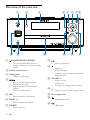
Overview of the main unit
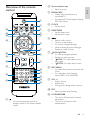
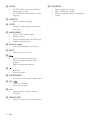
Overview of the remote control
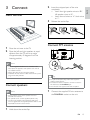
3 Connect
Place the unit
Connect speakers
Connect FM antenna
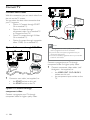
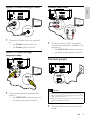
Connect TV
Connect video cables
Option 1: Connect through SCART
Option 2: Connect through
component video
Option 3: Connect through
S-Video
Option 4: Connect through
composite video
Connect audio cables
Connect power
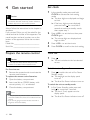
4 Get started
Prepare the remote control
Set clock
Turn on
Switch to standby mode
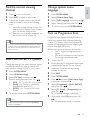
Find the correct viewing channel
Select the correct TV system
Change system menu language
Turn on Progressive Scan
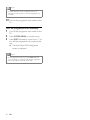
Turn off progressive scan manually
5 Play
5
5
5
6
7
7
9
9
9
10
11
13
13
13
13
14
14
14
14
15
15
15
15
16
16
16
16
16
17
17
17
17
18
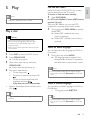
Play a disc
Use the disc menu
Select an audio language
Select a subtitle language
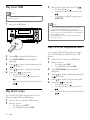
Play from USB
Play DivX video
Play MP3/WMA/picture files
Play control
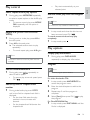
Select repeat/shuffle play options
Repeat A-B (DVD/VCD/CD/MP3/
WMA)
Search forward/backward
Search by time or chapter/track
number
Resume video play from last
stopped point
Play options
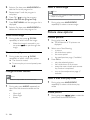
Display play information
Program
Zoom in/out image
Slow-motion play
Change the audio channel
Select a camera angle
Picture view options
Preview pictures
Select a slide show play mode
Rotate picture
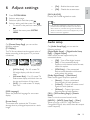
6 Adjust settings
19
19
19
19
19
20
20
20
21
21
21
21
21
21
21
21
21
22
22
22
22
22
22
22
22
23
23
23
24
24
General setup
Audio setup
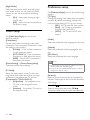
Video setup
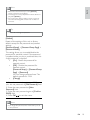
Preference setup
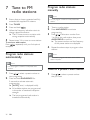
7 Tune to FM radio stations
Program radio stations automatically
Program radio stations manually
Tune to a preset radio station
Set RDS clock
Show RDS information
EN
26
26
26
26
27
27
3
E n gl i s h
Contents