1
16
ENGLISH
Microsoft NetMeeting
Microsoft NetMeeting is a standard application that comes with your Windows operating system
(from Windows 98SE onwards). Windows NetMeeting is already installed on your PC during the
installation of your Windows operating system.To create a shortcut on your PC's desktop you
need to do the following:
1
2
3
4
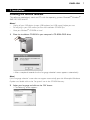
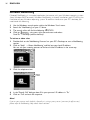
Use the Windows search option within the Windows 'Start' menu.
Search for 'NetMeeting' on your C:\ drive.
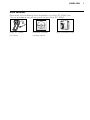
The search utility will find the following:
.
Click on
using your right mouse button and select:
'Send To → Desktop (create shortcut)'.
To initiate a video chat:
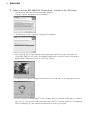
1 Double click on the 'NetMeeting Shortcut' on your PC's Desktop to start a NetMeeting
session.
2 Click on 'Help' → 'About NetMeeting' and find out your local IP address.
You can ask your meeting partner to find out his/her IP address in the same way.
3
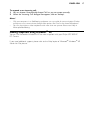
Click the telephone icon.
4
5
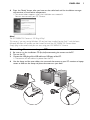
In the 'Place A Call' dialogue box, fill in your partner's IP address in 'To: '
Click on 'Call' and wait for response.
Note!
If you or your partner are/is behind a firewall or is using a proxy server (common for office users),
please refer to NetMeeting Help about detail solutions.