1
Step 6: Connecting FM/MW
antennas
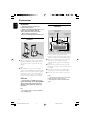
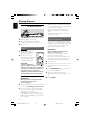
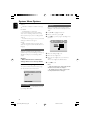
Using an accessory RF modulator
IMPORTANT!
– If your TV only has a single Antenna In
jack (labeled as 75 ohm or RF In), you
will need an RF modulator in order to
view DVD playback on the TV. See your
electronics retailer or contact Philips for
details on RF modulator availability and
operations.
ANT IN
Korea
Connections
fix the claw into
the slot
1
MW
antenna
RF coaxial cable to TV
2 FM
2
INT IN
TO TV VIDEO
IN
antenna
AUDIO IN
R
L
CH3 CH4
3
1
1
1
2
3
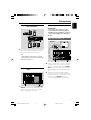
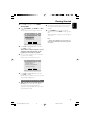
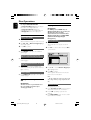
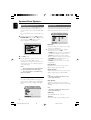
Use the composite video cable (yellow) to
connect the DVD system’s VIDEO OUT jack to
the video input jack on the RF modulator.
Use an RF coaxial cable (not supplied) to
connect ANTENNA OUT or TO TV jack on the
RF modulator to the Antenna IN jack on the TV.
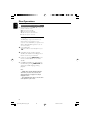
Connect the Antenna or Cable TV service signal
to the ANTENNA IN or RF IN jack on the RF
modulator. (It may have been connected to your
TV previously. Disconnect it from the TV.)
2
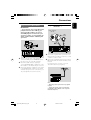
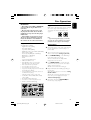
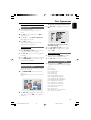
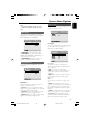
Connect the supplied MW loop antenna to the
MW jack. Place the MW loop antenna on a shelf
or attach to a stand or wall.
Connect the supplied FM antenna to the FM (75
Ω) jack. Extend the FM antenna and fix its end to
the wall.
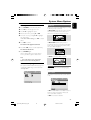
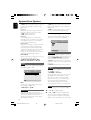
For better FM stereo reception, connect an
external FM antenna (not supplied).
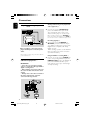
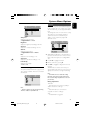
Note:
– Adjust the position of the antennas for optimal
reception.
– Position the antennas as far as possible from
your TV,VCR or other radiation source to prevent
unwanted interference.
11
pg 001-042_MCD705_33_Kor
11
2005.9.15, 17:28