1
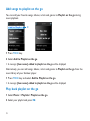
Add songs to playlist on the go
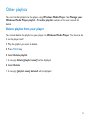
You can add your favorite songs, albums, artists and genres to Playlist on the go during
music playback.
2
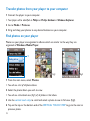
1 Press MENU key.
2 Select Add to Playlist on the go.
> A message [item name] added to playlist on the go will be displayed.
Alternatively, you can add songs, albums, artists and genres to Playlist on the go from the
music library of your GoGear player.
1 Press MENU key and select Add to Playlist on the go.
> A message [item name] added to playlist on the go will be displayed.
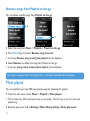
Play back playlist on the go
1 Select Music > Playlists> Playlist on the go.
2 Select your playlist and press 2;.
32