1
6.2
Temperature Compensation Setting
Conductivity readings are affected by temperature. Under varying temperature
conditions, use ATC to compensate for the conductivity values. If temperature of
sample is constant, and a temperature sensor/probe is not available, Manual
Temperature Compensation can be utilized.
6.2.1
Automatic Temperature Compensation
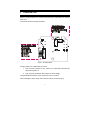
For automatic temperature compensation (ATC) selection, connect the ATC sensor
to the transmitter, as described in Section 2.2.2.
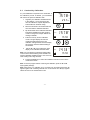
1.
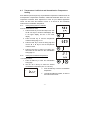
Press the ENT key to enter the setup mode. Use the ▲ or ▼ keys to scroll
o
through the sub-menus till LCD displays ‘SEt C’.
2.
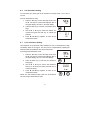
Press the ENT key to enter the temperature compensation mode. Display
shows ‘AtC On’ or ‘AtC Off’. Use S or T keys to select ‘AtC On’ and
then press the ENT key.
3.
Dip ATC sensor into a solution of known temperature (i.e. a temperature
bath). Allow time for temperature sensor to acclimatize with surrounding
bath temperature.
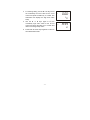
4.
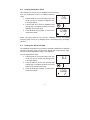
Use S or T keys to adjust the displayed reading to the correct
temperature value according to the temperature bath. Maximum
adjustments allowed is ± 5 oC (± 9 oF) from the default reading.
5.
Once you have adjusted to the correct temperature value, press the ENT
key to confirm the setting.
6.
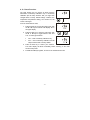
Press S and T keys together to return to the measurement mode.
The ATC indicator will light up on the LCD.
NOTE: If you are using a temperature sensor, the sensor must be submersed in
the liquid you are measuring.
- 15 -