1
Intelligent Network Transmitter
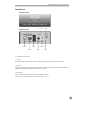
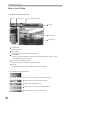
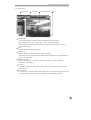
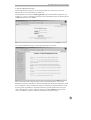
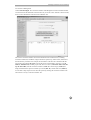
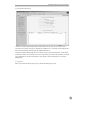
1.2 Camera Screen
OSD Switcher
Camera Title
Transmission Status
Time
OSD Switcher
- Every time this button is double clicked, the OSD mode switches between
None / Camera Title + Time / Camera Title + Time + Transmission Status.
- Time, Camera Title, and Transmission Status are displayed only when the screen size
is 320 x 240 or larger.
Time
- Displays the time the image is captured.
Camera Title
- Displays the title of location where the camera is installed.
- The camera title can be changed on the Administration Page. Refer to the “Administration
Page” section for details.
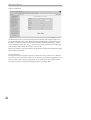
Transmission Status
- Displays the image size (in bytes), the number of images per second, and the data
transmission rate (in Kbps).
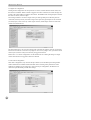
No Video
- “No Video” is displayed in the center of the camera screen when there is no input signal
from a camera.
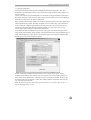
Not Activated
- “Not Activated” is displayed in the center of the camera screen when the user selects “Off”
for Video Channel State under the Video Configuration of Administration menu.
13