1
Don’t Define Functions Twice
In SNAPpy (as in Python), defining a function that already exists counts as a re-definition of that
function.
Other script code, that used to invoke the old function, will now be invoking the replacement function
instead.
Using meaningful function names will help alleviate this.
There is no truly dynamic memory in SNAPpy
SNAPpy scripts support some functions that in “desktop Python” require the use of dynamic memory
allocation. The core SNAP code does not support dynamic memory allocation. To implement these
functions, a handful of temporary buffers are used.
One such temporary buffer is used for string concatenation (a = ‘hello’ + ‘ world’). This buffer is only
64 bytes, so keep your concatenated strings short. Also realize that the temporary buffer is just that:
temporary. The next string concatenation done by your script will overwrite the previous one.
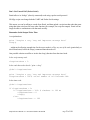
a = ‘hello’ + ‘ world’
b = ‘goodbye’ + ‘ mars’
At this point, both a and b are pointing at “goodbye mars”.
You can use string concatenation, but be careful how long you try to keep the results.
Another temporary buffer (also 64 bytes long) is used by the Python “slicing” operator. So you can
extract a substring from another string, but it needs to be 64 characters or less, plus you should treat it
as the temporary result it is. Use it or lose it!
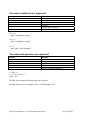
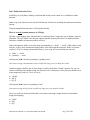
a = ‘abcdef’
b = a[0:3]
c = a[1:4]
At this point, both b and c are pointing at “bcd”.
You can use string slicing, but be careful how long you try to keep the results.
There is a small one character buffer that is used when extracting a single character from another
string (subscripting).
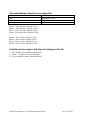
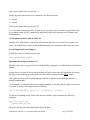
a = “hello”
b = a[4]
c = a[1]
Snap Reference Manual-v1.1 Document Number 600-0007B
Page 72 of 126