1
Studio C
Start Up/Shut Down
Procedures
Start Up:
1.
2.
3.
4.
5.
6.
7.
8.
9.
10.
11.
12.
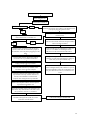
Turn on air compressor.
After compressor stops, drain water from tanks.
Verify all circuit breakers are turned on for the showroom.
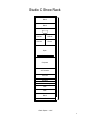
Turn on the master power switch at the bottom of the rack.
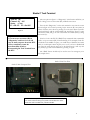
Turn on both D.T.U.’s (Gray boxes on the computer room wall.
Turn on each DVD player…The green light will be lit when they are on.
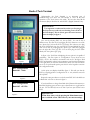
Touch manager panel.
Enter the manager password and press “Enter”.
Select “Start-up” from the menu.
When prompted enter the birthday names if desired.
When prompted, run diagnostics if desired.
The show will begin shortly.
Shut Down:
1.
2.
3.
4.
5.
6.
7.
8.
9.
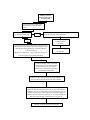
Touch manager panel.
Enter manager password and press “Enter”.
Press shut down from the menu.
The show will stop after the skit in progress ends.
Verify the park light is lit on all laser disc players.
Turn off both D.T.U.’s (Grey boxes on computer room wall).
Turn off master power switch at the bottom of the rack.
Turn off the air compressor.
Turn off the circuit breakers for the Roboscans/Robocolors.
1