1
Sygic
Sygic GPS Navigation for Android - User Guide - 1
Depending on the specifications of your device an application downgrade may resolve the issue.
If your device meets these requirements, please try uninstalling and reinstalling the application.
If problems continue, please contact our Customer support .
Problem downloading application on Android
Please, make sure your online connection is stable, that you are not connected via proxy and your APN is
not set to wap.
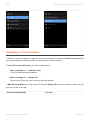
Then please go to:
Device settings > Applications > Google Play Store > Force close the app
Then try to download again.
If problems continue, please contact our Customer support .
Traffic is not working
Please, check if online connection is available.
Depending on your product configuration, Traffic service may or may not be
a part of your license, in which case you have to purchase it separately.
If you purchased Traffic in Sygic online shop at www.sygic.com, please make sure that you are logged into
the application with the same email that used to make your purchase.
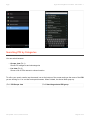
To connect go to:
Menu > Settings > Connection
If problem continues. please contact our Customer support .
Blackscreen, the application stopped working
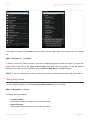
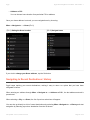
If the application was working but now there is a black screen when you try to launch it go to:
Last update: June 13, 2014 12:44:26
Page 49 of 54