1
REVIEW
SOUNDCRAFT Si
COMPACT
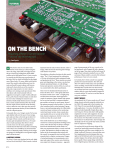
With the release into the wild of the Si Compact the habitat
of the small-format analogue console is under threat.
Text: Gareth Stuckey
Soundcraft has always made great consoles. Way back
in 1974 it released the first ever mass-produced
console built into a roadcase (the Series 1). Then it all but
changed the way live mixing consoles were designed with
the groundbreaking ‘8 & 8’ (groups and auxes) setup that’s a
standard today (or a bare minimum at least). It seems
curious to note then that Soundcraft was also one of the last
console manufacturers to step on board the digital
bandwagon. Nearly every other manufacturer had released
both small and large format digital production consoles
before Soundcraft even put its foot in the water. Now it’s
finally on board and making a big splash with a wide range
of digital options!
The first of these new-generation consoles was the Vi
Series. These consoles were developed alongside its Studer
brethren, and feature BSS EQ and Lexicon effects. They’re
amazing boards; the Vi6 in particular is my standard
console request on the production rider whenever I request
a digital board. Even though Soundcraft has expanded its
range since then, the main points and operating features
have essentially remained the same. The newest offering
from Soundcraft is the Si Compact. This small-format
digital console is available in 16-, 24 and 32-channel
versions – I’ve been trialling the 24-channel version, which
somewhat confusingly, only has 22 faders!
COMPACT & FLUORESCENT
As has become the norm with digital consoles, the faders of
the diminutive Si Compact are arranged in six ‘layers’, with
the default setting in this instance being Layer A: featuring
mic inputs 1-22. Layer B presents the two ‘missing’ mic
inputs 23 & 24 as a linked pair alongside all the stereo
AT 72
inputs and FX returns. Then there’s a layer for bus outputs,
MTX (matrix) outputs, and Graphic EQ – Low and High.
It’s slightly odd having the last two mic inputs on the
second layer, I must say, but there’s a technical reason for
it. According to the manufacturer the fader layer system
is designed around the mechanical requirements of the
smallest console (which has room for 14 faders + masters)
and the Vi I/O system, which is built in blocks of 8 (14 +
8 = 22). The ‘unused’ faders will apparently be employed
in future software releases where more input channels are
made available when using additional I/O, and for fader remapping to allow a channel to appear on both layers
To make the console easy to navigate, Soundcraft has
implemented a great function called Fader Glow, where
each ‘type’ of fader is illuminated in a different colour. This
makes the quick identification of which ‘layer’ (or status
if you like) the faders are currently controlling a total nobrainer – assuming you’re not colour-blind. It significantly
reduces the confusion associated with layers of this nature
and prevents you from getting lost and accidentally
adjusting something you’ve mistaken for something else.
For example, if the faders are currently acting as Graphic
EQ faders, they glow red.
FADERS AIN’T FADERS
Each channel on the Compact also features a rotary
encoder, although the use of this control is reasonably
limited. The encoder can be assigned to gain, high-pass
filter frequency, or pan, and act as the ‘channel to bus pan’
function when mixing to a stereo bus. Hopefully future
firmware updates will expand this encoder’s capacity
“
”
The Si Compact features a 28-band
graphic EQ from BSS on every bus; each
and every aux, matrix, and master bus!
www.sounddevices.com.au
further. I would like to be able to assign it, for instance, to an aux send,
since the only other way to change send levels is to enter the fader layer that
controls them – or ‘Follow’ mode as Soundcraft refers to it. Problem is, when
you do this, you’re immediately thrust into the world of my pet hate – losing
control of your mix faders. This is actually the biggest issue I have with the
console overall. Aside from this, however, using the console is pretty simple,
as it should be. Indeed, my first outing with the board was in the heat of
battle at South by Southwest with no soundcheck and only a 20-minute
changeover. Mercifully, I didn’t run into any major surprises during the set.
What you see is what you get with the Si Compact. Use the rotary encoder
to gain up a channel, press the select button on the channel you want to
alter, and, hey presto, all of its controls are available on the ‘ACS’ (Assignable
Channel Strip), ie: the clearly defined phalanx of knobs at the top of the
board! (See pic.)
This control strip is broken up into five logical sections: input (with phase,
48V, gain and high-pass filter), a fully featured gate, a comprehensive
compressor, a quality four-band EQ, and an output section incorporating
delay and pan.
It’s great to see phase and phantom power easily accessible here – on far too
many other digital consoles these functions are buried several layers down.
This is one of the primary selling points of the Si Compact; even though it’s
a small format console there’s a dedicated control for every function. This
is why the touchscreen at the top-left of the board is relatively small – it’s
not really required all that often. Frankly, it only comes into play when
performing utility functions like naming and storing mixes, since every
other control has a dedicated encoder. The upshot of all this is that I found
I used the console more like an analogue board – it’s intuitive and fast to get
around.
BUGBEARS
A couple of things bugged me from the outset though. Firstly, like some
other lower-cost digital consoles, the gain pot ‘clicks’ when you adjust it. It’s
as if the gain is stepped and the result is clearly audible through the PA on
vocals. While it’s not the biggest drama in the world – assuming you set your
gains at soundcheck and don’t change them – and even though it’s apparent
on other consoles at the same price point, it does mean a live recording with
the console is essentially impossible.
While the illuminated soft-touch buttons are very nice, I was also somewhat
perturbed by the ‘On’ and ‘Select’ buttons being so close together. I would
have preferred to see the On button directly below the gain pot, followed
by the meters (which show both input and gain reduction/gate operation
for each channel) and then the Select and Solo buttons above the fader. In
other words, separate the On and Select buttons with the meters. This would
substantially reduce the possibility of accidently switching a channel off mid
show – something that’s too easy to do when it’s not actually a mechanical
switch.
Another little oddity here is that the ‘Select’ button doesn’t follow the Solo,
nor does there seem to be an option anywhere to make it do so. This is
probably only really a concern if you were mixing monitors, as it does make
it very easy to make the mistake of changing settings on one (selected)
channel accidently while listening to another (that’s soloed). Partly this issue
Australia-wide delivery
Ph: 02 9283 2077
Fx: 02 9283 1337
265 Sussex St, Sydney 2000
[email protected]
AT 73
It might be compact but the Si has a seriously crammed rear
panel; including 24 mic/line inputs and 16 outputs, all on XLR.
is one of familiarity of course, but it’s also about intuition,
especially when you’re thrown onto the board with no
guidance let alone time to read the manual – never a good
look mid-show!
NEED TO KNOW
Price
16-Channel: $11,495
24-Channel: $14,995
32-Channel: $17,995
(but expect to find them
going for substantially less
than that in your local pro
audio shop.)
Contact
Jands
(02) 9582 0909
[email protected]
www.jands.com.au
Pros
Dedicated control for
every function.
Great sounding inbuilt EQ
and compressor.
Graphic on every output
setup as standard.
Cons
Routing limitations.
Limited visual feedback
on screen.
Summary
For the size and cost, this is
an awesome console.
Expect to see the Compact
turning up where previously
only an LS9 would be – a
great step forward.
Having said all that, the console does really sound good.
Most notably, the EQ sounds real, just like EQ should. It
doesn’t sound digital, the way some other cheap digital
consoles (or even some expensive ones) can when boosted.
The compressor works well, and the meters on every
channel are very helpful.
MIX INTERROGATOR
The console is also remarkably quick to set up thanks
to a feature called Interrogate. This offers a quick way of
changing the status of any switch function in the Assignable
Channel Strip across many channels. For example: to check
the status of the LR routing switch from Inputs to the main
LR bus, all you need to do is hold down the LR routing key
of any channel, whereupon the Select keys on any other
channels routed to LR will light up. While keeping the LR
key pressed you can then toggle the status of the LR routing
on any channels by pressing the Select keys of the channels
you wish to include (or exclude) from the routing. Having
the ability to perform simple tasks like assigning phantom,
turning on HPFs and compressors with such a no-fuss
approach means you can be up and running very quickly on
the Compact without having to flick through endless pages.
Fantastic.
HIDDEN EXTRAS
In addition to the usual mixing console functions, there are
several digital console extras on the Si Compact that many
of us have grown accustomed to. The standout principle
here though is the quality of those extras. There are four
FX engines provided by Lexicon, which have dedicated aux
buses in addition to the 14 auxes and four matrixes already
available. There are, however, some routing limitations.
For instance, they always return to their allocated faders
on Layer B, so even if you were mixing a solo artist with
only two or three inputs, you would still need to flip to the
second layer to change your reverb returns. Boring. And
as already mentioned, the limitation of the rotary channel
encoder means that the only way to send to your FX is to
enter Follow mode.
The Si Compact also features a 28-band graphic EQ from
BSS on every bus, each and every aux, matrix, and master
bus! This means there’s no need to ‘patch’ the GEQ, just
enable it whenever it’s required, with no risk of running
out of DSP and no audible interruption. These graphics are
AT 74
controlled by changing the fader layer to either Graphic Lo
or Hi so that the console faders become representative of the
Graphic EQ faders. I love the fact that these EQs are already
in place and don’t need to be manually assigned or patched.
Very cool.
There are some other extra features on the Si Compact
that really illustrate how Soundcraft have listened to digital
console users. I know the ol’ ‘listening to users’ line sounds
like a tattered cliché nowadays but in this case it’s true. One
example I personally love is the fact the console offers four
analogue insert send/returns. Lots of engineers still carry a
must-have vocal chain for instance – myself included – and
this feature makes inserting that chain a doddle.
But you can’t have everything, as they say. There are some
other things that are notably absent from the console. For
instance, while inputs can be soft-patched – as we have
all become accustomed – here there are some major, and
somewhat irritating, limitations (and I’m not trying to be
pedantic or contrary here just for the sake of it). Firstly,
there’s no way to assign the L/R Mix directly to Mono/C.
Currently you have to select mono on every single channel
and bus should you want to send a copy of the mix to
mono for instance (for say a delay or infill send). It’s also
impossible to separate the main L and R output levels or the
left and right controls on the graphic EQ. On the latter, if
you’re in an odd sounding room and want to EQ the left and
right separately, there’s no way to do it (one of the reasons
why I still insist on outboard analogue graphics!). Channel
input patching is also very limited. For example, there is
currently no way to select the Stereo Return TRS jacks or
internal FX returns to be available as input options for the
Mono channels so that, as mentioned earlier, if you had a
small mix and were not using all the mono channels you
could lay your mix out across Layer A only.
I can only hope that a lot of these ‘little’ problems will be
solved as software updates become available for the console.
If that happens the Si Compact will become a very solid
console for the price point, and I will expect to see a lot of
them showing up where previously there might have been
the likes of a Yamaha LS9 or M7CL.
MANUFACTURER’S RIGHT OF REPLY
Regarding the assignment of the L/R Mix directly to Mono/C:
It was the intention of the design that if a mono sum (or similar) of the
buses were required this would be achieved using a matrix bus. The
reason for this approach is it allows the ‘mono’ mix to be created from a
sum of left, right and mono for those using the mono as a true centre bus.