1
o- 9 buttons 22
4:3 Default 27
STANDBY LED
Info Banner 33
Infrared Receiver (IR) 24
INPUT button 21,23
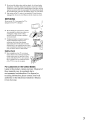
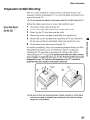
Installing the TV on a wall
A
AC IN 15
Advanced 34
Advanced Settings 34
Alternate Audio 26
AUDIO OUT jack, described
Auto Adjustment 28
Auto Program 19, 29
Auto Wide 27
15
Vertical Center 28
VIDEO/AUDIO (UR) jacks described
E
31
F
20
H
HOMI IN jack, described 15
Headphones jack, described 14
Horizontal Center 28
Hue 25
14,15
Viewing Blocked ProErams
VOL+/- button 20, 23
W
25
WIDE button 21
Wide Mode 27,28
p
Parental Lock 30
PC IN 14
Phase 28
Picture 25
PICTURE button 20
Picture Mode 25
Pitch 28
POWER button 21 , 23
POWER LED 23
Power Management 28
Power Saving 34
Product Information 34
o
Diagnostics 29
DIGITAL AUDIO OUT (OPTICAL)
Digital CC 34
Digital Channels 29
Digital Rating 30
DISPLAY button 20
R
15
32
V
N
Noise Reduction
36
U
MENU button 20, 23
Movie Rating 31
MTS 26
MUTING button 20
C
Tilt 18
TIMER LED 23
TOOLS button 21
Treble 26
Troubleshooting 35,
TV Rating 31
U.S.A. Rating
Unrated 30
M
Cable 29
CABLE/ANTENNA 15
CC button 20
CH+/- button 22, 23
Change Password 31
Channel Block 30
Channels
Creating labels 33
Setting up 19
CineMotion 34
Closed caption modes 33, 34
Closed Captions (CC) 33
Color 25
Color Temp 25
COMPONENT IN
(1080i/720p/480p/480i) 15
40
21
L
Balance 26
Basic 34
Bass 26
Brightness 25
Favorites 29
FAVORITES button
French Rating 32
37
Label Channels 29
Label Video Inputs 33
Language 33
B
English Rating 32
ENT button 22
Extemal Input Block
T
J
JUMP button
23
Rating 30
Reset 25, 26, 36
RETURN button 20
s
S VIDEO jack, described
Select Country 31
Settings
Channel 29
Parental Lock 30
PC Settings 28
Picture 25
Screen 27
Setup 33
Sound 26
Sharpness 25
ShowlHide Channels 29
Simulated Stereo 26
SLEEP button 20
Sleep Timer 33
Sound Mode 26
Speaker 26
14
'
32