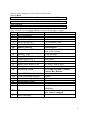
1
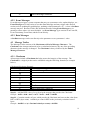
7.3 Volume Select
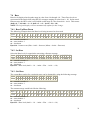
The simplest way to explicitly select a Volume level per Zone is by using the discrete Volume
Select Event. The Even Timestamp fields determine the Volume Level. The Event Data fields
determine the Zone affected by the Volume being selected. Refer to the Buttons section for
information on stepping through Volume levels (“Volume Up” and “Volume Down” commands
found under UNO Keypad Events). Volume levels displayed on UNO keypads range in value
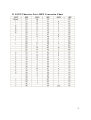
from 0 – 100 in steps of 2 (i.e. 0, 2, 4, 6, etc…). These Volume levels are represented in
Decimal when using RS-232 messages ranging in value from 0 – 50 (i.e. 0 = 0, 1 = 2, … 2 = 4).
In the actual Data message the HEX value is used which would range in value from 0x00 – 0x32.
This means (0x00 = 0 = 0, 0x01 = 1 = 2, 0x02 = 2 = 4 … 0x32 = 50 = 100)
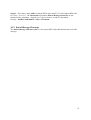
7.3.1 Set Volume
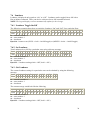
Select the Volume for a particular zone using a discrete message.
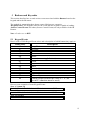
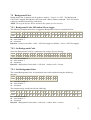
Byte # 1 2 3 4 5 6 7 8 9 10 11 12 13 14 15 16 17 18 19 20 21 22
Value F0 cc 00 7F 00 00 70 05 02 02 00 00 F1 21 00 ## 00 zz 00 01 xx F7
cc = controller number -1
zz = zone number -1
xx = checksum
Byte #16 = volume level (0x00 - 0x32, 0x00 = 0 Displayed … 0x32 = 100 Displayed)
7.3.2 Get Volume
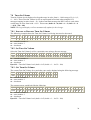
This is the Request message for what Volume level is selected on a particular Zone.
Byte # 1 2 3 4 5 6 7 8 9 10 11 12 13 14 15 16 17
Value F0 cc 00 7F 00 00 70 01 04 02 00 zz 01 00 00 xx F7
cc = controller number -1
zz = zone number -1
xx = checksum
The return message would look like the following.
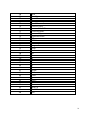
Byte # 1 2 3 4 5 6 7 8 9 10 11 12 13 14 15 16 17 18 19 20 21 22 23
Value F0 00 00 70 cc 00 7F 00 00 04 02 00 zz 01 00 00 01 00 01 00 ## xx F7
cc = controller number -1
zz = zone number -1
xx = checksum
Byte #21 = Volume Level -1
21