1
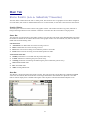
often degrade the calculation of coordinates. The “alternative” to Configure Base is Configure Rover. GPS receivers can usually function as either type, but must be “configured” for the role they will serve. You will be warned when you switch receiver configuration from Base to Rover and vice versa, to confirm that is what is intended. With all RTK GPS Equipment selections (except GPS Simulation), Configure Base will first bring up settings and then proceed to the 6-option Configure Base screen which “locates” the base position. The 6-button Configure Base options (3 buttons per “tab”), common to all, are discussed first, followed by equipment-specific settings. Configure Base for All RTK GPS Brands For all brands of GPS, the Configure Base button is the command that starts the base receiver broadcasting GPS corrections to the rover. You must click the Configure Base button in GPS Setup while you are connected to the base receiver. The base needs a set of coordinates to use as its stationary position. Given that you are configured for a particular coordinate system, there are 2 main “types” of localizations: (1) Enter an Accurate Base Position and work from that point outward on the scale and “true north” of that system (no rover localization), (2) Enter an Accurate or Semi-Accurate (Read from GPS) Base Position and then localize to known rover points that transform to the local coordinate system (required if the local system is not true GPS north). There is also a “mixed” base-rover approach. To use the base in the localization, you should configure the base with the "Use Local Coordinates" option under "From Known Position". Here, you configure the base by entering the local point (5000, 5000,100, etc.) and start a new localization file (or use an existing one if it applies). Then, at your rover, you can add more points to the localization as necessary. In this case, a single rover point within Localization will produce a scale factor and best fit to the local coordinates. There are six methods to set the stationary base position, organized into 2 categories: From New Position includes Read from GPS, Enter Lat/Long and Enter Grid System Coordinates. The From Known Position tab includes Previously Surveyed Point, Use Local Coordinates and Read From File. When you are starting a new job (no information in the raw RW5 file yet), always use the options in From New Position. From New Position Options Read from GPS - This method takes a specified number of GPS readings from the base receiver’s autonomous position and uses it as its “true” position. The autonomous position can be off of the actual position by 150 feet. The base will calculate corrections based on this autonomous position. If you set up the base with this method, the rover points must be used for localization since the corrections they are using are based on the approximate position of the base antenna. Read GPS, combined with rover-based localization, is one of the most common methods used to start a GPS survey. When Read from GPS is used, the program will present the current position, as shown: Latitude: N 42d21’28.35882” Longitude: W 71d08’12.87540” Elevation: 116.376 Continue with Base Setup? Yes No If you like the result, press Yes and continue on. You will then be prompted for the Reference Station Number. This is an “ID” that will store to the raw file and permit post-processing of the raw GPS data. A typical entry is 0001. The final prompt will say, Base Configuration Successful. Save Settings to File? Yes No Answering Yes will bring up an entry screen for the reference file name. Reference files are stored with a “.ref” extension. It is important to save a reference file if you plan to return to the job at another date. Without re-localizing to control points, you can set up over the same base position, recall the reference file, and enter the new antenna height for the base position, and start working. The Read from GPS option is sometimes referred to as “Find Me”. This option is accurate to about 10 to 50 meters, typically, and it enables the corrections to broadcast with enough accuracy to permit localization and sub-centimeter real-time work. Be sure that your GPS zone in Job Settings is set correctly before using this option. Also, give the base enough time to find itself. When first set up, the base receiver has to “collect” satellites and “resolve ambiguities”. If you Read from GPS too early, you may find a position, but one that is not fully resolved and ends up slowing down the speed at which the rover fixes. 43