1
Mobile Application Installation and Operation
Introduction
It is possible to remotely monitor all channels of the DVR through your mobile device.
Before attempting to connect with a mobile device, please confirm the network function of the DVR has been enabled.
(Main menu → Network Setup → HTTP Setup → Enable HTTP Server)
1. Symbian
System requirements:
• GPRS/3G must be provided by your mobile phone service provider.
• Mobile device must support GPRS/3G protocol and Java cldc1.0/midp 2.0 environment.
1.1. Software installation
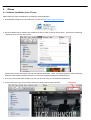
Please follow the steps outlined below to install the mobile application.
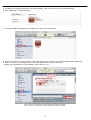
1. Download the ‘DVRH264.jar’ and ‘DVRH264.jad’ files to your mobile device from the CD that came with the DVR. Note
that Sony Ericsson phone users will only need to download ‘DVRH264.jar’.
2. If these files are not installed automatically by your device, install them manually.
1.2. Software operation
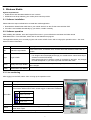
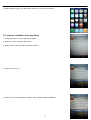
After the installation, enter the Program Files menu in your mobile device and run the file
named ‘DVRH264’.
Select ‘Menu’ at the right lower corner of your mobile screen to disply 4 options i.e. Login,
Add, Modify and Delete.
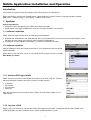
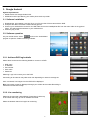
1.2.1. Add new DVR login details
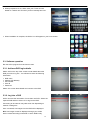
Select ‘Add’ from the menu to enter details about the DVR you wish to log into. Enter the
following information relating to the DVR you wish to monitor remotely.
•
•
•
•
IP address
Port number
Account name
Password
Once this information has been entered, select ‘Add’ to save the DVR’s details on your
mobile device.
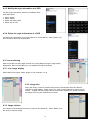
1.2.2. Log into a DVR
Select ‘Login’ from the menu to log into and monitor live images from the DVR. If multiple DVRs have been added to the
mobile application, they will be listed by name. Select the desired DVR to log into.
3