1
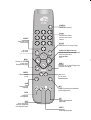
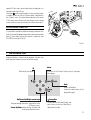
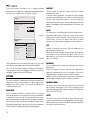
STAND-BY
Switches off to stand-by.
0-9 Keys
SOURCE
Displays the Source
Selection menu.
Switch on from stand-by
and allow direct source
selection.
ESCAPE
Deactivates the On Screen Display.
Not active
in this model.
Up/Down/Left/Right Arrow keys
Navigate through and make adjustments
to the On Screen menus.
Arrow Up/Down
menus.
MENU Activates the On Screen
Display menus.
Navigates menu pages.
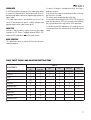
FREEZE
Freezes a moving
picture.
ZOOM
Selects lens zoom
adjustment.
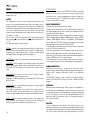
MENU +
Activates the On Screen Display menus.
Navigates menu pages.
Not active
in this model.
INFO
Displays the selected source information
and the projector status.
FOCUS
Selects focus
lens adjustment.
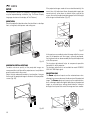
AUTO
Selects Auto Adjust
(automatic optimisation
of the displayed image).
VCR
Improves the video recorder
signals quality.
ASPECT
Selects image Aspect ratio.