1
RUGGEDCOM ROS
Chapter 6
User Guide
Spanning Tree
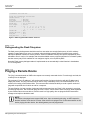
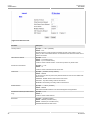
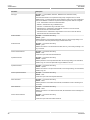
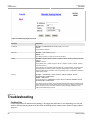
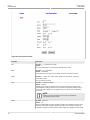
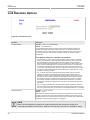
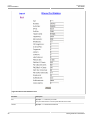
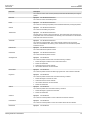
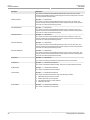
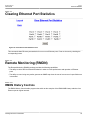
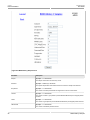
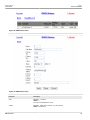
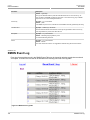
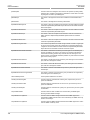
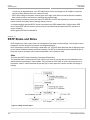
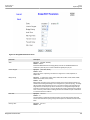
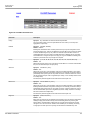
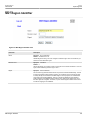
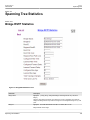
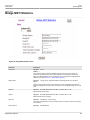
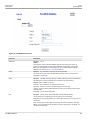
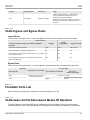
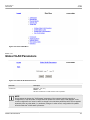
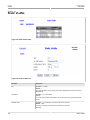
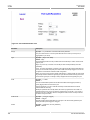
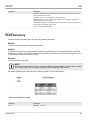
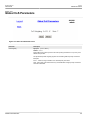
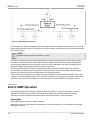
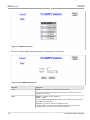
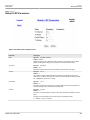
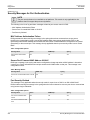
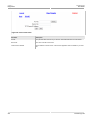
Figure 83: Bridge RSTP Parameter Form
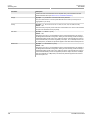
Parameter
Description
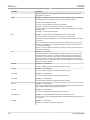
State
Synopsis: { Disabled, Enabled }
Default: Enabled
Enable STP/RSTP/MSTP for the bridge globally. Note that for STP/RSTP/MSTP to be
enabled on a particular port, it must be enabled both globally and per port.
Version Support
Synopsis: { STP, RSTP, MSTP }
Default: RSTP
Selects the version of Spanning Tree Protocol to support one of: STP, Rapid STP, or
Multiple STP.
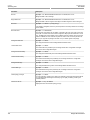
Bridge Priority
Synopsis: { 0, 4096, 8192, 12288, 16384, 20480, 24576, 28672, 32768, 36864, 40960,
45056, 49152, 53248, 57344, 61440 }
Default: 32768
Bridge Priority provides a way to control the topology of the STP connected network. The
desired Root and Designated bridges can be configured for a particular topology. The bridge
with the lowest priority will become the root. In the event of a failure of the root bridge, the
bridge with the next lowest priority will then become the root. Designated bridges that (for
redundancy purposes) service a common LAN also use priority to determine which bridge is
active. In this way, careful selection of Bridge Priorities can establish the path of traffic flows
in normal and abnormal conditions.
Hello Time
Synopsis: 1 s to 10 s
Default: 2 s
The time between configuration messages issued by the root bridge. Shorter hello times
result in faster detection of topology changes at the expense of moderate increases in STP
traffic.
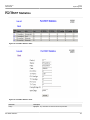
Max Age Time
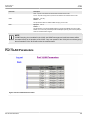
Bridge RSTP Parameters
Synopsis: 6 s to 40 s
Default: 20 s
129