1
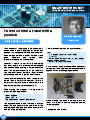
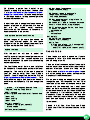
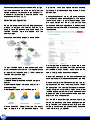
in the Fab Lab display area. The artwork is titled
"Loose Weave Digital Fabric". In April it won an
award at the Art Center Sarasota “One World”
exhibition.
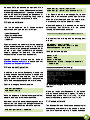
var fi berCol or = " hsl a(" + fi berHue +
" , 100%, 50%, 1)" ;
setInterval (eachTi ck, i nterval );
functi on i ni ti al i ze() {
var cc=document. getEl ementById(
" canvas1" ). getContext(" 2d" );
cc. save();
cc. transl ate(400, 300);
hue = Math. random() * 360;
}
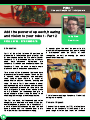
The artwork creates a new digital fabric every ten
minutes. Drawing the digital fabric is an important
visual aspect of the artwork and takes about five
minutes.
The fabric colour is random and the thread colours
are random within +/- 45 degrees of the fabric colour
on the HSLA (Hue - Saturation - Lightness - Alpha)
colour wheel.
Pi Canvas sample artwork code
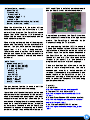
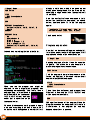
Here is a sample artwork file which draws a
"starburst" approximately every 1 0 seconds. The
hues remain within 30 degrees of the initial, random
hue on the HSLA colour wheel.
What happens if you change the values of
tensi on ?
dhue
<! DOCTYPE html >
<html >
<head>
<meta charset=" UTF- 8" >
<ti tl e>Starburst</ti tl e>
<scri pt type=" appl i cati on/j avascri pt" >
var i nterval = 10;
var canvasWi dth = 800;
var canvasHei ght = 600;
var x = 0;
var y = 0;
var count = 0;
var hol d = 1000;
var hue = Math. random() * 360;
var dhue = 30;
var tensi on = 1;
var fi berHue = hue + Math. si n(Math.
random() * Math. PI * 2) * dhue;
10
or
functi on eachTi ck() {
count = count + 1;
i f(count > 0 && count <= 360){
draw();
}
i f(count > 465){
var cc=document. getEl ementById("
canvas1" ). getContext(" 2d" );
cc. restore();
cc. cl earRect(0, 0, canvasWi dth,
canvasHei ght);
i ni ti al i ze();
count = 0;
}
}
functi on draw() {
var cc=document. getEl ementById(
" canvas1" ). getContext(" 2d" );
fi berHue = hue + Math. si n(Math. random()
* Math. PI * 2) * dhue;
fi berCol or = " hsl a(" + fi berHue +
" , 100%, 50%, 1)" ;
cc. rotate(Math. random() * Math. PI*2);
for(var j =0; j < 200; j ++){
x = x + Math. random() * 2;
y = y + Math. si n(Math. random() *
Math. PI * 2) * tensi on;
cc. fi l l Styl e = fi berCol or;
cc. fi l l Rect(x, y, 2, 1);
}
x = 0;
y = 0;
}
</scri pt>
</head>
<body onl oad=" i ni ti al i ze()" styl e=
" margi n: 0px; border: 0px; paddi ng: 0px;
background- col or: #000000;
overfl ow: hi dden; " >
<canvas i d=" canvas1" wi dth=" 800"
hei ght=" 600" />
</body>
</html >