1
®
Troubleshooting
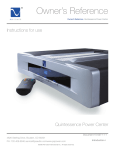
Owner’s Reference Quintet and Duet Power Center
Power Center
won’t turn on
If no power comes out of the Power
Center, check to make sure power
is going into the Power Center. You
can do this by testing the outlet it is
plugged into with another device such
as a lamp. Sometimes, we find Power
Centers plugged into switched wall
outlets. These are typically the lower
of the two AC receptacles and are
controlled by a light switch. If you have
no power to the receptacle, check the
circuit breaker feeding the receptacle.
Check the logo
If you have verified there is power to
feed the Power Center, check the
Power Center’s blue PS logo to see if
it is lit. If not, press the logo itself. This
is the power button. Check and make
sure there are no connections to the
triggers. Pull them out if there are. If
the logo does not light, check the circuit breaker next to the AC inlet on the Power Center. Press the
circuit breaker to activate.
Use the correct
voltage
Lastly, make sure you are feeding the Power Center the correct voltage. The Power Centers are
specific to your country’s voltage. If, for example, you are trying to operate at 120 volt Power Center
on 220 volts, it will not turn on. If all else fails, contact your PS dealer, distributor or PS directly for
help.
If the power light
blinks
If the blue logo power button blinks when
you first plug in the Power Center to an
AC receptacle, this is normal. The unit is
calculating the voltage being fed to it.
Fast blinking vs.
slow blinking
A fast blinking logo power button means
there is an over or under voltage situation
and the unit has shut off. This occurs at
130 (260) volts on the high side and 100
(200) volts on the low side. The Power
Center should automatically turn back on
when the voltage on the line has returned
to normal. If it does not, simply press
the logo power button to reactivate the
Power Center.
4826 Sterling Drive, Boulder, CO 80301
PH: 720.406.8946 [email protected] www.pspower.com
©2006 PS Audio International Inc. All rights reserved.
Troubleshooting 6