1
®
Quick Start Guide
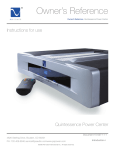
Owner’s Reference Quintet and Duet Power Center
Always on
Always on. The power button (PS
blue logo) or DC triggers will have no
effect on any Power Zone switched
to this position. Anything plugged
into a receptacle will be immediately
connected to the AC power. Use this
setting for equipment you never want
to turn off from the Power Center’s
main power button.
Examples
would be a computer or a TIVO (so
it can record a preset program when
the system is shut off) or another
piece of equipment used for a trigger
voltage.
Switched
Switched. The power button on the
Power Center (PS blue logo) or the
DC triggers will activate or deactivate any equipment plugged into a receptacle set to “switched”. This
is the standard default and recommended switch setting for any source equipment plugged into the
Power Center.
Delayed
Delayed. After the power button is pressed or the trigger is activated on the Power Center, these
outlets will be delayed by 3 seconds before turning on. Use this setting for power amplifiers or any
equipment that should turn on after the Power Center is activated.
DC triggers
DC triggers on the Quintet are used to remotely turn on and off the Quintet Power Center. These will
accept any voltage from 5 to 15 volts. If your equipment produces a DC trigger voltage, use this input
to control the Power Center. Or, you can provide your own voltage for the DC trigger with a 12 volt
DC converter (wall wart) to activate the Power Center’s trigger.
CATV and phone
The CATV and telephone protection inlets found on the Quintet are high quality, no-loss in/out paths
for protection. The CATV connectors can accommodate two sources such as a cable TV or a satellite
or antenna feed. Placing the video signal through these pass through connectors will help make
sure everything connected is safe from spikes and lightning. The same applies for the telephone
connections. These are used as in/out pass throughs for a phone.
How to turn it on
Once everything is connected you can press the blue PS logo light which will act as the on/off power
button if you are not using the DC triggers. When you first power the Quintet or Duet Power Center,
the blue PS logo light will blink as the unit calculates the proper AC voltage.
Should the unit sense voltages out of the wall that are either too high or too low, the Power Center
will shut down and disconnect all connected equipment. In this case, you will see the blue PS logo
flashing on and off rapidly, indicating the condition. Once the power has returned to its proper range of
voltage, the Power Center will wait a few seconds and then reconnect the equipment automatically.
4826 Sterling Drive, Boulder, CO 80301
PH: 720.406.8946 [email protected] www.pspower.com
©2006 PS Audio International Inc. All rights reserved.
Quick Start Guide 3