1
ep100.qxd
1/27/2000
1:11 PM
Page 7
TOC
2.
INDEX
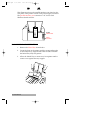
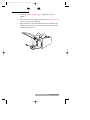
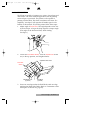
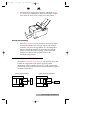
Connect the other side to the back of your computer at
LPT1, LPT2, or the PARALLEL connector.
The printer must have its On Light illuminated to receive data.
If the light is not on, press the On/Off Button.
B. INSTALLING THE PRINTER DRIVER
The EP-100 Address Printer can be used with virtually any
Windows application program. This is accomplished by
installing in Windows what is called a "printer driver." The
printer driver is software which gives the printer all the
information needed for printing. Use the following steps to
install the printer driver.
NOTE: This section of the User's Manual assumes that you are already
familiar with Windows and know how it operates. If you are not yet
familiar with Windows, consult the appropriate Microsoft
documentation to become familiar with the basics of Windows before
proceeding.
Computer Connection and Printer Driver Installation 7