1
Trouble Shooting Step-by-Step 2/2
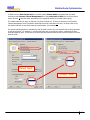
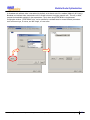
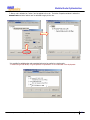
Client is connected but unable to receive/send: There are multiple reasons for this. First disable firewalls
temporarily and verify that WEP/WPA key values are correct (See NMS Guide). Ensure that the client has a
unique IP address and that if any VLANS are configured that the and the wired side of the network is correctly
configured for the VLAN that the client is in. The port that the root node is plugged into is part of the VLAN and
that any other server's ports that need to access the wireless network are included in the VLAN.
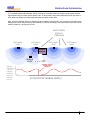
Poor RF signal strength: Verify from the NMS that all nodes have connections to each other with signal
strength weaker than -42 Dbm and stronger than -86 Dbm. If not then either reposition the nodes/antennas or
change to different type of antennas. Low or high Dbm readings may be caused by reflections from metal objects
or other obstructions. The MeshDynamics RF planning models the RF coverage, including obstructions. Contact
your MeshDynamics technical support person for more information on the RF planner and its use.
While RF signal strength is not a sufficient indicator of RF link health. Intermittent sources of external RF
interference cause unexplained drops in transmission effectiveness. Pinging the mesh node from multiple
locations may help isolate where the RF link is poor due to these types of sporadic interference sources.
NMS shows Mesh was operational, now is not. The challenge is to isolate what may have changed. The
changes may have occurred remotely via the NMS or on the wired side of the network. Some causes:
UDP based Heat Beat packets not received: The NMS displays node connectivity/status based on UDP packets
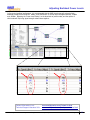
received from mesh nodes transmitted over the air to the root node. If the configuration is as shown in Figure
10.1 these forwarded heart beats eventually reach the root node and are available on the switch. The computer
running the NMS will not receive the UDP based heart beats if the computer has an IP address that is not part of
the switch domain; if the switch has a VLAN setting (causing non VLAN tagged data to be ignored) ; if there are
firewalls or the computer is not supporting DHCP.
Solutions include: rebooting the NMS computer to restart DHCP, disabling firewalls/VLAN setting (temporarily),
Also node that:
a) moving a node from one network to another causes heart beats to show on another tab on the NMS.
b) Ping requests to the mesh node should always be returned if the mesh node has route connectivity.
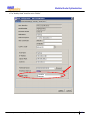
Configuration changes via NMS not executed. Prior to changing node configurations the current node
configuration is transmitted from the node to the NMS. With poor RF links some data packets may not be
received by the NMS. The NMS does not then know the current node configuration.
Solution: NMS configuration change requests should be re transmitted from an NMS running on a laptop
wirelessly connected to the node or via a mesh routing path with strong RF links. A simple indicator of good
connectivity is rapid ping request acknowledgements from the mesh node.
Contact Information Link:
Technical Support Literature Link:
www.meshdynamics.com/Contact-Us.html
www.meshdynamics.com/tech-presentations.html
HWIG D07 © 2005-2007 Meshdynamics. All Rights Reserved. Proprietary Information. Patented and Patents Pending
21