1
Remote Control, cont’d
4-6
The program is contained on the Extron Software Products disk.
Install the software as follows:
1.
Insert the disk into the drive. The installation program
should start automatically. If it does not self-start, run
Launch.exe from the disk.
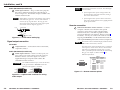
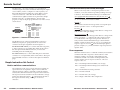
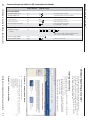
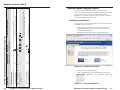
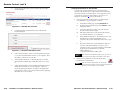
The Extron software disk window appears (figure 4-2).
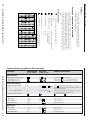
X4
Software version x.xx.
Installing the software
Q/q
N/n
V X1 •A X1 •F• X5 •Vmt X3 •Amt X3
V2•A2•F•2•Vmt 0•Amt 1
Video input 2; audio input 2; front panel mode
auto; video not muted, audio muted.
60-xxx-xx
I/i
The Windows-based Extron Universal Switcher Control
Program, which communicates with the switcher via the RS-232
port, provides an easy way to configure and operate the
SW VGArs / Ars Series switchers. The program is compatible
with Windows 2000 and Windows XP.
Query software version
Request for part number
Figure 4-2 — Software disk window
Information request
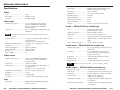
Example
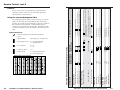
View, information, part number, and firmware requests
F1
F2
1#
2#
Set normal switch mode
Set auto switch mode
(host to switcher)
Front panel mode
Response
(switcher to host)
ASCII Command
Command
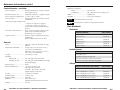
Command/response table for SIS commands (continued)
Additional description
Set switch mode to normal.
Set switch mode to auto (auto-switch).
Windows-Based Program Control
SW VGArs / Ars Series Switchers • Remote Control
2.
Click the Software tab (figure 4-2).
3.
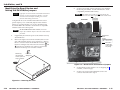
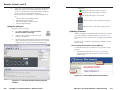
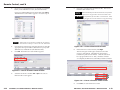
Scroll to the desired program and click Install (figure 4-3).
Figure 4-3 — Software installation
SW VGArs / Ars Series Switchers • Remote Control
4-7