1
EPHD04+ HDcctv DVR
6.9.4
I/O Control
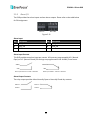
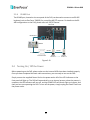
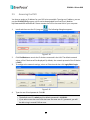
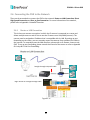
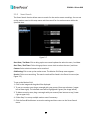
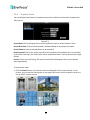
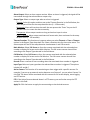
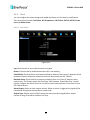
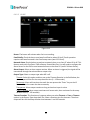
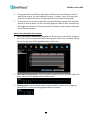
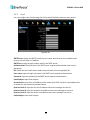
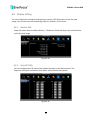
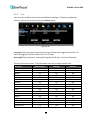
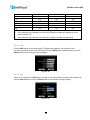
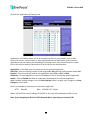
The I/O Control setup menu is used to define the settings for controlling the DVR through RS485 / RS-232 communication protocol and for DVR to control the connected PTZ cameras.
Please note that the RS-232 port on the DVR is currently reserved.
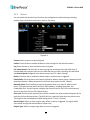
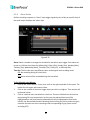
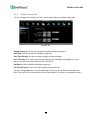
Figure 6-42
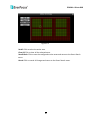
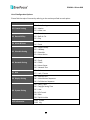
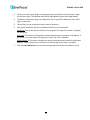
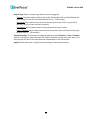
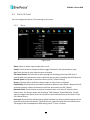
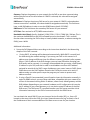
RS-232 (The RS-232 port of the DVR is currently reserved)
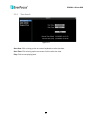
Type: Select Control or Text Insert.
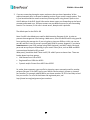
Baud Rate: This field is to set the speed at which is used to transmit instruction or
information through the RS-232 port on the DVR. There are eight different speeds: 1200 BPS,
2400 BPS, 4800 BPS, 9600 BPS, 19200 BPS, 38400 BPS, 57600 BPS and 115200 BPS.
Data Bit: This field is the data bit at which you will be transferring. There are two settings for
this option: 8 or 7.
Stop Bit: This field is to set the stop bit for the RS-232 connection. There are two different
stop bits, 1 or 2.
Parity: This field is to select the parity level at which you will be connected. You can choose
between None, Odd, or Even parity levels.
Note: For details on the RS-232 related settings, please consult the Technical Support
Department of EverFocus.
105