1
Issue
10.03.C
XS Series DISK RECORDER – Version 10.03 - Software Technical Reference
EVS Broadcast Equipment SA – July 2010
SAS Disks
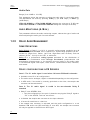
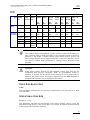
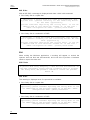
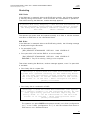
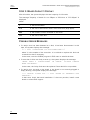
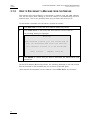
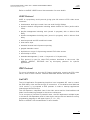
With an XS SAS, a message is displayed each time a disk is disconnected:
• if the faulty disk is a spare disk:
"Warning: a spare disk has been disconnected. The
system will operate normally on the remaining disks.
At the next opportunity
please consider replacing the faulty disk. It can be
identified in the Shift-F5 screen or in the EVS RAID configuration menu. [Enter]=Continue"
• if the faulty disk is contained in a RAID:
"Warning: a disk has been disconnected. The system
will operate normally on the remaining disks. At the
next opportunity
please consider replacing the faulty disk. It can be
identified in the Shift-F5 screen or in the EVS RAID configuration menu. [Enter]=Continue"
Exit
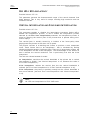
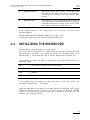
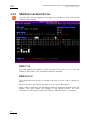
When exiting the Multicam application, a warning will appear to remind the
operator that one disk was disconnected, and invite him to perform a hardware
check to repair the video raid:
SCSI Disks
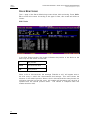
To protect disk array integrity, a disk has been disconnected. At
the next opportunity please perform a hardware check to evaluate
the faulty disk, and perform a rebuild to correct the problem.
Enter: OK
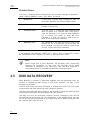
SAS Disks
This warning is displayed even if a spare disk is available:
• if the faulty disk is a spare disk:
"Warning: a spare disk has been disconnected. At the next
opportunity please consider replacing the faulty disk. It can
be identified in the Shift-F5 screen or in the EVS - RAID
configuration menu. [Enter]=Continue"
• if the faulty disk is contained in a RAID:
"Warning: a disk has been disconnected. At the next
opportunity please consider replacing the faulty disk. It can
be identified in the Shift-F5 screen or in the EVS - RAID
configuration menu. [Enter]=Continue"
38























![2.8 conexión de varios servidores xt[2]](http://vs1.manualzilla.com/store/data/006305919_1-9948e093384d4040cdf0f68f445b7f43-150x150.png)



![XL[2] Technical Reference – Hardware](http://vs1.manualzilla.com/store/data/005956150_2-4515f3a1b925b4223206cf04092ab5bd-150x150.png)