1
Adding and replacing memory
11
Overview
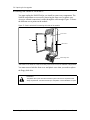
The NAM II is equipped with either 8 MB or 16 MB of EDO Random Access
Memory (RAM). This memory is located in Single In-line Memory Modules
(SIMMs) on the SBC. The first 8MB SIMM is located in memory slot 1. If the
NAM II is equipped with 16 MB of RAM, there will an additional 8 MB SIMM in
memory slot 2. When the NAM II is mounted on a wall, the SIMMs are on the upper
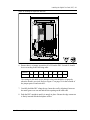
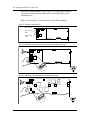
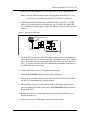
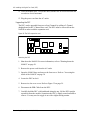
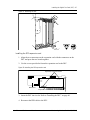
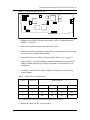
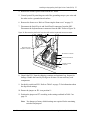
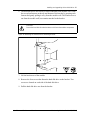
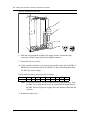
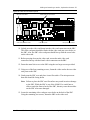
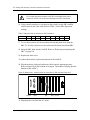
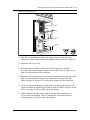
left corner of the SBC. For information about the location of the SIMM slots, refer
to Figure 44 on page 82.
Adding memory
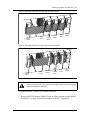
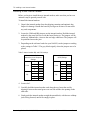
You may want to increase the amount of RAM depending on the applications
running on the NAM II. You can expand the amount of RAM to:
•
16 MB with an extra 8 MB in SIMM slot 2
•
32 MB with 8 MB SIMMs in all four slots
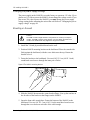
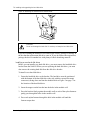
Note: Before you begin installing additional memory SIMMs, make sure you
ground yourself by attaching one end of the grounding strap to your wrist
and the other end to the NAM II.
CAUTION
Do not use an electric screwdriver or any other magnetized tools near the
SIMMs. The SIMMs may be disrupted. Refer to "Special parts and equipment"
on page 17 for equipment recommendations.
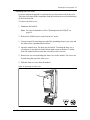
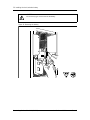
To add memory:
1. Shutdown the module. For more information, refer to "Shutting down the
NAM II" on page 29.
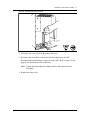
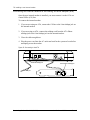
2. Remove the NAM II power cord from the AC outlet.
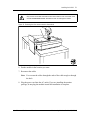
3. Ground yourself by attaching one end of the grounding strap to your wrist and
the other end to a grounded metal surface.
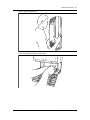
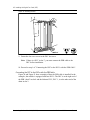
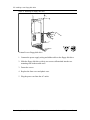
4. Remove the front cover. Refer to "Accessing the inside of the NAM II" on
page 30.
Installation and Maintenance Manual
Norstar Applications Module II (NAM II)
This document was created with FrameBuilder 4.0.4






















![MX2 sync [final].vp](http://vs1.manualzilla.com/store/data/005975841_1-4533d2555e3004ab9339335fb150c7a8-150x150.png)