1
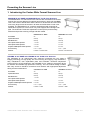
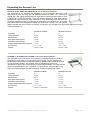
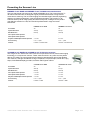
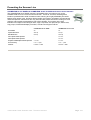
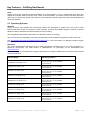
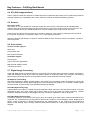
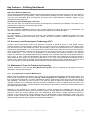
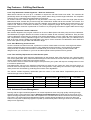
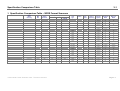
Contex Wide Format Scanner Product Line 2004 Technical Overview Web: http://www.contex.com February 2004 Table of Contents 1. Introducing the Contex Wide Format Scanner Line 1-1 2. Key Features - Fulfilling Real Needs 2.1 Easy installation – The WIDEsystem Tools CD 2.2 Interfaces – FireWire, USB and SCSI 2.2.1 Scanner Model – Interface Table 2.2.2 Interface Types - description 2.3 Operating Systems 2.4 STI (Still Image Interface) 2.5 Sensors 2.6 Scan modes 2.7 Digital Image Processing 2.8 Accuracy Lens Enhancement Technology (ALE) 2.9 Maintenance Tools for Problem-free Scanning 2.9.1 The importance of Scanner Maintenance 2.9.2 Fully Automatic Camera Alignment – Built into the Scanner 2.9.3 Fully Automatic Camera Calibration 2.9.4 Auto Monitoring and Correction 2.9.5 Fast and Easy Replacement of Vital Scanner parts 2.10 Advanced Power Management 2.11 Advanced Diagnostics Reporting 2.12 One Touch Scanning – Scan, Copy, E-mail 2.13 Document feeding mechanism - Care for your original 2.14 Thick originals 2.15 Versatile Scanner Through Software Support 2.16 ContexNET Architecture – Scan Server to Scan Client 2.17 Upgradeable through the Smart Card 2-1 2-1 2-1 2-1 2-1 2-2 2-3 2-3 2-3 2-3 2-4 2-4 2-4 2-5 2-5 2-5 2-5 2-5 2-6 2-6 2-6 2-7 2-7 2-8 2-8 3. Specification Comparison Table – WIDE Format Scanners 3-1 Presenting the Scanner Line 1. Introducing the Contex Wide Format Scanner Line MAGNUM XL 54” BASE and MAGNUM XL 54” PLUS Color Scanners The MAGNUM XL 54” wide format color scanners are the widest of the Contex scanner line and are designed for optimal performance in both color and B&W. This is the scanner without limits and the device for businesses and users who scan many large format documents in all sizes and thicknesses in both color and B/W. The MAGNUM XL 54” scanners are designed with a special AllWheel-Drive system for a firm hold on very wide originals and a straight scan path. The Automatic Thickness Adjustment Control (ATAC) ensures easy, effective and precise scanning of large and thick media. MAGNUM XL 54” BASE MAGNUM XL 54” PLUS Scan Width 54” 54” Optical Resolution 508 dpi 508 dpi Max Resolution 800 dpi 2400 dpi Color Speed at 400 dpi turbo 1.5 “/sec 3.0 “/sec Index Speed at 400 dpi turbo 3.0 “/sec 3.0 “/sec Graytone & B/W Speed at 400 dpi turbo 4.0 “/sec 8.0 “/sec Scan Accuracy 0.1% +- 1pixel 0.1% +-1 pixel Interface FireWire + Ultrafast SCSI FireWire + Ultrafast SCSI CHROMA XL 42” BASE and CHROMA XL 42” PLUS Color Scanners The CHROMA XL 42” wide-format color scanners incorporate the very latest in imaging technology for high-quality full color scanning and copying. High resolutions, easy maintenance, user replaceable parts and Automatic Thickness Adjustment Control (ATAC) are all combined in the CHROMA XL 42” making it the perfect device for effective and reliable high-production scanning. The new scanner design includes also easy access to interface connections and cameras with high-speed adjustment during scanner maintenance. CHROMA XL 42” BASE CHROMA XL 42” PLUS Scan Width 42” 42” Optical Resolution 508 dpi 508 dpi Max Resolution 800 dpi 2400 dpi Color Speed at 400 dpi turbo 1.5 “/sec 3.0 “/sec Index Speed at 400 dpi turbo 3.0 “/sec 3.0 “/sec Graytone and B/W Speed at 400 dpi turbo 5.0 “/sec 10.0 “/sec Scan Accuracy 0.1% +- 1pixel 0.1% +-1 pixel Interface FireWire + USB2 FireWire + USB2 Contex Wide Format Scanners 2004 - Technical Overview Page 1-1 Presenting the Scanner Line CRYSTAL XL 42” BASE and CRYSTAL XL 42” PLUS Color Scanners. The CRYSTAL XL 42” scanners are designed to give professionals the best in high speed monochrome scanning with the additional feature of quality color scanning for special jobs. With highly fast and effective monochrome scanning and the option to scan in perfect color, these devices offer a very cost-effective solution for CAD, AEC and GIS professionals. High resolutions, easy maintenance, user replaceable parts and Automatic Thickness Adjustment Control (ATAC) are all combined in the CRYSTAL XL 42” making it the perfect device for effective and reliable high-production scanning. The new scanner design includes also easy access to interface connections and cameras with high-speed adjustment during scanner maintenance. CRYSTAL XL 42 BASE CRYSTAL XL 42 PLUS Scan Width 42” 42” Optical Resolution 508 dpi 508 dpi Max Resolution 800 dpi 2400 dpi Color Speed at 400 dpi turbo 0.6 “/sec 0.6 “/sec Index Speed at 400 dpi turbo 3.0 “/sec 3.0 “/sec Graytone and B/W Speed at 400 dpi turbo 5.0 “/sec 10.0 “/sec Scan Accuracy 0.1% +- 1pixel 0.1% +-1 pixel Interface FireWire + USB2 FireWire + USB2 COUGAR Tx 36” BASE and COUGAR Tx 36” PLUS Color Scanners The COUGAR Tx 36” wide format color scanners incorporate the latest in imaging technology for high quality full color scanning and copying. The 36" imaging area handles large color posters, architectural sketches, detailed maps, drawings and fine art of E-size/A0 or smaller. This scanner offers a cost-effective solution for reprographics, graphic arts, GIS and CAD professionals worldwide. The COUGAR 36" opens new possibilities for Sign companies, Pre press shops, Pre-press labs, Copy shops, POP/Exhibit/Display providers, Mapping, Architect and Engineer offices. COUGAR Tx 36 BASE COUGAR Tx 36 PLUS Scan Width 36” 36” Optical Resolution 400 dpi 400 dpi Max Resolution 800 dpi 2400 dpi Color Speed at 400 dpi turbo 1.5 “/sec 3.0 “/sec Index Speed at 400 dpi turbo 3.0 “/sec 3.0 “/sec Graytone and B/W Speed at 400 dpi turbo 3.0 “/sec 6.0 “/sec Scan Accuracy 0.1% +- 1pixel 0.1% +-1 pixel Interface FireWire + Ultrafast SCSI FireWire + Ultrafast SCSI Contex Wide Format Scanners 2004 - Technical Overview Page 1-2 Presenting the Scanner Line CHAMELEON Tx 36” BASE and CHAMELEON Tx 36” PLUS Color Scanners The CHAMELEON Tx 36” wide format color scanners, with fast monochrome capabilities, offer top level scanning at a highly affordable price. The 36" imaging area handles large color posters, architectural sketches, detailed maps, drawings and fine art of E-size/A0 or smaller. This scanner offers a cost-effective solution for reprographics, graphic arts, GIS and CAD professionals worldwide and opens new possibilities for even small Sign companies, Pre press shops, Pre-press labs, Copy shops, POP/Exhibit/Display providers, Mapping, Architect and Engineer offices. Scan Width CHAMELEON Tx 36” BASE CHAMELEON Tx 36” PLUS 36” 36” Optical Resolution 400 dpi 400 dpi Max Resolution 800 dpi 2400 dpi Color Speed at 400 dpi turbo 0.3 “/sec 0.3 “/sec Index Speed at 400 dpi turbo 1.5 “/sec 1.5 “/sec Graytone B/W Speed at 400 dpi turbo 3.0 “/sec 6.0 “/sec Scan Accuracy 0.1% +- 1pixel 0.1% +-1 pixel Interface FireWire + Ultrafast SCSI FireWire + Ultrafast SCSI HAWK-EYE Cx 36” BASE and HAWK-EYE Cx 36” PLUS Color Scanners The new HAWK-EYE Cx 36” scanner marks a whole new era in scanning technology. This scanner is the result of innovative and revolutionary design solutions making fast high quality monochrome scanning affordable for a whole new range of users. With the additional feature of color scanning you get a tool that covers many aspects of your scanning needs. This scanner is the perfect solution for CAD and AEC professionals and copy service providers in large and small businesses. The 36" imaging area handles large color posters, architectural sketches, detailed maps, drawings and fine art of E-size/A0 or smaller. Scanner features include user-replaceable parts and automatic scanner maintenance. HAWK-EYE Cx 36” BASE HAWK-EYE Cx 36” PLUS Scan Width 36” 36” Optical Resolution 200 dpi 200 dpi Max Resolution 400 dpi 2400 dpi Color Speed at 400 dpi turbo 0.3 “/sec 3.0 “/sec Index Speed at 400 dpi turbo 1.5 “/sec 3.0 “/sec Graytone and B/W Speed at 400 dpi turbo 10.0 “/sec 10.0 “/sec Scan Accuracy 0.1% +- 1pixel 0.1% +-1 pixel Interface FireWire + USB2 FireWire + USB2 Contex Wide Format Scanners 2004 - Technical Overview Page 1-3 Presenting the Scanner Line PREMIER Tx 36” BASE and PREMIER Tx 36” PLUS Monochrome Scanners This is a wide format monochrome at a highly affordable price. The Contex Premier Tx 36 wide-format scanners are designed to give professionals the best in large format monochrome scanning. The 36" wide imaging area handles large E-size/A0 engineering drawings, architectural sketches, maps, blueprints and sepias. The Premier Tx 36" scanners offer top-level image quality at bottom-level prices, making them the perfect cost-effective solution for CAD, AEC and GIS professionals in large and small businesses. Scan Width PREMIER Tx 36” BASE PREMIER Tx 36” PLUS 36” 36” Optical Resolution 400 dpi 400 dpi Max Resolution 600 dpi 2400 dpi Color Speed at 400 dpi turbo - - Index Speed at 400 dpi turbo - - Graytone and B/W Speed at 400 dpi turbo 4.0 “/sec 8.0 “/sec Scan Accuracy 0.1% +- 1pixel 0.1% +-1 pixel Interface FireWire + Ultrafast SCSI FireWire + Ultrafast SCSI COUGAR Sx 25” BASE and COUGAR Sx 25” PLUS Color Scanners The Cougar Sx 25" wide format color scanners incorporate the best in wide format imaging technology in a compact 25” scanner. These scanners will fit in any office and are perfect devices for creating in-house graphics and impressive presentations right off the desktop. This scanner is the right investment for Sign companies, Pre press shops, Photo labs, copy shops, POP/Exhibit/Display providers, Architect and Engineer offices. COUGAR Sx 25” BASE COUGAR Sx 25” PLUS Scan Width 25” 25” Optical Resolution 424 dpi 424 dpi Max Resolution 800 dpi 2400 dpi Color Speed at 400 dpi turbo 0.5 “/sec 1.5 “/sec Index Speed at 400 dpi turbo 1.5 “/sec 1.5 “/sec Garytone and B/W Speed at 400 dpi turbo 4.0 “/sec 4.0 “/sec Scan Accuracy 0.1% +- 1pixel 0.1% +-1 pixel Interface FireWire + USB2 FireWire + USB2 Contex Wide Format Scanners 2004 - Technical Overview Page 1-4 Presenting the Scanner Line CHAMELEON Sx 25” BASE and CHAMELEON Sx 25” PLUS Monochrome or Color Scanners The CHAMELEON Sx 25” BASE scanner is upgradable from monochrome-only to the CHAMELEON Sx 25 PLUS monochrome and color. These 25” scanners are designed to introduce professionals to wide format document scanning at a highly affordable price while keeping their options open, because, like the reptile, this scanner can adapt if the need arises. These compact 25” scanners will fit in any office and are perfect devices for creating in-house graphics and impressive presentations right off the desktop. This scanner is the right investment for Graphics and designer firms, Sign Companies, Pre-press shops, Photo Labs, Copy shops, POP/Exhibit/Display Providers, Architect and Engineer offices. CHAMELEON Sx 25” BASE CHAMELEON Sx 25” PLUS Scan Width 25” 25” Optical Resolution 424 dpi 424 dpi Max Resolution 800 dpi 2400 dpi Color Speed at 400 dpi turbo - 0.3 “/sec Index Speed at 400 dpi turbo - 0.8 “/sec Graytone and B/W Speed at 400 dpi turbo 4.0 “/sec 4.0 “/sec Scan Accuracy 0.1% +- 1pixel 0.1% +-1 pixel Interface FireWire + USB2 FireWire + USB2 Contex Wide Format Scanners 2004 - Technical Overview Page 1-5 Key Features – Fulfilling Real Needs 2. Key Features - Fulfilling Real Needs 2.1 Easy installation – The WIDEsystem Tools CD The WIDEsystem Tools CD-ROM is supplied with each new scanner. The CD contains all users need to get the scanner up and running plus the utilities for maintenance. As a minimum, the WIDEsystem Tools CD-ROM will contain: • The scanner drivers (in WIDEsystem) • Scanner Maintenance software • Scanner Operators Guide • Scanner Maintenance Instructions 2.2 Interfaces – FireWire, USB and SCSI 2.2.1 Scanner Model – Interface Table The table below shows the interface types supported on each scanner model. Scanner Model Interface Type(s) CHAMELEON 25” BASE, PLUS COUGAR 25” BASE, PLUS PREMIER Tx 36” BASE, PLUS HAWK-EYE Cx 36” BASE, PLUS CHAMELEON Tx 36” BASE, PLUS COUGAR 36” Tx BASE, PLUS CRYSTAL XL 42” BASE, PLUS CHROMA XL 42” BASE, PLUS MAGNUM XL 54” BASE, PLUS FireWire + USB2 FireWire + USB2 FireWire + SCSI FireWire + USB2 FireWire + SCSI FireWire + SCSI FireWire + USB2 FireWire + USB2 FireWire + SCSI The Interface types and their advantages are described in the following section. 2.2.2 Interface Types - description FireWire Major manufacturers of multimedia devices have been adopting the FireWire technology, and for good reason. FireWire speeds up the movement of multimedia data and large files and enables easy connection of digital consumer products directly to a personal computer. FireWire can accommodate 400 megabits (around 50 megabytes) per second, which is more than adequate for high volume scanning of large formats. FireWire is a plug-and-play (PnP) specification. FireWire usage requires a FireWire Card and Port installed on the computer. FireWire support is rapidly becoming a standard installation on new PC’s. With FireWire enabled on the PC, Windows will detect the new device after which it will guide you through installation of the driver supplied with your scanner. A FireWire card is supplied with the scanner. USB 2.0 USB is a connectivity specification that allows computer peripherals to be attached to a computer and eliminates the need to open the computer and install cards into dedicated slots. USB is a plug-n-play (PnP) specification that does not require configuration of switches or jumpers as with SCSI. USB, is supported on Windows 2000 and Windows XP and later versions. USB has become a standard and most PC’s and laptops come equipped with a USB port. The USB 2.0 supports a data transfer speed of 480 megabits making it one of the industry’s most effective interface options. Older computers with USB 1.1 ports will function with a the USB 2.0 (scanner) device but at the USB 1.1 (slower) speeds. Contex Wide Format Scanners 2004 - Technical Overview Page 2-1 Key Features – Fulfilling Real Needs SCSI Setting up the SCSI connection requires installation of an SCSI board in your PC, installing the SCSI driver and setting the scanners SCSI connection ports. SCSI is recommended if you cannot use the FireWire connection option yet you require high speed color scanning. SCSI interface scanners support the Ultra SCSI (8-bit Narrow) SCSI type interface. 2.3 Operating Systems Windows Contex scanners and software are continuously tested and developed to support the most current active Microsoft Windows version OS systems. Contex scanners, interface and software support in relation to specific Windows versions will follow the Microsoft Support Lifecycle Policy. The compatibility specifications listed below can therefore change accordingly. The most current OS compatibility and support specifications will be updated and posted on www.contex.com See http://support.microsoft.com/default.aspx?pr=lifecycle for current information on Windows systems support from Microsoft. Macintosh The Contex WIDEcapture scanning plug-in for Adobe Photoshop, enables users to run Contex scanners in a Macintosh environment. The latest version of WIDEcapture for Photoshop can be downloaded from www.contex.com. The most current OS compatibility and support specifications in relation to Macintosh OS versions will be posted on www.contex.com Scanner Model CHAMELEON Sx 25” BASE, PLUS Operating systems Windows 2000, XP with USB2 Windows ME, 2000, XP with FireWire Power Macintosh COUGAR Sx 25” BASE, PLUS Windows 2000, XP with USB2 Windows ME, 2000, XP with FireWire Power Macintosh PREMIER Tx 36” BASE, PLUS Windows 98, 98SE, ME, 2000, XP with SCSI Windows ME, 2000, XP with FireWire Power Macintosh HAWK-EYE Cx 36” BASE, PLUS Windows 2000, XP with USB2 Windows ME, 2000, XP with FireWire Power Macintosh CHAMELEON Tx 36” BASE, PLUS Windows 98, 98SE, ME, 2000, XP with SCSI Windows ME, 2000, XP with FireWire Power Macintosh COUGAR 36” Tx BASE, PLUS Windows 98, 98SE, ME, 2000, XP with SCSI Windows ME, 2000, XP with FireWire Power Macintosh CRYSTAL XL 42” BASE, PLUS Windows 2000, XP with USB2 Windows ME, 2000, XP with FireWire Power Macintosh CHROMA XL 42” BASE, PLUS Windows 2000, XP with USB2 Windows ME, 2000, XP with FireWire Power Macintosh MAGNUM XL 54” BASE, PLUS Windows 98, 98SE, ME, 2000, XP with SCSI Windows ME, 2000, XP with FireWire Power Macintosh Contex Wide Format Scanners 2004 - Technical Overview Page 2-2 Key Features – Fulfilling Real Needs 2.4 STI (Still Image Interface) Contex scanners retain their position as reliable long-term investments with support for STI (Still Image Interface) ensuring problem-free compatibility with current and future versions of Windows operating systems. 2.5 Sensors Four-linear CCD’s The Contex XL, Tx and HAWK-EYE scanners support four-linear CCD’s, with three lines for standard RGB scanning and a special panchromatic line that ensures that no colors are lost when scanning monochrome. The Contex COUGAR Sx 25” and CHAMELEON Sx 25” scanner models use a singe tri-linear color CCD. Contex scanners capture colors at either 48 or 42 bits for maximum color precision, passing the best 24 bits to the computer. Graytones are captured at either 16 or 14 bits passing the best 8. See this overviews Specification Comparison Table for details on each scanner’s sensors, bit capture, number of CCDs and pixels. 2.6 Scan modes All Color models support: 24-bit color 8 bit indexed color 8 bit Feature Extraction All models support: 8-bit graytone Copy modes with grayshades B/W Dual 2D-Adaptive mode 1 bit black-and-white 2.7 Digital Image Processing Advanced digital image processing features in the scanner ensures high capture precision of details, small type in maps and drawings, as well as the clear and reliable capture of continuous subtle color changes. The following Digital Image Processing features are supported on all the Contex wide format scanner models: 2D Adaptive Thresholding The threshold adapts to darker or lighter areas in the original. This processing method is suitable for scanning all kinds of line drawings including difficult blueprints, brown transparencies (sepias), etc. A stained or faded original can be renewed, as good sections are retained and bad ones clarified. Dual 2D-Adaptive Gray Copy A special B/W copy mode for creating clear and enhanced printed output from old and faded originals. The Dual 2D-Adaptive Gray copy mode sends 8-bit graytone data to the ink-jet printer for further processing. Optimal results are obtained by taking full advantage of the high resolutions supported on the ink-jet printer. Dual 2D-Adaptive Enhancement Processing modes for monochrome scanning in which an original type’s best built-in enhancement features are combined. The combinations are incorporated in special copy modes for normal drawings, sepias, blueprints and photos. Image processing is applied simultaneously but independently on the foreground and background aspects of the drawing. This is a highly effective enhancement feature for creating high quality printouts of old originals. Contex Wide Format Scanners 2004 - Technical Overview Page 2-3 Key Features – Fulfilling Real Needs ADL+ Error Diffusion Halftoning The hardware-embedded Digital Image Processing (DIP) performs fast image enhancement in real time. With the unique Area Diffusion Logic processing - ADL+ Error Diffusion halftoning, Contex scanners can scan and print even the most demanding B/W and graytone documents with subtle differences between shades of gray maintained in the printed copy. 2D -Sharpening and Softening/2D - Blur filter Active for both color and monochrome scanning. 2D-Sharpening, 2D-Softening and 2D-Blur color filters can be activated and combined for enhancing image quality. Color feature extraction For color scanning. Embedded on-the-fly color feature extraction provides fast and easy classification and reduction of scanned colors to match those containing information in the scanned original. Color Adjustment For color scanning - Users have full control over color parameters including independent RGB tone curves (Gamma), independent black-and-white point setting, 3x3 matrix multiplier, contrast, brightness, and tonal adjustment. 2.8 Accuracy Lens Enhancement Technology (ALE) Accuracy Lens Enhancement (ALE) is an electronic correction of spherical errors in CCD based camerascanning systems. Pixels across the image range of a camera can be more elliptical at the outer edges of the lens and more round in the middle of the lens. This anomaly is known as a spherical lens error. Most scanner manufactures typically state a +-0.1% accuracy of the scanner between two end-points of the scan line. However, when measuring between two points that do not fall across the entire scan line it is not unusual to see variation much higher than +- 0.1%. This is not acceptable in an environment that requires precision in its scanned images. For example, GIS professionals will require stability in the scanned image with a well-defined maximum error of 0.1% or less. Contex has developed a process to electronically correct spherical errors and maintain a stable maximum error across any two points of less than 0.1% ± 1 pixel. This technology enhancement is one of Contex’ many patents used to develop world-class scanners that meet the harsh demands for accuracy in the GIS community and in other specialized vertical markets involved in Quality Assurance and Verification. 2.9 Maintenance Tools for Problem-free Scanning Scanner maintenance uses the 3C Auto-Maintenance System, which is basically an automatic process as described in the next three sections. 2.9.1 The importance of Scanner Maintenance Regular scanner maintenance ensures your scanner and its cameras always deliver optimal image quality. The three routine maintenance procedures cleaning, camera alignment and calibration are closely entwined and they should all be performed in a single maintenance session, starting with cleaning the scan area and ending with calibration. The reason for this is simple. If you clean the glass or adjust the cameras then you will have changed conditions in the scanning area and will need to calibrate in order to readjust black and white. This works the other way as well – scanner calibration must always be preceded by cleaning and camera alignment to get reliable calibration results. Because of the importance of scanner maintenance, Contex scanners are designed with easy to use maintenance procedures implemented in the scanner system. Camera alignment and calibration is an automatic process in which the scanner adjusts itself. The maintenance tools include a single maintenance sheet for inserting in the scanner and a special cleaning cloth. The WIDEsystem Tools CD-ROM that comes with every scanner, contains software with wizard directed routines that check the scanner and guides users through the steps for perfect scanner camera alignment, stitching and calibration. Contex Wide Format Scanners 2004 - Technical Overview Page 2-4 Key Features – Fulfilling Real Needs 2.9.2 Fully Automatic Camera Alignment – Built into the Scanner Wide format scanners can use up to 4 cameras to capture the full wide format scan width. The cameras will periodically need to be realigned to always ensure perfect seams along camera range borderlines. On competitor scanners, this is a manual process performed by technicians. On Contex scanners, Camera Alignment is fully automatic. Users only need to insert the single pass Scanner Maintenance sheet, activate the process through the maintenance wizard and let the rest take care of itself. The Scanner Maintenance software and the scanner hardware work together to evaluate camera alignment on your scanner and make the corrections necessary for perfect alignment (height and stitching) on your cameras. Camera alignment correction is performed to a fraction of a pixel giving the market’s highest wide format image precision. 2.9.3 Fully Automatic Camera Calibration After Camera alignment, the program continues on its own to Basic (black and white point) and Color Calibration. The Maintenance program detects the scanner model and makes all the necessary calculations. Easy and fast scanner calibration means that your scanner never suffers degradation, as is the case with other scanner devices with complicated or missing calibration support. The scanner’s Precision Color system lets you calibrate on the field at any time ensuring stabile and predictable color output. Contex scanners are calibrated to both sRGB and NTSC color spaces using an ANSI IT8 calibration target. 2.9.4 Auto Monitoring and Correction Once the scanner has been fine-tuned, it performs a number of basic tasks on its own, removing those tedious chores required with other scanner systems. Using patented Contex technology, camera stitching and blackwhite-points are constantly monitored and corrected while your scanner is running. Contex scanners are designed to let you concentrate on your work and take optimal scanner performance for granted. 2.9.5 Fast and Easy Replacement of Vital Scanner parts Now users can perform quick and easy replacement of vital scanner parts. After long-term use, renewing parts such as the glass plate, lamp, filters and white background will refresh the scanner and ensure optimal scanning results. Replacement of vital parts is a tool-free process. Your scanner’s driver monitors the life-length of vital parts and your system will output a message when it’s time to consider a replacement. Part-replacement was once an expensive technician-only task but now users can save time and money on technical service and keep their business up and running without costly delays.The scanner’s open design lets users protect their investment by protecting their scanner from degradation. The scanner models supporting replaceable parts are shown in the table below. Replaceable parts can be ordered through scanner distributors. Scanner Model HAWK-EYE Cx 36” BASE, PLUS CRYSTAL XL 42” BASE, PLUS CHROMA XL 42” BASE, PLUS MAGNUM XL 54” BASE, PLUS Glass-Plate Color-matched fluorescent lamps White Background Dust Filters ! ! ! ! ! ! ! ! ! ! ! ! 2.10 Advanced Power Management Running with the right internal temperature is of utmost importance when doing high quality scanning through sensitive CCDs. Contex scanners support Advance Power Management that rapidly brings the scanner to its optimal working temperature, after which the temperature is monitored and held at a minimum level ensuring low CCD noise. The Advanced Power Management system contains advanced features so users can leave the scanner in low-power mode and program it to power up automatically before arriving at work so the scanner is ready to scan right away. Contex Wide Format Scanners 2004 - Technical Overview Page 2-5 Key Features – Fulfilling Real Needs 2.11 Advanced Diagnostics Reporting The Contex Chroma XL 42” and Crystal XL 42” scanners contain a range of special sensors for advanced diagnostics control giving users even more accurate information on scanner trouble-shooting. Among other important items, these scanners will immediately report lamp failure, lamp sensor failure and fan failure. 2.12 One Touch Scanning – Scan, Copy, E-mail Contex scanners incorporate an operator’s panel with convenient action buttons. Each button immediately activates a scan and opens the scanned image in an appropriate application as described below: Email Application This button can activate WIDEmail, a convenient application for sending scanned images via E-mail. When you press the Email Application button, you trigger a scan of the document currently loaded in the scanner and the result is then compressed into a JPEG file for effective transmission. On your PC, a window pops up with an email item and your scanned image attached. You just fill in the email address and click the send button. Scan Application This button can activate the WIDEimage scanning application if it is installed on your PC. When you press the Scan Application button, you trigger a scan of the document currently loaded in the scanner and the result is then loaded into the WIDEimage viewer for further processing and saving. Copy Application This button can activate the JETimage copy application if it is installed on your PC. When you press the Copy Application button, you trigger a preview scan of the document currently loaded in the scanner and the result is then loaded into the JETimage viewer for further processing. The action button behavior is set up per default upon installation of WIDEsystem scanner drivers. The action buttons can be reprogrammed to carry out other functions. This procedure is described in the WIDEsystem documentation that is included with the program. 2.13 Document feeding mechanism - Care for your original The Contex feeding systems are designed to ensure the highest standards for scanners that care for your original and for your scan results. All-Wheel-Drive technology with precision rollers ensures a perfectly straight scanning path without using unnecessary force so you avoid both image distortion and damage to your customer’s fragile originals. The axels are designed with synchronized roller movement to ensure a straight and stable scan path. Broad soft rollers ensure a firm grip on even very large originals. Contex Wide Format Scanners 2004 - Technical Overview Page 2-6 Key Features – Fulfilling Real Needs The feeding systems on the Sx, Tx and XL scanners use dual shared axels and contour adjustment so both paper thin and thick, stiff originals feed smoothly on a straight path. Suspension components apply pressure evenly across the whole width of the document for an optimal yet gentle hold. On the Cx scanners, gentle-feed control lets you protect very fragile documents. Just raise the lid and watch the rollers lift, opening the drive pinch. Position your fragile document, close the lid, and now the document is safely engaged in the drive system. 2.14 Thick originals With Contex scanners, users do not have to limit themselves to working with paper-thin and flexible originals. In many cases, graphics and drawings are mounted on stiff and thick media that cannot be inserted into normal scanners. The HAWK-EYE Cx 36” scanner models have an adjustable insertion slot for scanning thick originals and can scan documents of up to 0.47-inch (12mm.) thick. All other scanner models also have an adjustable insertion slot for scanning thick originals and can scan documents of up to 0.6-inch (15mm.) thick. This means users can extend there scanning possibilities to include posters and maps mounted on foamboards, gatorboards and other stiff/thick media. Scanning thick media is very easy on the XL 42” and 54” scanner models. Automatic Thickness Adjustment Control (ATAC), lets you use an operator panel button to raise and then sink the guide plate that automatically stops at the optimal height position and grip on the media. Sensors inside the scanner detect when the rollers are applying the right pressure and automatically stop the plate at that point. With ATAC technology, you are always ensured a perfect and even grip on any kind of original placed in the scanner. 2.15 Versatile Scanner Through Software Support Contex scanners are compatible with the market’s best software packages. A very wide variety of third party software applications will run with Contex scanners and take advantage of the advanced built-in processing features. Some of the world’s finest CAD, GIS, Archive and RIP applications are used with Contex Scanners all over the world. See the Contex website third party software area at http://www.contex.com/thirdpartysw/ for information on specific applications. Contex also makes its own software applications and for many users, these applications represent perfect solutions. For example, JETimage still astounds the market with extremely good color results through a very simple and straightforward interface. Here is a list of the Contex applications. Detailed descriptions of the programs follow in this overview. • WIDEimageNET – Sophisticated scanning software for CAD, GIS and Reprographics. Lets users select from over 50 different image-file formats for the scanned image. Includes scan-to-PDF with option for quality settings. Many special scan modes with optimal image processing for any original type. After setup with WIDEsystemNET (see below) it functions on the Scan Server machine and you can scan-to-file to any scan client (set up with WIDEsystemNET client-module). • JETimageNET – Copy software for color and monochrome copying. Supports color matching to printer and print media. Includes templates for typical original types and color matching profiles for the most common printers. Gives very high quality color copy results. Includes also advanced cleanup/enhancement modes for monochrome copying. Supports scan-to-print, scan-to-file and (batch) print-from-file. After setup with WIDEsystemNET (see below) it functions on the Scan Server machine and you can scan-to-file to any scan client (set up with WIDEsystemNET client-module). • WIDEcapture for Photohop – Scanning plug-in that works with Photoshop on WINDOWS and Macintosh Operating systems. Scans large format images directly into the Photoshop user interface. • WIDEcapture for AutoCAD – Scan plug-in that works with AutoCAD giving AutoCAD users a wideformat-scanning interface with all the features supported in the WIDEimage Scan Screen. This handy software brings the scanned image directly into the AutoCAD workspace, saving the time and trouble it costs to load the image from a file. Contex Wide Format Scanners 2004 - Technical Overview Page 2-7 Key Features – Fulfilling Real Needs • WIDEmail – This is a convenient application for sending large format scanned images via E-mail. The program can be activated from the scanner panel or from the computer screen. With WIDEmail you trigger a scan of the document currently loaded in the scanner and the result is then compressed into a JPEG file for effective email transmission. A window pops up with an email item and your scanned image attached. • Scanner Maintenance – A software tool designed to make scanner maintenance an easy and automatic process. Quality scans and copies are only created on a clean and calibrated scanner. Regular maintenance should be a habit and the Scanner Maintenance software is supplied with every new scanner to help it become one. • WIDEsystemNET – A program designed to integrate the wide format scanner with the overall system. It contains the actual drivers that bring the scanner together with Windows. In addition, WIDEsystemNET contains a scanner control interface that lets users monitor functions on the wide format-scanning device directly from the Windows interface system tray. WIDEsystemNET sets up the scan-to-net feature on the scan server and the scan clients. Install the WIDEsystemNET scan client-module on any computer through out the network to allow interoperability between the Contex scan client and any Contex scan server. 2.16 ContexNET Architecture – Scan Server to Scan Client ContexNET Archicture provides interoperability between all Contex scanners and scanner clients in a local LAN environment as well as external throughout the internet. Clients throughout the local LAN environment as well as the Internet can store scanned files from a single scan server regardless of where they are located on the Internet or local LAN. The server-client setup is controlled through Contex software. After setup, each scan client can announce it’s participation by connecting to available scan servers on the local LAN or internet. The client then sets up a client target folder for the scan server's data delivery. Scanning to the setup client can then take place from Contex scan and copy software, which thereby functions as the Scan Server. The operator on the server side simply selects Scan to NET and a target client from a list of clients setup with a connection to the scan server. Benefits of the ContexNET strategy • Allows scanning to the client in one coherent process instead of the usual two-step process of first scanning to a local file and then transferring it to the client file system. • A client does not need to expose or share his local hard disk with everybody on the network as in a traditional file sharing system. Instead the client can rely on the scan server to authorize the transfer to the client directly and make the process a one-step procedure. • Scan to Net functionality can all be activated directly from the scanner's one-touch buttons. • ContexNET client/server technology allows a much stricter access control to the Client resources as compared to the traditional file system access across a network. • For example, a scan provider could be contracted to digitize documents of a company's total drawing archive. The provider (Scan Server) can then scan all he documents directly to the client file server allowing immediate feedback from the client and preventing digital distribution of confidential documents outside the client company. 2.17 Upgradeable through the Smart Card A Contex scanner BASE model can be upgraded to its related PLUS model. After upgrading, users immediately gain the higher speeds and maximum resolutions of the high-end model. Upgrading from low-end to high-end models is facilitated though an Upgrade Kit that contains an upgrade smart card. Upgrade Kits are available from local Contex scanner dealers. Making the Contex scanners upgradeable gives users the option to purchase a scanner on the low price end and if necessary, they can get features they may find they are missing at a later stage without suffering the heavy cost of a whole new scanner. With upgradeable scanners, small businesses get a chance to enjoy wide format document scanning at a low budget risk. The upgrade kits allow users to let the scanner grow with their business. Contex Wide Format Scanners 2004 - Technical Overview Page 2-8 Specification Comparison Table 3-1 3. Specification Comparison Table – WIDE Format Scanners Speed 400dpi Turbo Color/ Mono Scanning Max Res Optical Resolution Color Index Graytone and B/W CHAMELEON Sx 25” BASE Mono 800 424 - - CHAMELEON Sx 25” PLUS Color+mono 2400 424 0.3”/s COUGAR 25” Sx BASE Color+mono 800 424 COUGAR 25” Sx PLUS Color+mono 2400 PREMIER Tx 36” BASE Mono PREMIER Tx 36” PLUS Mono CCD Type CCD(s) CCD Pixels Capture Color/Gray 4.0”/s Tri-linear color 1 10680 48/16 bits 0.8”/s 4.0”/s Tri-linear color 1 10680 48/16 bits 0.5”/s 1.5”/s 4.0”/s Tri-linear color 1 10680 48/16 bits 424 1.5”/s 1.5”/s 4.0”/s Tri-linear color 1 10680 48/16 bits 600 400 - - 4.0”/s 2 15000 42/14 bits 2400 400 - - 8.0”/s 2 15000 42/14 bits 2 15000 42/14 bits Interface Options Max Media Width Max Scan Width USB 2.0 FireWire USB 2.0 FireWire USB 2.0 FireWire USB 2.0 FireWire 28” (711mm) 28” (711mm) 28” (711mm) 28” (711mm) 25” (635mm) FireWire SCSI20 FireWire SCSI20 FireWire SCSI20 FireWire SCSI20 FireWire SCSI20 FireWire SCSI20 USB 2.0 FireWire USB 2.0 FireWire 43” (1092mm) 43” (1092mm) 43” (1092mm) 43” (1092mm) 43” (1092mm) 43” (1092mm) 44” (1118mm) 44” (1118mm) 36” (914mm) 36” (914mm) 36” (914mm) 36” (914mm) 36” (914mm) 36” (914mm) 36” (914mm) 36” (914mm) USB 2.0 FireWire USB 2.0 FireWire USB 2.0 FireWire USB 2.0 FireWire 44” (1118mm) 44” (1118mm) 44” (1118mm) 44” (1118mm) 42” (1067mm) 42” (1067mm) 42” (1067mm) 42” (1067mm) FireWire SCSI20 FireWire SCSI20 56” (1420mm) 56” (1420mm) 54” (1372mm) 54” (1372mm) 25” 25” (635mm) 25” (635mm) 25” (635mm) 36” CHAMELEON Tx 36” BASE Color+mono 800 400 0.3”/s 1.5”/s CHAMELEON Tx 36” PLUS Color+mono 2400 400 0.3”/s 1.5”/s 6.0”/s COUGAR Tx 36” BASE Color+mono 800 400 1.5”/s 3.0”/s 3.0”/s COUGAR Tx 36” PLUS Color+mono 2400 400 3.0”/s 3.0”/s 6.0”/s HAWK-EYE Cx 36” BASE Color+mono 400 200 0.3”/s 1.5”/s 10.0”/s HAWK-EYE Cx 36” PLUS Color+mono 2400 200 3.0”/s 3.0”/s 10.0”/s CHROMA XL 42” BASE Color+mono 800 508 1.5”/s 3.0”/s 5.0”/s CHROMA XL 42” PLUS Color+mono 2400 508 3.0”/s 3.0”/s 10.0”/s CRYSTAL XL 42” BASE Color+mono 800 508 0.6”/s 3.0”/s 5.0”/s CRYSTAL XL 42” PLUS Color+mono 2400 508 0.6”/s 3.0”/s 10.0”/s MAGNUM XL 54” BASE Color+mono 800 508 1.5”/s 3.0”/s 4.0”/s MAGNUM XL 54” PLUS Color+mono 2400 508 3.0”/s 3.0”/s 8.0”/s 3.0”/s 4-linear 4-linear 4-linear color+BW 4-linear color+BW 4-linear color+BW 4-linear color+BW 4-linear color+BW 4-linear color+BW 2 15000 42/14 bits 2 15000 42/14 bits 2 15000 42/14 bits 1 7500 48/16 bits 1 7500 48/16 bits 3 22500 48/16 bits 3 22500 48/16 bits 3 22500 48/16 bits 3 22500 48/16 bits 4 30000 42/14 bits 4 30000 42/14 bits 42” 4-linear color+BW 4-linear color+BW 4-linear color+BW 4-linear color+BW 54” Contex Wide Format Scanners 2004 - Technical Overview 4-linear color+BW 4-linear color+BW Page 3-1