1
Getting Started new.book Page 12 Monday, August 27, 2001 1:49 PM
Internet Access
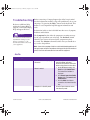
Symptom
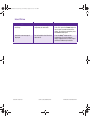
Cannot connect to the Internet.
Problem
Solution
Internet Service Provider (ISP)
account is not set up properly.
Verify Internet settings or contact
your ISP for assistance.
Modem is not set up properly.
Reconnect the modem, verifying the
following connections: telephone line
to telephone (for external phone sets)
and telephone line to wall jack (from
computer to wall).
Web browser is not set up
properly.
Verify that the Web browser is
installed and set up to work with your
ISP.
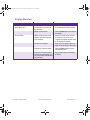
Cannot automatically launch
Internet programs.
You must log in to your ISP before
some programs will start.
Log in to your ISP and launch the
desired program.
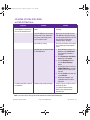
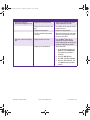
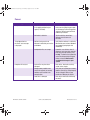
Internet takes too long to
download Web sites.
Modem is not set up properly.
Verify that the correct modem speed
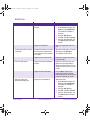
and COM port are selected:
1. Click Start then click Control
Panel. The Control Panel window
is displayed.
2. Click Printers and Other
Hardware.
3. Under the Control Panel icons,
click Phone and Modem
Options.
4. Select the Modems tab then
click the Properties button.
5. Under Device status, verify the
modem is working properly.
6. Under Device usage, verify the
modem is enabled.
7. If there are further problems,
click the Troubleshoot button
and follow the on-screen
instructions.
6-12 HELP & SUPPORT
COMPAQ.COM/CONSUMERSUPPORT
MY PRESARIO—GETTING STARTED