1
MAINTENANCE & SERVICE GUIDE
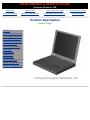
PROSIGNIA NOTEBOOK 170
INDEX PAGE
LEGAL NOTICE
HOW TO USE THIS GUIDE
PRODUCT DESCRIPTION
TROUBLESHOOTING
REMOVAL & REPLACEMENT
ILLUSTRATED PARTS CATALOG
SPECIFICATIONS
Removal & Replacement
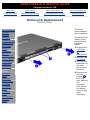
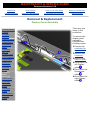
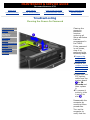
Preparing the Computer for Disassembly
Before beginning removal and replacement procedures, complete the following
procedures:
●
Disconnect AC power and any external devices.
●
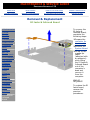
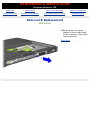
Remove the battery pack.
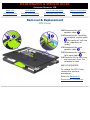
Remove any PC Cards.
●
Preventing Damage to Removable Drives
Removable drives are fragile components that must be handled with care. To prevent damage to
the computer or a removable drive, or loss of information, observe these precautions:
● Before removing or inserting a hard drive, shut down the computer. If you are unsure
whether the computer is off or in Hibernation, turn the computer on, then shut it down.
●
Before removing a diskette drive, CD-ROM drive, SuperDisk LS-120 drive, or a DVD-ROM
drive, ensure that a diskette or disc is not in the drive. Ensure that the drive tray is closed.
Before handling a drive, ensure that you are discharged of static electricity. While handling
a drive, avoid touching the connector.
●
Handle drives on surfaces that have at least one inch of shock-proof foam.
Avoid dropping drives from any height onto any surface.
Do not use excessive force when inserting a drive into a drive bay.
Avoid exposing a hard drive to products that have magnetic fields such as monitors or
speakers.
●
●
●
●
●
Avoid exposing a drive to temperature extremes or to liquids.
If a drive must be mailed, ship it in a suitable form of protective packaging. Shipping the
drive in standard packaging may not cushion it from destructive shock, vibration,
temperature, or humidity. Place a mailing label with the wording "Fragile: Handle With
Care" on the mailer.
●
After the hard drive has been removed from the computer, avoid turning the hard drive
and tray upside down. The drive is not secured to the tray and can fall out.
●
Do not place labels on the ventilation area on the hard drive.
Heed the labels on the hard drive.
●
IMPORTANT:
The battery pack should be removed before performing any internal maintenance
on the computer.