1
QuickSpecs
HP MultiSeat Computing Solution
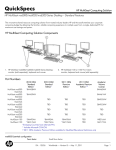
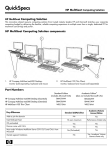
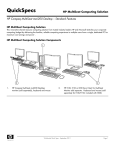
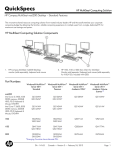
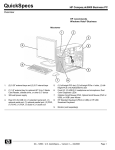
HP MultiSeat t100 and t150 Thin Client – Standard Features
2.
3.
4.
Power LED
Audio connector (headphone out)
Audio connector (mic in)
2.
3.
4.
5.
6.
PS/2 connectors
USB 2.0 connectors
5.
Software Licensing
Power
Power supply
Power output (max)
LED
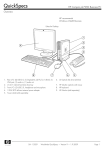
DC power connector
VGA display connector
USB PC power connector to host PC (USB Type A/B cable
included)
Security clip slot
Microsoft Client Access License (CAL)
t100
No external power supply
2.5W max
t150
Optional external power supply*
2.5W max with no external power supply
7.5W max with external power supply
One blue LED to indicate power is on
One blue LED to indicate power is on
*External power supply required when using highpowered USB devices
Input/output connectors
USB input
t100
1 USB in (Type B) to connect to host PC
Keyboard
Mouse
Video
Audio output
Audio input
PS/2
PS/2
VGA-type video output (DB-15)
1/8-inch mini-jack, stereo
1/8-inch microphone mini-jack, stereo
t150
1 USB in (Type B) to connect to host PC
2 USB 2.0*
PS/2
PS/2
VGA-type video output (DB-15)
1/8-inch mini-jack, stereo
1/8-inch microphone mini-jack, stereo
*Data on USB devices is accessible by all users of
the shared host system when using Windows
MultiPoint Server 2010. For a list of supported USB
devices, see http://technet.microsoft.com/enus/library/wms-2010-usb-devices.aspx
Maximum recommended 1280x1024 (standard screen)
video resolution
1440x900 (widescreen)
32 bit
Maximum video
resolution
VGA is physically limited up to 1680x1050@60Hz (widescreen), 32bits or 1600x1200 (standard
screen), 32bits
Hardware Security
Security lock slot (Kensington cable lock sold separately)
DA - 13526
Worldwide — Version 7 — February 2, 2011
Page 18