1
46
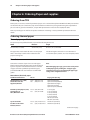
Chapter 6: Ordering Paper and Supplies
Check specifications
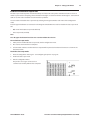
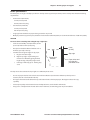
Check specifications for paper are defined by American Standards ANSI X9.13 and ANSI X9.18, and International
Standard ISO 1004.
•
Minimum check size: 70 mm (2.75 inch) wide x 152 mm (6 inch) long
•
Maximum check size: 95 mm (3.75 inch) wide x 222 mm (8.75 inch) long
MICR reader – additional information
•
For best results the check should be flat and free of curls, folds, or wrinkles (especially at the edges). Wrinkled
checks may rub against the ribbon causing them to get ink stains.
•
Checks not have paperclips or staples. Paper jams, MICR read errors, and damage to the MICR head can occur.
•
Immediately release the check once the printer starts to feed it. Failure to release the check could skew it, causing
paper jams and MICR read errors.
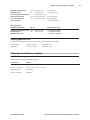
Ordering ribbon cassettes
To order ribbon cassettes, contact your sales representative or order from TPG at the following address or toll free
number:
TPG Inc.
5893 Oberlin Dr., Suite 103
San Diego, CA 92121
Call toll-free: (800) 548–7862 x5040
CAUTION
Use of other than an approved TPG ribbon cassette can void all warranties and cause damage from jamming and
other ribbon problems.
Stock numbers: A152–0041 (purple long life ribbon cassette—5 million character life) – Qty. 12
A152–0042 (black long life ribbon cassette—5 million character life) – Qty. 12
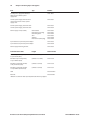
Documentation and LogoEZ® utility
Contact a sales representative to order the following:
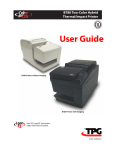
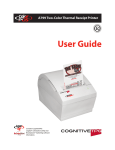
A776 User Guide*
A776–UG00001
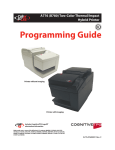
A776/B780 Programming Guide*
A776–PG00001
A776/B780 Service Guide (TPG certified service technicians only)
A776–SERV001
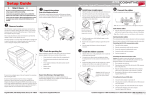
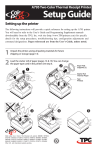
A776 Setup Guide*
A776–SUG0001
TPG LogoEZ colorization utility
®
* Downloadable from the TPG Web site www.tpgprinters.com (documentation provided in pdf format)
A776 Two-Color Thermal/Impact Hybrid Printer: User Guide
A776 UG00001 B 10/06