1
 2.3Panel Description
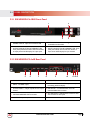
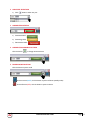
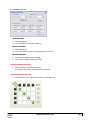
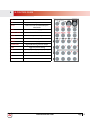
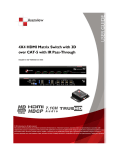
2.3.1 SW-HDM3D-C6-4X4E Front Panel
1
3
2
4
1. SOURCE STATUS : Input source indicator LED
2. IR SENSOR: IR sensor for receiving the IR
commands from IR remote
3. OUTPUT PUSH BUTTON & 7-SEGMENT LED:
Front panel push buttons used to select the number
of display channel & LED display for output ports
4. INPUT PUSH BUTTON & 7-SEGMENT LED: Front
panel push buttons used to select the number of
input source & LED display for input channels
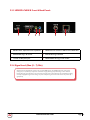
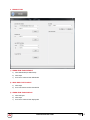
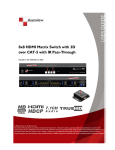
2.3.2 SW-HDM3D-C5-4x4E Rear Panel
5
6
7
8
9
10
11 12 13
5. RS-232: RS-232 control port
6. ETHERNET: Ethernet control port
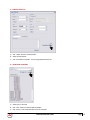
7. INPUT 1-3: HDMI inputs
8. INPUT 4 & EDID PORT: HDMI input and edid port
for learning edid from display
9. OUTPUT PORT 1-4: RJ-45 outputs for each output
channel
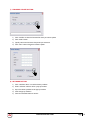
10. IR BLASTER 1-4: 3.5MM IR blaster socket for
individual HDMI source control
11. SYSTEM IR RECEIVER: EXT. IR receiver
12. ALL IR OUTPUT: 3.5MM IR blaster socket for hdmi
source control on all 4 inputs
13. +5V DC: 5V dc power jack
www.avenview.com
Page
5