1
AVL02 USER MANUAL
www.ertengtec.com
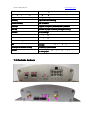
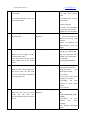
1.3.1 Socket and Switch
Hardware
Function
A. Switch
Turn on /off the unit
B. USB Port
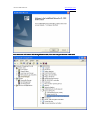
Support "USB Converter
Converter”” to update firmware
C. I/O Sockets
Expanding function, as below
D. Power indicator light
When the unit charging, the light is blinking
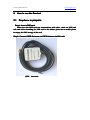
E. GPS Antenna socket
Connect Exterior GPS Antenna
F. GSM Antenna socket
Connect Exterior GSM Antenna
G. SIM Card Holder
Hold a SIM card
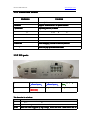
H. Three LED
GSM LED(Right), Power& tremble Led, GPS Led
J. Yellow plastic Pin
Press it to pop up the SIM Card Holder
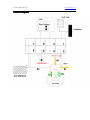
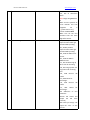
1.3.2 I/O ports
7)+12V
5)Digital Input 1
Positive Input 1)
(Positive
3)Digital Input 2
Positive Input 2)
(Positive
ADA
1)Analog Input
Input(ADA
input
input)
8)GND
6)SOS Button
(With GND)
4)Digital Output A
2)Digital Output B
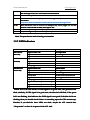
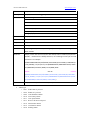
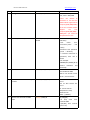
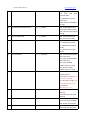
The function is as below:
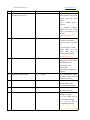
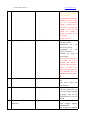
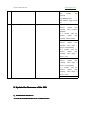
NO.
I/O 01
Function
Analog Input to detect the voltage
I/O 02
Connect to Relay to control the Cut Current function
I/O 03
When this cable triggered by high voltage, Device will send a GPRS alarm data to