1
Installation: General Installation Requirements
3.1.4 Disk Space Requirements
The following are only approximations:
· At least 5GB of free disk space is required on the operating system drive , regardless of to which drive Voicemail
Pro is actually installed.
· A compact Voicemail Pro installation requires 300MB or more.
· A typical installation requires approximately 255MB.
· A custom installation requires up to 5GB (for all supported languages) of disk space. However, prompts and
recorded messages consume an additional 1MB of disk space per minute.
· For a busy environment you can expect to require at least 1000 minutes of message recording space, that is 1GB.
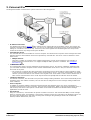
3.2 Server/Client Installation
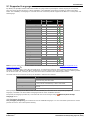
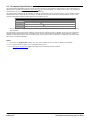
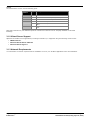
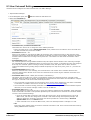
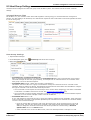
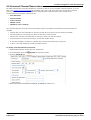
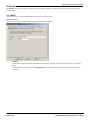
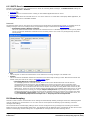
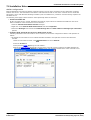
You can install only the client using the Voicemail Pro installation software for Linux.
Component
Sub Component
Client
Voicemail Pro
Voicemail Pro Client
Voicemail Pro Service
Languages
Voicemail Pro Campaign Web
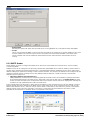
Component
Web Voicemail (UMS)
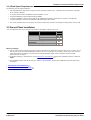
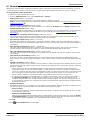
Before you begin:
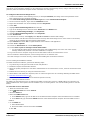
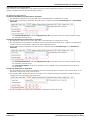
1. Log on to the server computer using the account under which you intend the Voicemail Pro server or service to run.
This account must have full administrator rights to the server computer. If you prefer, create a new user account
called Voicemail and configure it such that it has full administrator rights on the computer and the account
password does not expire.
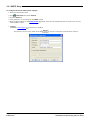
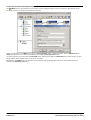
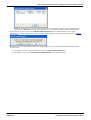
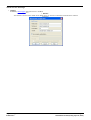
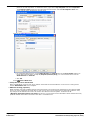
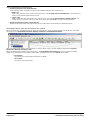
2. In IP Office Manager, check that the correct licenses for Voicemail Pro
Valid.
12
have been installed and show a status of
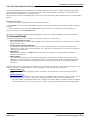
3. For installations other than client only and compact, check that the required pre-installation processes have been
completed.
· Voicemail E-mail Installation
23
· Installing Text to Speech Features
Implementing Voicemail Pro on Linux
IP Office 8.0
39
Page 21
15-601065 Issue 02b (Friday, April 06, 2012)