1
Installation: Server/Client Installation
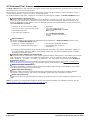
3.2.2 The Voicemail Pro Services
The IP Office application services installed on the IP Office Application Server can be started and stopped individually.
This is required for maintenance or if a particular service is not currently needed, for example, if one-X Portal for IP
Office has been installed but is not currently licensed.
The services can be set to automatically start after a server reboot. By default, all the IP Office services are automatically
started.
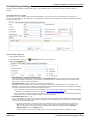
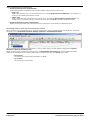
Starting a Service
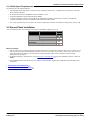
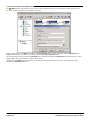
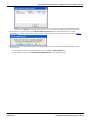
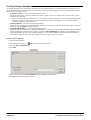
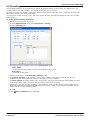
1. Log in to the IP Office Application Server Web configuration pages.
2. Select Home (this is selected by default after logging in). The services and their current status (running or stopped)
are listed.
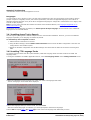
3. To start a particular service click on the Start button next to the service. To start all the services that are not
currently running, click on the Start All button.
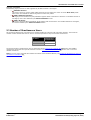
For more information on starting and stopping Application Services see, IP Office Application Server documentation.
3.3 Voicemail Email
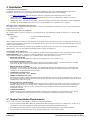
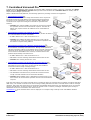
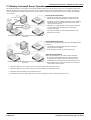
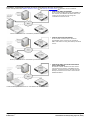
Voicemail E-mail features of the voicemail server provide a number of e-mail functions:
· Forward a Message to E-mail
If the voicemail server is set to IP Office mailbox mode, mailbox users are able to manually forward an voicemail
message to their e-mail.
· Automatic New Voicemail Messages
For all mailbox modes, users can use voicemail e-mail to automatically have a message sent to their e-mail
whenever they receive a new voicemail message. The e-mail can be a simple alert or it can include a copy of the
voicemail as an attachment.
· eMail Action
With customized call flows, an eMail action can be used to send a caller's recorded voicemail message to a
specified e-mail address.
· UMS Exchange
In conjunction with Exchange server and Microsoft Outlook, users are able to use their Outlook inbox as their
mailbox for voicemail messages. If the Exchange server is 2007/2010 and the mailbox is configured for Unified
Messaging, the users will also have the ability to play the message within Outlook, if using Microsoft Outlook
2007/2010.
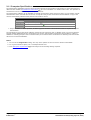
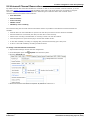
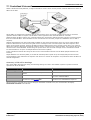
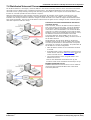
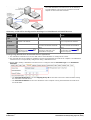
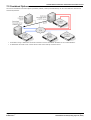
Voicemail E-mail features requires the voicemail server to be configured for access to either an SMTP e-mail server or to
a MAPI e-mail server via a MAPI enabled e-mail client program on the voicemail server computer.
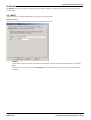
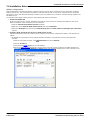
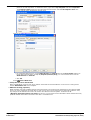
· SMTP Installation 24
This is an e-mail standard supported by most e-mail servers. It is the default e-mail mode for the voicemail
server.
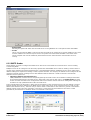
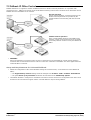
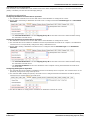
· MAPI Installation 28
MAPI requires a MAPI compliant e-mail client program to be installed on the Voicemail Pro server. It also requires
the Voicemail Pro service to be run using a user account that is able to send e-mails via that MAPI client.
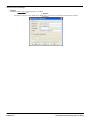
· The exact method of integration between the voicemail server and the MAPI e-mail client depends on whether
the voicemail server is part of a work group or a domain. This guide contains examples for both approaches.
Implementing Voicemail Pro on Linux
IP Office 8.0
Page 23
15-601065 Issue 02b (Friday, April 06, 2012)