1
u
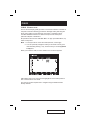
F6 SET:
Pressing [F6] brings up the OSD configuration menu. To change a setting:
1. Move the highlight bar to the choice you want (an icon of a pointing
finger indicates which choice is the currently selected one), then press
[Enter].
2. On the submenu that appears, move the highlight bar to the choice you
want and press [Enter].
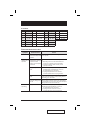
An explanation of the choices is given in the table below:
Setting
Function
CHANNEL DISPLAY
MODE
Selects how the Port ID is displayed: the Port Number plus
the Name (PN + NAME); the Port Number alone (PN); or
the Name alone (NAME).
CHANNEL DISPLAY
DURATION
Determines how long a Port ID displays on the monitor after
a port change has taken place: 3 Seconds; or Always On.
CHANNEL DISPLAY
POSITION
Allows you to position where the Port ID appears on the
screen. Use the Arrow Keys, Pg Up, Pg Dn, Home, End,
and 5 (on the numeric keypad with Num Lock off), to
position the Port ID display, then press [Enter] to lock the
position and return to the SET submenu.
SCAN DURATION
Determines how long the display dwells on each port as it
cycles through the selected ports in Auto Scan Mode. The
options are: 3, 5, 10, 15, 20, 30, 40, and 60 seconds.
OSD ACTIVATING
HOTKEY
Selects which Hotkey activates the OSD function: [Ctrl]
[Ctrl] or [Scroll Lock] [Scroll Lock]. The default is the Ctrl
key combination, but this may conflict with programs
running on the systems, in which case, the Scroll Lock
option should be used.
(Table continues on next page)
22
CS-9134 / CS-9138 User Manual
2005-12-21