1
2.7.9
Boot Option Priorities
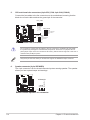
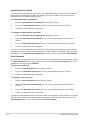
These items specify the boot device priority sequence from the available devices. The
number of device items that appears on the screen depends on the number of devices
installed in the system.
2.7.10
•
To select the boot device during system startup, press <F8> when ASUS Logo
appears.
•
To access Windows® OS in Safe Mode, press <F8> after POST (Windows® 8 not
supported).
Boot Override
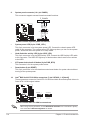
These items displays the available devices. The number of device items that appears on
the screen depends on the number of devices installed in the system. Click an item to start
booting from the selected device.
2.8
Tool menu
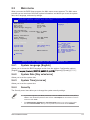
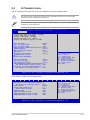
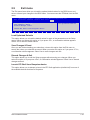
The Tools menu items allow you to configure options for special functions. Select an item
then press <Enter> to display the submenu.
Main
Aptio Setup Utility - Copyright (C) 2014 American Megatrends, Inc.
Ai Tweaker Advanced Monitor Boot Tool Exit
ASUS EZ Flash 2 Utility
ASUS SPD Information
2.8.1
Be used to update BIOS
ASUS EZ Flash 2 Utility
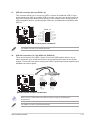
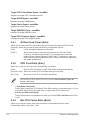
Allows you to run ASUS EZ Flash 2. Press [Enter] to launch the ASUS EZ Flash 2 screen.
For more details, see section 2.1.2 ASUS EZ Flash 2.
2.8.2
ASUS SPD Information
DIMM Slot Number [DIMM_A1]
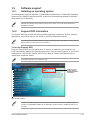
Displays the Serial Presence Detect (SPD) information of the DIMM module installed on the
selected slot. Configuration options: [DIMM_A1] [DIMM_B1] [DIMM_A2] [DIMM_B2]
2-42
Chapter 2: Getting started