1
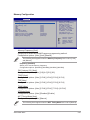
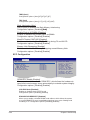
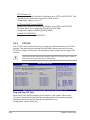
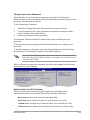
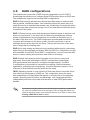
DRAM BG Scrub [Disabled]
Allows DRAM scrubbing to correct memory errors so later reads are correct. Doing
this while memory is not being used improves performance. Configuration options:
[Disabled] [40ns] [80ns] [160ns] [320ns] [640ns] [1.28us] [2.56us] [5.12us] [10.2us]
[20.5 us] [41.0us] [81.9us] [163.8us] [327.7us] [655.4us] [1.31ms] [2.62ms] [5.24ms]
[10.49ms] [20.97ms] [42.00ms] [84.00ms]
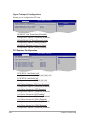
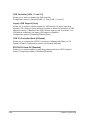
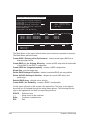
L2 Cache BG Scrub [Disabled]
Allows the L2 Data Cache RAM to be corrected while idle. Configuration
options: [Disabled] [40ns] [80ns] [160ns] [320ns] [640ns] [1.28us] [2.56us]
[5.12us] [10.2us] [20.5 us] [41.0us] [81.9us] [163.8us] [327.7us] [655.4us]
[1.31ms] [2.62ms] [5.24ms] [10.49ms] [20.97ms] [42.00ms] [84.00ms]
Data Cache BG Scrub [Disabled]
Allows the L1 Data Cache RAM to be corrected while idle. Configuration
options: [Disabled] [40ns] [80ns] [160ns] [320ns] [640ns] [1.28us] [2.56us]
[5.12us] [10.2us] [20.5 us] [41.0us] [81.9us] [163.8us] [327.7us] [655.4us]
[1.31ms] [2.62ms] [5.24ms] [10.49ms] [20.97ms] [42.00ms] [84.00ms]
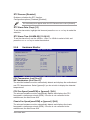
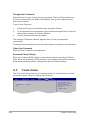
Power Down Control [Auto]
Allows DIMMs to enter power down mode by deasserting the clock enable signal
when DIMMs are not in use. Configuration options: [Auto] [Disabled]
Alternate VID [Auto]
Specifies the alternate VID while in low power state.
Configuration options: [1.550 V] [1.525 V] [1.500 V] [1.475 V] [1.450]~[0.825 V]
[0.800 V] [Auto]
2.4.3
Chipset
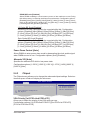
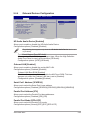
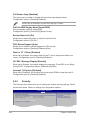
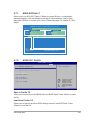
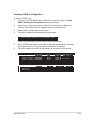
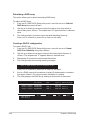
The Chipset menu allows you to change the advanced chipset settings. Select an
item then press <Enter> to display the sub-menu.
Advanced
BIOS SETUP UTILITY
Options
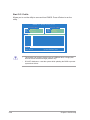
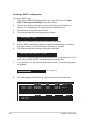
VGA Priority
[1st PCIE>2nd PCIE]
Hyper Transport Configuration
PCI Express
1st PCIE>2nd PCIE>PCI
2nd PCIE>1st PCIE>PCI
PCI>1st PCIE>2nd>PCIE
VGA Priority [1st PCIE->2nd PCIE->PCI]
Allows you to select the priority of the VGA cards you use.
Configuration options: [1st PCIE>2nd PCIE>PCI] [2nd PCIE>1st PCIE>PCI]
[PCI>1st PCIE>2nd PCIE]
ASUS M2A-MVP
2-23