1
2.10 Creating a RAID driver disk
A floppy disk with the RAID driver is required when installing Windows® 2000/XP
operating system on a hard disk drive that is included in a RAID set.
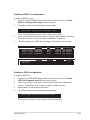
To create a RAID driver disk:
1. Boot your computer.
2.
Press <Del> during POST to enter the BIOS setup utility.
4.
Save changes and exit BIOS.
3.
5.
6.
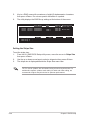
Set the optical drive as the primary boot device.
Insert the support CD into the optical drive.
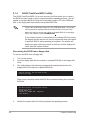
Press the any key when the system prompts “Press any key to boot from the
optical drive.” The following menu appears:
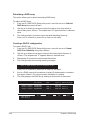
1) Make ULi RAID Driver Disk
2) Format Floppy Disk
3) FreeDOS command prompt
Please choose 1 ~ 3:_
7.
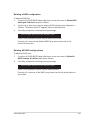
Press <1> to create a RAID driver disk.
9.
Follow succeeding screen instructions to complete the process.
8.
Insert a formatted floppy disk into the floppy drive then press <Enter>.
- OR -
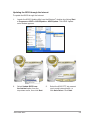
1.
Start Windows® .
3.
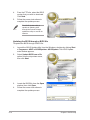
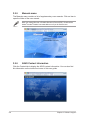
When the Drivers menu appears, click Make ULi Chipset Driver Disk to
create a ULI RAID driver disk.
2.
4.
5.
Place the motherboard support CD into the optical drive.
Insert a floppy disk into the floppy disk drive.
Follow succeeding screen instructions to complete the process.
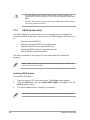
Write-protect the floppy disk to avoid computer virus infection.
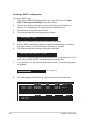
To install the RAID driver:
1.
2.
3.
During the OS installation, the system prompts you to press the F6 key to
install third-party SCSI or RAID driver.
Press <F6> then insert the floppy disk with RAID driver into the floppy disk
drive.
Follow the succeeding screen instructions to complete the installation.
ASUS M2A-MVP
2-49