1
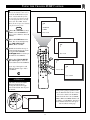
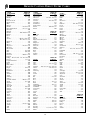
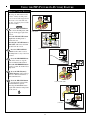
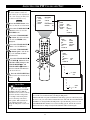
TABLE OF CONTENTS
Remote Control Operation
Introduction
Using the SmartPictureTM Control ................33
Using the SmartSoundTM Control ..................34
Using the AVL Control ............................................34
Using the Channel Surf Control ..............................35
Setting the Remote Control to Operate
Accessory Devices ............................................36-38
Remote Control Direct Entry Codes ..................39-40
Using the Remote’s VCR Buttons ..........................41
Welcome/Registration of Your TV ................................2
Safety/Precautions ..........................................................3
Table of Contents............................................................4
Features...........................................................................5
On-Screen Menu
Picture
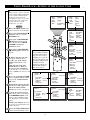
✧ Adjusting the TV Picture .......................................6
Picture-In-Picture (PIP)
Features
Using the PIP Feature
✧PIP Connection .....................................................42
✧Choosing the PIP Source ......................................43
✧Remote Control Buttons.......................................44
✧Adjusting the PIP Color and Tint.........................45
✧More PIP Connections ....................................46-47
✧Setting the TV’s Clock ...........................................7
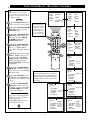
✧Activating the TV’s On Timer Control..................8
✧Selecting the TV’s On Timer Channel ..................9
✧Setting the TV’s On Timer Start Time.................10
✧Turning on the On Timer Display ........................11
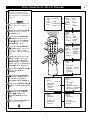
✧Understanding SmartLockTM.................................12
✧Using SmartLock - Setting Up the Access Code 13
✧Using SmartLock - Block Channels ....................14
✧Using SmartLock - Movie Rating........................15
✧Using SmartLock - TV Rating .............................16
✧Using SmartLock - Blocking ...............................17
✧Using SmartLock - Block Unrated ......................18
✧Using SmartLock - No Rating .............................19
✧Reviewing the SmartLock Settings......................20
✧Viewing Blocked Programming...........................21
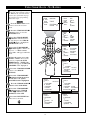
✧Turning On the Noise Reduction Control............22
✧Turning On the Contrast + Control......................23
✧Using the Closed Caption Control .......................24
✧Using the Sleep Timer Control.............................25
General Information
Tips if Something Isn’t Working .............................48
Glossary of TV Terms..............................................49
Index ........................................................................49
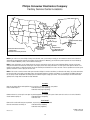
Factory Service Locations ..................................50-51
Warranty...................................................................52
Sound
✧Adjusting the Treble, Bass, and Balance Sound
Controls .................................................................26
✧Setting the TV for Stereo and SAP Programs .....27
✧Using the Incredible Stereo Control ....................28
✧Using the Volume Bar Control.............................28
✧Setting the Audio Out Control..............................29
✧Using the TV Speaker Control and
Audio Output Jacks...............................................30
✧Using the Audio/Video Input Jacks................31-32
SmartClock, SmartLock, SmartPicture, and SmartSound are trademarks of
Philips Consumer Electronics Company.
Copyright © 1999 Philips Consumer Electronics Company. All rights reserved.
4