1
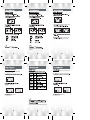
"ERASE" menu.
"FORMAT" menu.
"LINE IN B/R" menu.
LINE IN B/R
and to select YES then press
PLAY (
LINE IN B/R
) button.
Press SKIP/
SEARCH (
) button to choose normal or quick format, Press
( ) button to start format, Press (F) to exit menu.
LINE IN B/R
"LINE IN B/R" menu.
stop or pause mode.
Select the voice record Bit Rate
then select"
record voice on
FM BAND
RECORD" menu,and press(
"voice bitrate"
VOICE B/R
)button.
p.28).
one time on pause/stop mode.
Total MEM :
Free MEM :
F/W Ver :
256M
98M
1.02
To exit "FM BAND"mode, press FUNCTION (F)button 2 seconds,
then press SKIP/SEARCH(
)to setect other play mode.
VORC001
VORC002
VORC003
some
time
Enter the "Voice" folder to play the recorded file.