1
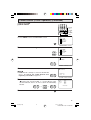
Quick Reference Control Operation
•
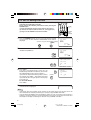
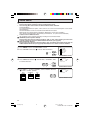
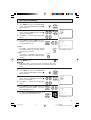
Part Names
Front Panel
POWER
Press → On.
Press again → Off.
VIDEO/AUDIO IN 2
TERMINALS
(INSIDE DOOR)
REMOTE CONTROL
SENSOR
MENU
Press → Accesses MAIN MENU.
Press again → Exits MAIN MENU.
VOLUME UP/DOWN
(k) Increases sound.
(l) Decreases sound.
CHANNEL UP/DOWN
(a) Selects next higher channel.
(s) Selects next lower channel.
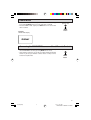
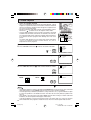
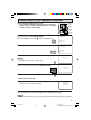
Basic Remote Control Functions
Infrared Transmitter Window
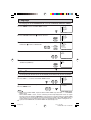
POWER
Press → On.
Press again → Off.
DISPLAY
Press → Displays receiving channel for
4 seconds.
Press again → Removes display.
• Temporarily displays receiving
channel when in Closed Caption
mode.
POWER
DVD
VCR
TV
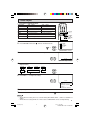
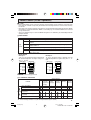
REMOTE KEYPAD
Accesses any channel from keypad.
FLASHBACK
Returns to previous channel.
PERSONAL PREFERENCE
With the Personal Preference buttons,
you can program your favorite
programs by using the 4 categories A,
B, C and D. The channels can be
accessed quickly by using these
buttons. (See page 32.)
DISPLAY
INPUT
1
2
3
4
5
6
7
8
INPUT
Press → Switches to external video
INPUT 1 mode.
Press twice → Switches to external
video INPUT 2 mode.
Press 3 times → Switches to external
video INPUT 3 mode or COMPONENT
mode.
Press 4 times → Switches back to the
original TV mode. See page 39.
9
ENTER
FLASHBACK
0
100
PERSONAL PREFERENCE
A
B
C
D
CH
VOL
—
VOL
+
CH
VOLUME UP/DOWN
(k) Increases sound.
(l) Decreases sound.
• Changes or selects the TV
adjustments on On-Screen Display.
MENU
MENU
Press → Accesses MAIN MENU.
Press again → Exits MAIN MENU.
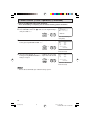
CATV/DVD-TV/VCR MODE
SELECT SWITCH
In TV/VCR position, signals sent will be
for TV and VCR control.
In CATV/DVD position, signals sent will
be for cable TV converter and DVD
control.
MUTE
CATV
TV
DVD
VCR
REW
PLAY
FF
PAUSE
STOP
REC
CH/SKIP
TV • CATV • VCR • DVD
DVD/VCR CONTROL
See page 41.
ENTER
Used in some instances where a Cable
Converter Box requires an “enter”
command after selecting channels,
when using the REMOTE KEYPAD
button. See page 41 .
CHANNEL UP/DOWN
(a) Selects next higher channel.
(s) Selects next lower channel.
• See pages 28–30 for Channel
Setting.
• Moves the “ E ” mark on the MENU
screens.
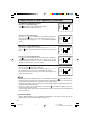
MUTE
Press → Mutes sound.
Press again → Restores sound.
• When sound is muted, CLOSED
CAPTION appears if available.
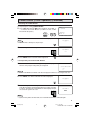
Note:
• The above shaded buttons on the Remote Control glow in the dark. To use the glow-in-the-dark display on the
remote control, place it under a fluorescent light or other lighting.
• The phosphorescent material contains no radioactive or toxic material, so it is safe to use.
• The degree of illumination will vary depending on the strength of lighting used.
• The degree of illumination will decrease with time and depending on the temperature.
• The time needed to charge the phosphorescent display will vary depending on the surrounding lighting.
• Sunlight and fluorescent lighting are the most effective when charging the display.
• The TV set and remote control illustrations and the on-screen displays in this manual may differ from their actual
appearance.
7
27C540(07)
7
04.1.16, 7:26 AM
Dimension: 140mm x 215mm