1
Audio CD and MP3/WMA Operation (Continued)
CD
MP3
Random With Audio CD
WMA
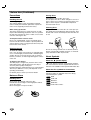
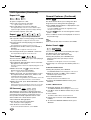
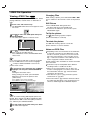
1. Press PAUSE/STEP during playback.
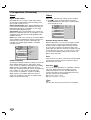
1. Press RANDOM during playback or in Stop mode.
The unit automatically begins Random Playback and
“RANDOM(1-3)” appears in the display window.
2. To return to playback, press PLAY or press
PAUSE/STEP again.
Changing Track
CD
MP3
WMA
Press SKIP/SCAN . or > briefly during
playback to go to the next track or to return to the
beginning of the current track.
Press SKIP/SCAN . twice briefly to step back to
the previous track.
Listening an audio CD, to go directly to any track,
enter the track number using the numbered buttons
(0-9) during playback.
Search
CD
MP3
WMA
1. Press and hold SKIP/SCAN . or > for about
two seconds during playback.
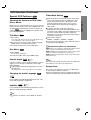
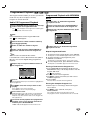
• RANDOM1: Plays all the tracks on a single disc in random
order and then stops.
• RANDOM2: Plays all the tracks on current disc in
random order and then plays all the tracks on each succeeding disc in random order and then stops.
• RANDOM3: Plays 2 tracks randomly from a disc and then
plays 2 tracks randomly from a different disc until all tracks
on all discs have been played.
2. To return to normal playback, press RANDOM until
“RANDOM” disappears from the display window.
Repeat A-B
CD
To repeat a sequence.
1. During disc playback, press A-B at your chosen start
point.
The Repeat icon and “A * ” appear on the menu screen.
2. Press A-B again at your chosen end point.
The player will now go into SEARCH mode.
2. Press and hold SKIP/SCAN . or > repeatedly
to select the required speed: mX2, mX4, mX8
(backward) or MX2, MX4, MX8 (forward).
Search speed and direction are indicated on the menu
screen.
The Repeat icon and “A B” appear on the menu screen, and
the sequence begins to play repeatedly.
3. To exit the sequence and return to normal play, press
A-B again.
The Repeat icon and “OFF” appear on the menu screen.
3D Surround
3. To exit SEARCH mode, press PLAY.
Random with MP3/WMA Disc
CD
MP3
WMA
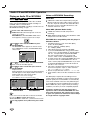
1 Press RANDOM during playback or when playback is
stopped.
The unit automatically begins Random Playback and
RANDOM or “RAND.” appears on the display window
and menu screen.
CD
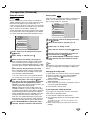
This unit can produce a 3D Surround effect, which
simulates multi-channel audio playback from two
conventional stereo speakers, instead of the five or
more speakers normally required to listen to multichannel audio from a home theater system.
1. Press DISPLAY during playback.
2. Use 1 or 2 to select the sound option.
2 To return to normal playback, press RANDOM repeatedly until RANDOM or “RAND.” disappears on the display window and menu screen.
3. Use 3 or 4 to select “3D SUR”.
Repeat Track/All/Off
Changing Audio Channels
MP3
WMA
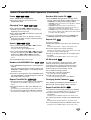
1 To repeat the track currently playing, press REPEAT.
The Repeat icon and “TRACK” appears on the menu
screen.
2 To repeat all tracks on a disc, press REPEAT a second time.
The Repeat icon and “ALL” appears on the menu screen.
3 To cancel Repeat mode, press REPEAT a third time.
The Repeat icon and “OFF” appears on the menu screen.
The sound option will be highlighted.
To turn off the 3D Surround effect, select “NORM”.
CD
Press AUDIO repeatedly during playback to hear a
different audio channel (STER., LEFT, or RIGHT).
Repeat Track/Disc/All/Off
CD
1. To repeat the track currently playing, press REPEAT.
The Repeat icon and “TRACK” appear on the menu screen.
2. To repeat all tracks on a disc, press REPEAT a
second time.
The Repeat icon and “DISC” appear on the menu screen.
3.To repeat entire all disc contents, press REPEAT third
time.
The Repeat icon and “All” appears on the menu screen.
4. To cancel Repeat mode, press REPEAT a fourth time.
The Repeat icon and “OFF” appear on the menu screen.
21
OPERATION
Pause