1
Operation with DVD and Video CD
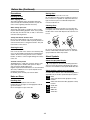
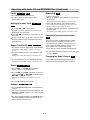
Slow Motion
DVD
VCD2.0
Repeat A-B
A *
VCD1.1
t or T during playback.
2 Use the SLOW t or T to select the required speed:
t 1/16, t 1/8, t 1/4 or t 1/2 (backward), or
T 1/16, T 1/8, T 1/4 or T 1/2 (forward).
3 To exit slow motion mode, press PLAY.
1 Press SLOW
The player will enter SLOW mode.
VCD2.0
Karaoke DVD
CHAPT
TITLE
TRACK
“A B” appears briefly on the TV screen, and the repeat
sequence begins (“AsB” appears the display window).
DVD Video Discs - Repeat Chapter/Title/Off
1 To repeat the currently playing chapter, press REPEAT.
The Repeat Chapter icon appears on the TV screen.
2 To repeat the title currently playing, press REPEAT a
second time.
The Repeat Title icon appears on the TV screen.
3 To exit Repeat mode, press REPEAT a third time.
The Repeat Off icon appears on the TV screen.
Video CDs - Repeat Track/All/Off
1 To repeat the track currently playing, press REPEAT.
The Repeat Track icon appears on the TV screen.
-:--:--
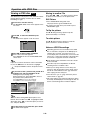
The “-:--:--” appears in the Time Search box.
If you enter the wrong numbers, press CLEAR to remove the
numbers you entered. Then enter the correct numbers.
4 Within 10 seconds, press ENTER to confirm the start
time.
Playback starts from the selected time on the disc. If you enter
an invalid time, playback will continue from the current point.
Selecting the sound enhancement
DVD
OFF
0:20:09
3 Within 10 seconds, use the number buttons to enter
the required start time. Enter hours, minutes, and seconds from left to right in the box.
VCD1.1
ALL
DVD
2 Within 10 seconds, press v/V to select the Time
Search icon in the on-screen display.
Note
This function only works with DVD Karaoke discs and
video CD without PBC.
On a Video CD with PBC, you must set PBC to Off on
the setup menu to use the Random function. See
page 14.
VCD2.0
“ A * ” appears briefly on the TV screen.
2 Press A-B RPT again at your desired end point.
The Time Search box shows the elapsed playing time of the
current disc.
>
DVD
1 Press A-B RPT at your desired starting point.
1 Press DISPLAY during playback. The on-screen display appears on the screen.
Tip
By pressing SKIP
during Random playback, the
unit selects another title (track) and resumes Random
playback.
Repeat
To repeat a sequence in a title:
The Time Search function allows you to start playing at
any desired time on the disc.
VCD1.1
2 To return to normal playback, press RANDOM until
“RANDOM” disappears on the display window.
z
VCD1.1
OFF
Time Search
1 Press RANDOM during playback or in stop mode.
The unit automatically begins Random Playback and
“RANDOM” appears on the display window.
z
A B
VCD2.0
3 To cancel the sequence, press A-B RPT.
Note
Slow motion playback in reverse is not applicable for
Video CD.
Random
DVD
VCD2.0
VCD1.1
NORM.
3D SUR
DIALOGUE
Press E.A.M. to select the sound enhancement during
playback.
NORM. : Normal sound
3D SUR: This player can produce a 3D Surround effect, which
simulates multi-channel audio playback from two conventional
stereo speakers, instead of the five or more speakers normally
required to listen to multi-channel audio from a home theater
system.
DIALOGUE: Enhances critical center channel information to
make dialogue more intelligible (only when playing a DVD
video disc recorded on the Dolby Digital recording system).
• To use this enhancement on audio output from the
DIGITAL AUDIO OUT jack, be sure to set “Digital Audio
Output” to “PCM”. See page 14.
2 To repeat the disc currently playing, press REPEAT a
second time.
The Repeat All icon appears on the TV screen.
3 To exit Repeat mode, press REPEAT a third time.
The Repeat Off icon appears on the TV screen.
Note
On a Video CD with PBC, you must set PBC to Off on the
setup menu to use the Repeat function. See page 14.
1-18
OPERATION
General Features (continued)