1
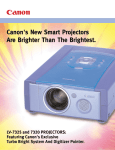
The flagship of Canon’s impressive
LV-Series Projector line, the LV-7525 XGA
(SXGA compressed) projector combines
breakthrough brightness technology with
outstanding value. This top-of-the-line
projector incorporates Canon’s exclusive
Turbo Bright System* for an incredible
brightness level of 2750 ANSI Lumens,
25% above our standard mode. When
combined with Canon’s exclusive Digitizer
controller, presenters can interact with the
projected image as if it were a large
screen computer display. PowerPoint and
other computer program users who want
to maximize audience attention will really
enjoy this advantage.
TURBO BRIGHT SYSTEM
IS AN EYE OPENER
State-of-the-art optical features, including
micro lens technology and a newly designed,
ultra-bright 200W UHP lamp, ranks this
projector among the best. But Canon didn't stop there.
Our Turbo Bright System provides the enormous
benefits of full intensity brightness, boosting light
output as much as 25% without any increase in power
consumption, lamp wear, and cost. No other projector
manufacturer can make this claim… except Canon.
MAXIMIZE PROJECTION VERSATILITY
Canon's Turbo Bright System adds a new dimension,
versatility. "Turbo" brightness allows Canon's projectors
to be used in more venues than ever, from the darkest
auditoriums to the brightest video conferencing rooms.
When you need the lights on for note taking or
discussion, use the Brighter mode. When the room
n eed s to b e d arke ne d, for a vi deo or g ro u p
presentation, the Standard mode works equally well.
MORE SMART FEATURES
The LV-7525 incorporates an ultra smooth digital
keystone correction for distortion free presentations for
projection angles up to 40 degrees. Adjustment is easy
from the wireless remote control. Using high quality
progressive scanning technology the LV-7525 displays
the best video quality available today. The auto imaging
function instantly adjusts parameters such as tracking
and image position. A GUI (Graphic User Interface)
enables further user adjustment, while powered zoom
and focus is accomplished via the multi-purpose
wireless remote control. The LV-7525 projector is so
smart, it even tells the operator when the lamp needs
to be replaced, so you're never in the dark.
*Patent Pending.
CANON'S DIGITIZER
WITH YOUR PROJECTED IM
Canon's new Digitizer is a pointer/wireless mouse that works with
your Canon LV-7525 projector and lets you stand in front of your
audience and direct their
attention to pertinent copy or
detail, while you interact with the
projected image as if it were a
large screen computer display.
There are no special screens or
equipment required and you can
use it almost anywhere. Now,
Canon’s Digitizer Pointer with
teachers, trainers, litigators and
LV projector and attachment.
presenters in general can focus
MAKE THE CONNECTION WITH
LV-SERIES PROJECTORS.
Canon’s LV-7525 projector connects you to a wide
range of business, education and professional
solutions.
DZ-3600U
DISPLAY HIGH RESOLUTION DOCUMENTS AND OBJECTS.
High Resolution Images Can Be Captured From Books,
Charts, Photos, X-Rays, Physical Objects and More Using
Canon’s DZ-3600U Digital Imaging System and your PC.
VIDEOCONFERENCE TO LARGE AUDIENCES.
The LV-Series Projector can be connected to your
videoconferencing system for displaying and
conferencing to a larger audience.
DISPLAY DVD AND HDTV VIDEO.
Project standard, DVD or HDTV video with astonishing
detail, supported by the LV-7525’s progressive scan
system.
PROJECT ANY VIDEO SOURCE.
Presenters, trainers, teachers, lawyers and medical
practitioners can project large screen video
presentations using camcorders, VCRs, and more.
1
4
2
5 6
3
7
LETS YOU INTERACT
MAGE AND YOUR AUDIENCE.
their audience on key points, while changing images at the click of
a button, and even underlining or circling areas on the projected
image. It's that easy.
From the conference room, to the courtroom, to the classroom,
Canon's Digitizer puts you in control. Imagine making a PowerPoint
presentation while standing in front of, and making eye contact
with your audience, rather than from behind your laptop. As a
wireless mouse, the Digitizer is simple to use and supports, rather
than interferes, with your verbal presentation. As a pointer, it's a
time-tested way to have the audience key in on critical points of
your message. For users in general, it's the most promising
communication advance since the introduction of the projector.
8
15
9 10
1.
2.
3.
4.
5.
Computer In-1
Computer In-2
Monitor Out
Audio 1 - In Stereo
Serial 1
11
12 13
6. Audio 2 - In Stereo
7. Serial 2
8. Ext. Sp.-Stereo
9. R Audio In
10.L Audio In
14
11.Video In
12.Y/C In
13.Component Video In-Y
14.Component Video In-Cb/Pb
15.Component Video In-Cr/Pr
LV-7525 Specifications
Type:
Portable LCD Projector
Color systems:
LCD panel:
1.3” polysilicon active matrix TFT x 3
4:3 aspect ratio (with micro lens)
NTSC, PAL, SECAM, NTSC 4.43,
PAL-M, PAL-N
Computer supported:
Number of pixels:
* Display standards supported
786, 432 (1024 (H) x 768 (V) x 3
* Native XGA, SXGA(Compr.), SVGA, VGA
IBM PC or compatible, Macintosh,
work stations
Note: Some work stations
are not supported.
Scanning frequencies:
15 kHz to 100 kHz for horizontal sync
50 Hz to 100 Hz fro vertical sync
2W + 2W, stereo
Light source:
200W UHPlamp
Brightness:
2750 ANSI lumens (Brighter Mode),
2200 ANSI lumens (Standard Mode)
Illuminance ratio at edges of image field:
90%
Audio output:
Contrast ratio:
350:1
Built- in speakers:
4 cm x 7 cm (1.625 in x 2.875 in), x 2
Horizontal resolution:
800 TV lines
Rated supply voltage:
Projection lens:
48 to 63 mm, 1:!.8 to 2.1, x 1.3
100 to 120V AC,
50/60 Hz
Lens shifting:
20:1
Power consumption:
3.6A(MAX. Ampere)
Elevation adjustment:
Up by 6 0 (one-touch operation)
Ambient operating temperature:
5o to 35o C (41 t o 95o F)
Size of projection image, projection distance:
40” (1.4 m), 100” (3.6 m), 300” (10.9 m)
in WIDE mode
30.7” (1.4 m), 100” (4.7 m), 300” (14.1 m)
in TELE mode
Dimensions:
269.8 (W) x 131.3 (H) x 411.2 (D) mm
(10.625 x 5.25 x 16.25 in)
* Excluding height of legs:
8.5 mm (0.343 in)
Digital keystone distortion compensation angle:
+ 40o
Weight of main unit:
Approx. 7.0 kg (15.432 lb)
Accessories
Connectors
Computer input
Signal input: HDB 15 type x 2 sets
Audio input: Mini jack (stereo) type x 2 sets
Mouse control: Mini DIN 8-pin x 2 sets
Wireless remote control unit (two AAalkaline batteries) with mouse control and laser
pointer functions
Computer output
Signal output: HDB 15 type x 1 set
VGA/MAC conversion adapter
Video input
Signal input: RCAtype x 1 set
(for composite signals)
Mini DIN 4-pin type x 1 set (S- Video)
RCAtype x 3 (for HDTV and DVD
component signals)
Mouse control cable (PS/2, serial, MAC)
Audio input
External speaker output
VGAcomputer cable (1.8 m long)
Lens cover
Dust cover
Power cable (3 m long)
Warranty card
RCAtype (R/L) x 1 set
User manual
Mini jack (stereo) type x 1 set
Canon Digitizer LV-DP 11/10(P) Specifications
Receiver LV-DP11,10/(P)
Pointer LV-DP10(P)
Type:
Optical position detection method
coordinate input device
Projection image size (diagonal):
Adjustable from 45” to 100”
Operating distance:
1.6m to 3.6m (5.25 ft to 11.81 ft)
Resolution:
0.254mm (0.01”) (at projection distance
of 209 cm)
Sampling rate:
Over 25 points/second
Mounting method:
The receiver is fitted to the projector via
a dedicated mount.
Type:
Light emitter:
Directionality:
Output signal:
Buttons:
Operation indicators:
Power source:
Operating time:
Dimensions:
Weight:
Pointer built-in mouse functions (optical communication method)
Near infrared ray (870nm) LED x 4
All directions from the pointer tip perpendicular to the pointer axis
The signal generated by button operation
superimposed on a modulated signal
2 buttons corresponding to the right and left buttons
of a computer mouse
Red/green LED (with voltage detection warning red/green/off)
Two AAalkaline batteries
Approximately 3 hours (when using alkaline batteries)
420mm +5 (16.625 in+0.218) (retracted),
736mm+15 (29 in+0.625) (extended)
125g (0.275lb) (batteries excluded)
DP-11 Driver Software Specifications
Interface:
RS-232C
Operating environment:
5o to 35 oC (41oF to 95 oF)
and 5% to 90% RH
Dimensions:
103.7 x 273.7 x 58.2mm
(4.125 x 10.875 x 2.375 in)
Transmission speed :
Installer:
System requirements:
Weight
655g (1.444 lb)
Software medium:
Type:
User setting:
Windows mouse type driver
COM port selection (1-4), calibration, double-click setting,
offset setting (6% on surface of screen)
19,200 bps
Uses a dedicated installer
Pentium 100MHz processor or better running Windows 95
(w/ 16MB memory free) or Windows 98 (w/32MB memory free)
1 CD-ROM disk (includes drawing software)
HEADQUARTERS: ONE CANON PLAZA • LAKE SUCCESS, NY 11042 • PHONE: 516-328-5960.
CANON CANADA INC.: 6390 DIXIE ROAD • MISSISSAUGA, ONTARIO L5T 1P7 • CANADA • PHONE: 1-800-OK-CANON (1-800-652-2666)
CANON LATIN AMERICA: 6505 BLUE LAGOON DR., SUITE 325 • MIAMI, FL 33126 • U.S.A.
E-mail us at: [email protected] • Website @ www.usa.canon.com
Visual Communication S
ystems Division
All specifications subject to change without notice. PowerPoint® is a registered trademark of Microsoft. Canon is a registered trademark of Canon, Inc. ©2000 Canon USA, Inc.