1
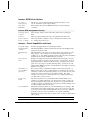
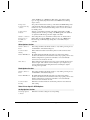
Media Options Section
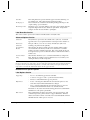
Media Type
° Fixed Length Strip – This is used for continuous stock. The length of the
media that will be fed out depends on the length of the print window.
° Label With Gaps – This is used for adhesive labels mounted on liner.
° Ticket With Gaps – This is used for tickets and tags with detection slits.
° Ticket With Marks – This is used for labels, tickets, or continuous stock
provided with black marks at the back.
° Variable Length Strip- This is used for continuous stock. The length of each
copy depends on the size of the print images.
Paper Type
° Thermal Transfer - Uses ribbon and non-heat sensitive label stock to print.
The print head is activated as the label moves underneath heating the ribbon
material and melting it onto the label. To increase the quality of the print
decrease/increase the speed and increase/decrease the heat as necessary.
° Direct Thermal - Uses heat sensitive label stock without the ribbon. The
print head is activated as the label moves underneath heating the label stock
and activating the heat sensitive material in the stock causing darkening of
the material. To increase the quality of the print decrease/increase the speed
and increase / decrease the heat as necessary.
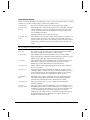
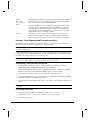
Media Sensitivity Guide Section
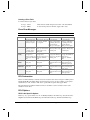
The sensitivity for a particular type of media and ribbon is critical to achieving high quality printing. If
the Media Type you are using is listed, select it, and then press "Apply" to achieve the recommended
sensitivity setting. The corresponding settings in the Media Settings section will be refreshed.
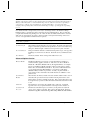
Advanced Options Section
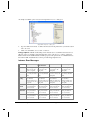
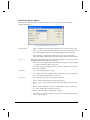
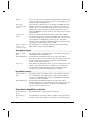
Memory Module
If a memory card is attached to the printer, you can select it.
Character Set
Several printer languages are available that can print international characters
that are not available in the U.S. character set. If your printer supports it,
select a different Character Set.
Ext Font Location
Specify the source of additional fonts.
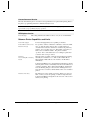
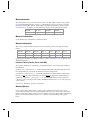
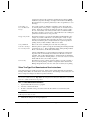
Custom Command Section
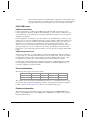
Custom Command
Specify printer commands otherwise not available in the Loftware Label
Manager dialog boxes. Click on the Send Options box to send the commands
during printing.
Loftware Label Manager User's Guide
Appendix B Printers and Labels B - 67